ABB robots can disconnect the teach pendant connection in automatic mode without affecting the execution of the robot program (Note: Disconnecting the teach pendant in manual mode will trigger an emergency stop fault).
1. For the Omnicore control cabinet, the 3018-1 Hot swappable FlexPendant software option is required, and the specific operations are as follows:
1. In automatic mode, click the three dots in the upper right corner of the teach pendant, and the following page will appear.
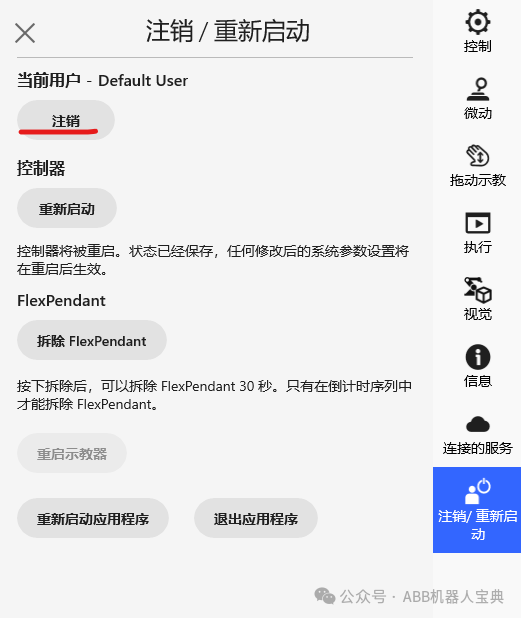
2. Click Logout, then log in to the teach pendant using account Admin and password robotics.
3. In the FlexPendant section, click Detach FlexPendant. The Detach FlexPendant window will appear.
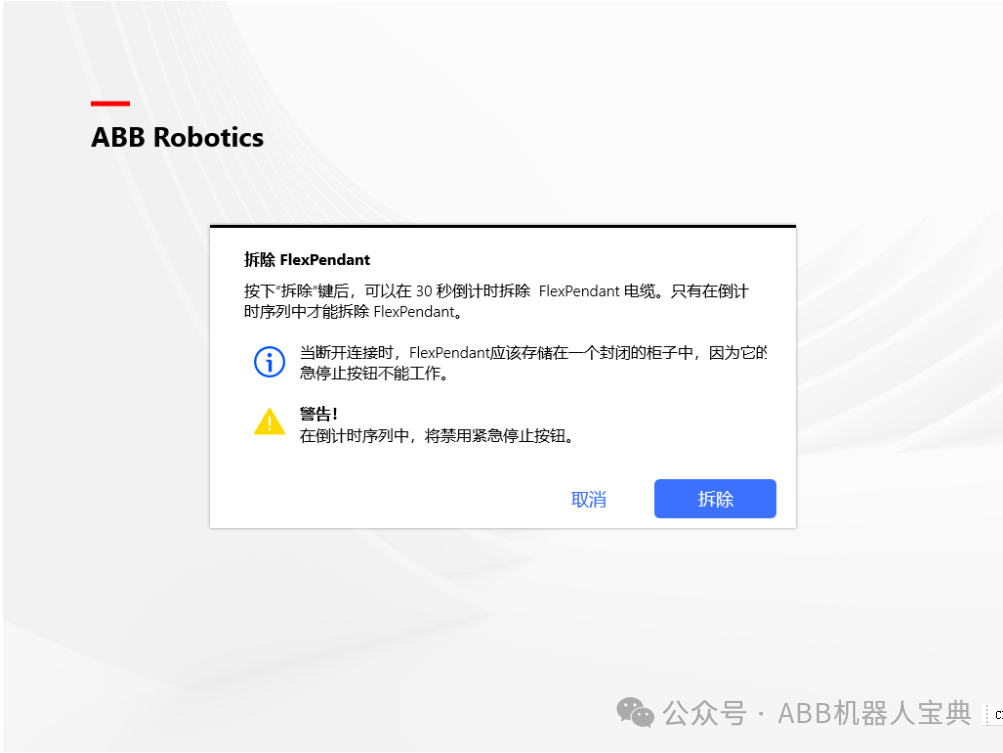
4. Click Detach. A pop-up window with a 30-second countdown timer will appear.
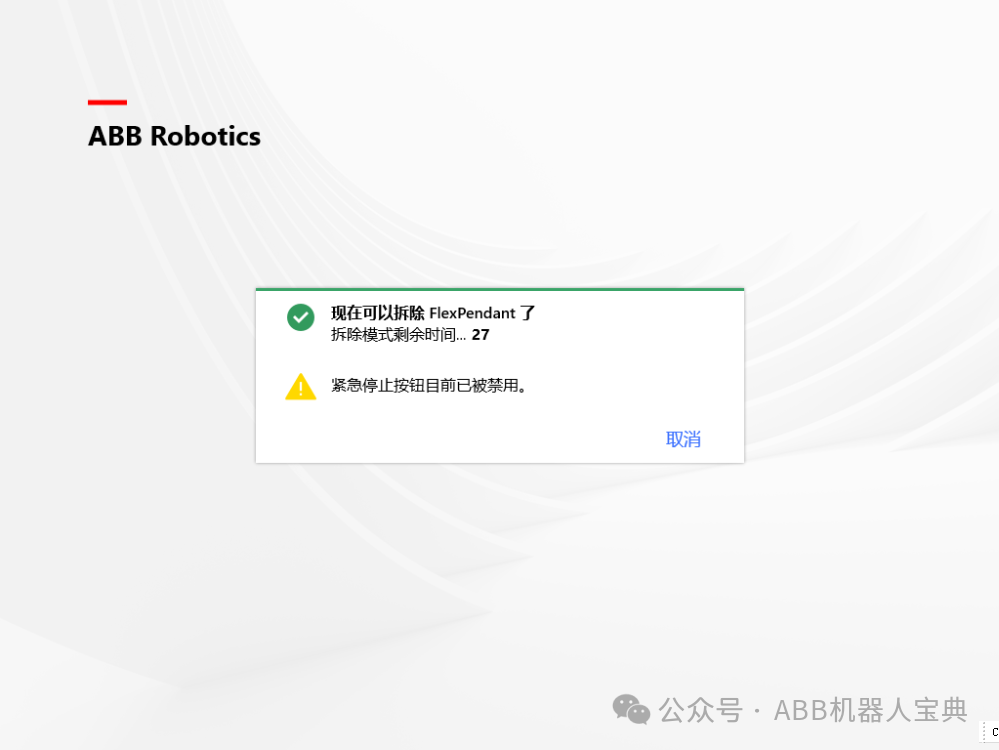
5. While the countdown is in progress, disconnect the FlexPendant. After disconnection, the FlexPendant will turn off.
If the FlexPendant is not disconnected within 30 seconds, the disconnection process will be aborted. If the FlexPendant is disconnected after the 30-second countdown, the controller will enter an emergency stop state.
2. For the IRC5 control cabinet
The hot plug option allows disconnection between the teach pendant and the control cabinet in automatic mode, even while the program continues to run without the teach pendant.
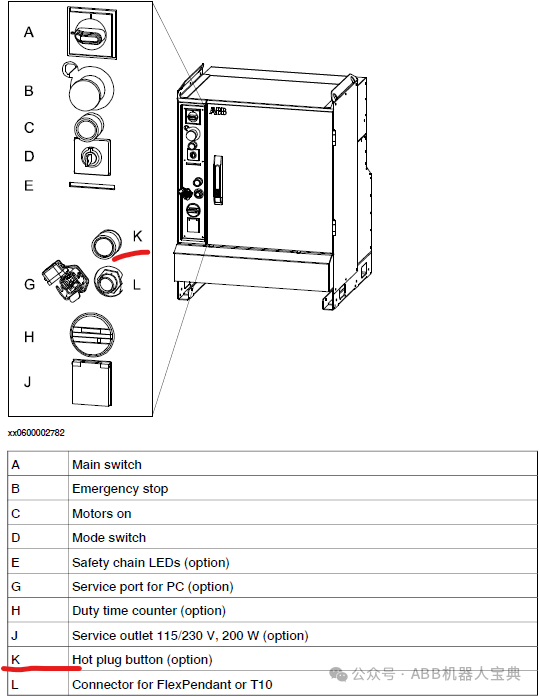
1. The hot plug option (requires additional purchase) adds a button to the control cabinet as shown in the image at point K:
2. Precautions:
• Pressing the hot plug button will disable the emergency stop button on the FlexPendant. When connecting or disconnecting the FlexPendant, simply press the hot plug button.
• The system must never switch to manual mode (or manual full-speed mode) while running without the FlexPendant. You must connect the FlexPendant when switching to automatic mode; otherwise, you cannot confirm the mode change.
• When the FlexPendant is disconnected, a jumper plug must be connected in its place.
• If the hot plug button is released without connecting the jumper plug or FlexPendant, the robot will stop its actions because the emergency stop chain is opened.
3. Steps to connect and disconnect the FlexPendant teach pendant using the hot plug button are as follows:
a. Ensure the system is in automatic mode.
b. Press and hold the hot plug button. The red light inside the button will illuminate when pressed.
c. While holding the hot plug button, switch between the jumper plug and the FlexPendant connector.
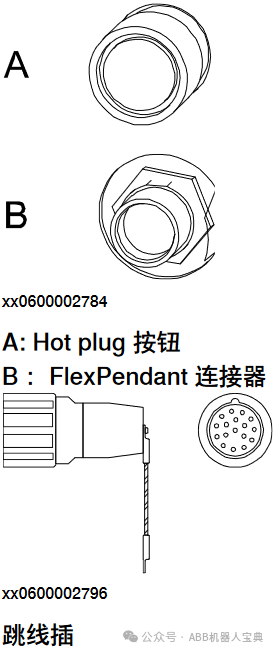
d. Release the hot plug button. Ensure the button is not stuck in the start position, as this will disable the emergency stop button on the FlexPendant.
e. If the connected FlexPendant does not support the RobotWare running on the controller, a dialog box will appear indicating that the plugin must be updated.
Even if the plugin dialog is displayed, the three actuators and the emergency stop button remain activated.
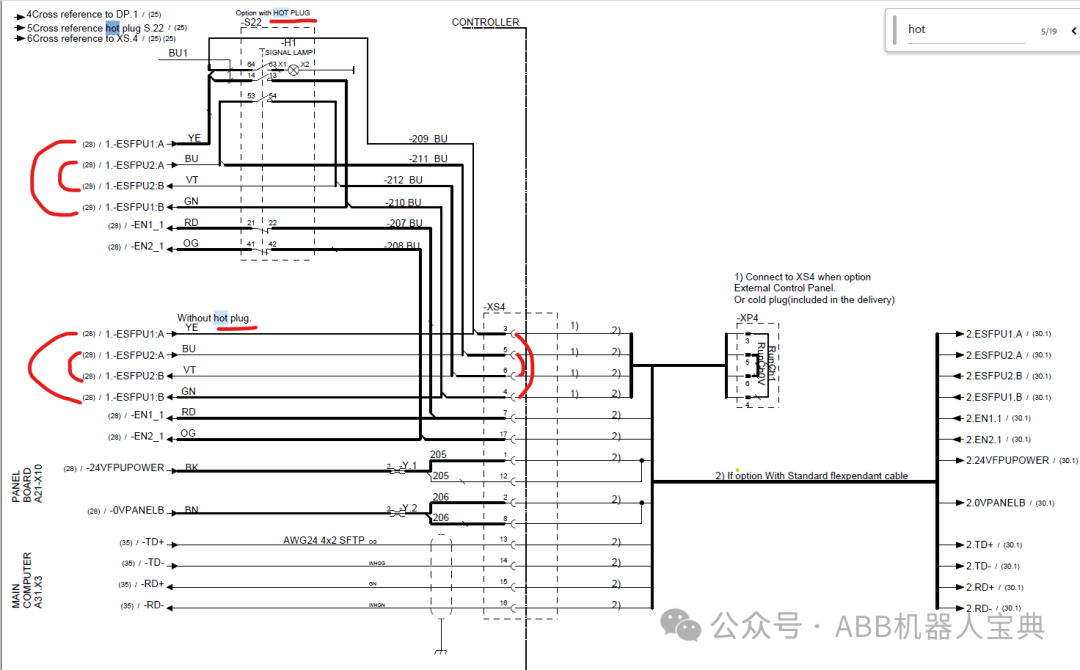
Note: The electrical schematic for hot plug is as follows, essentially shorting pins 3-4 and 5-6.