
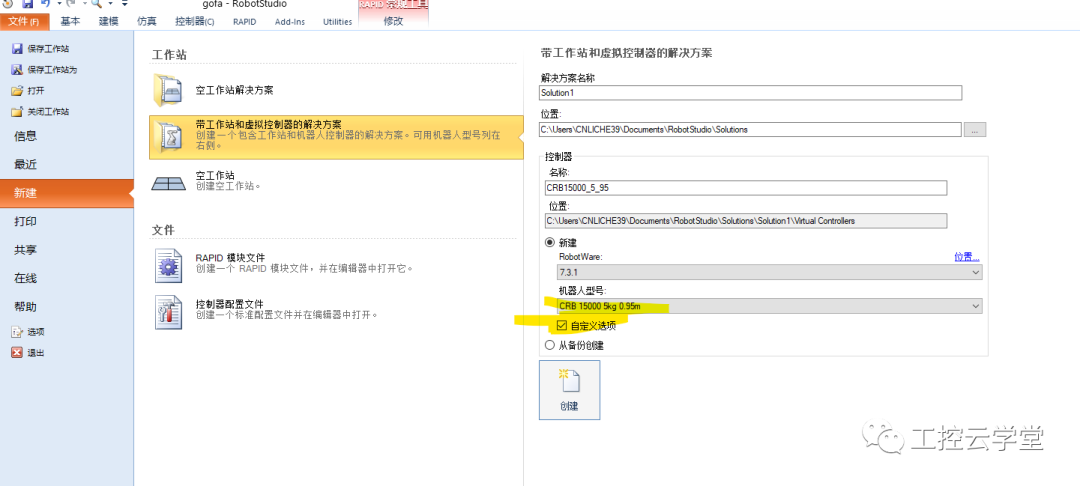
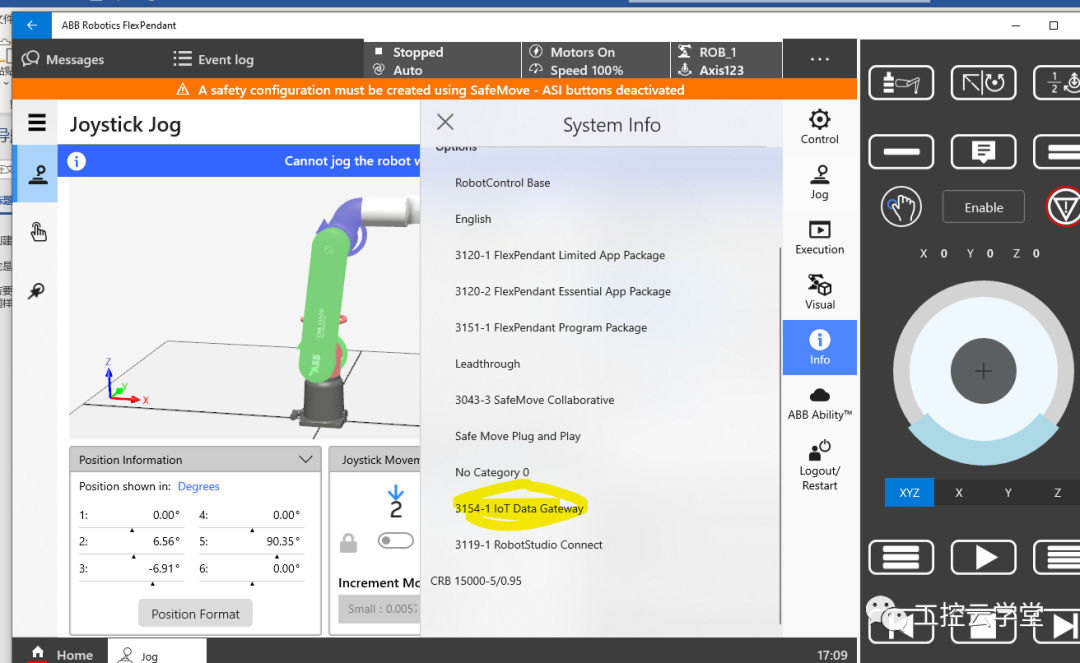
1. Currently, ABB has upgraded the tools configured with OPC UA to IOT GATEWAY, which can be downloaded and installed.2. Open RobotStudio and create a robot system. For systems above RW6.10, the OPC UA option is required. For RW7 robots, the 3154-1 IOT Data Gateway is needed.
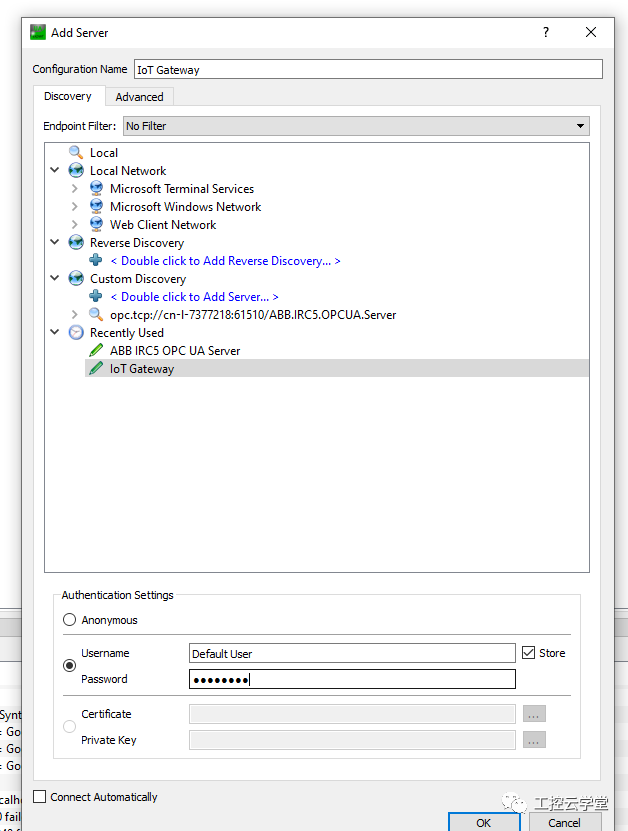
3. To control the robot movement via OPC UA, it essentially involves reading and writing the robot’s RAPID data through OPC UA.4. Create a new module and Module m1PERS num state:=0;! For controlling the state machineCONST robtarget pstart:=*;PERS robtarget ptmp:=*;!OPC UA Rewritingptmp point, robot movementVAR jointtarget jtmp:=[[0,0,0,0,0,0],[9E9,9E9,9E9,9E9,9E9,9E9]];PERS robtarget pcurr:=*;!OPCUA Reading the current positionPROC main()state:=0;ptmp:=pstart;pcurr:=CRobT(); ! Getting the current position, the OPC UA client can readpcurr position in real time.WHILE TRUE DOTEST state!OPC UA Client modifiesptmp position after rewriting, change state to 1, then the robot moves to the position modified by the OPC UA client.CASE 1:MoveL ptmp,v100,fine,tool0\WObj:=wobj0;pcurr:=CRobT();! Read current positionstate:=0;CASE 2:ENDTESTENDWHILEENDPROCendmodule5. After installing the IOT GATEWAY and opening it, refer to:6. Open the OPC UA client, taking UAExpert as an example.7. Enter the OPC server URL obtained in step 5, click add, select the default username Default User, and password robotics. The first time you connect, you need to click trust server in UAexpert and refresh and trust UaExpert in the Client Certificates section of the IOT Gateway configuration interface.
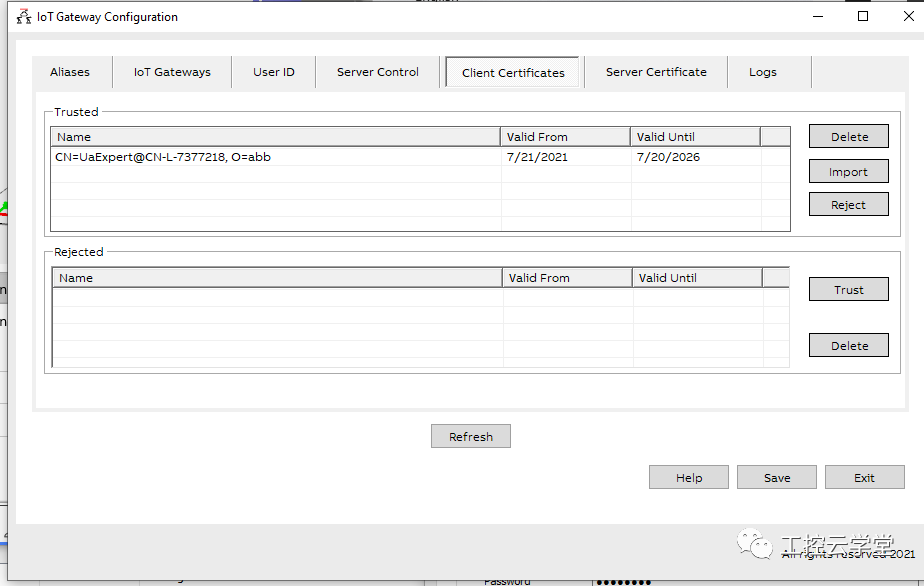
8. After clicking to connect to the server, you can see the created RAPID variables in the position shown in the figure below, for example, the data under the m1 module (if new data is created in RAPID after opening the IOT GATEWAY, you need to disable and then enable the service in the IOT Gateway configuration).
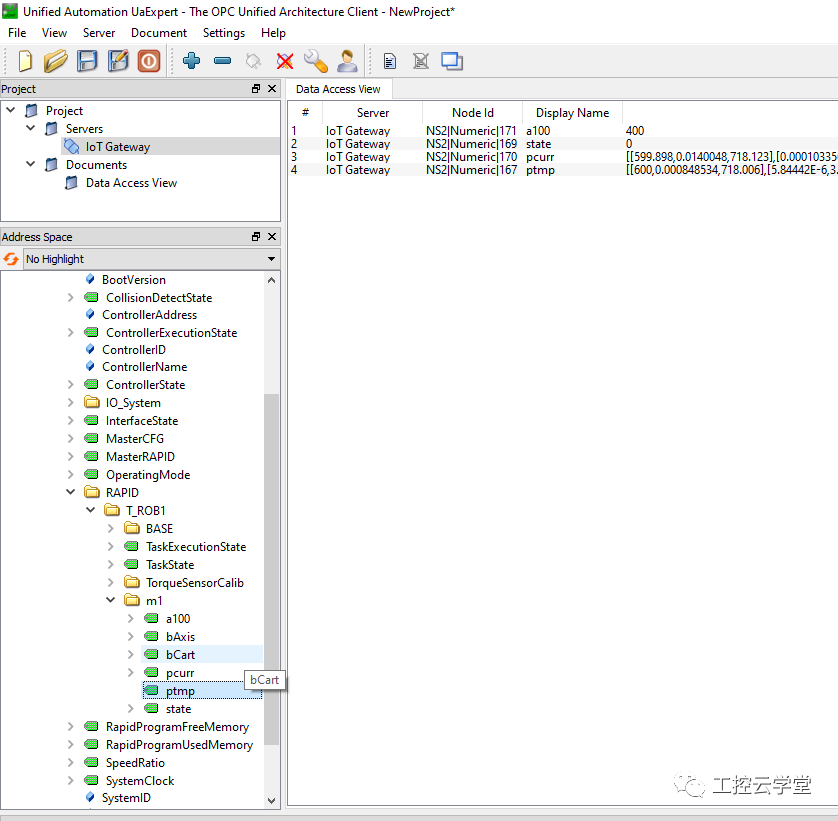
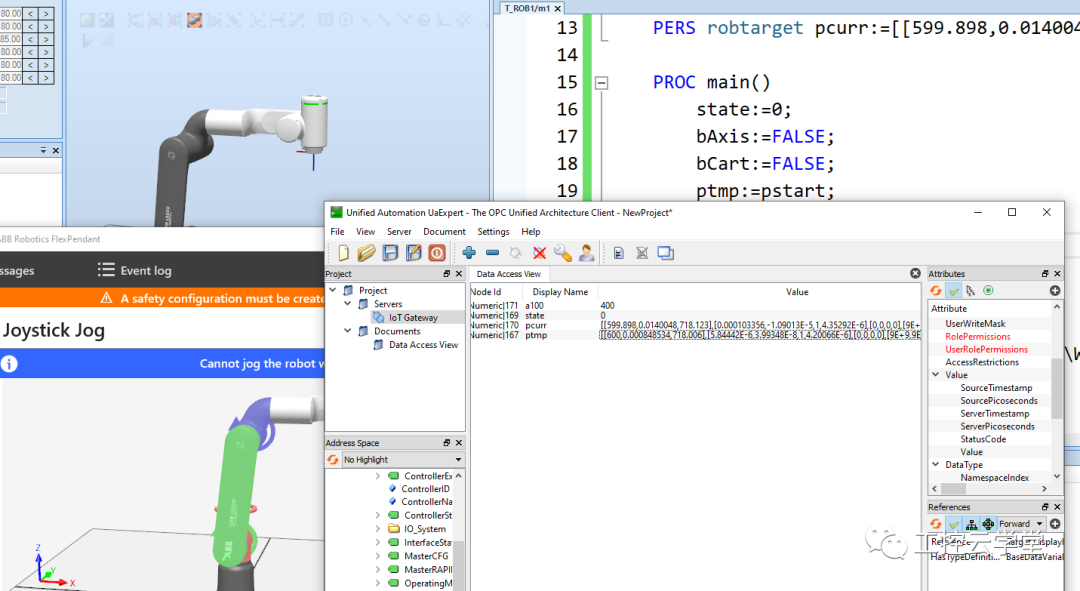
9. You can drag the data you need to modify and view, pcurr, ptmp, and state to the right.10. Run the robot program. At this point, the robot’s state is 0, and the robot does not move.11. You can read the data of pcurr and ptmp. After modifying the data of ptmp as needed, change the state to 1, and the robot will move to the modified ptmp position.
How to Become an Excellent Industrial Robot Engineer?
Scan the QR code for consultation
▼
Teacher Zuo: 18073180632 (same WeChat)