Documenting the process of installing GNURadio
1. Building a GNURadio environment under Linux on Windows:
(1) Download the virtual machine VirtualBox and Ubuntu:
Download links:https://www.virtualbox.org/wiki/Downloads
https://releases.ubuntu.com/jammy/
(2) Install VirtualBox + Ubuntu:
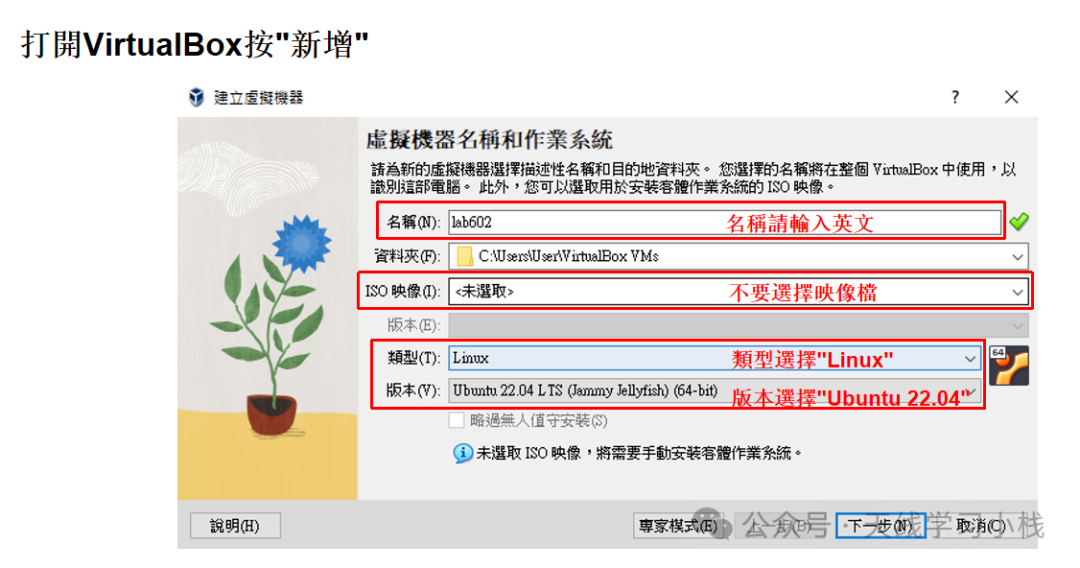
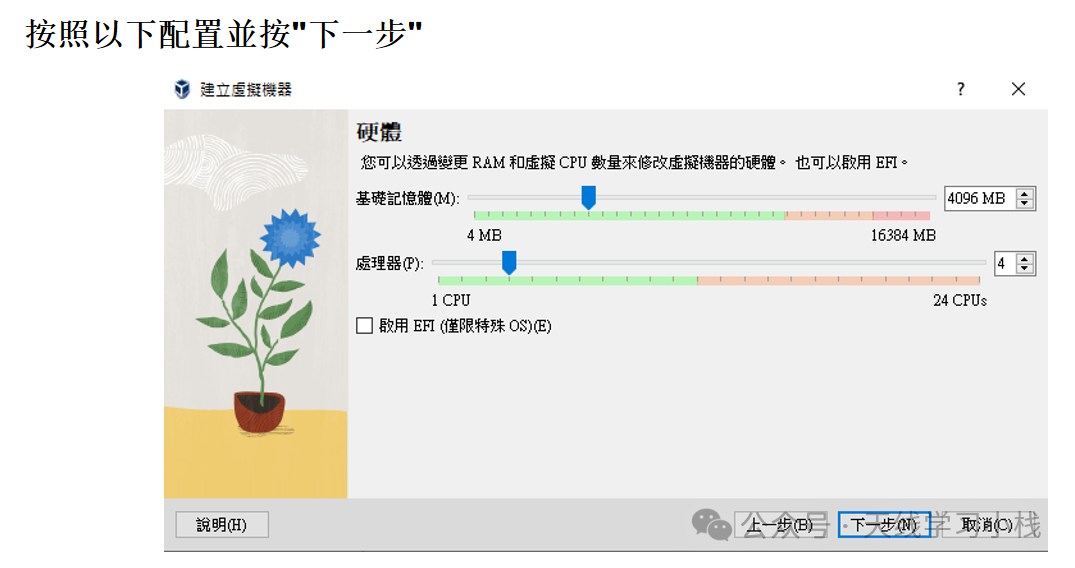
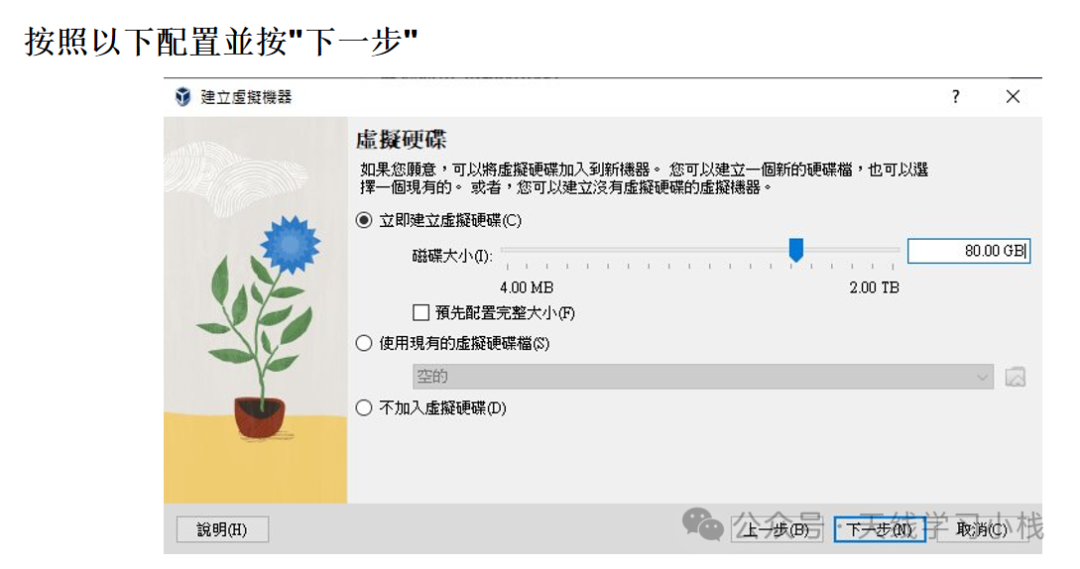
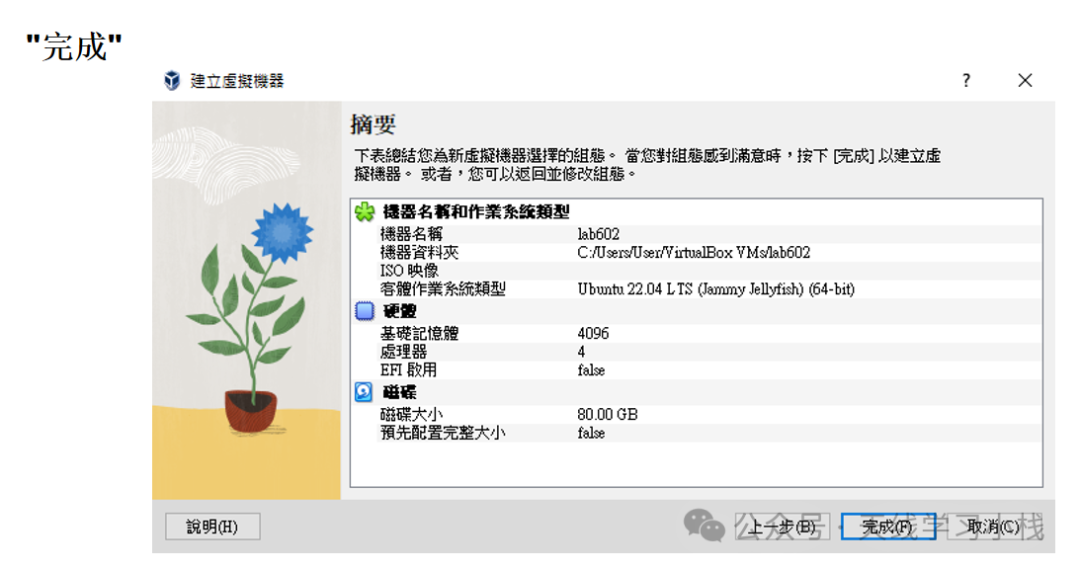
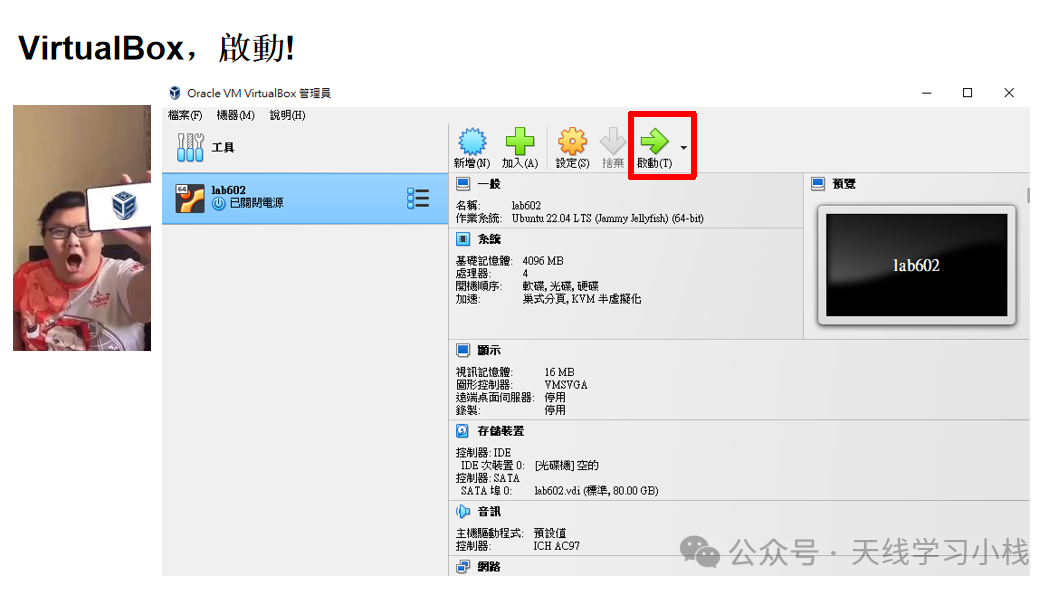
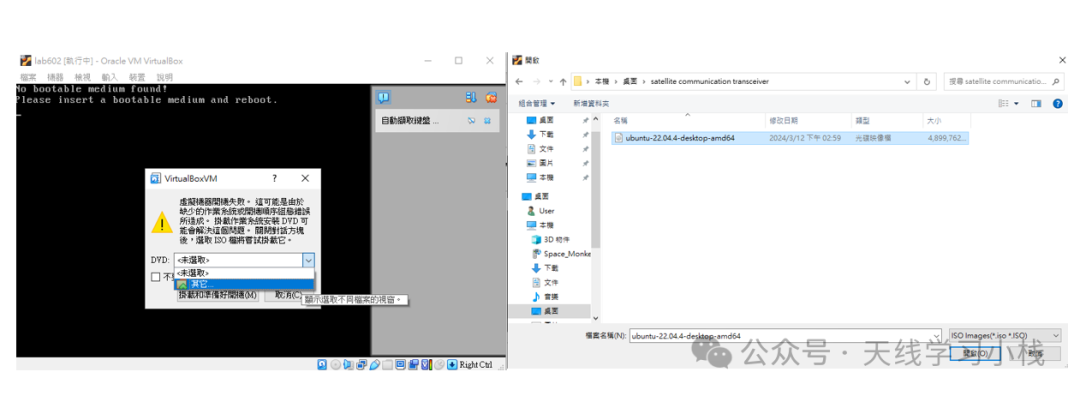
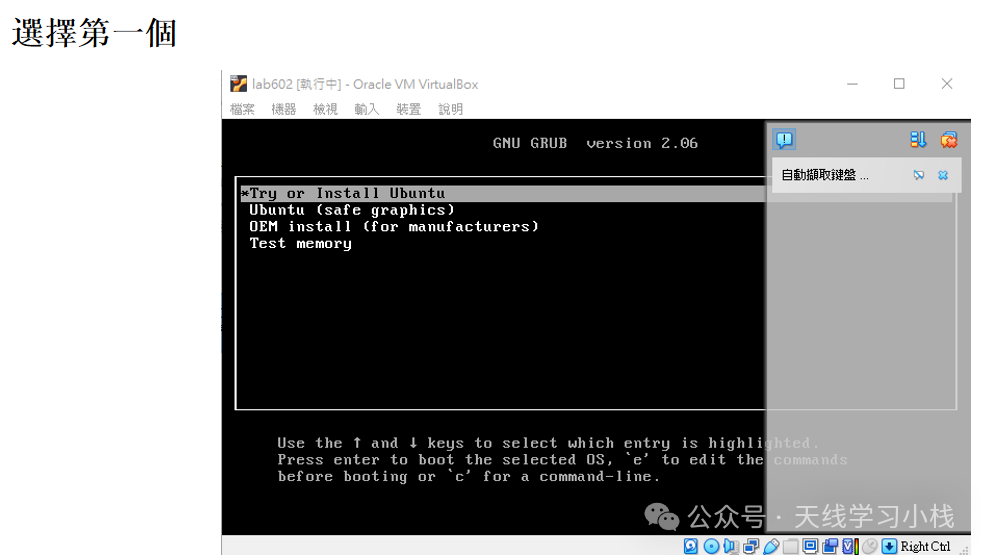
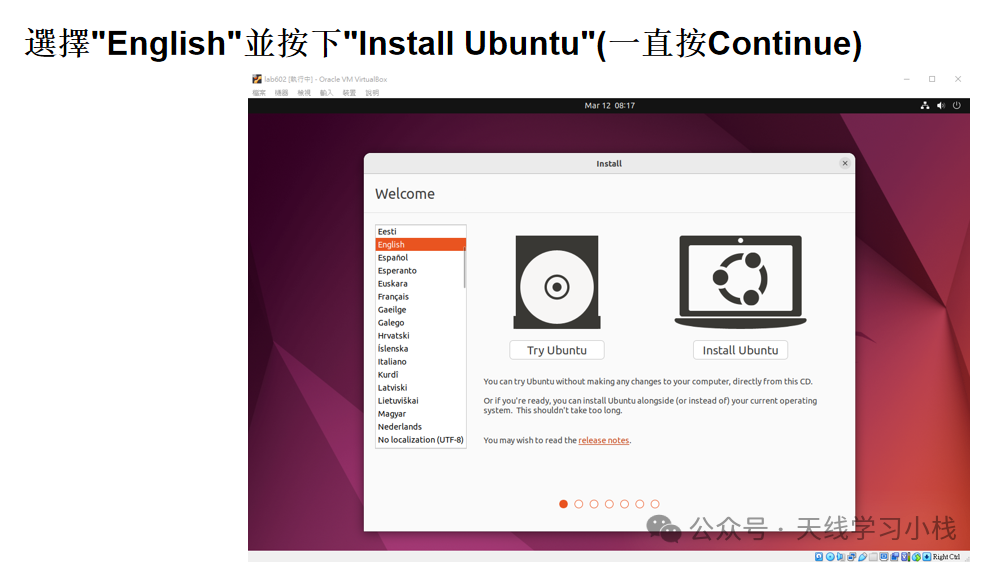
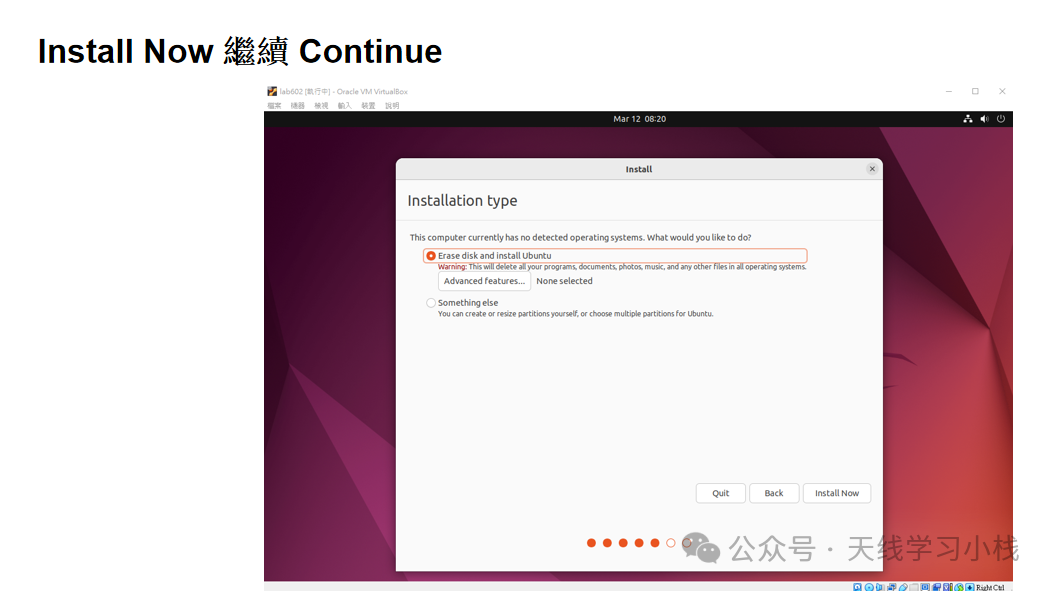
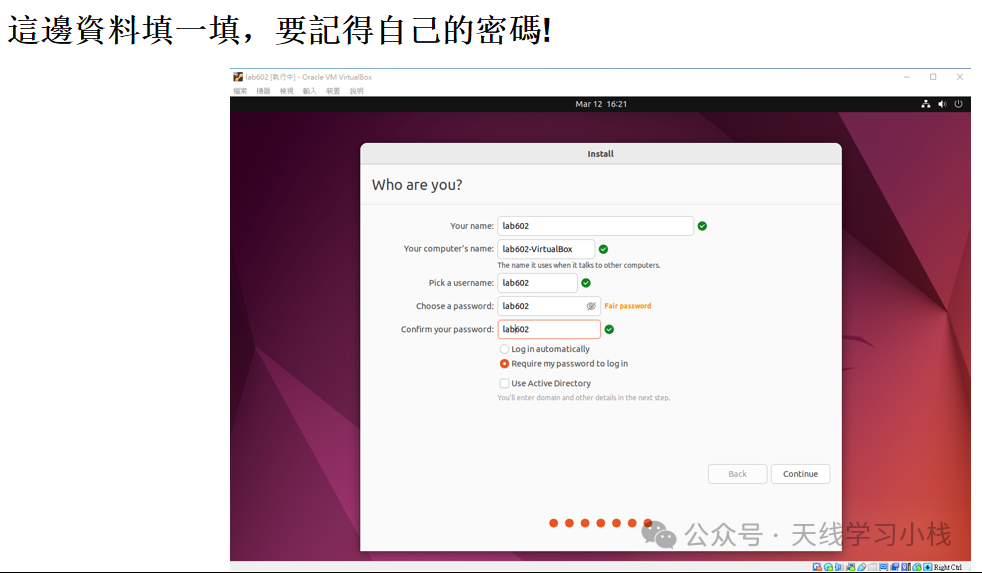
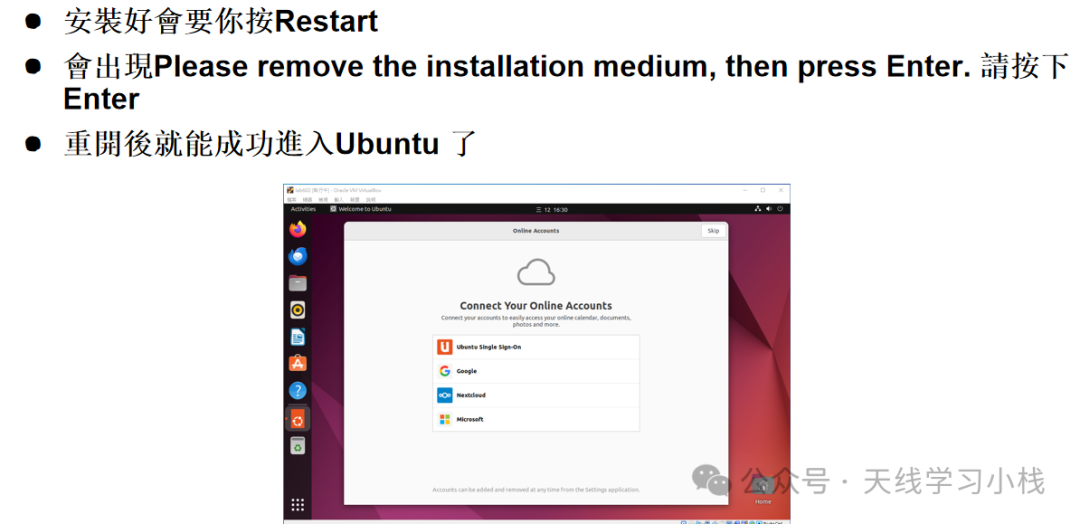
(1) Run the VirtualBox installation file and follow the prompts to complete the installation. After that, open VirtualBox and follow the steps in the image below to complete the Ubuntu installation:
You will see the following screen, select Ubuntu 22.04, and after selecting, click “Mount and Prepare to Boot”
 2. Install GNURadio Open the terminal (Ctrl+Alt+T) and execute the following commands step by step:
sudo apt-get update
sudo apt-get upgrade
sudo apt-get install gnuradio
sudo apt-get install gnuradio-dev cmake libspdlog-dev clang-format // Install modtool dependencies
sudo add-apt-repository ppa:ettusresearch/uhd
sudo apt-get install libuhd-dev uhd-host
sudo uhd_images_downloader
After successful installation, the interface will look as follows:
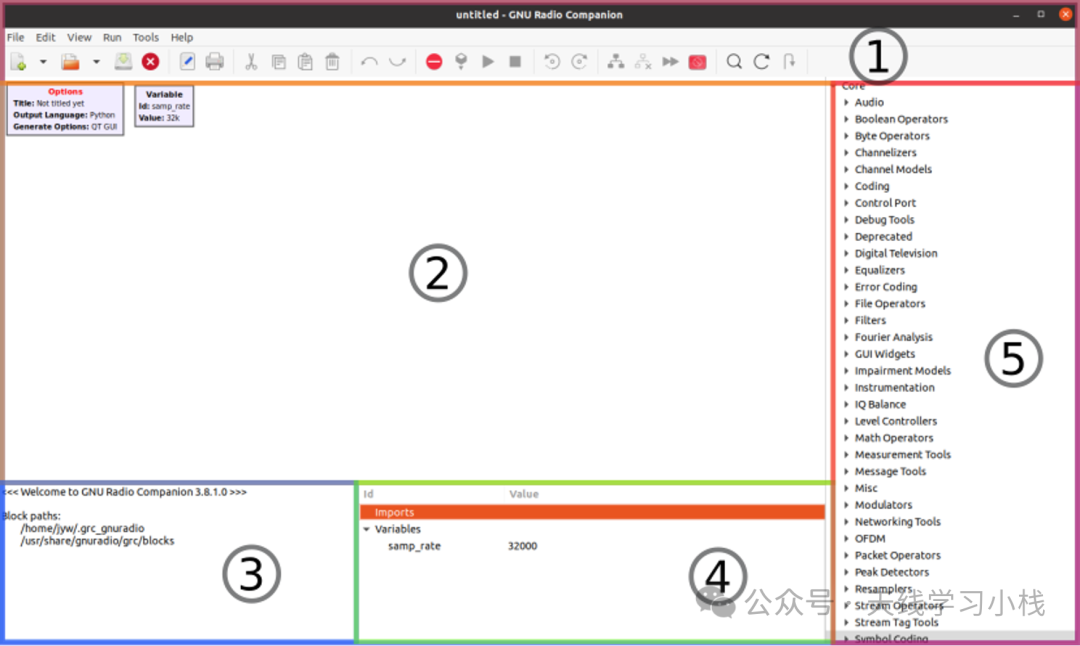
There are five areas in the image, which are: (1) Menu bar, (2) Workspace, (3) Compilation messages,
(4) Variable information, (5) Module library