Hello, everyone, I am Programmer MM.
This article is approximately 2400 words. Recently, I finished reading Chapter 6 of ‘Linux Device Drivers’, and I have organized my notes from this chapter. In this chapter, the development of device drivers has progressed from simple data transfer to an advanced stage with complete synchronization and control capabilities. Mastering the command definitions and secure implementations of ioctl, understanding the process sleep/wake mechanism centered around wait queues, and correctly responding to poll/select are the key focuses of this chapter.
Follow our public account to obtain e-books related to Linux and commonly used development tools. A document list is provided at the end of this article.
1. Core Concepts: From Simple Read/Write to Advanced Operations
In the previous chapters, we built character device drivers with basic read/write functionality. However, real devices often require more complex interactions:
When a process executes read, the device may not have data available.
When a process executes write, the device’s buffer may be full and unable to accept data immediately.
In addition to transferring data, user space needs to control the device, query its status, or change its operating mode.
Simply allowing operations to fail immediately and return an error is not the best choice. A better solution is to make the process wait until the device is ready before continuing execution. This requires the driver to manage process sleep, wake-up, and respond to various advanced I/O operations. The ioctl, process sleep and wake-up, poll/select, and asynchronous notification introduced in this chapter are all aimed at achieving these advanced functionalities.
2. Device Control: Implementation of ioctl
The ioctl system call is a general interface for device control, allowing user space programs to execute various device-specific commands beyond simple read/write (such as setting serial port baud rates, querying device information, etc.).
Function prototype:
// User space: int ioctl(int fd, unsigned long cmd, ...); Here, ... is usually an optional parameter, which can be an integer or a pointer. // Driver space: int (*ioctl)(struct inode *inode, struct file *filp, unsigned int cmd, unsigned long arg); // Command code organization: To ensure the uniqueness of commands across the system and avoid sending commands to the wrong device, the Linux kernel divides command codes into several bit fields: Magic number: 8 bits, choose a number not used by the kernel (refer to Documentation/ioctl-number.txt), and maintain consistency throughout the driver. Sequence number: 8 bits, used to distinguish different commands within the same driver. Data direction: 2 bits, indicating the direction of data transfer (_IOC_NONE no data, _IOC_READ read from the driver, _IOC_WRITE write to the driver, _IOC_READ|_IOC_WRITE bidirectional). Data size: width related to architecture (e.g., 14 bits), specifying the size of the data pointed to by arg. The kernel provides macros to conveniently construct command codes: _IO(type, nr) // for commands without parameters. _IOR(type, nr, datatype) // for reading data from the driver. _IOW(type, nr, datatype) // for writing data to the driver. _IOWR(type, nr, datatype) // for bidirectional data transfer.Implementation steps and considerations:
Command check: In the driver’s ioctl function, first use macros like _IOC_TYPE(cmd) to check whether the command is applicable to this device and whether the sequence number is within a valid range. For unsupported commands, return -ENOTTY.
Parameter validation: When the command involves user space pointers (passed through arg), the legality of the address must be verified using the access_ok() function. Then, use copy_from_user(), copy_to_user(), or more efficient get_user(), put_user() (for single simple variables) to safely exchange data between kernel and user space.
Permission control: For sensitive operations, functions like capable(CAP_SYS_ADMIN) can be used to check whether the calling process has the corresponding permissions (capabilities). If not, return -EPERM.
3. Process Management: Sleep and Wake-Up
1. Core Rules for Sleeping
For Linux device drivers, to safely put a process to sleep, the following two rules must be remembered:
(1)Do not sleep in atomic context
When the code is in atomic context, it must not sleep. Atomic context refers to a situation where process switching or concurrent access is not allowed during the execution of that code segment. This includes:
Holding spin locks, sequential locks, or RCU read locks.
Interrupts are disabled.
Special case: Sleeping while holding a semaphore is legal, but it must be done with extreme caution. Any other thread attempting to acquire that semaphore will also be blocked, so sleeping while holding a semaphore must be very brief and must not block the process that may eventually wake you up.
(2)Recheck conditions after waking up
When a process is woken up, it cannot be assumed that the conditions it was waiting for have been met. This is because it is unknown how long it has been asleep, what changes have occurred in the system state during sleep, and other processes may have preempted resources. Therefore, after waking up, it is necessary to recheck the conditions that caused it to sleep, which usually requires implementing this in a loop.
Ensure there is a wake-up mechanism: A process cannot sleep without reason; it must ensure that there are other execution paths (such as interrupt handlers or kernel threads of another process) that will wake up the process when specific events occur. This is usually achieved through a wait queue mechanism, where the sleeping process is added to the queue so that the waker can find it.
2. Basic Implementation and Steps for Sleeping:
When the driver needs to perform non-blocking operations that are not supported, and the device is not ready, putting the current process to sleep is the most common solution. The specific methods for sleeping are as follows:
(1) Simple sleep (recommended): Use the macros provided by the kernel, which automatically handle the addition, removal, and condition checking of the wait queue, effectively avoiding race conditions.
// Process is in interruptible sleep (recommended), can be woken by signals. wait_event_interruptible(queue, condition) // Process is in uninterruptible sleep (not recommended, may cause the process to be unable to be killed). wait_event(queue, condition) // The corresponding wake-up functions are as follows, note to use them in pairs. wake_up_interruptible(&queue) wake_up(&queue)(2) Advanced sleep and performance optimization
For complex scenarios, it may be necessary to manually control the sleep steps or use exclusive waiting to optimize performance.
(3) Manual sleep steps:
Define wait queue item: use DEFINE_WAIT(my_wait).
Prepare to sleep: call prepare_to_wait(&queue, &my_wait, state), where state is TASK_INTERRUPTIBLE or TASK_UNINTERRUPTIBLE.
Check conditions and schedule: In a loop, check conditions; if conditions are not met, call schedule() to yield the CPU.
Cleanup: After conditions are met, call finish_wait(&queue, &my_wait) for cleanup.
Exclusive waiting: When multiple processes are waiting for the same resource, but that resource can only be fully consumed by one process at a time (such as reading from a pipe), using prepare_to_wait_exclusive() can avoid the “thundering herd effect”. It marks the process as exclusive, and wake_up() stops after waking one exclusive process, improving efficiency.
4. Multiplexing I/O: poll and select
When an application needs to monitor multiple file descriptors (devices) simultaneously, the poll and select system calls can block the process until one or more descriptors are ready (readable, writable, or have exceptions).
Poll method in the driver:
unsigned int (*poll) (struct file *filp, poll_table *wait);
Key operations:
Add wait queue: In the driver’s poll method, for each event that may cause the process to sleep, poll_wait(struct file *filp, wait_queue_head_t *wait_queue, poll_table *pt) must be called. This function registers the wait queue defined by the driver into the mechanism but does not actually make the process sleep. The actual sleep is handled by the poll/select system call in user space.
Return event mask: The poll method needs to return a bit mask indicating the current status of the device:
POLLIN: The device can be read without blocking.
POLLOUT: The device can be written to without blocking.
POLLERR: The device has encountered an error.
5. Access Control for Device Files
To ensure the reliable use of devices, it may be necessary to control access to device files.
Exclusive device: The simplest form is to allow only one process to open the device. This is usually implemented in the driver’s open method using a static flag variable, which is set when opened for the first time, and subsequent opens check the flag and return -EBUSY if it is already set, clearing the flag in the release method.
Single user access: This can be extended to allow only the owner of the device file (the user of the process that first opened the device) to access it, providing better flexibility.
Copying the device on open: For non-hardware-bound virtual devices, a new device context (private data copy) can be created each time it is opened, providing different processes with independent views of the device. /dev/tty uses a similar technique.
6. Other Advanced Operations
Implementation of llseek: Used to modify the current read/write position of the file. The driver needs to implement the llseek method. If the device does not support seeking operations, nonseekable_open() should be called in the open method, and llseek in file_operations should be set to no_llseek.
Asynchronous notification: Allows the device to actively send signals to the application when it is ready (similar to interrupt mechanisms). This involves implementing the fasync method in the driver and calling the kill_fasync() function.
The above is the main content of this chapter.
Previous articles (welcome to subscribe to the technical sharing column for all articles):[Project Practice] Locating the issue of Flash entering hardware write protection in embedded software systems and the implementation method to unlock the write lock using software[Project Practice] Caregiver-level tutorial: PWM control of white light lamps and brightness adjustment[Project Practice] Self-review and experience summary of front-line programmers[Project Practice] Troubleshooting and solving audio intercom function delay and stuttering issues under Linux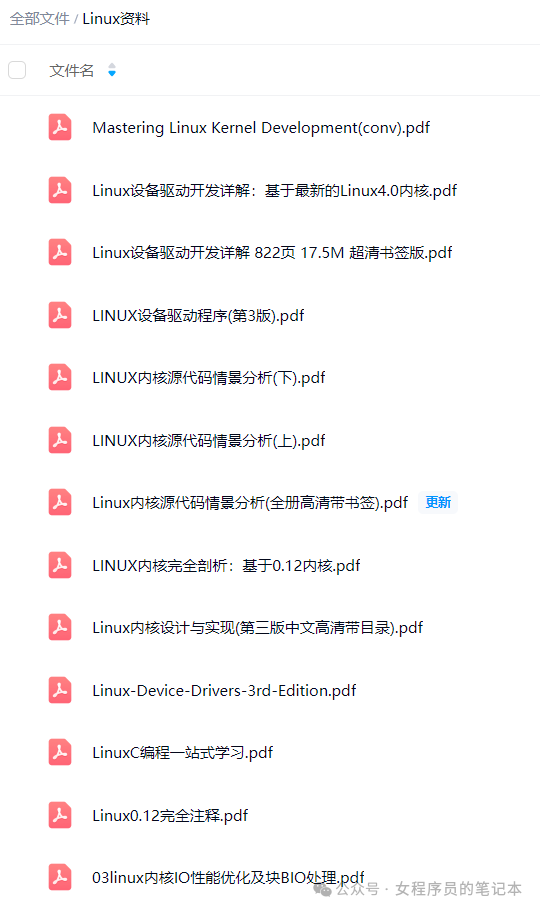 “Thank you for reading this far”
This is the notebook of a female programmer
15+ years of embedded software engineer and a mother of two
Sharing reading insights, work experiences, self-growth, and lifestyle.
I hope my words can be of help to you