Introduction to CSR
The Control and Status Registers (CSR) of the RISC-V architecture are used to configure or record the operational status of some processor cores. CSR registers are internal registers of the processor core, using a dedicated 12-bit address encoding space, with a maximum of 4096 available. Therefore, accessing CSR registers requires special instructions.
RISC-V defines several CSR access instructions as follows:
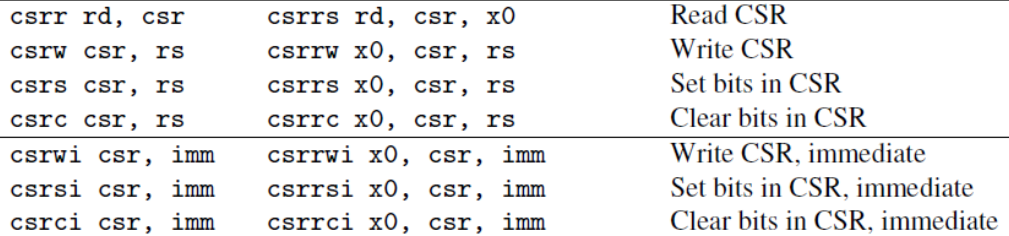
In addition to the standard RSC-V CSRs, chip manufacturers may also add custom CSRs to implement specific functions. For example, the Bumblebee core from ChipLink Technology has extended several CSRs for handling interrupt nesting and recording the current type of exception in the processor.
The extensibility of RISC-V provides manufacturers with significant flexibility, but this extensibility also leads to fragmentation issues. This problem does exist, and it can only be mitigated when both software and hardware tools provide a mechanism that can flexibly adapt to different manufacturers.
Accessing CSR Registers with J-Link
Since version 6.48 r1, J-Link has supported reading and writing CSRs. This makes debugging RISC-V processors much easier. Whether it’s standard CSRs or manufacturer-customized CSRs, you only need to provide their addresses to perform read or write operations. Previously, standard CSRs could only be viewed through the IDE’s debugging system, while custom CSRs could not be viewed in the IDE debugging window.

Below, we take the GD32VF103 MCU as an example, using the J-Link debugger and J-Link Commander software tool to read and write standard and custom CSRs. The GD32VF103 uses the Bumblebee core from ChipLink Technology. First, we trigger an EXTI line 0 interrupt in the code, and then read the mcause register from the standard CSR using J-Link:
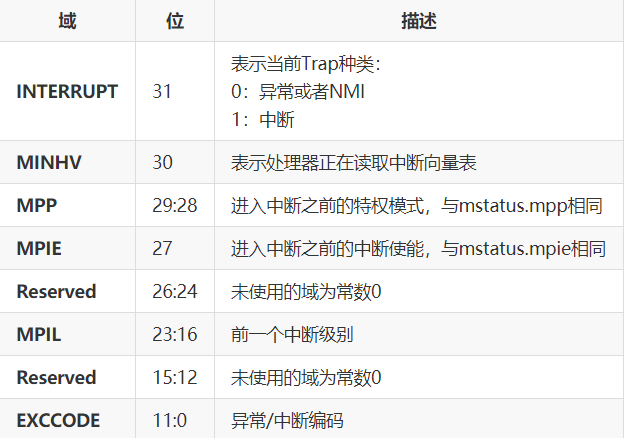
From the mcause register, we can see that when the EXTI line 0 interrupt is triggered, bit 31 should be 1, and bits 11:0 should indicate the interrupt number, which is confirmed to be 25 from the GD32VF103 manual, or 0x19.

Add a breakpoint in the EXTI0 interrupt service routine to pause the CPU execution here.
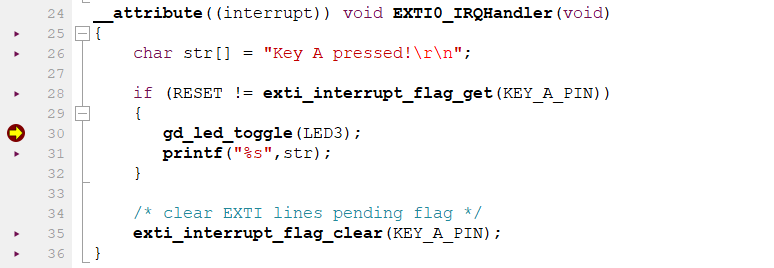
Then, connect to the MCU using J-Link Commander and use the ReadCSR command to read macuse (address 0x342):
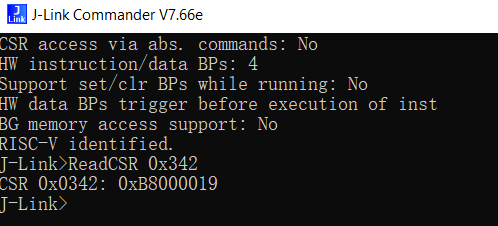
It can be confirmed that reading the CSR was successful.
Next, we will use J-Link to write to the manufacturer-customized CSR. mcountinhibit (address 0x320) is a custom CSR provided by the Bumblebee core, used to enable and disable the RISC-V core’s internal timer and CPU counter.
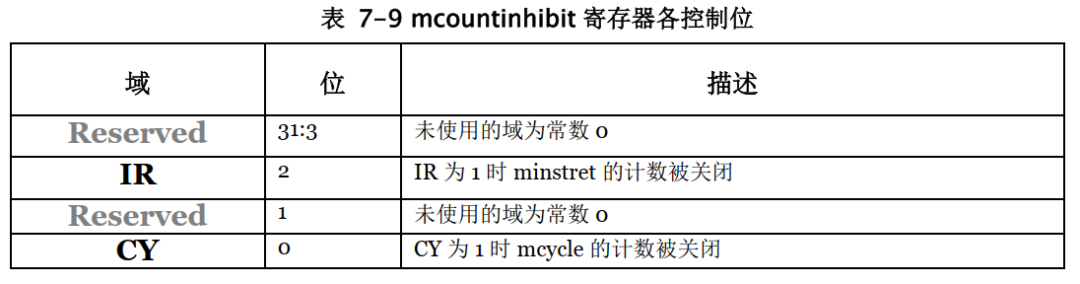
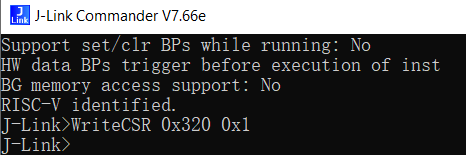
Using the WriteCSR command, set the CY position of mcountinhibit to disable mcycle:
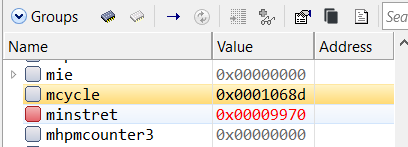
In the IDE, running the code again shows that the value of the mcycle timer no longer changes, indicating a successful disable. Resetting to zero will again change the value of mcycle.
Viewing Custom CSRs in Segger Embedded Studio
Segger Embedded Studio is an IDE that supports ARM and RISC-V architectures, known for its powerful features and fast performance. Starting from version 6.12a of Embedded Studio for RISC-V, users can add manufacturer-customized CSRs. The cpu_registers_riscv.xml file in the targets directory of the installation path describes the CSRs supported by the current processor for RISC-V cores.
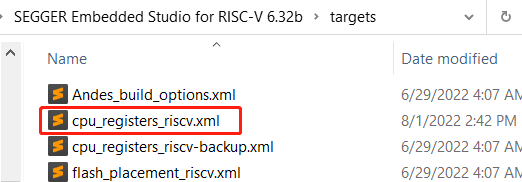
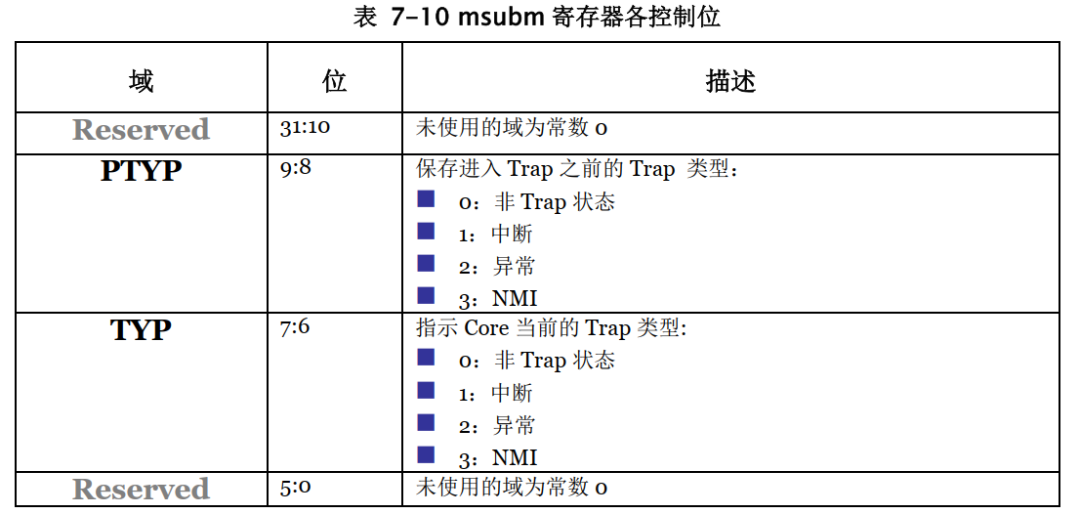
By modifying this file, manufacturer-customized CSRs can be added. Copy this file to the project path and make modifications. Here, we add the msubm register of the Bumblebee core, which indicates the type of exception when an exception occurs.
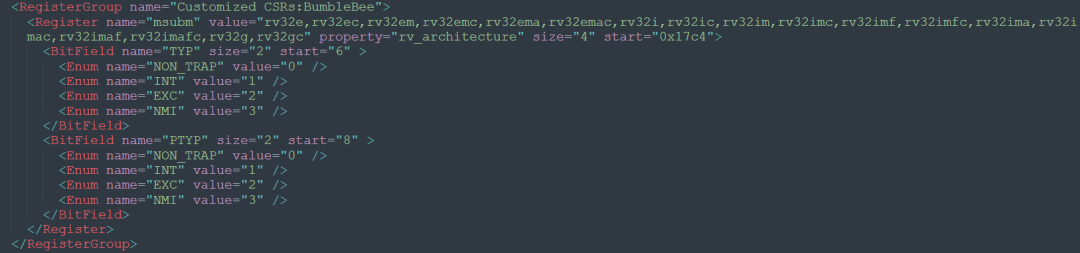
At the end of the cpu_registers_riscv.xml file, add a description for the msubm register and name the Group as Customized CSRs: BumbleBee.
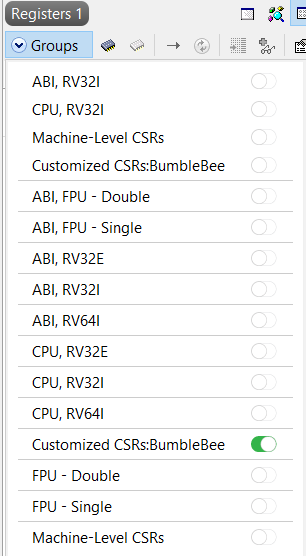
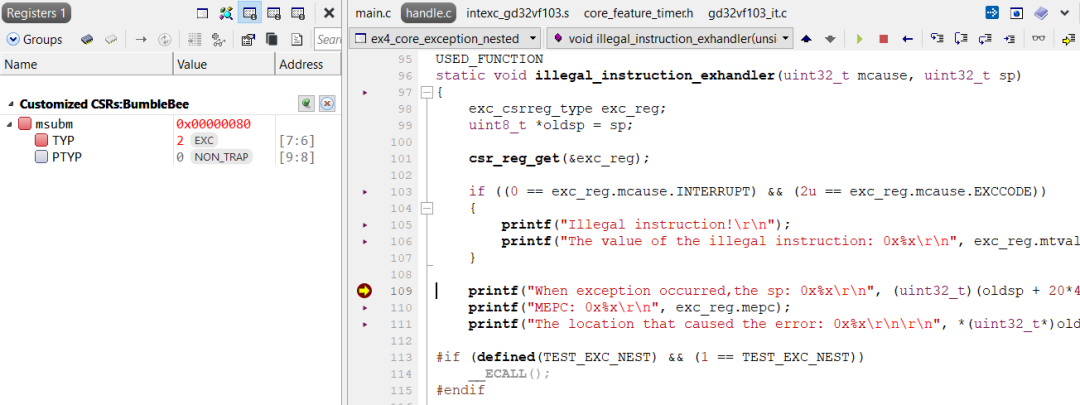
Then, after entering debugging in Embedded Studio, the added custom Group can be seen in the register window, and it can be enabled.
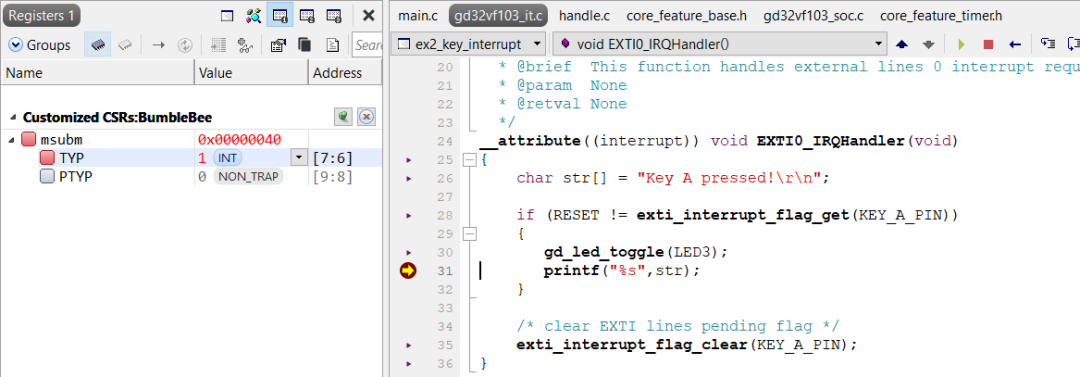
When an interrupt occurs, the value of the TYP field of the msubm register can be seen to change to 1 in the register window, indicating that an interrupt has occurred.
When an exception is triggered, the value of the TYP field changes to 2, indicating that a system exception has occurred.
SEGGER’s J-Link and Embedded Studio tools provide read and write functions for RISC-V’s CSR registers, making it easier for users to improve debugging efficiency when using MCUs from different manufacturers. If you are using a RISC-V architecture processor and have J-Link, it’s worth a try.
Welcome to follow the WeChat public account 【MicTech Technology】
Reply “segger free software” to get the download link as prompted
Reply “join group” to join the technical exchange group as prompted
Product consultation:
Beijing: 010-62975900
Shanghai: 021-62127690
Shenzhen: 0755-82977971

Share, view, and like, at least I want to have one