A phone can also become your portable development workstation!
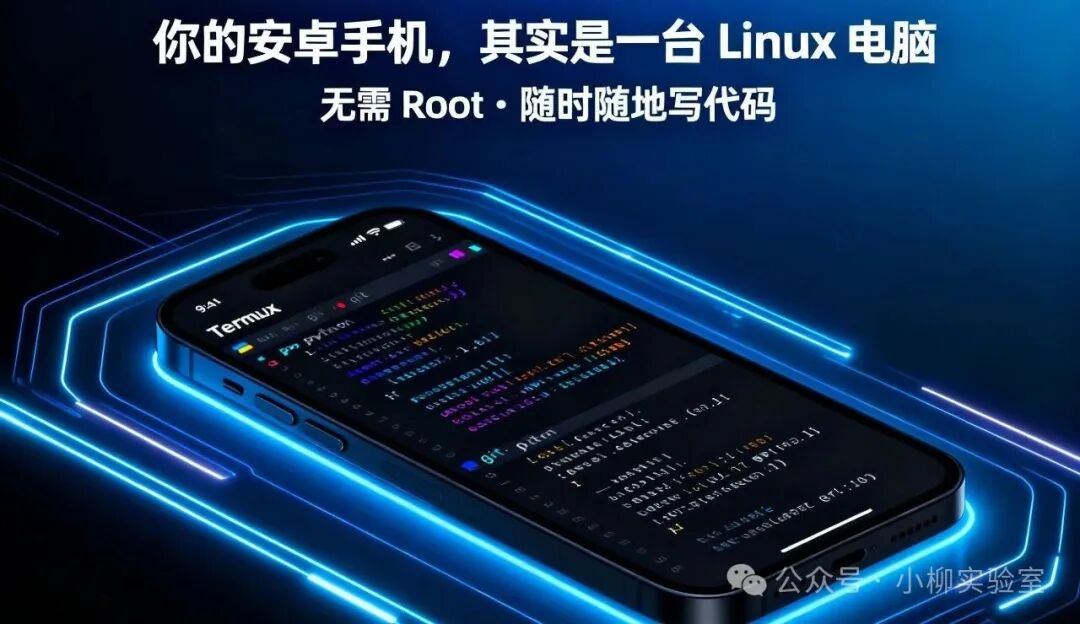
Have you ever dreamed of coding on the <span>subway</span>, debugging scripts in a <span>café</span>, or even deploying servers while traveling?
With just an <span>Android phone</span> and a magical <span>app</span>, you can have a powerful mobile <span>Linux</span> development environment!
Today, we will guide you step by step on how to turn your Android phone into a true “pocket <span>Linux</span>” using <span>Termux</span>, opening up new ways to program anytime, anywhere!
What is Termux?
<span>Termux</span> is an open-source terminal emulator and <span>Linux</span> environment application that runs on <span>Android</span> without requiring <span>root</span> permissions. It comes with a lightweight package manager (similar to <span>apt</span>) and supports the installation of hundreds of development tools such as <span>Python, Node.js, Go, Rust, Git, SSH, Vim, tmux</span>, and even runs Nginx or Flask services!
In simple terms: Termux = Ubuntu on your phone + a collection of development tools.
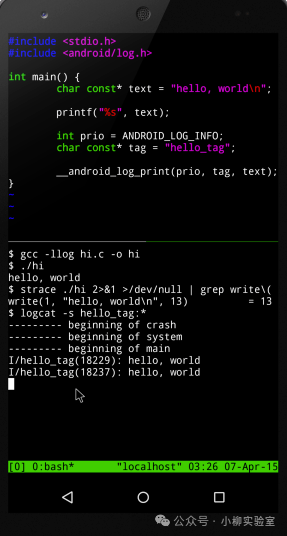
Step 1: Basic Configuration
1. Install Termux
It is recommended to install from <span>F-Droid</span> (safer and timely updates). Upon first opening, it will automatically initialize the environment (please wait patiently). Alternatively, download from GitHub<span>https://github.com/termux/termux-app/releases</span>
2. Change to Domestic Sources (Essential for Speed! Recommended for SSH operations)
# Edit sources.list
nano $PREFIX/etc/apt/sources.list
Replace the content with (using Tsinghua source as an example):

```Text
deb https://mirrors.tuna.tsinghua.edu.cn/termux/termux-packages-24 stable main
Then update:
pkg update && pkg upgrade3. Install Common Tools
pkg install git curl wget vim nano openssh python nodejs npm rust clang makeStep 2: Create an Efficient Development Environment
✅ Use Git to Manage Code
git config --global user.name "YourName"
git config --global user.email "[email protected]"
git clone https://github.com/your/repo.git
✅ Run Python Scripts
python3 your_script.pyYou can also install Jupyter Notebook (requires additional configuration):
pip install jupyter
jupyter notebook --ip=0.0.0.0 --port=8888 --no-browser --allow-root
Then access it via your phone’s browser at http://localhost:8888!
✅ SSH Remote Connection to Server
ssh user@your-server-ipYou can even use your phone as a jump server for operations anytime, anywhere!
✅ Editor Choices
vim / nano: lightweight and fastmicro (recommended): modern, easy to use, supports mouse and syntax highlighting
pkg install micro🛠️ Advanced Tips: Make Your Experience Smoother
🔹 Use Termux:API to Extend Capabilities After installing the plugin, you can call phone functions via commands:
pkg install termux-apiFor example:
termux-camera-photo photo.jpg Take a photo
termux-sms-send -n 13800138000 "Hello" Send SMS
termux-toast "Task Completed!" Show notification
You also need to install Termux:API (available on F-Droid)
🔹 Configure zsh + Oh My Zsh (A Must for Aesthetics)
pkg install zsh
sh -c "$(curl -fsSL https://github.com/robbyrussell/oh-my-zsh/raw/master/tools/install.sh)"
With the Powerlevel10k theme, your terminal will look stunning!
🔹 Run Services in the Background Use tmux or screen to keep sessions uninterrupted:
pkg install tmux
tmux new -s dev

# Press Ctrl+B, then D to detach from the session
tmux attach -t dev  # Reconnect
🚫 Common Issues & Precautions
Storage Permissions: You need to authorize storage on first use, otherwise you cannot access /sdcard. Execute in Termux: termux-setup-storageCannot run .sh scripts directly? You need to grant execute permissions: chmod +x script.shMissing some commands? The path in Termux is $PREFIX (usually /data/data/com.termux/files/usr), not the standard Linux path.Performance Limitations: Mobile CPUs and memory are limited, not suitable for compiling large projects (like Chromium), but sufficient for daily scripts and web development!
🌟 Conclusion: Your Linux Workstation in Your Pocket
Termux is not just a terminal emulator; it is a “Swiss Army Knife” for mobile developers. Whether you are a student, programmer, operations engineer, or a tech enthusiast, you can gain great convenience from it.
Imagine: Fixing a bug while waiting in line Writing a web scraper outdoors Setting up a temporary web service for a demo using your phone
🔖Tags: #Termux #MobileDevelopment #GeekTools #Linux #OperationsDaily

📬 Follow Me
Recommended Reading
Can’t use Docker without the internet? You’re wrong!
Docker disk space running low? Learn how to clean up and free up space in 3 minutes!
[Practical] Build a Powerful Linux Firewall! Improve server security in 10 minutes
Revolutionary AI Assistant is here! Ant Group’s “Lingguang”: Not just chat, but also creates all-modal content!
Is your website being scanned by foreign IPs every day? Block them completely in 3 steps without compiling Nginx!
Still manually blocking IPs? These 3 dynamic blocking solutions for Nginx will double your operational efficiency!