Polynomial Fitting
|
clear x=1:1:10;y=-0.9*x.^2+10*x+20+rand(1,10).*5; % Generate test data plot(x,y,‘o’) % Plot and mark the original data points p=polyfit(x,y,2) |
p = 1×3 -0.7630 8.5343 25.9050|
xi=1:0.5:10; yi=polyval(p,xi); % Calculate the fitting result hold onplot(xi,yi); % Draw the fitting result graph hold off |
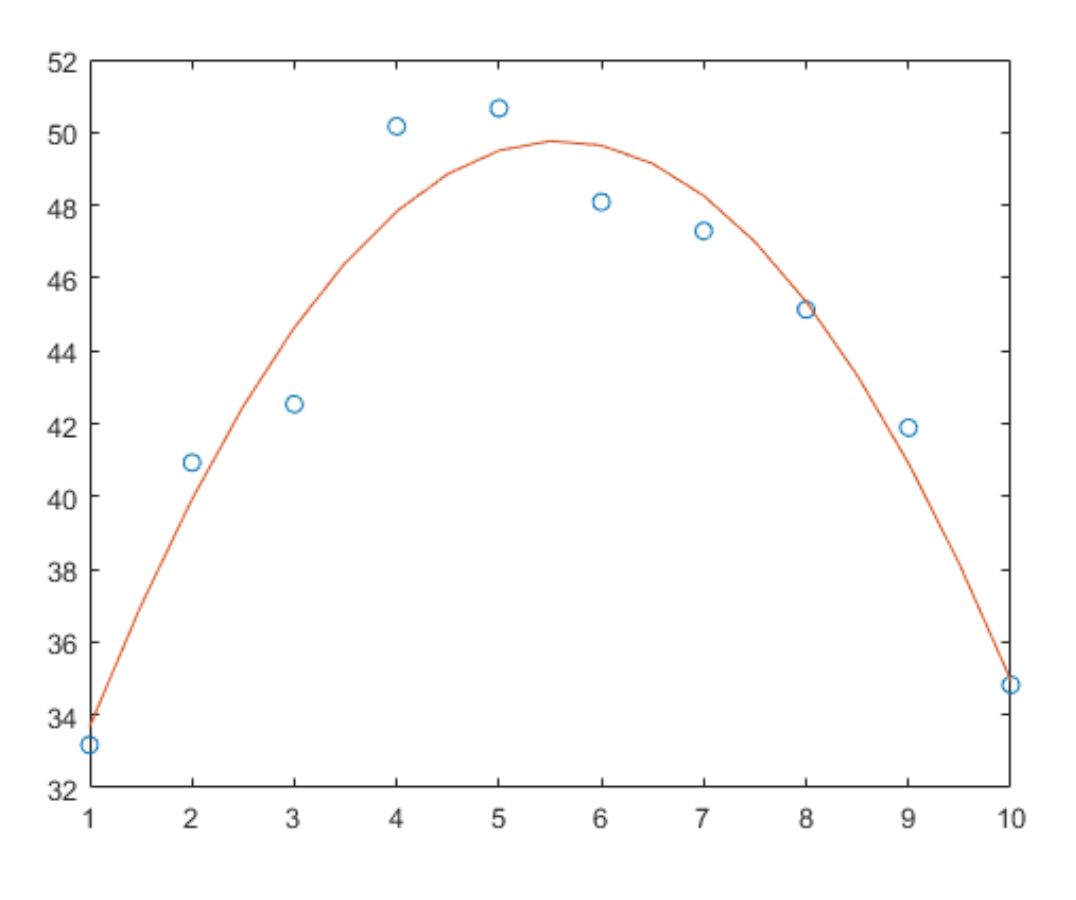
|
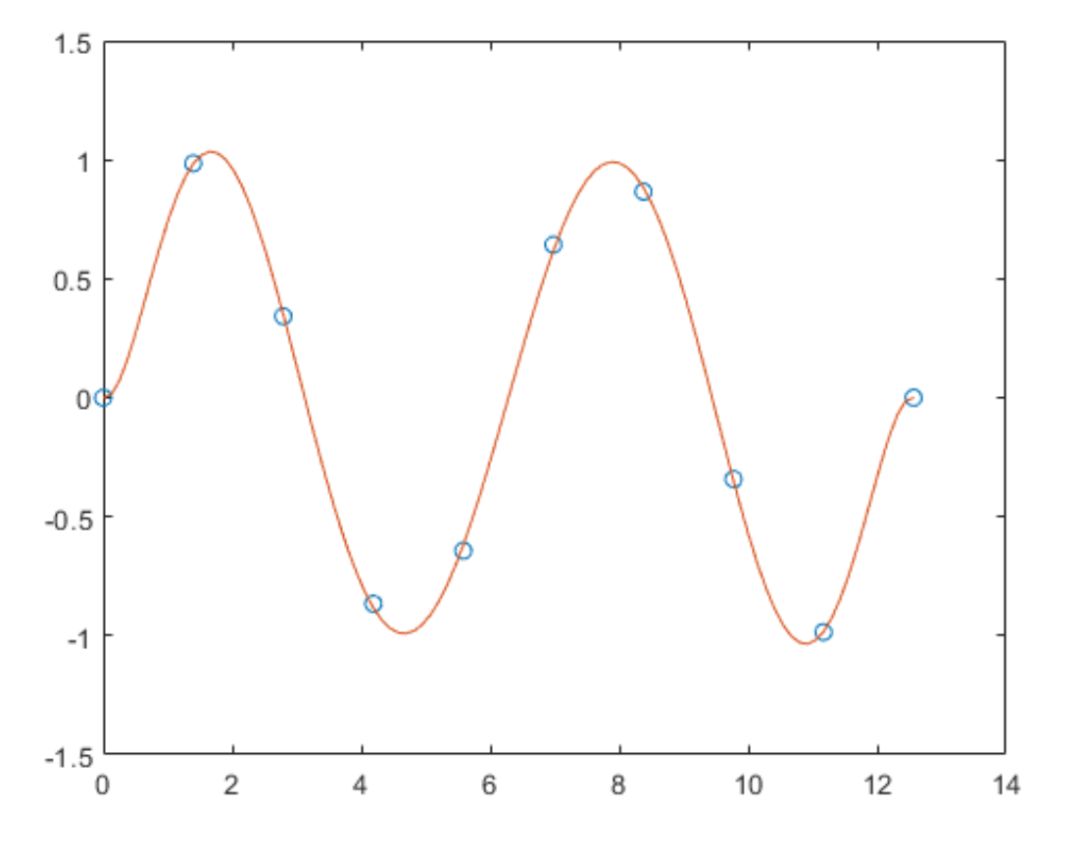
If you want to make predictions, look at the trend of some points afterwards
|
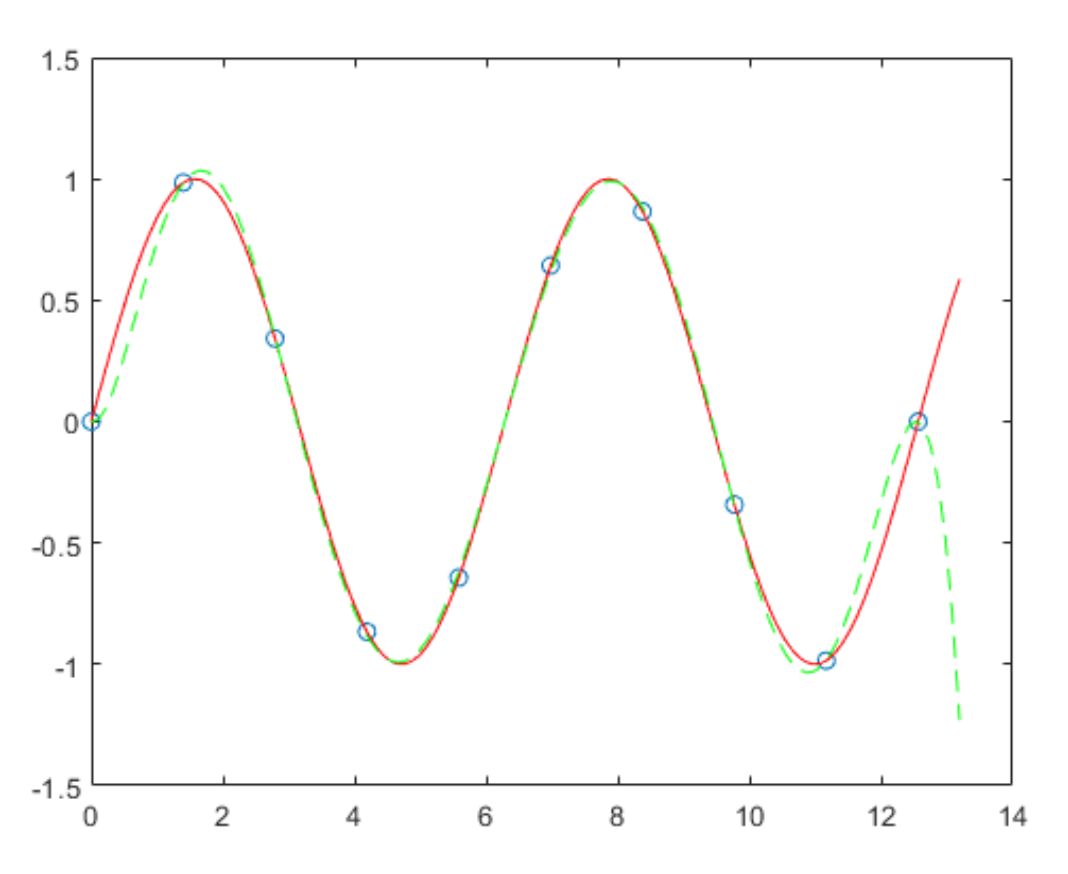
More powerfulfit function
One-dimensional polynomial fitting (curve)
|
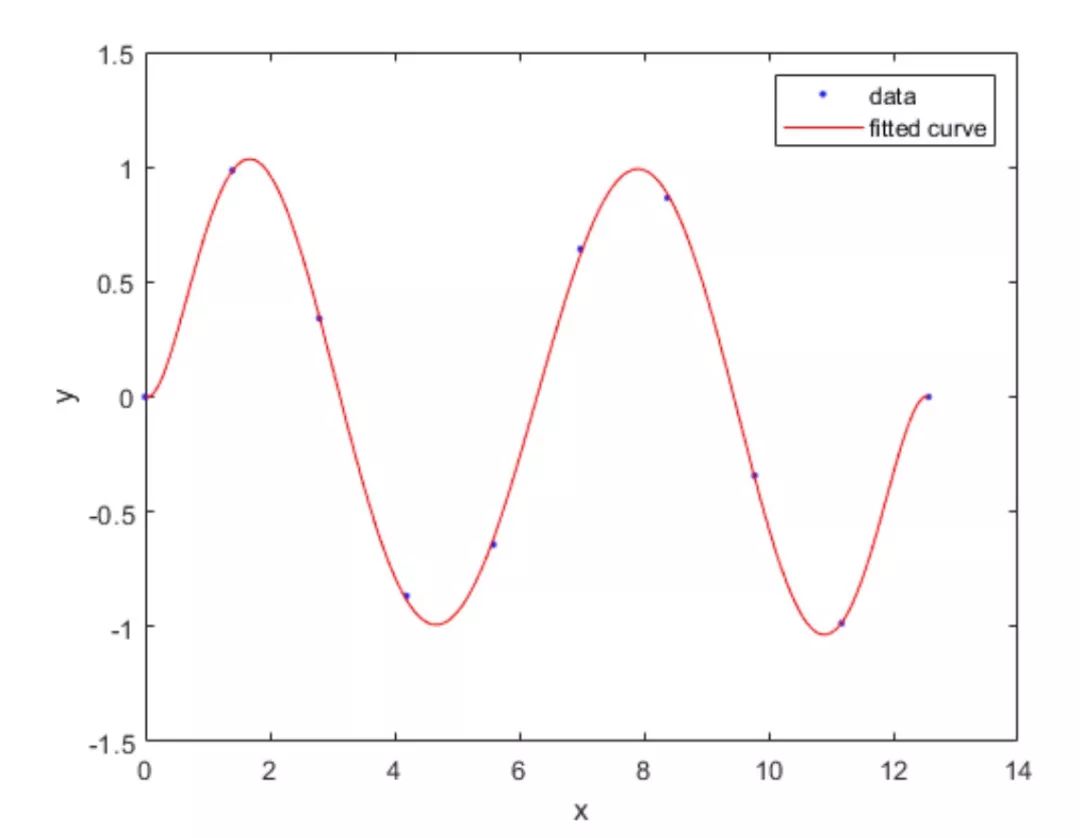
clear x = linspace(0,4*pi,10)’;y = sin(x);f=fit(x,y,‘poly7’) % Up topoly9 |
figure
plot(f,x,y)
Two-dimensional polynomial fitting (surface)
|
load franke sf = fit([x, y],z,‘poly23’) % Up topoly55 |
plot(sf,[x,y],z)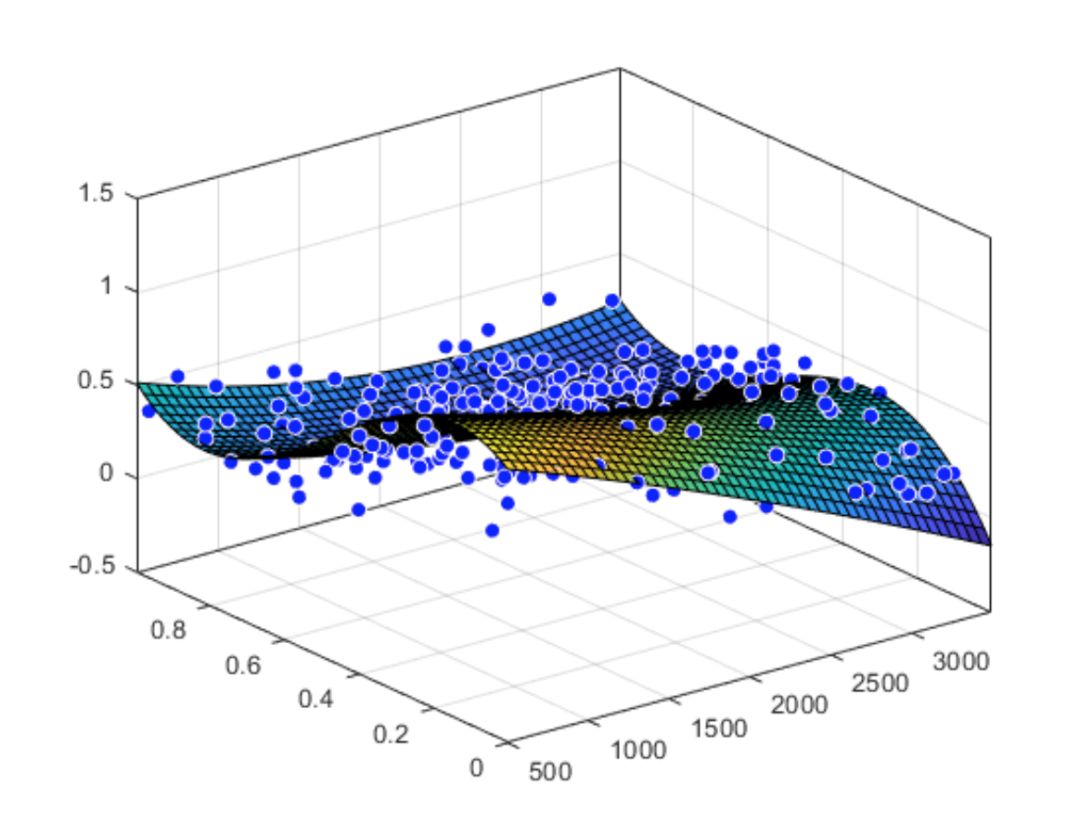
Specify fitting parameters and types
|
[curve3,gof3] = fit(cdate,pop,ft,‘problem’,3)
hold onplot(curve2,'m')
plot(curve3,'c')
legend('Data','n=2','n=3')
hold off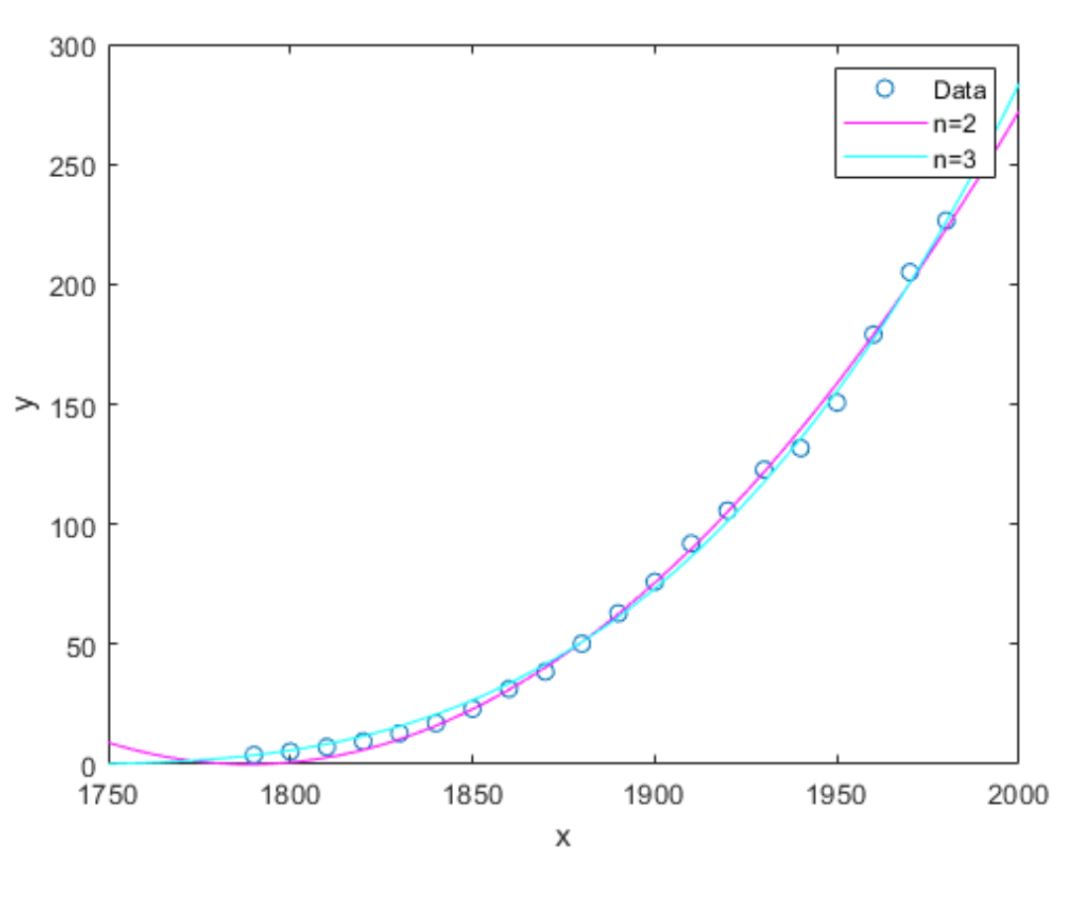
Define a function to fit based on the specified function filex = [0.81;0.91;0.13;0.91;0.63;0.098;0.28;0.55;... 0.96;0.96;0.16;0.97;0.96];
y = [0.17;0.12;0.16;0.0035;0.37;0.082;0.34;0.56;... 0.15;-0.046;0.17;-0.091;-0.071];
ft = fittype( 'piecewiseLine( x, a, b, c, d, k )' )f = fit( x, y, ft, ‘StartPoint’, [1, 0, 1, 0, 0.5] )
plot( f, x, y )
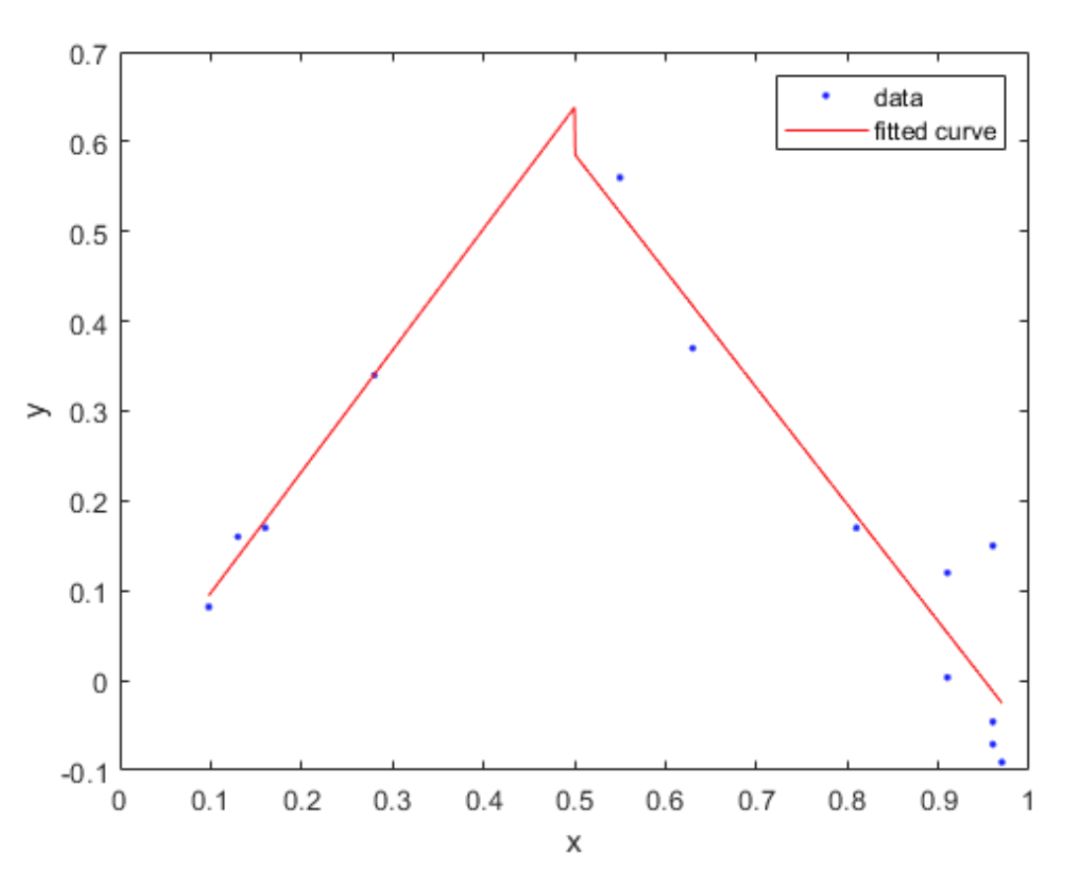
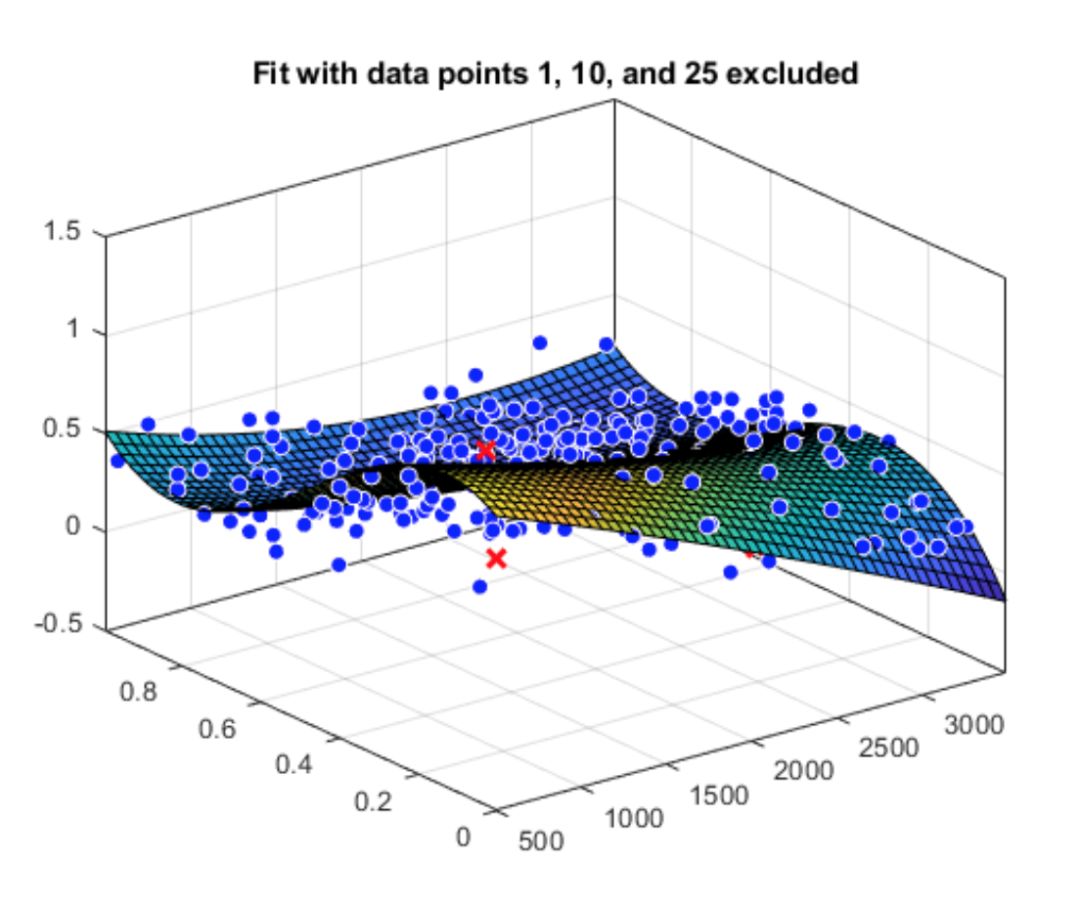
Fit after excluding individual points
|
startPoints = [1.5 900 10 0.6]f1 = fit(x’,y’,gaussEqn,‘Start’, startPoints, ‘Exclude’, [1 10 25])
f2 = fit(x’,y’,gaussEqn,‘Start’, startPoints, ‘Exclude’, x < 800)
plot(f1,x,y)
title('Fit with data points 1, 10, and 25 excluded')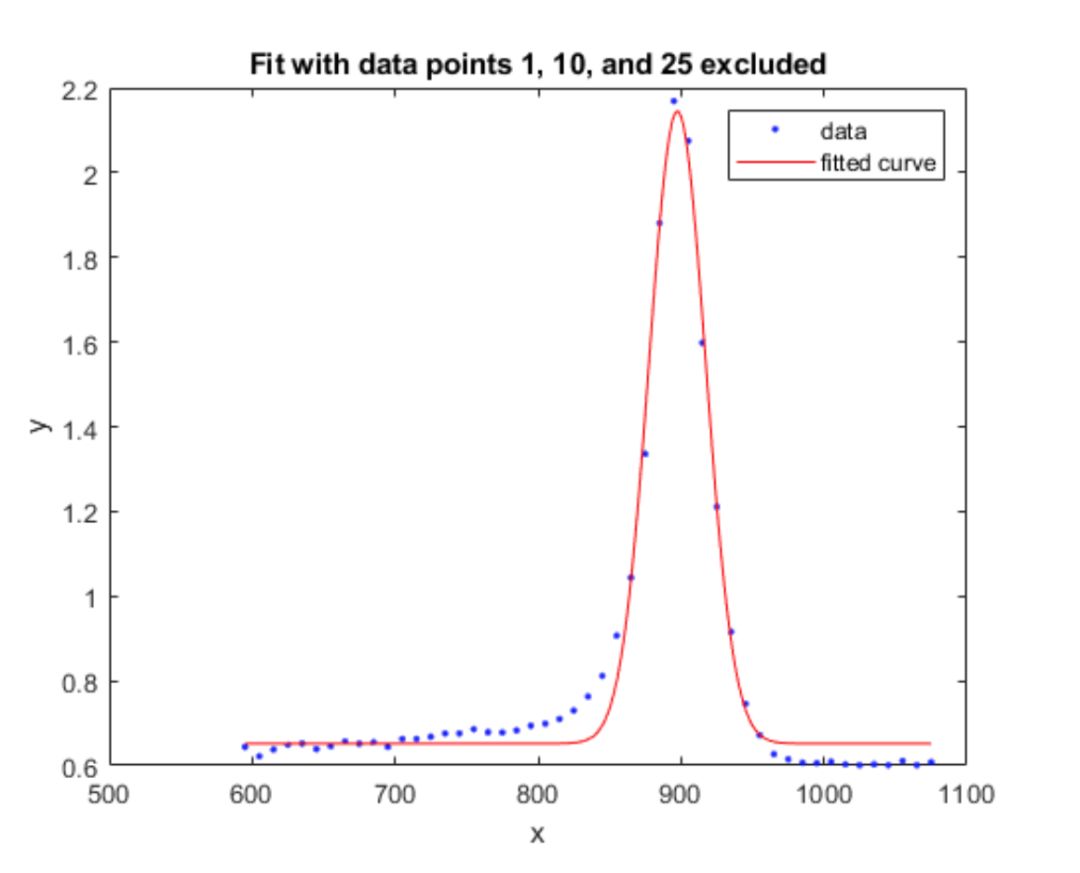
figure
plot(f2,x,y)
title('Fit with data points excluded such that x < 800')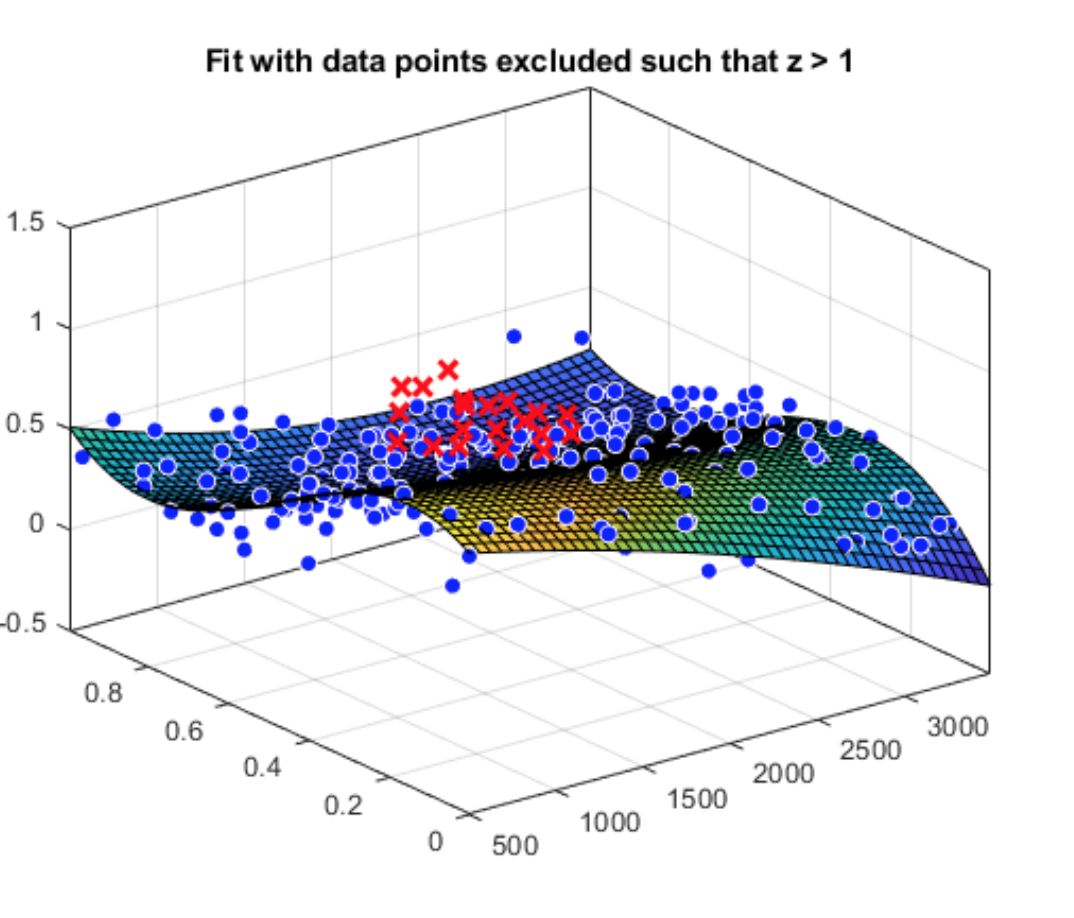
Exclude some points in surface fitting and mark them in the graph
|
figure
plot(f2, [x y], z, 'Exclude', z > 1);
title('Fit with data points excluded such that z > 1')
Curve Fitting app
Curve Fitting 3 Order and5Order Polynomial Fitting
Moving Average
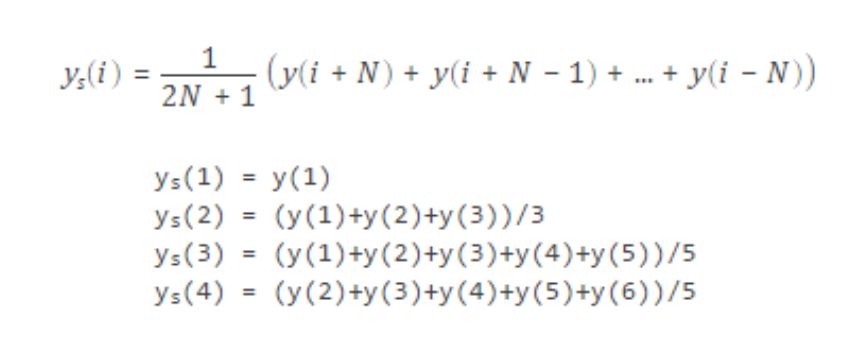
|
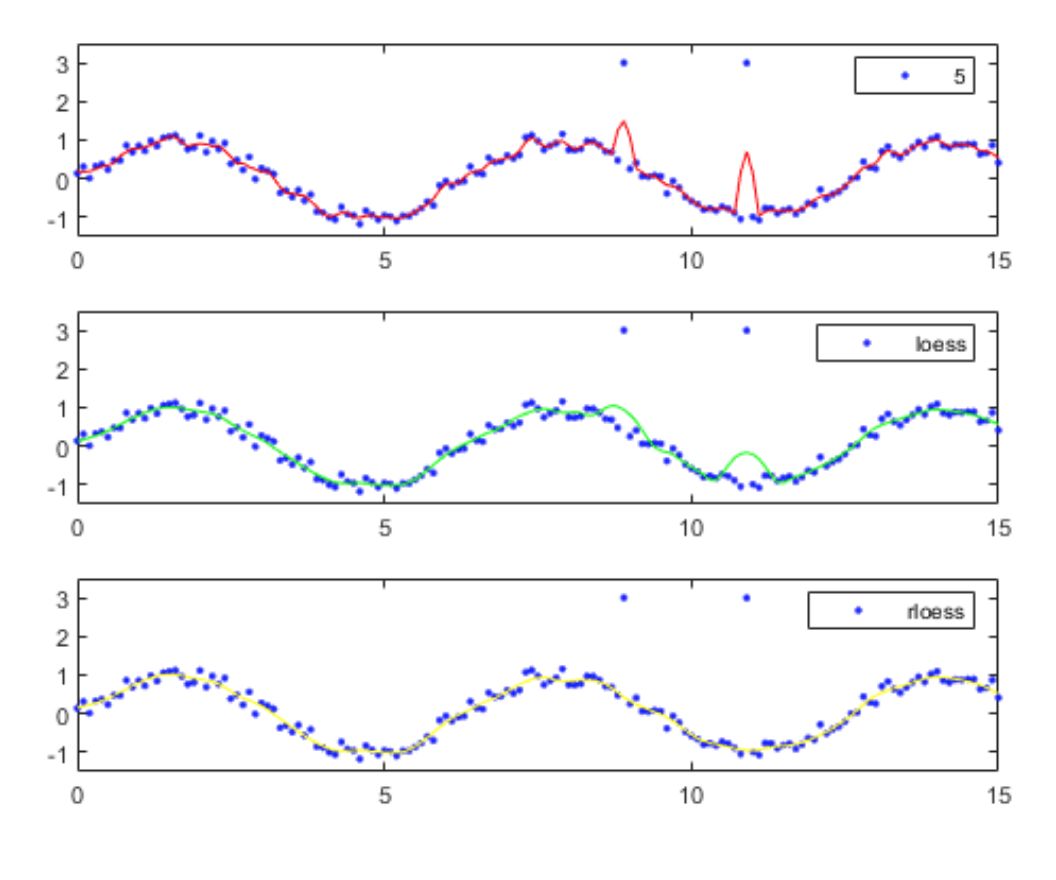
Smoothing Spline
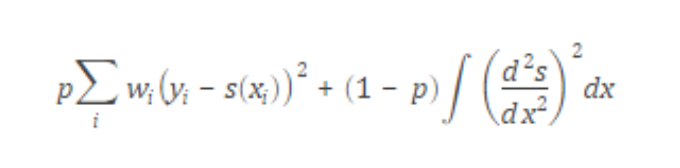
p=0 Least Squares Linear Fitting
p=1 Cubic Spline Interpolation
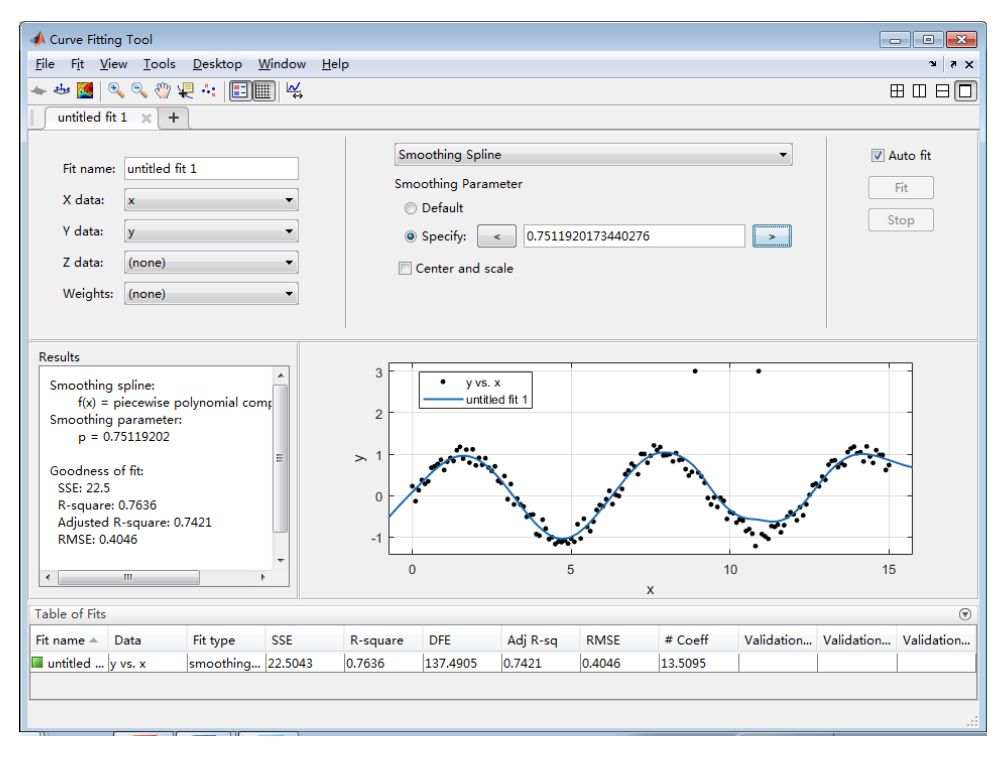
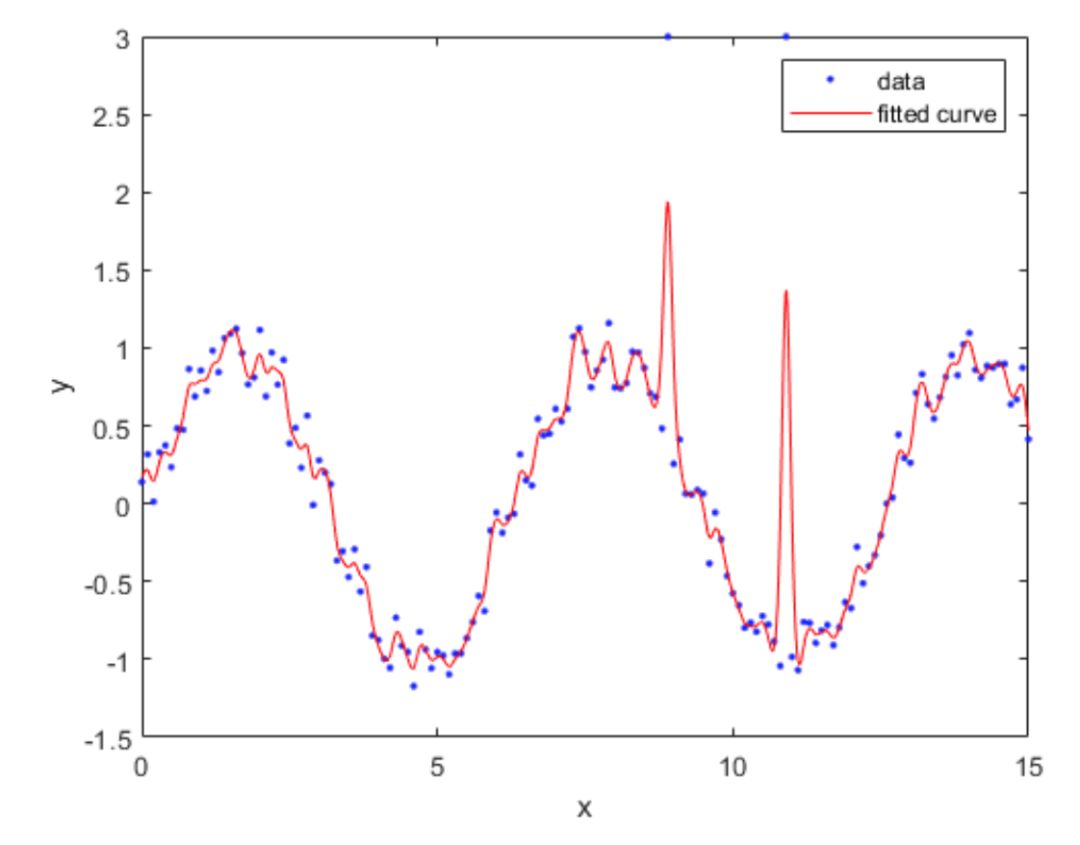
Usingfit function for smoothing
|
|
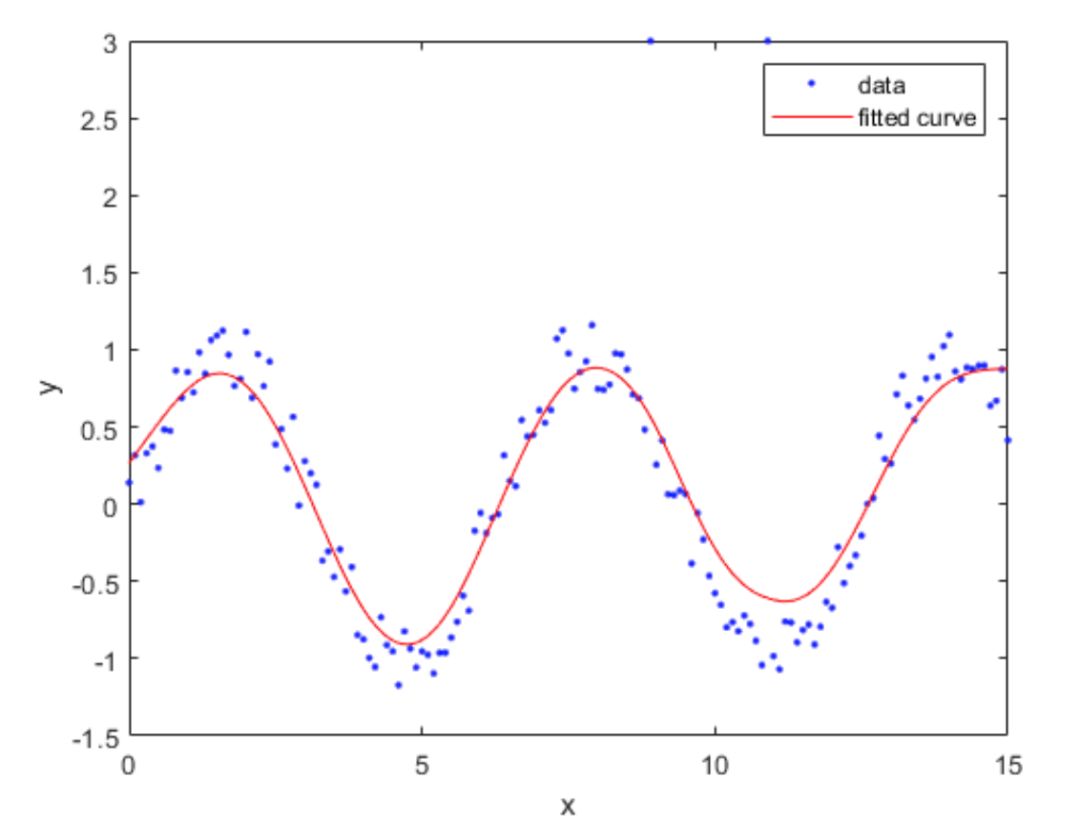
[f,gof,out]= fit(x,y,‘smoothingspline’,‘SmoothingParam’,0.4)
options = fitoptions('Method','Smooth','SmoothingParam',0.3);
[f,gof,out] = fit(x,y,'smooth',options)
Interpolation
One-dimensional data interpolation
|
clear x=0:10;y=cos(x);xi=0:0.25:10;strmod={‘nearest’,‘linear’,‘spline’,‘pchip’} % Store interpolation methods in a cell array |
‘(c)method=spline’,,‘(d)method=pchip’} % Plot labels |
|
for i=1:4 yi=interp1(x,y,xi,strmod{i}); % Interpolationsubplot(2,2,i) % Subplotplot(x,y,‘ro’,xi,yi,‘b’),xlabel(strlb(i)) % Plot end |
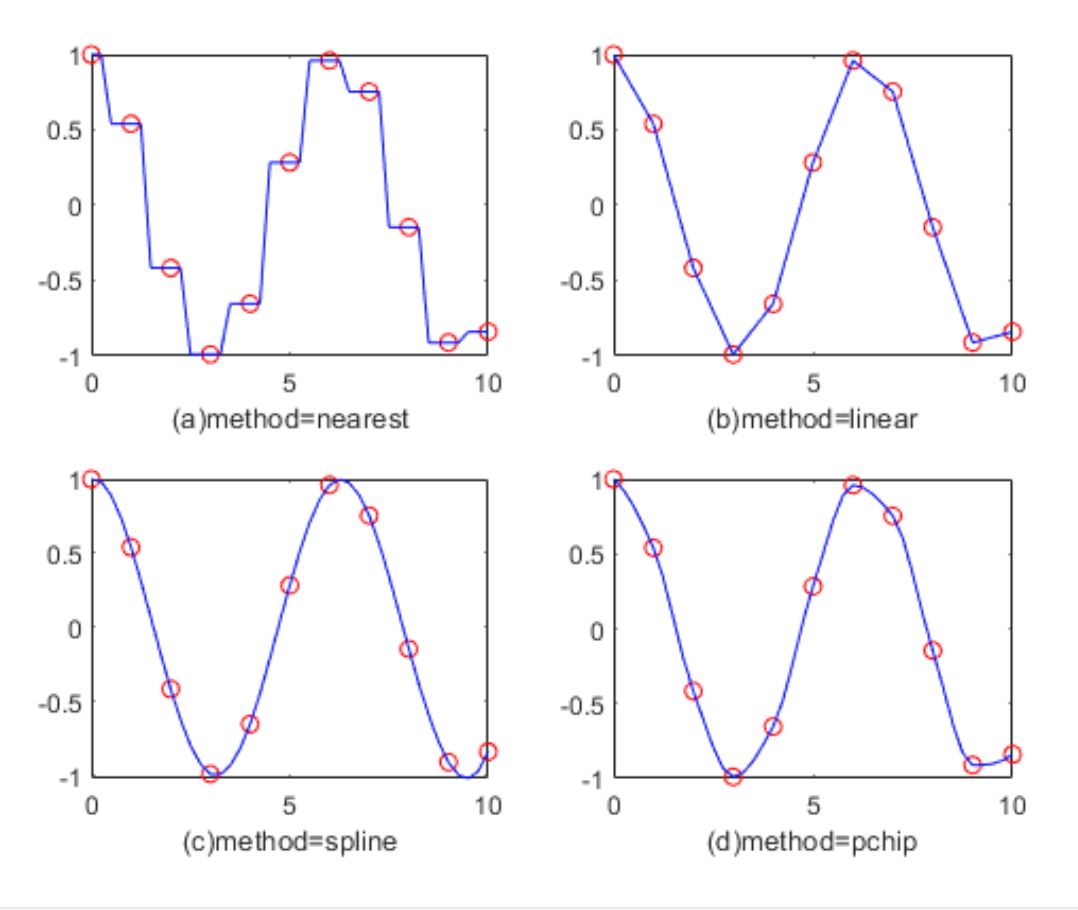
Two-dimensional data interpolation
|
clear [x,y,z]=peaks(6); % MATLAB built-in test function figuremesh(x,y,z) % Draw the original data graph title(‘Original Data’) |
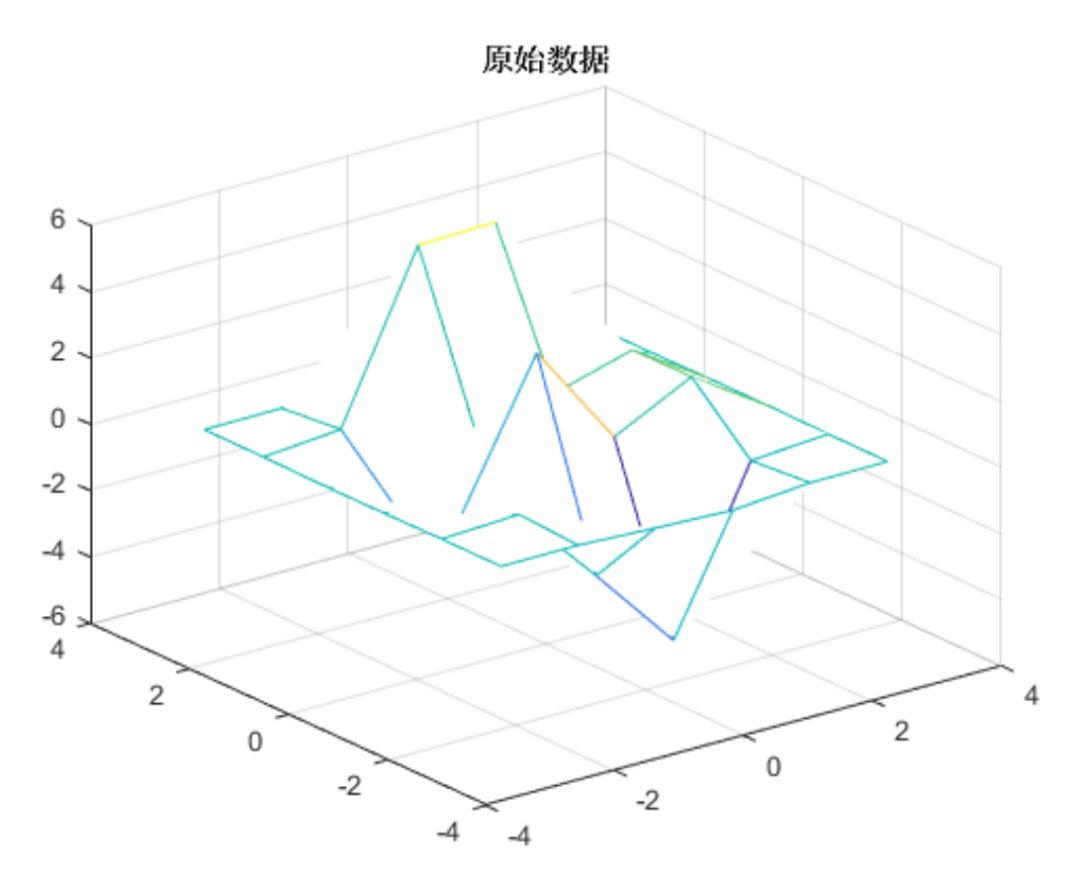
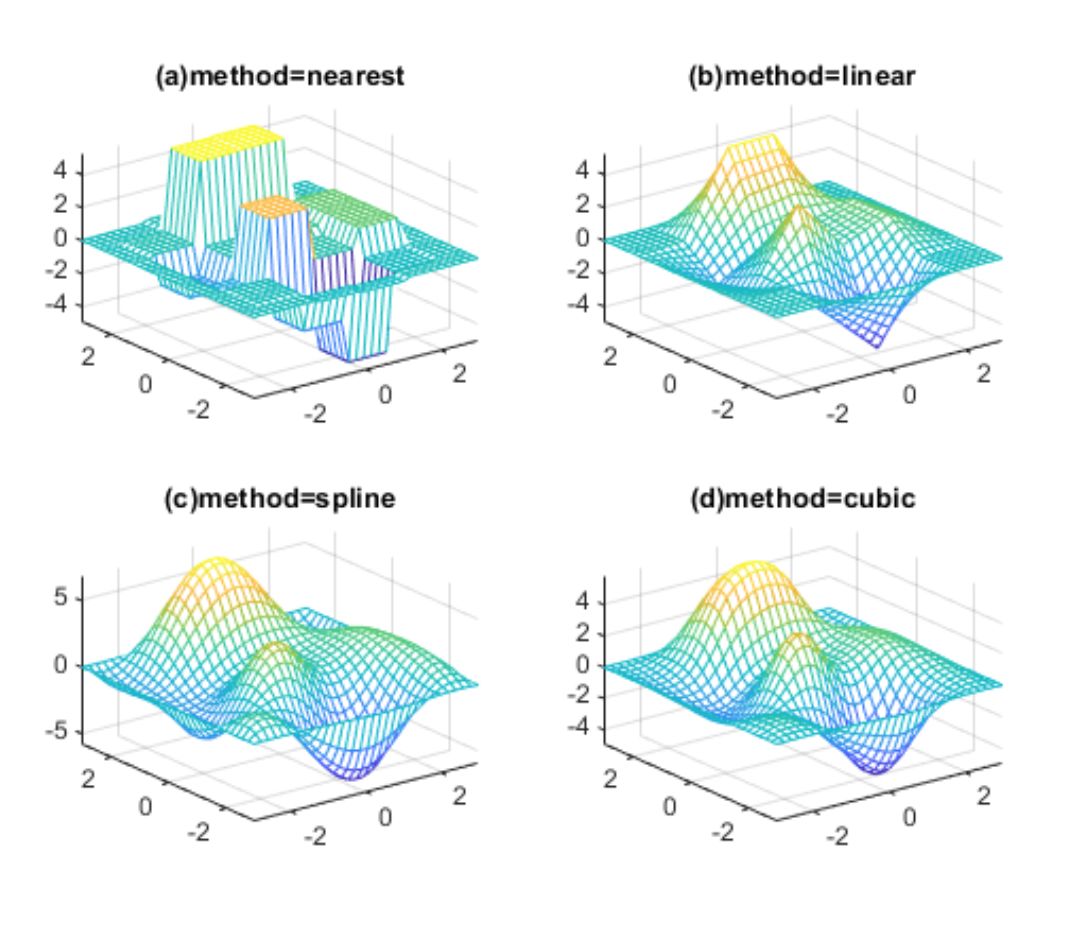
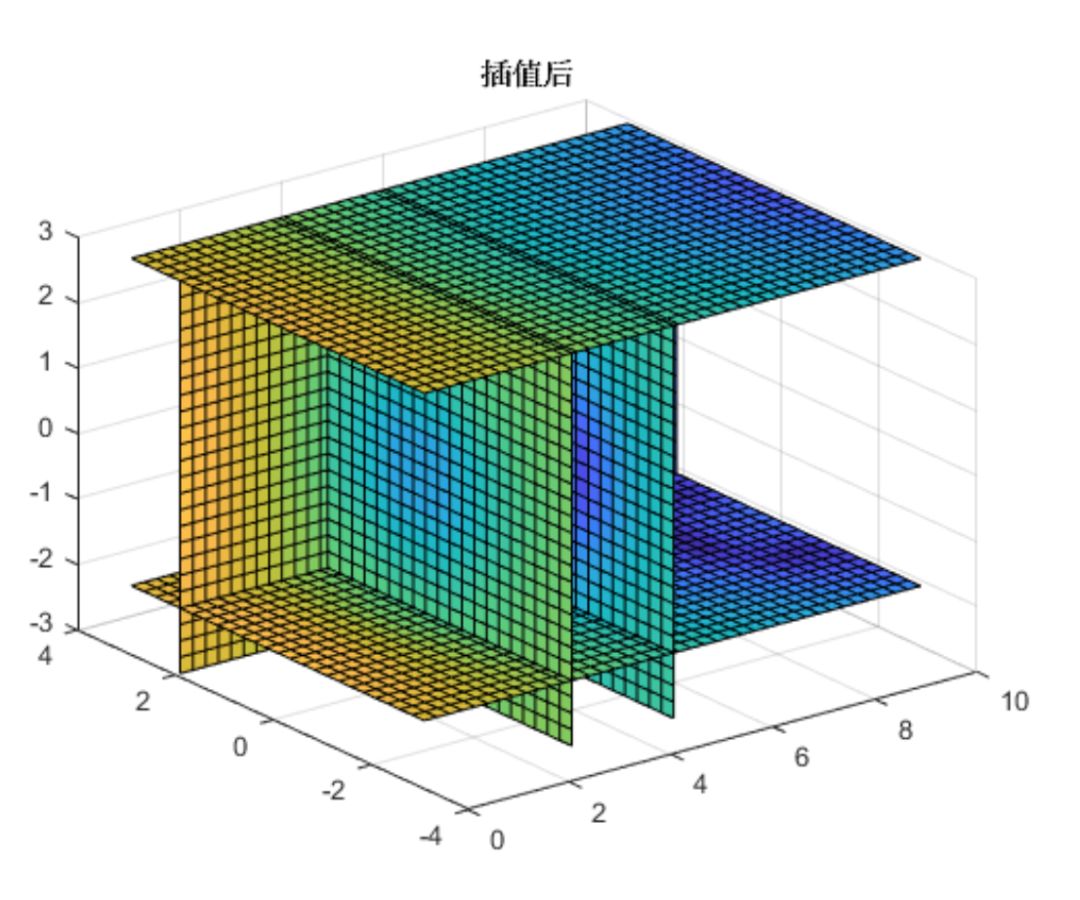
Usingfit function for interpolation
figure
clear
load carbon12alphaf1 = fit(angle,counts,'nearestinterp');
f2 = fit(angle,counts,'pchip');
p1 = plot(f1,angle,counts);
xlim([min(angle),max(angle)])
hold onp2 = plot(f2,'b');
hold offlegend([p1;p2],'Counts per Angle','Nearest Neighbor','pchip',... 'Location','northwest')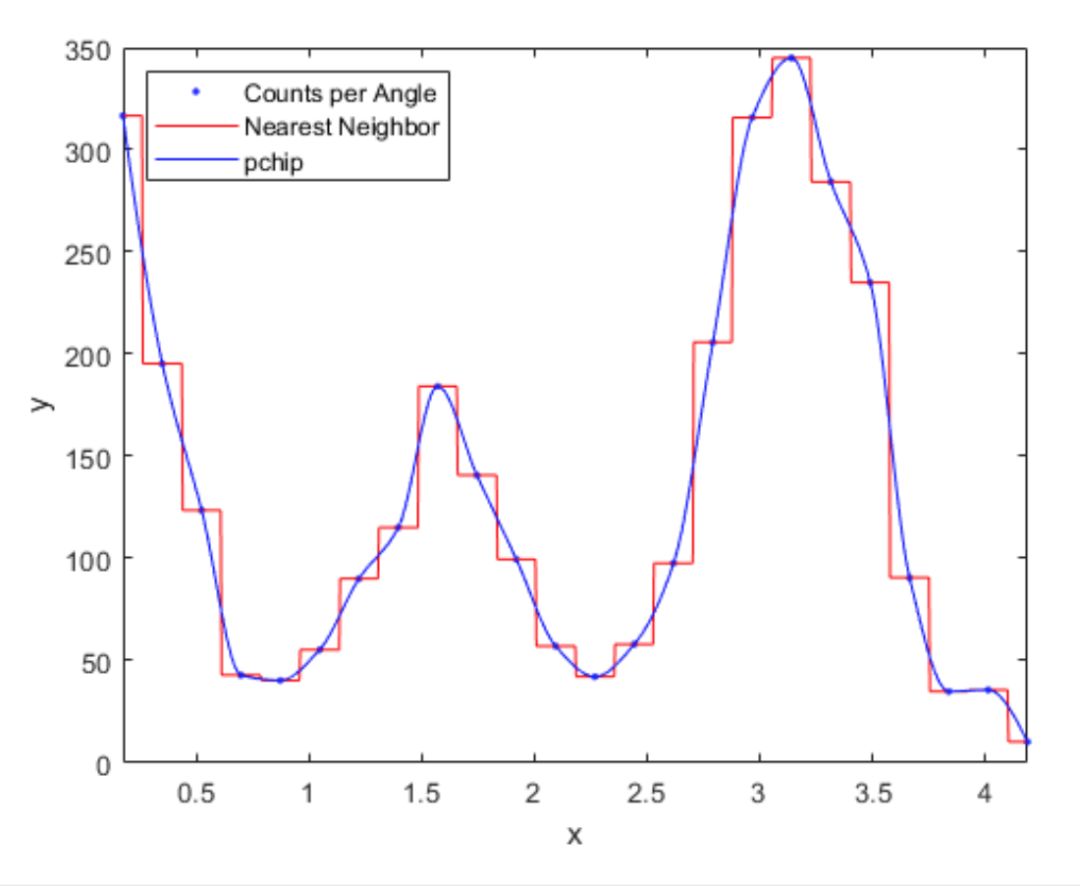
The above content is just a small part of the Matlab course, each class is very rich in content, and the teacher’s experience and skills benefit students greatly. If you want to learn more, please add customer service for consultation.

Matlab is essential software for mathematical modeling and a must-have software for students and graduates in science and engineering. Watching tutorials alone is boring, and you can’t find a learning method. There are no experts to answer questions, and no peers to study with… Now, the online education platform under Jiyuan Mathematical Modeling – Extreme Value Academy, in collaboration with the author of “MATLAB from Beginner to Proficiency”, a senior engineer of a listed company, Teacher Dong Chenhui has launched the course “MATLAB from Beginner to Algorithm Practice Summer Fast Track”, where the instructor interacts in real-time to answer questions, ensuring that learners comprehensively master MATLAB.
Instructor Introduction

Dong Chenhui
Dong Chenhui, author of the bestselling MATLAB book “MATLAB from Beginner to Proficiency”, a senior algorithm engineer of a listed company. Since 2003, he has participated multiple times in national college students, American college students, and national graduate mathematical modeling competitions, achieving excellent results. He has been using MATLAB for over 15 years, proficient in various algorithms and MATLAB algorithm toolboxes, and has published tutorials such as “MATLAB from Beginner to Proficiency”, “MATLAB 2008 Complete Guide”, and “MATLAB/Simulink Communication System Modeling and Simulation Examples”.
Course Directory
Public Course
Introduction to MATLAB Application Scenarios
Introduction to MATLAB Functions, Features, and Advantages
Introduction to the New Features of MATLAB 2018a
Introduction to MATLAB “Naming Artifact”
Chapter 1: Basic Skills of MATLAB
Section 1
Introduction to MATLAB
Data Types
Matrix and Array Skills
Section 2
Visualization and Control
New Version Plotting Features
How to Set Properties of Plot Controls
Section 3
Graphic Objects
Section 4
Control Flow
Types of Functions
String Calculation Functions
Real-time Editor Live Editor Introduction
Section 5
Function Variables
Error and Exception Handling
Improving MATLAB Calculation Efficiency
Debugging Mode, Setting Breakpoints, How to Find and Fix Bugs
MATLAB Programming Specifications
Chapter 2: Common Algorithms and Practices in MATLAB
Section 6
Data Fitting, Probability Statistics, Random Number Generation, Sensitivity Testing
Data File IO, Big Data Processing
Section 7
Introduction to Optimization Toolbox (the above courseware is part of this lesson)
Simulated Annealing Algorithm
Section 8
Genetic Algorithm Practice
Monte Carlo Algorithm
Section 9
Ant Colony Algorithm
TSP Problem Demonstration
Time Series
Section 10
Neural Networks
SVM Algorithm
Section 11
Graph Theory
Image Processing
Economics and Finance
Section 12
AppDesigner
Course Duration
1、Full recorded course, the teacher is always available to answer questions;
2、Videos can be replayed unlimited times within one year.
Limited Time Offer
Send a screenshot of the share to Extreme Value Academy personal WeChat (jizhi-xingchen) to not only get rich MATLAB materials but also receive a 100 yuan coupon for this course!

Extreme Value Academy personal WeChat (jizhi-xingchen)
Past Highlights
“MATLAB from Beginner to Algorithm Practice” series has been conducted five times. The course has received continuous praise from students, and Teacher Dong’s unique teaching style and considerate Q&A service have greatly benefited every student. The course quality is leading compared to similar courses on the market, and the after-class Q&A service is comprehensive, with all student questions being resolved, and most inquiries receiving teacher responses within 1 hour.
1、Part of the courseware preview:
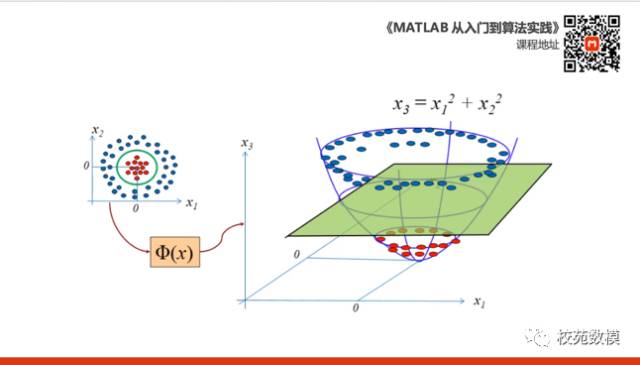
SVM Algorithm
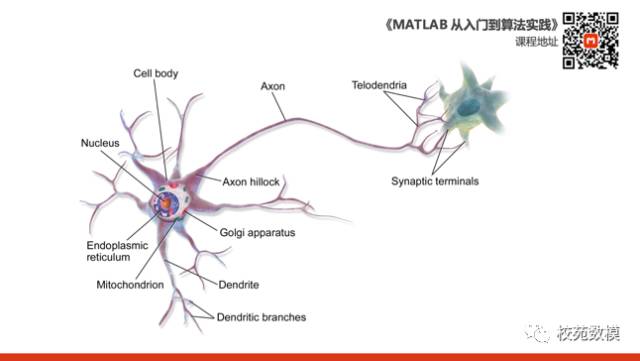
Neural Network Algorithm
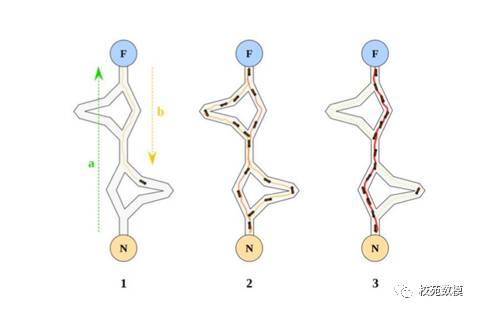
Ant Colony Algorithm
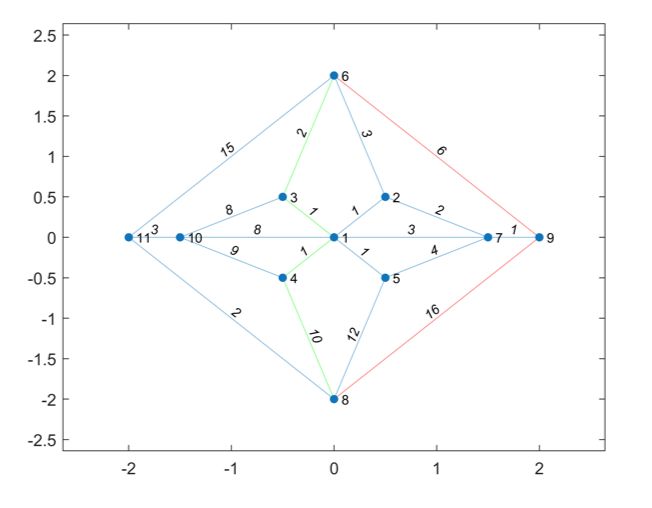
Shortest Path Problem

Image Processing
2、Course Assignment Preview::
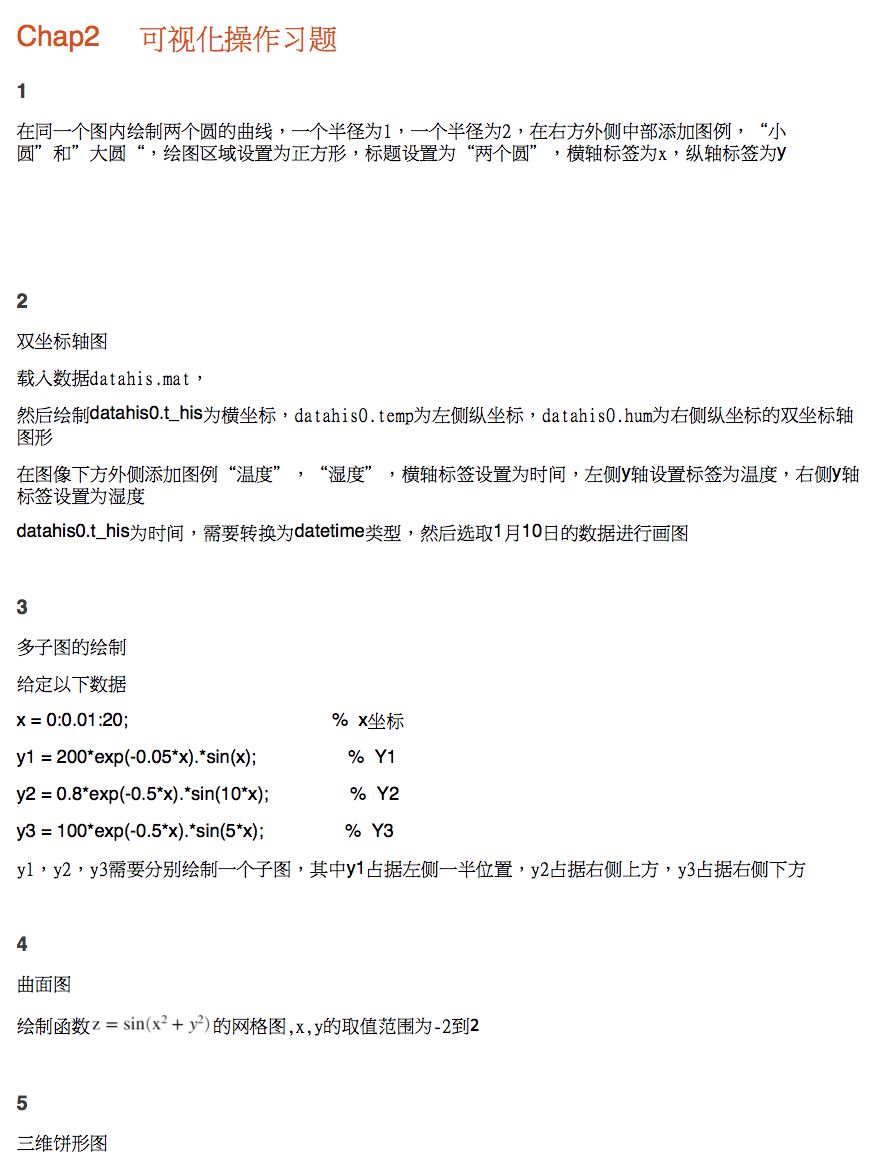
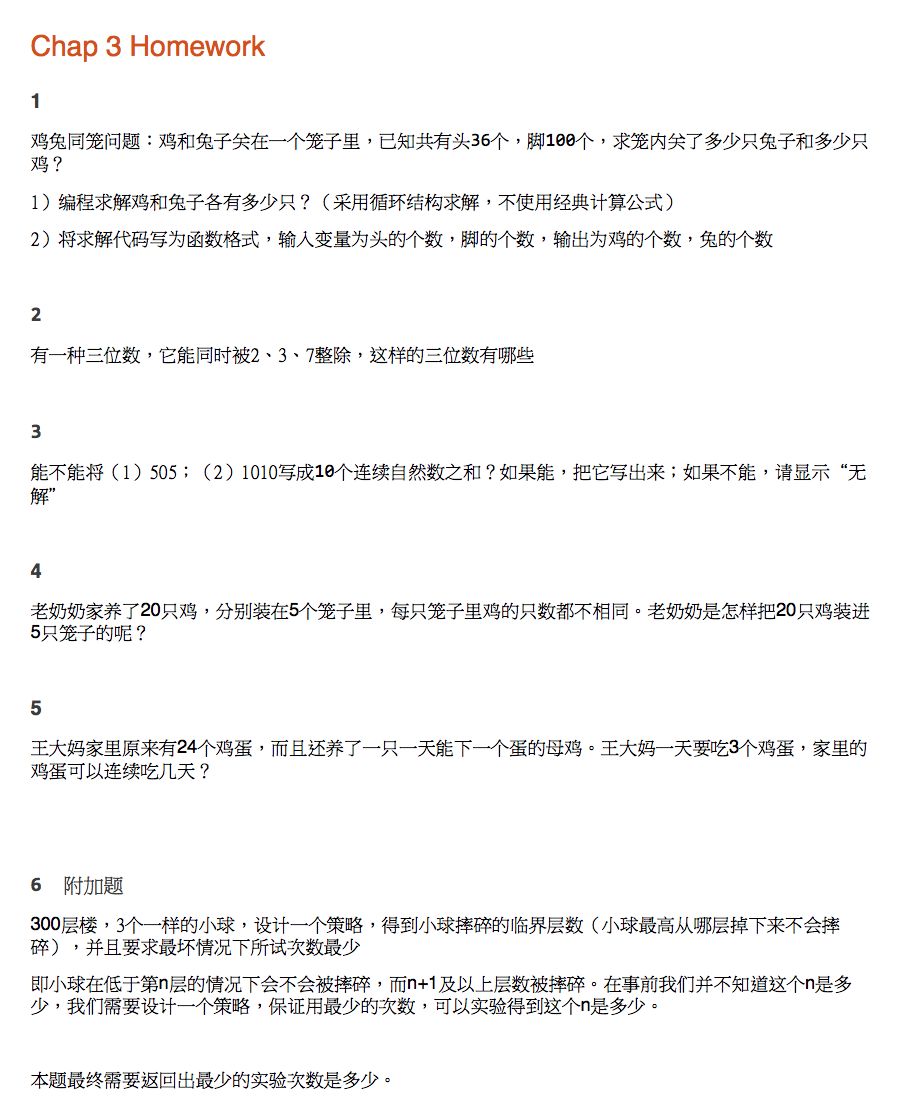
Assignments submitted through the system will also receive teacher feedback
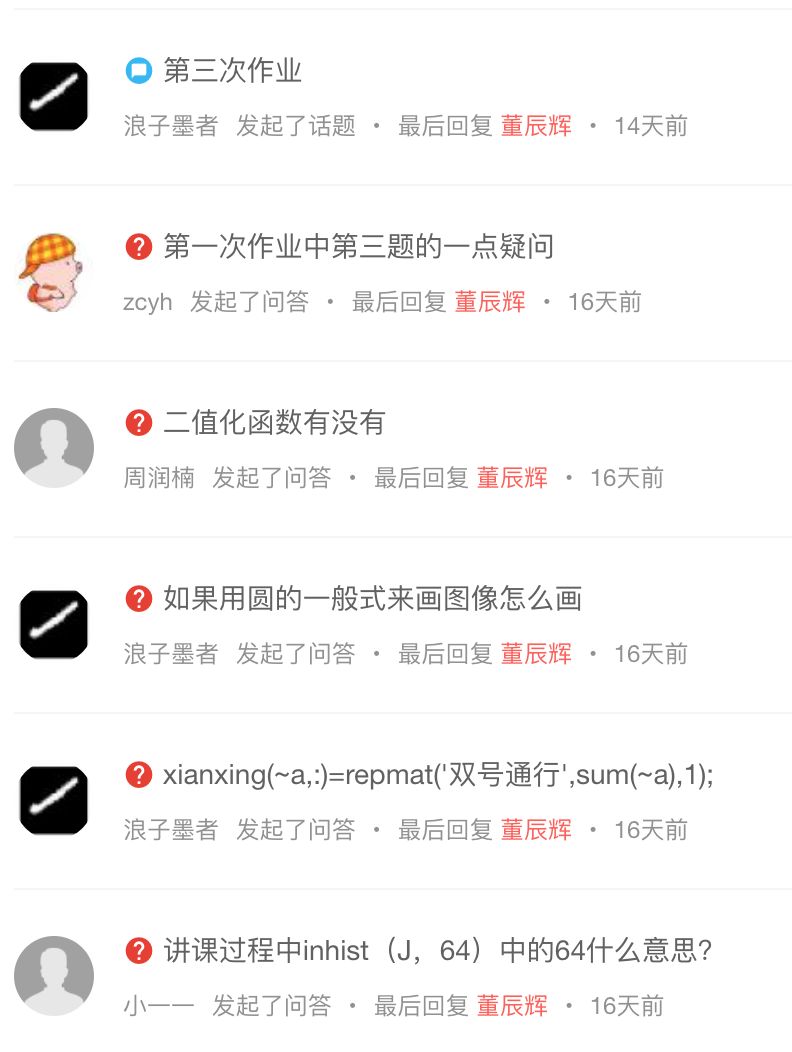
3、Course Discussion Group Q&A Screenshots::
In the study group, not only does the teacher answer questions, but students also discuss with each other. In such a learning atmosphere, everyone unconsciously improves.

Immediately add the course assistant of Extreme Value Academy and send “Learn MATLAB” to receive Discount Code + 100G Course Material Package
▼