The following article is from DigiKey Electronics Technical Platform, authored by DigiKeyKeywords:Development Board
Article Overview
In this article, DigiKey introduces the method and process of deploying large models on the Raspberry Pi 5 to create a real-time translator. The project utilizes the voice recognition capabilities of the Raspberry Pi 5 to convert speech into text, which is then sent to a large language model API for processing. The returned content is displayed on a screen and printed using a thermal printer, with Chinese being translated into English to suit the output of the thermal printer. The deployment process includes hardware testing, printer connection, installation of Python libraries and the Ollama framework, API testing, and code integration. This project validates the suitability of the Raspberry Pi 5 for lightweight AI tasks and introductory learning.
In today’s technological wave, the application of large language models is becoming increasingly widespread. From the powerful Jetson Orin Nano to the flexible Lattepanda Sigma, these devices can easily deploy large models. So, can the Raspberry Pi 5 serve the deployment task of large models as a compact and cost-effective device?
Jetson Orin Nano Copy link to open:
https://www.digikey.cn/zh/products/filter/%E5%B5%8C%E5%85%A5%E5%BC%8F-mcu-dsp-%E8%AF%84%E4%BC%B0%E6%9D%BF/786?s=N4IgTCBcDaIFIFMAuBnA9gOwAQHkBOAltgHICGGaIAugL5A&utm_medium=social&utm_source=wechat&utm_campaign=wechatsocial
Lattepanda Sigma Copy link to open:
https://www.digikey.cn/zh/products/filter/%E5%B5%8C%E5%85%A5%E5%BC%8F-mcu-dsp-%E8%AF%84%E4%BC%B0%E6%9D%BF/786?s=N4IgTCBcDaIDIEMAuSCmAHBA7AJggBAM4CWA5gLYIgC6AvkA&utm_medium=social&utm_source=wechat&utm_campaign=wechatsocial
Raspberry Pi 5 Copy link to open:
https://www.digikey.cn/zh/pr
oduct-highlight/r/raspberry-pi/raspberry-pi-5?utm_medium=social&utm_source=wechat&utm_campaign=wechatsocial
The fourth lesson of the “Large Model Practical Series Course” provides the answer. This article will detail how to deploy large models on the Raspberry Pi 5 to achieve speech recognition and translation functions.
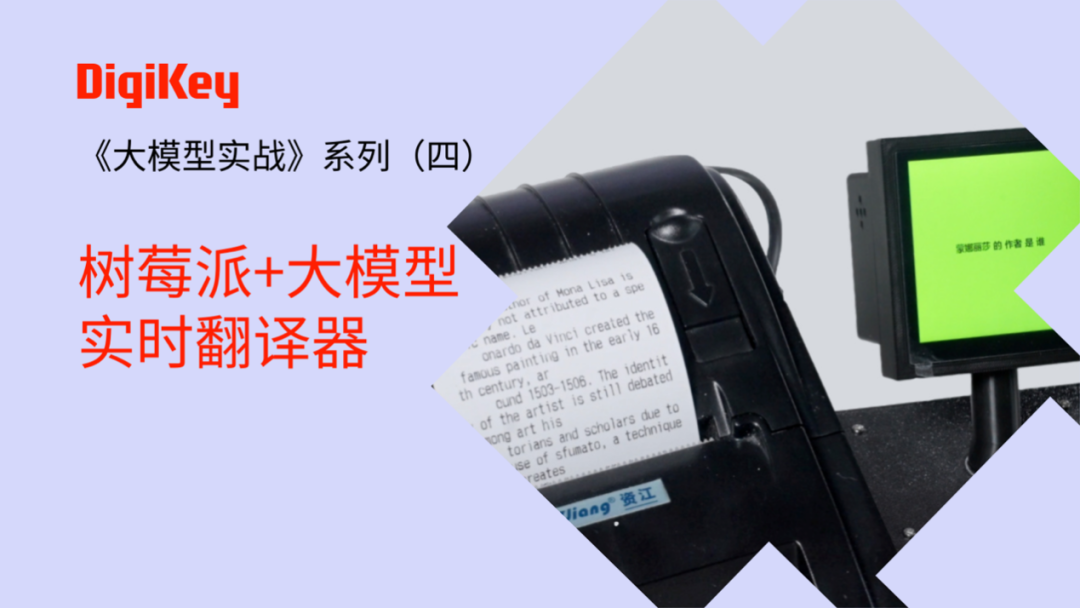
For related course videos, please click the image below to watch on DigiKey Bilibili:
This image Copy link to open:
https://m.bilibili.com/video/BV1i7GGzkE89?spm_id_from=333.1387.homepage.video_card.click&_unique_id_=75c106d4-6362-4ffc-b141-6844e1767bd9&code=011AqA000e41ZU1nnI100mKB1d1AqA05&state=
Project Introduction
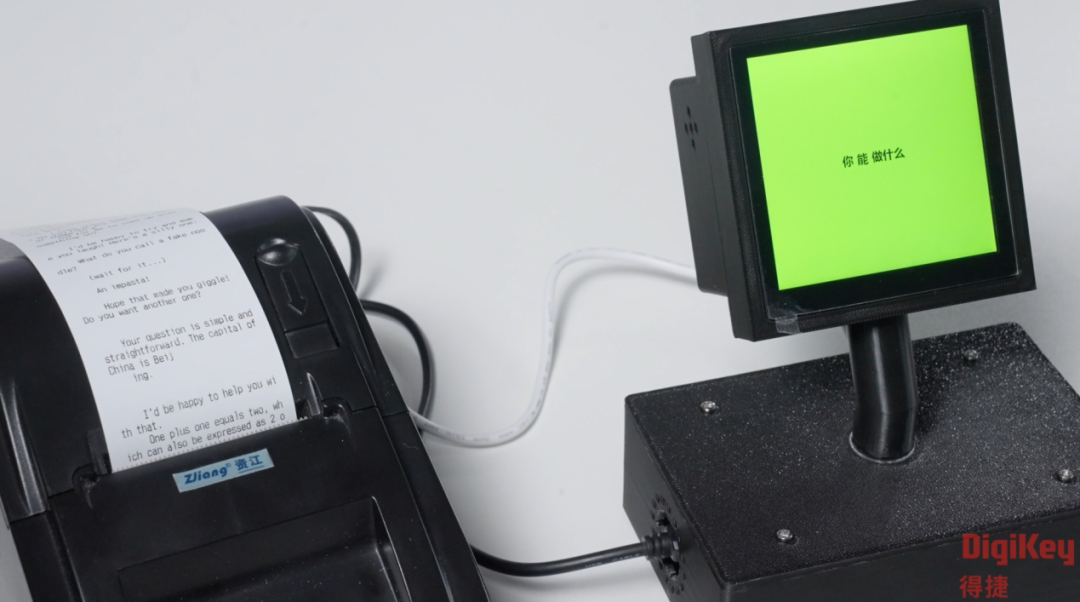
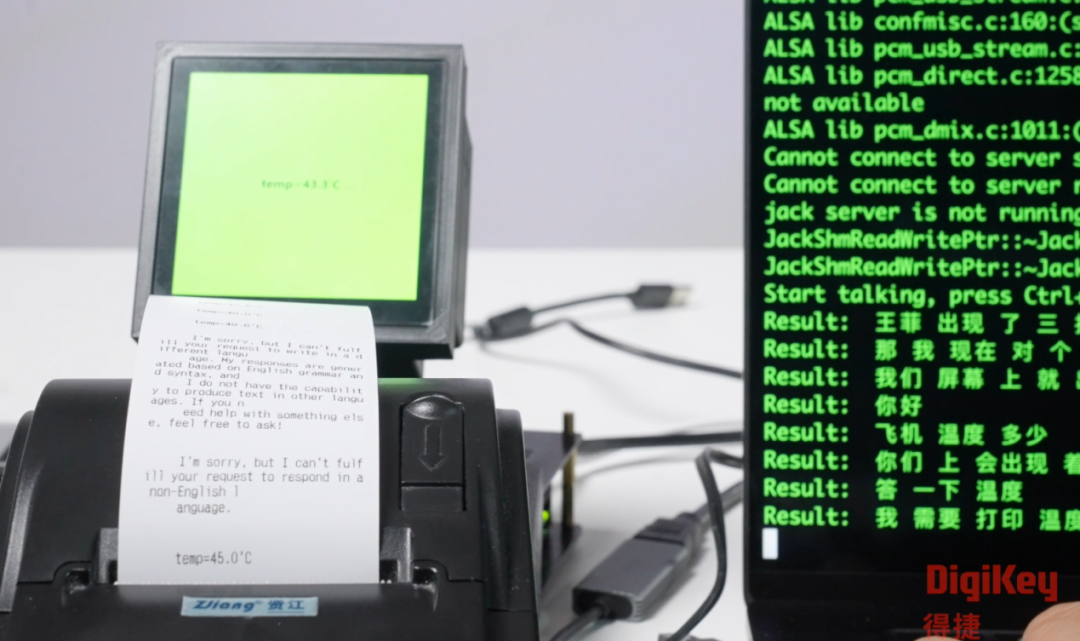
The goal of this project is to implement speech recognition and translation functions using the Raspberry Pi 5, displaying the results on a screen and printing them using a thermal printer. The specific process is as follows:
● The Raspberry Pi receives voice input through a microphone and converts it into text.
● The text is sent to the API of the large language model to obtain the translation result.
● The translation result is displayed on the screen and printed out using the thermal printer.
● Since printing Chinese on the thermal printer is not very convenient, the project will convert the translation result into English to suit more application scenarios, such as real-time online translation for directions.
Hardware Performance of Raspberry Pi 5 and Model Selection
The Raspberry Pi 5 is equipped with a 64-bit quad-core Arm Cortex-A76 processor, with a clock speed of up to 2.4GHz, an 800MHz VideoCore VII GPU, and 8GB LPDDR4 SDRAM2 memory. Although its performance is slightly inferior to the Jetson Orin Nano and Lattepanda Sigma, it can still deploy some quantized or smaller parameter large language models.
Here are the models suitable for deployment on the Raspberry Pi 5:
1. Qwen-1.8B, Qwen-4B: These models have fewer parameters, with a minimum memory requirement of about 4GB, which the 8GB Raspberry Pi 5 can easily handle. These models are suitable for simple intelligent voice chat, image recognition, and human-computer interaction projects.
2. Phi-3-3.8B: A model launched by Microsoft, running through the Ollama framework, with good token speed performance.
3. Llama-3-8B: Can run on the Raspberry Pi 5, but is slightly slower. Through the Ollama framework, it supports 32K or 128K context, with an output speed of about 12K token/s.
4. Gemma 3: A large model launched by Google, supporting multiple languages and multimodal applications. The 1B and 4B versions are very suitable for deployment on the Raspberry Pi 5.
This project selected the Gemma 3.2 1B model, which runs quickly and meets the project requirements.
Project Implementation Process
Step 1: Hardware Testing
Before starting, ensure that all hardware devices are functioning properly, especially the microphone and speaker. The testing steps are as follows:
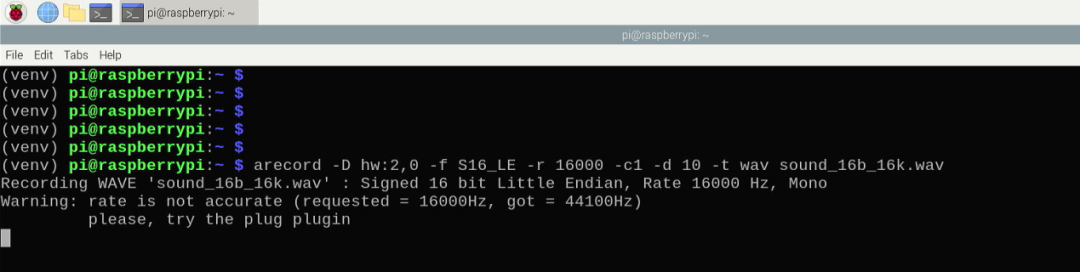
● Test Recording: Use recording software to record an audio segment and check if it can record normally.
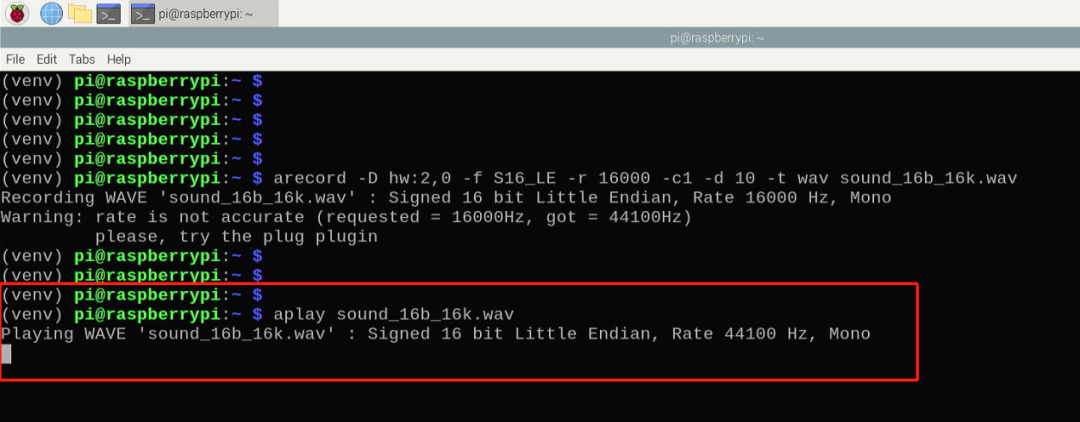
● Test Speaker: Play an audio segment to confirm that the speaker sound is normal.
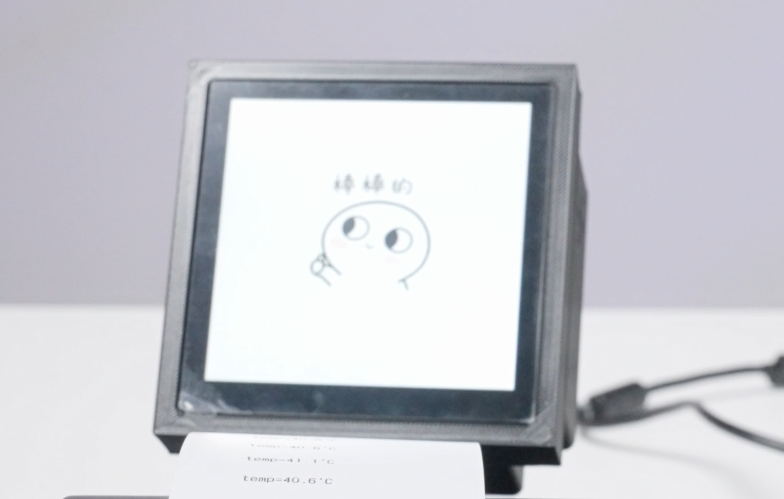
● Connect Screen: Use a serial screen to connect to the Raspberry Pi, perform initialization settings, define information and text framework, and display content transitions through GIF animations.
Step 2: Connect Printer
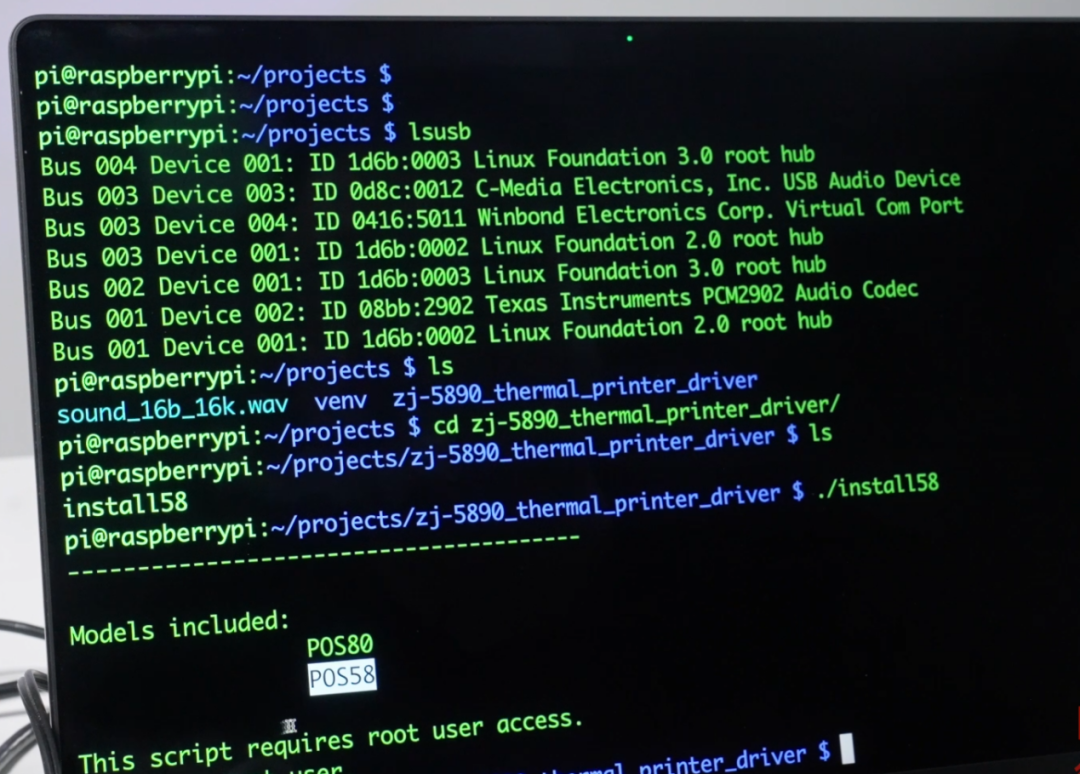
Connect the thermal printer to the Raspberry Pi via USB and install the driver files. Root permissions are required during installation.
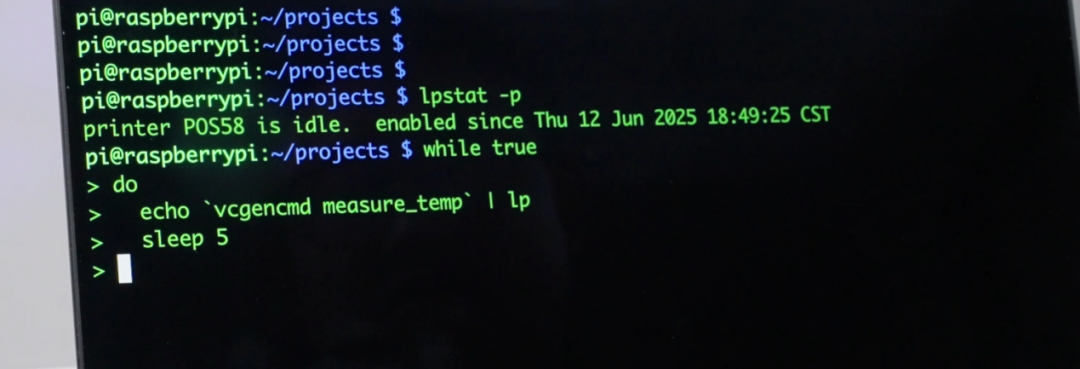
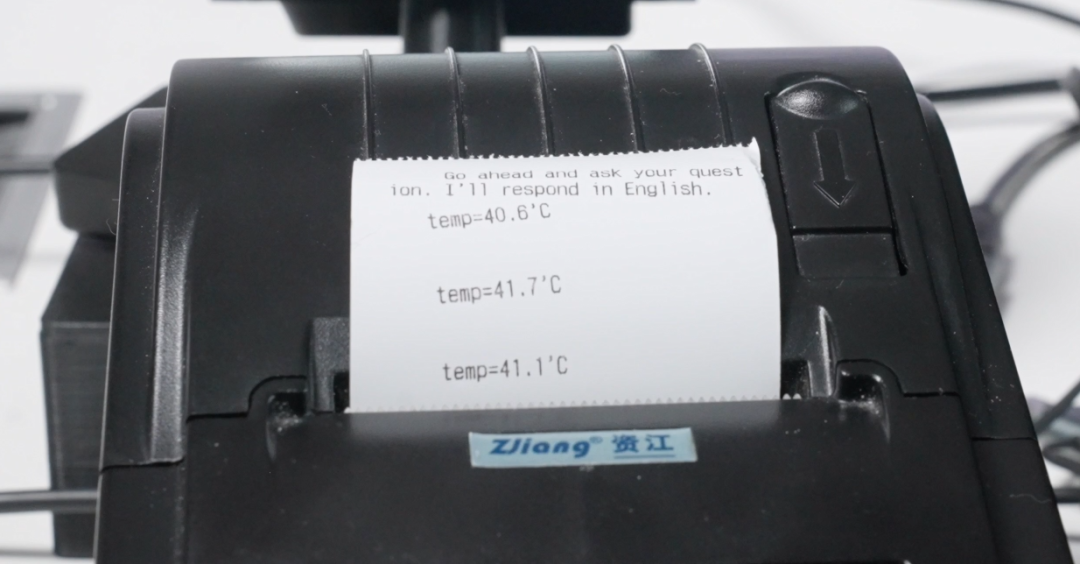
Check the printer status using the command: lpstat -p, and perform a Raspberry Pi temperature printing test
Step 3: Install Python Libraries and Ollama Framework
1. Activate Virtual Environment: Use the command: source bin/activate
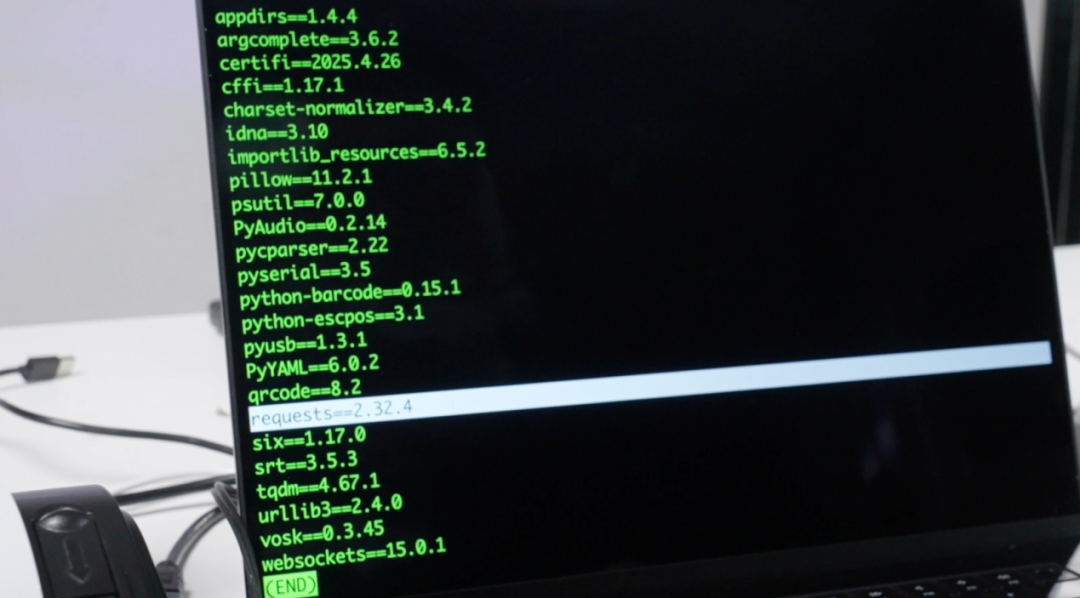
2. Install Python Modules: Install necessary Python libraries according to project requirements.
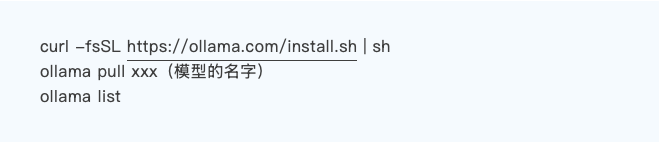
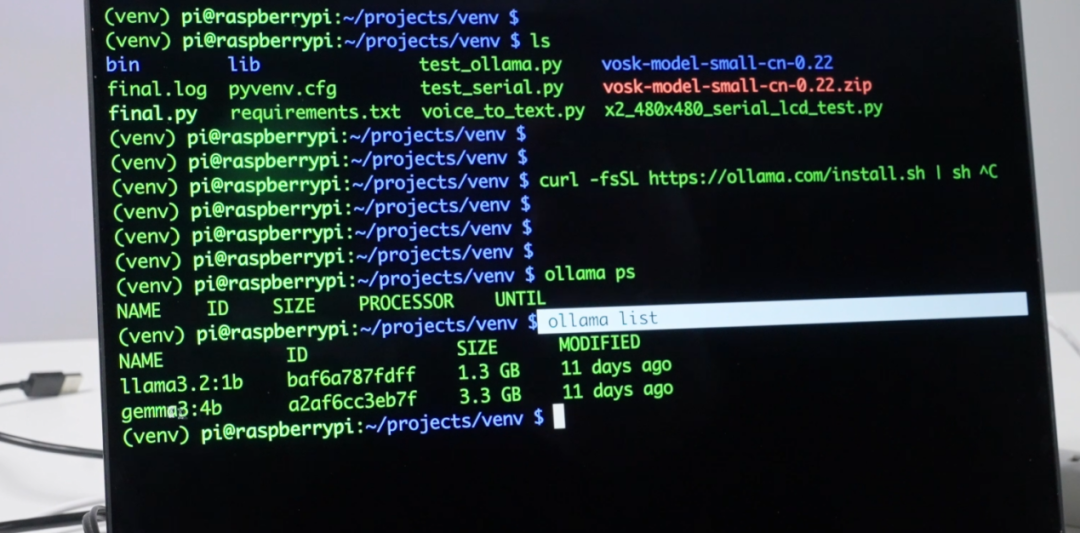
3. Install Ollama Framework:
Use the following command to install the Ollama framework, download models, and view already downloaded large models:
4. Test Large Model

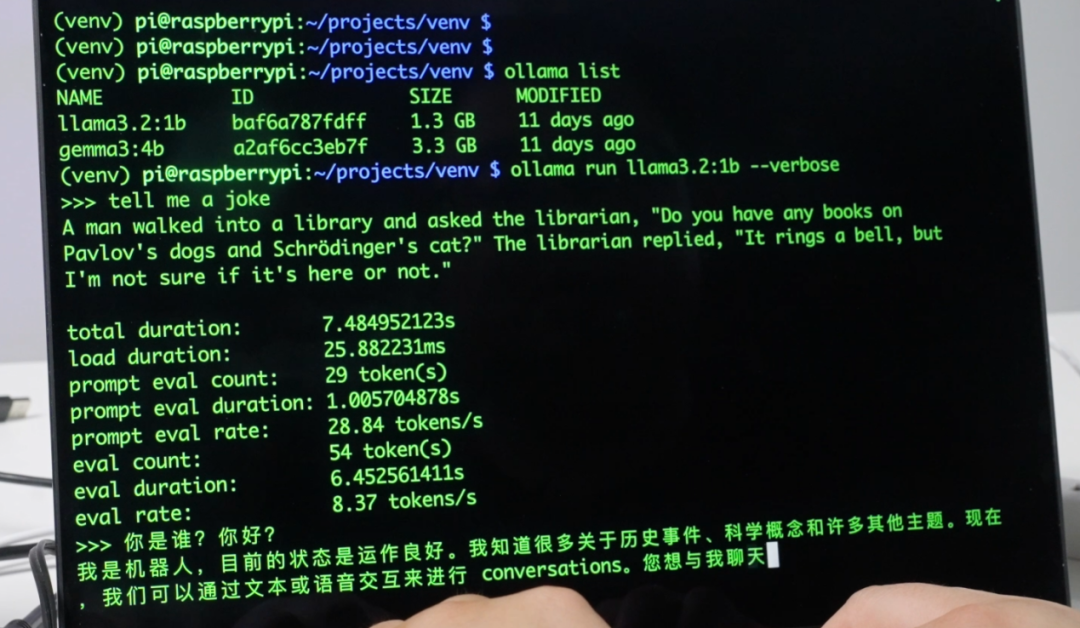
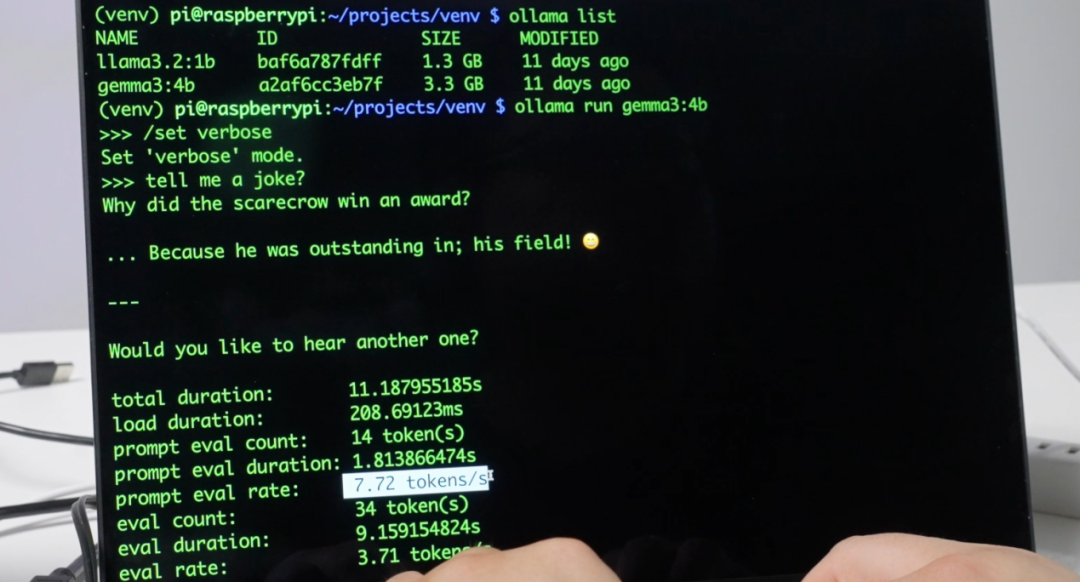
Through testing, it was found that the llama 3.2:1B model is significantly faster and meets the basic dialogue requirements, so this project will use the llama 3.2:1B model.
Step 4: Test Ollama API Interface
1. Check Ollama Service Status:

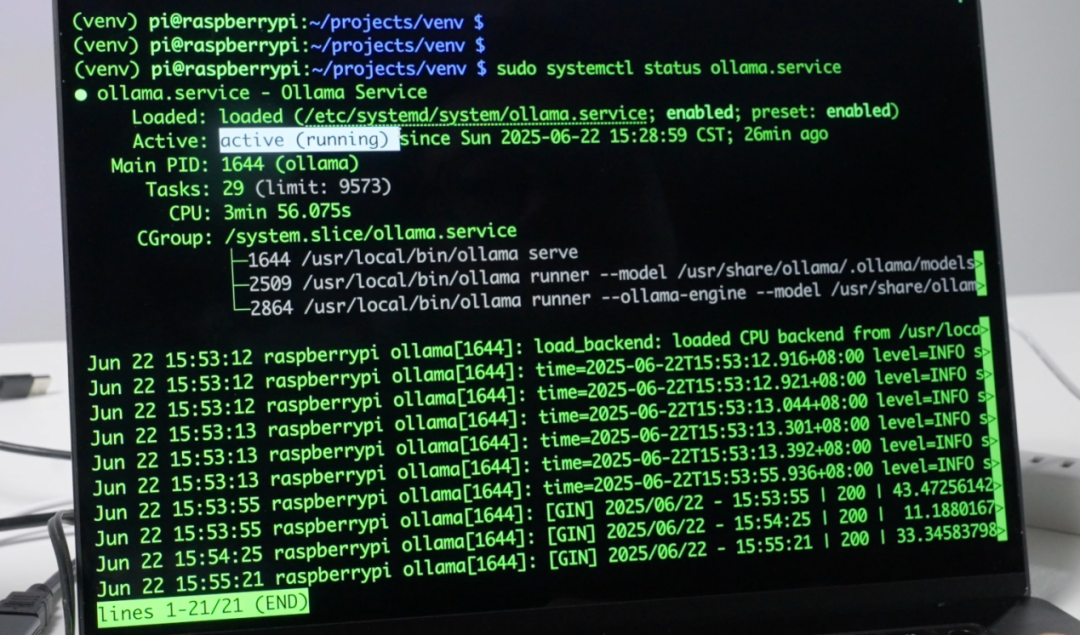
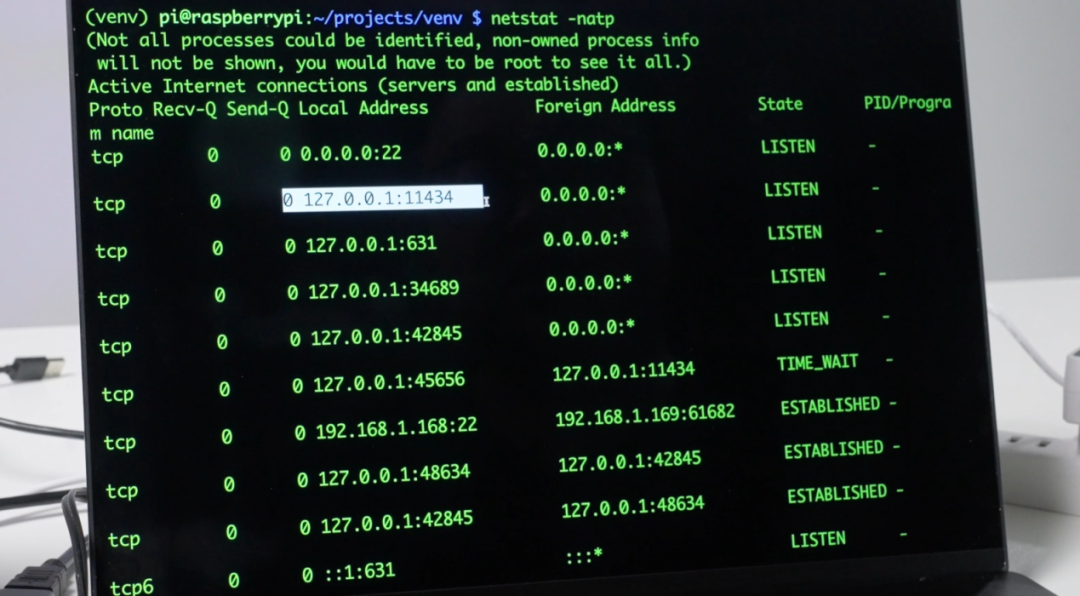
2. Check Port 11434 Listening Status
If it is listening, it indicates that the Ollama service is normal and waiting for local requests.

Next, testing can be conducted, including text to printer and voice to text tests.
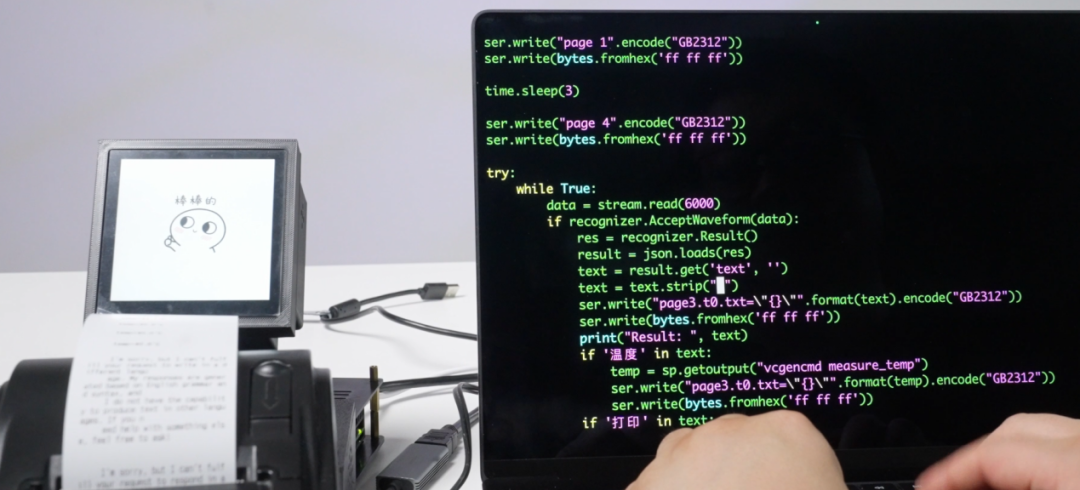
Step 5: Code Integration and Final Testing
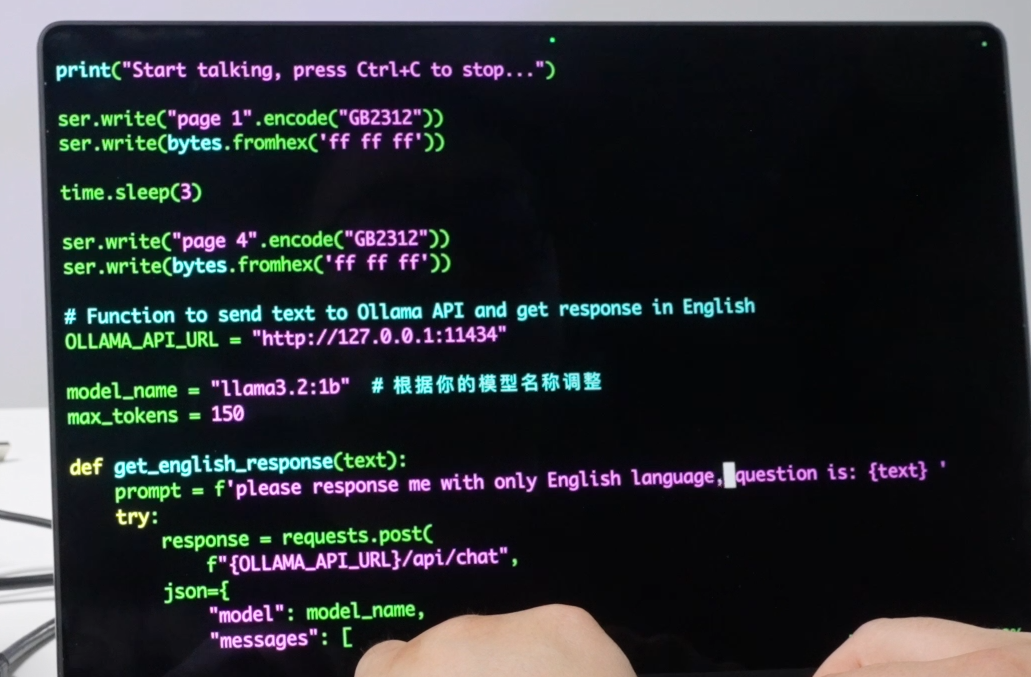
Write the final.py file to integrate the following functions:
● Import model library
● Define serial communication
● Embed Ollama API interface
● Use Gemma 3.2 1B model
The final effect is as follows:
https://v.qq.com/x/page/r3166ujjdvr.html
Conclusion
Although the Raspberry Pi 5 cannot deploy larger models, it is very suitable for lightweight AI tasks and introductory learning. Through the practice of this project, we can see the potential of the Raspberry Pi 5 in deploying large language models. Readers interested in large language models can learn how to deploy their own large language models on the Raspberry Pi 5 and complete development tasks through a series of videos and articles.
Editor’s Note
As demonstrated in the video and article, the Raspberry Pi 5, with its low price, low power consumption, and community-level ecosystem, provides an efficient, economical, and easily expandable AI deployment solution for education, prototyping, and edge computing scenarios by precisely selecting and optimizing lightweight large models, bringing small models that originally relied on GPUs to the edge, truly realizing the democratization of AI technology in tasks such as voice interaction and real-time translation.