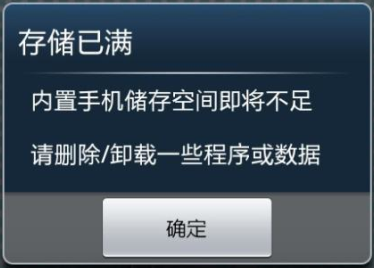
Many users often receive notifications about insufficient storage space, low memory, and slow internet browsing. However, they might not have installed many apps, and there is still plenty of space on the SD card. Why does this happen? I’m sure many of you have had this question, so today I will explain!
The “Rooms” Inside Your Phone
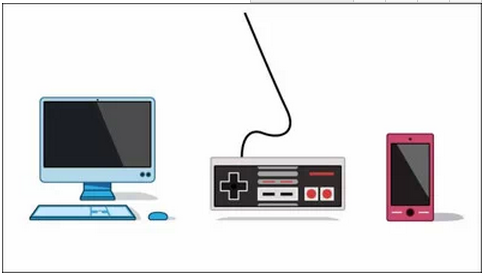
First, let’s understand the three aspects of phone memory. Today’s smartphones are like computers; they have memory and storage, similar to how computers have RAM and hard drives. If we compare the memory inside a phone to a room, this room consists of three parts:
RAM: Random Access Memory (equivalent to a computer’s RAM)
ROM: Read-Only Memory (the phone’s storage space, equivalent to a computer’s hard drive)
SD Card: External expanded storage space (equivalent to an external hard drive)
The memory is the space that the phone system comes with. Since the operating system and other default programs are already installed at the factory, not much space is left. Additionally, when users download applications, they are typically stored in the phone’s memory rather than on the SD card.

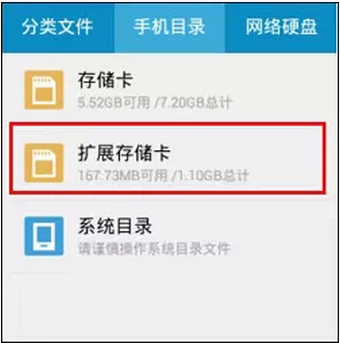
Moreover, many users make the mistake of confusing the SD card capacity with memory capacity when checking their phone’s storage. You might think you have plenty of memory left, so why is it insufficient? In fact, memory and storage are different, so don’t get confused!
When the memory in this “room” is too crowded, the space available for the phone’s brain—the CPU—to process various tasks becomes insufficient, leading to sluggish operation, errors in some applications, slow internet speeds, and more.

Eliminate the “Snail” on the Spot
1 Regularly Clear Background Programs
When too many programs are running simultaneously on the phone, the memory “room” becomes overcrowded. It’s important to note that some programs continue to run in the background even after exiting, consuming space. Users can use management software like Baidu or 360 to regularly clean up caches and background programs to lighten the load on their phones.

2 Move APP Applications to the SD Card
Install APP applications on the SD card so they don’t take up space in the phone’s memory. Applications already installed in the phone’s memory can be moved to the SD card through the phone’s application management. Additionally, large files such as photos and videos should also be stored on the SD card whenever possible.
3 Use a Relatively Simple Desktop Theme
Many users prefer dynamic and flashy desktop themes, but they should know that these themes, which occupy more space, need to be stored in the phone’s memory. Thus, using smaller, simpler theme packs can effectively reduce memory usage.
4 Use RE File Explorer
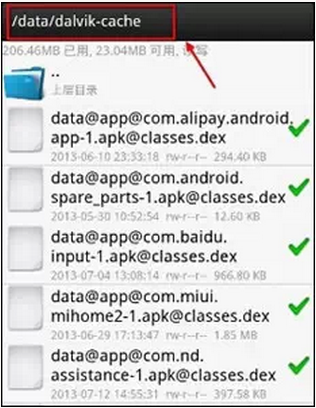
For users who are more hands-on, downloading the RE File Explorer can be helpful. The folder /data/dalvik-cache contains system cache files and useless junk left by uninstalled custom programs, which can be safely deleted. After deletion, users will notice a significant improvement in system memory.
5 Restore to Factory Settings
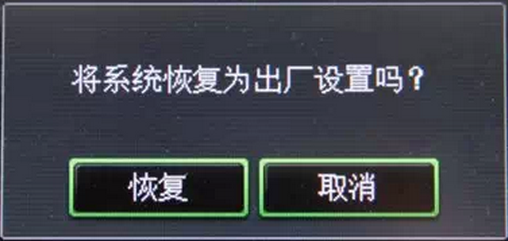
If the phone repeatedly prompts insufficient memory upon startup, and uninstalling or moving applications does not resolve the issue, it may be due to the phone being severely infected by rogue software. Users can back up their contacts, messages, and some applications, then restore the phone to factory settings, which will completely resolve the issue.
Nowadays, our lives are inseparable from our phones, especially a “healthy” and smooth-running phone. So lighten the load on your phone!