 Click the blue text above to follow us~
Dual-screen display technology is widely used in smart self-service terminals. This technology allows two LCD screens to be driven simultaneously on the same hardware platform, with different content displayed on each screen.
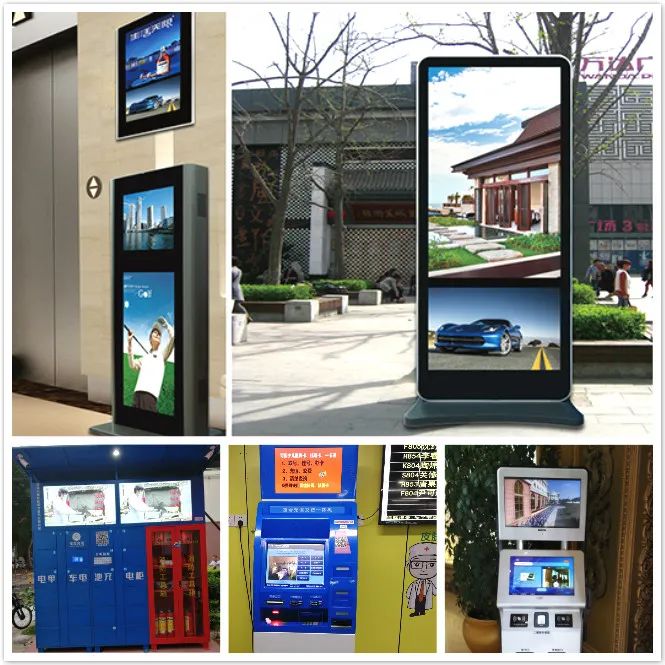
Implementing dual-screen display functionality helps users reduce hardware costs; it also significantly enhances interactivity in consumer scenarios; additionally, it simplifies installation and saves space. The most cost-effective dual-screen display motherboard solutions currently are the RK3288 and RK3399. The following questions are the most common when setting up dual-screen displays:
1
How to achieve dual-screen display? Is there source code available?
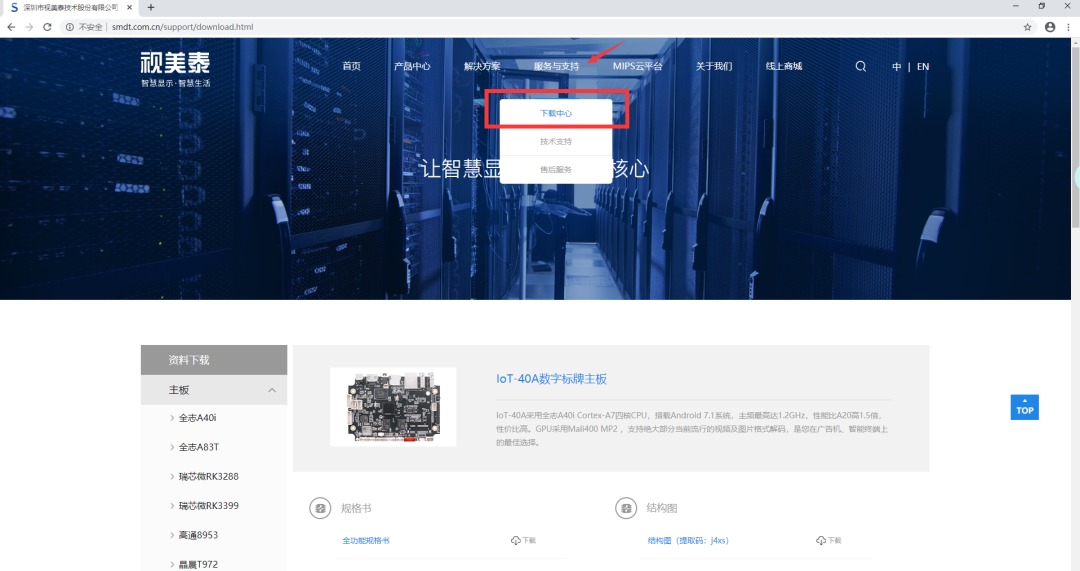
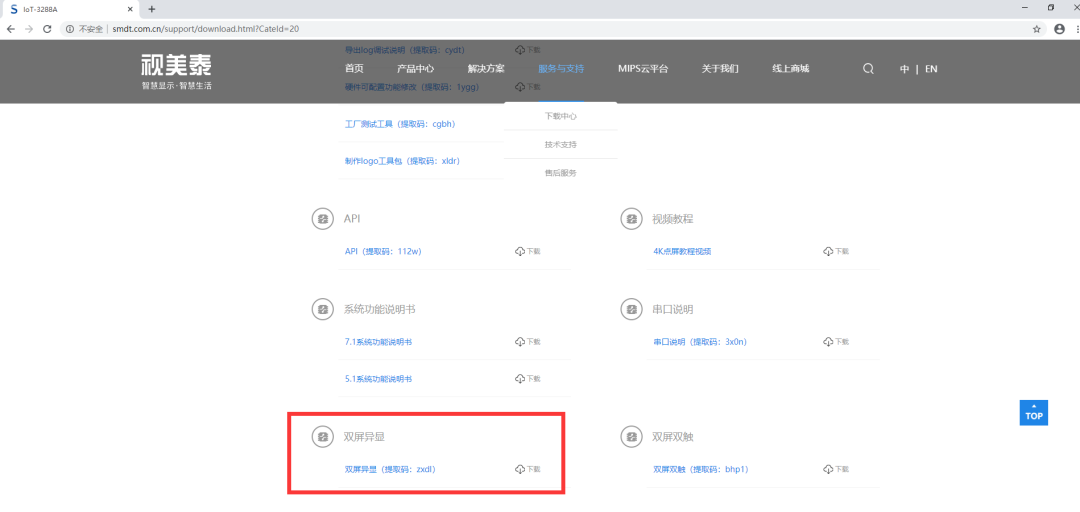
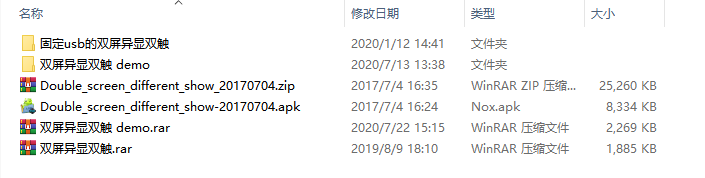
The RK3288 and RK3399 series Android motherboards from Smartview support dual-screen display. The standard firmware for these motherboards defaults to support dual-screen mirroring. To use dual-screen display, users need to configure the screen parameters and install the dual-screen display testing DEMO after configuration. Specific materials and operation tutorials can be obtained from the Smartview official website (http://www.smdt.com.cn) under 【Service and Support】–【Document Center】:
2
Can one screen be horizontal and the other vertical, displaying separately?
The custom firmware for RK3288 and RK3399 supports individual rotation of the main and secondary screens, but does not support running two APKs simultaneously.
3
How to choose the right dual-screen display motherboard?
1). For dual-screen displays with LVDS/HDMI/eDP, you can choose IoT-3288A, IoT-3288E, or IoT-3399E, which support any two out of three combinations for dual-screen display. The motherboard parameters are as follows:
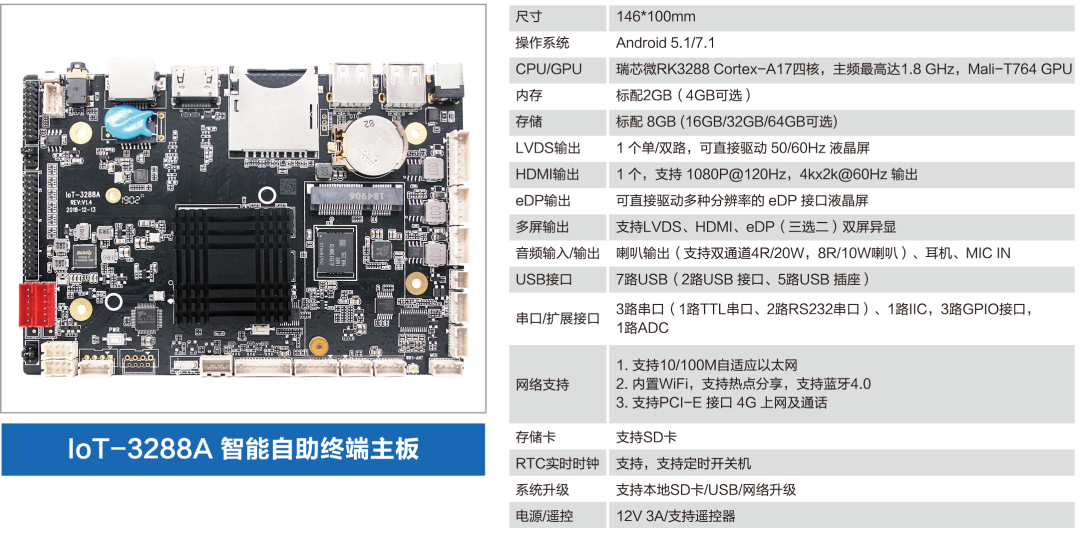
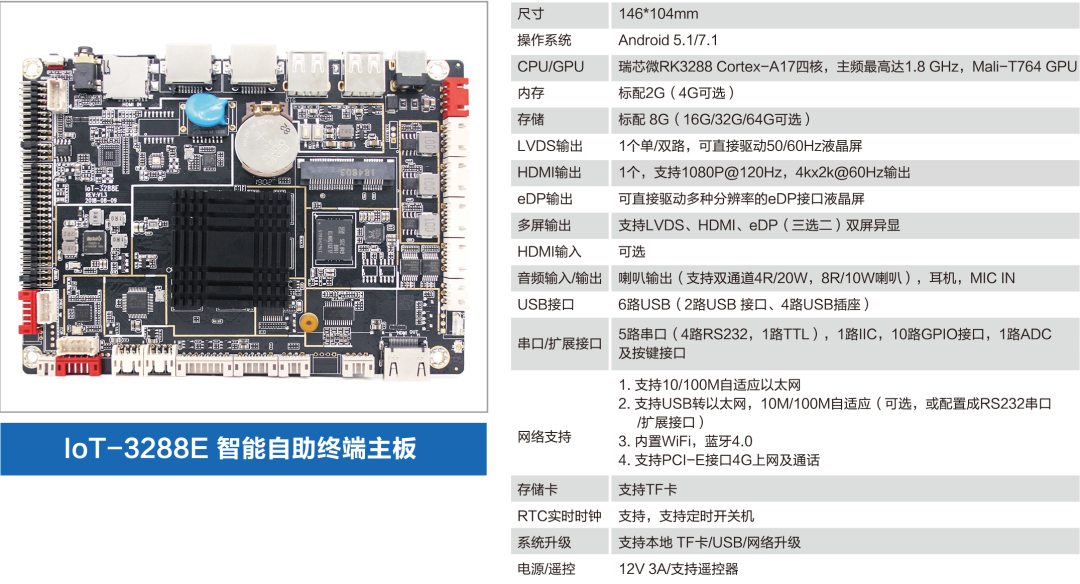
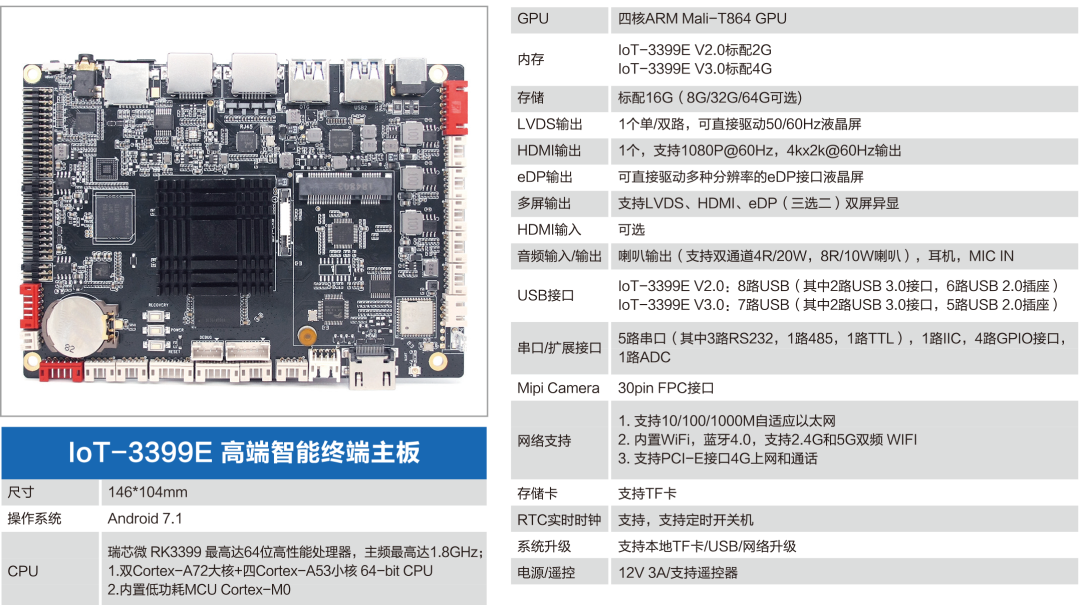
2). For dual-screen displays with LVDS/HDMI/MIPI, the best choice is AIoT-3399X, which also supports any two out of three combinations for dual-screen display. The motherboard parameters are as follows:
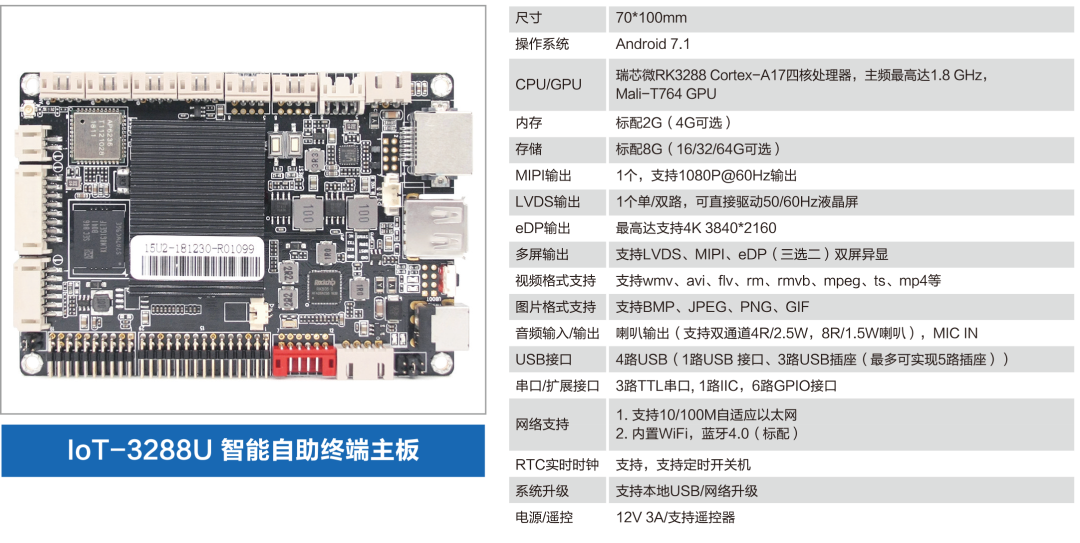
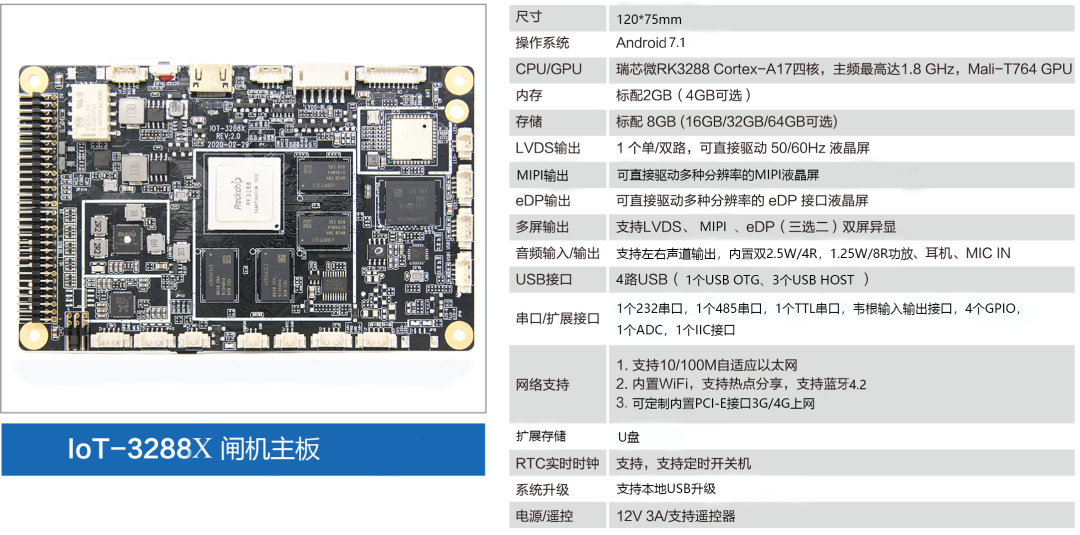
3). For dual-screen displays with LVDS/eDP/MIPI, you can choose IoT-3288U or IoT-3288X, which also support any two out of three combinations for dual-screen display. The motherboard parameters are as follows:
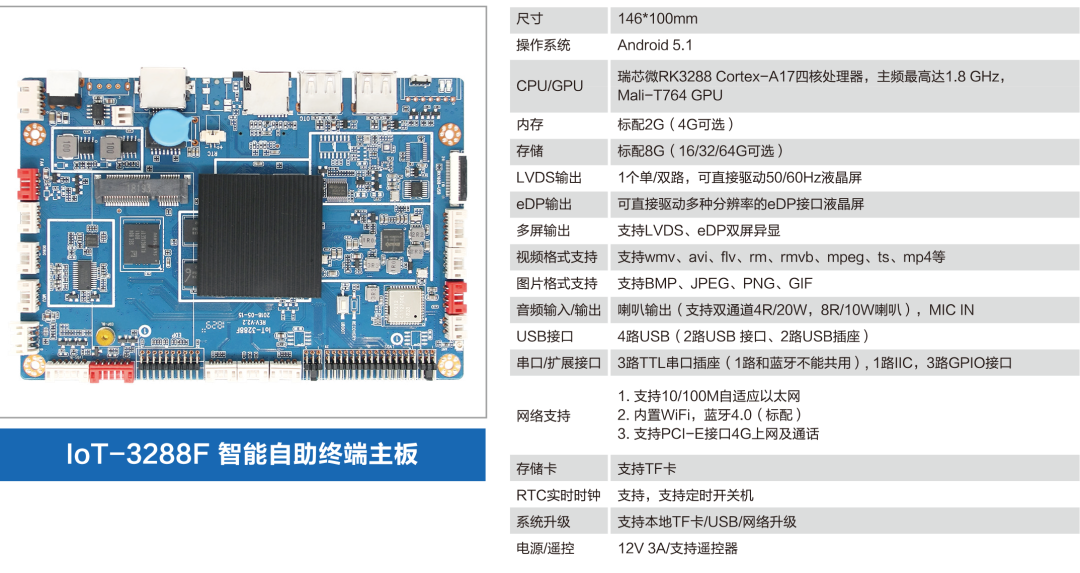
4). If you need to control costs, you can choose IoT-3288F, which supports dual-screen display with LVDS and eDP. The motherboard parameters are as follows:
If you have more needs, please contact
Mr. Zou, General Manager of Smartview Components Division: 186-8149-7899


✎About Smartview
Shenzhen Smartview Technology Co., Ltd. is a national high-tech enterprise focusing on smart display and machine intelligence, providing platform-level product solutions for the smart commercial display industry. Based on the commercial display market under the Internet of Things ecosystem, we build a one-stop commercial display ecological platform integrating hardware, software, applications, and services, in line with the industry requirement of “Display + AI”.
Corporate Vision: To become a respected IoT enterprise, making smart display the core of our business.
Corporate Mission: To make smart display devices ubiquitous, enabling machines to better serve humanity and connecting all things intelligently.
Corporate Spirit/Values: Integration, Innovation, Dedication, Success.
Service Purpose: Fast and Timely.
Quality Goal: Professional and Extreme.
Business Philosophy: Empowerment, Symbiosis, Collaboration, Altruism.
Service Areas:
Smart Signage
Smart Retail
Smart Elevator
Smart Campus
Smart Passage
Smartview AI SDK
MIPS Smart Display Device Cloud Management Platform
Official Website:
http://www.smdt.com.cn/
Service Hotline:
0755-66890088
Cooperation Consultation
Deputy: 13823335504
Official Email:
Click the original text for more details!