Have you ever dreamed of having a compact device capable of real-time image recognition? Now, with the help of ESP32-Cam and Edge Impulse, that dream is no longer out of reach! This article will take you deep into how to utilize these two powerful tools to build your own edge AI image recognition system on the ESP32-Cam, making your IoT projects smarter and endowing them with unprecedented capabilities.
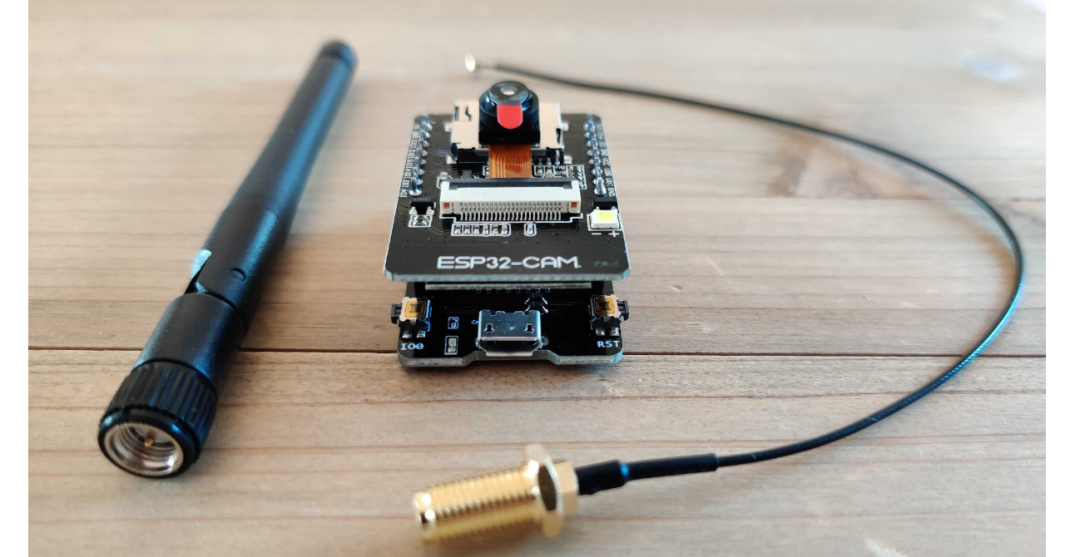
1. ESP32-Cam: The “All-Seeing Eye” of the IoT Era
The ESP32-Cam has become a rising star in the IoT field due to its low cost, ease of use, and powerful features. The built-in camera and ESP32 chip enable it to capture and process images, providing endless possibilities for various application scenarios. However, performing complex image recognition tasks, such as object detection or classification, on the ESP32-Cam remains a challenge.
2. Edge Impulse: A Tool to Simplify Edge AI Development
Edge Impulse is a powerful platform that simplifies the process of developing and deploying machine learning models on microcontrollers. Even if you do not have a deep background in machine learning, you can easily create and deploy high-performance models. It offers a user-friendly interface, a wealth of tools, and pre-trained models, significantly lowering the barrier to edge AI development.
3. The Perfect Combination of ESP32-Cam and Edge Impulse
By combining the ESP32-Cam with Edge Impulse, we can create a powerful edge AI system. Edge Impulse can help us train a lightweight machine learning model that can run efficiently on the limited resources of the ESP32-Cam, enabling real-time image recognition. This means you can bring the powerful capabilities of AI to your fingertips and build various innovative IoT applications.
4. Getting Started: Building Your AI Camera from Scratch
Preparation: You will need an ESP32-Cam development board (such as the AI Thinker ESP32-Cam) and have the Arduino IDE installed.
1. Create an Edge Impulse Project: Create a new project on the Edge Impulse platform, selecting ESP32-Cam as the target device.
2. Data Collection and Model Training: Collect the image data you need to recognize and upload it to the Edge Impulse platform. The platform will guide you through data labeling and selecting the appropriate model for training. For optimal performance, it is recommended to use images of 96×96 pixels and select the MobileNetV1 0.01 model.
3. Download the Arduino Library: In the “Deployment” tab of Edge Impulse Studio, download the generated Arduino library.
4. Code Integration and Deployment: After downloading, open the provided example Arduino code (<span>Basic-Image-Classification.ino</span>). Modify the header file include path according to your project name (for example, <span>#include <esp32-cam_image-classification_inference.h></span>), then import the downloaded library files into your Arduino project. Compile and upload the code to your ESP32-Cam.
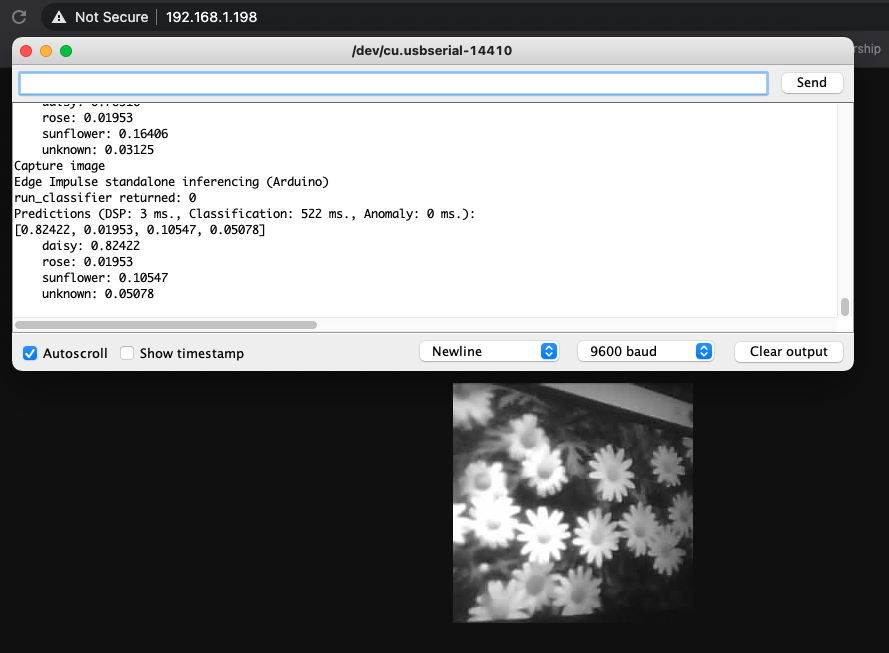
5. Real-Time Image Recognition: Open the serial monitor, and you will see the IP address of the ESP32-Cam. Enter that IP address in your browser to access the ESP32-Cam’s web interface for real-time image capture and AI inference.
5. Advanced Applications and Possibilities
In addition to basic image classification, you can leverage the ESP32-Cam and Edge Impulse to achieve more advanced applications, such as:
- Object Detection: Identify specific objects in images and return their location information.
- Anomaly Detection: Detect anomalies in images, such as intrusion events in security monitoring.
- Real-Time Monitoring: Build a real-time monitoring system that analyzes images and triggers alerts.
6. Conclusion
The combination of ESP32-Cam and Edge Impulse provides a convenient way to create low-cost, low-power edge AI systems. Through this article, you have learned how to combine these two powerful tools to build your own smart camera. Without the need for complex machine learning knowledge, you can apply the powerful capabilities of AI to your IoT projects, creating smarter and more convenient applications. Give it a try!
Project Address:https://github.com/luisomoreau/ESP32-Cam-Edge-Impulse