



 A
A
 BDISEASE PREVENTION
Happy weekend! Little Jikong is here~
Isn’t it true that smart home technology has become an indispensable part of our daily lives? Whether it’s asking the Xiao Ai speaker for the weather forecast or playing a song, or using Huawei’s HarmonyOS Smart Home to turn off lights, adjust the air conditioning, or draw curtains…
However, the awkward part is that smart devices from different brands behave like strangers, not communicating with each other. You often have to switch between multiple apps repeatedly.
That’s where Donggua HAOS comes in! It is a system optimized for “Chinese babies” based on the globally popular open-source project Home Assistant (HA), helping you easily integrate all your home devices and create a localized, highly flexible, and configuration-free smart home control center.
It not only retains HA’s powerful integration capabilities but also thoughtfully addresses the usage barriers in the domestic network environment.
Today, we invite What’s Worth Buying senior player @PandaNotCatQAQ to guide everyone through deploying Donggua HAOS using the Jikongjian virtual machine, saying goodbye to “App Islands”.
Without further ado, let’s get to the point👇

Risk Warning
1. For software functions and precautions, please refer to the specific usage rules within the software.
2. This article only represents the author’s views; using third-party solutions is not an official formal solution and may involve related risks, please consider carefully.
Introduction
When it comes to smart home systems, many people might mention Mijia or Huawei Smart, etc. However, in reality, both Xiaomi and Huawei are limited to their own ecosystems. In terms of smart home systems, the most famous both domestically and internationally is still Home Assistant.

Home Assistant has a vast array of plugins and integration capabilities, and can integrate Mijia and other devices, but users have to add and configure these themselves. So while it is useful, it can be quite troublesome to set up, and even enthusiasts like Panda are reluctant to deal with it. Additionally, due to the domestic network environment, many potential users are deterred by the high entry barriers.
Some experts have developed a more integrated system based on Home Assistant – Donggua HAOS. While retaining HA’s ecosystem and flexibility, Donggua HAOS addresses the network issues faced by domestic users and integrates commonly used integrations and plugins, lowering the deployment and usage barriers.

To make full use of the devices at hand, today Panda will guide you step by step on how to deploy Donggua HAOS on Jikongjian and how to configure and use it.
Image Download
First, we need to go to the official Donggua HAOS website to download the ISO image. The latest version is 16.2, just choose the latest version to download.
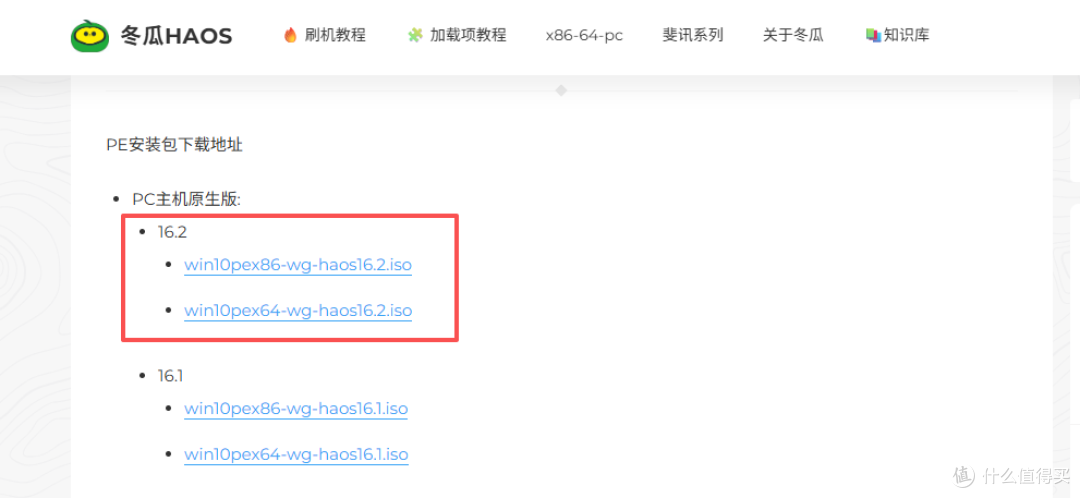
After the image download is complete, drag it into the Jikongjian NAS. Of course, you can also directly copy the download link and use Jikongjian’s Thunder or downloader to download it; the speed will not change and is quite fast.
Virtual Machine Creation
Next, we open the Jikongjian virtual machine, select to create a new virtual machine, and choose Linux as the system.
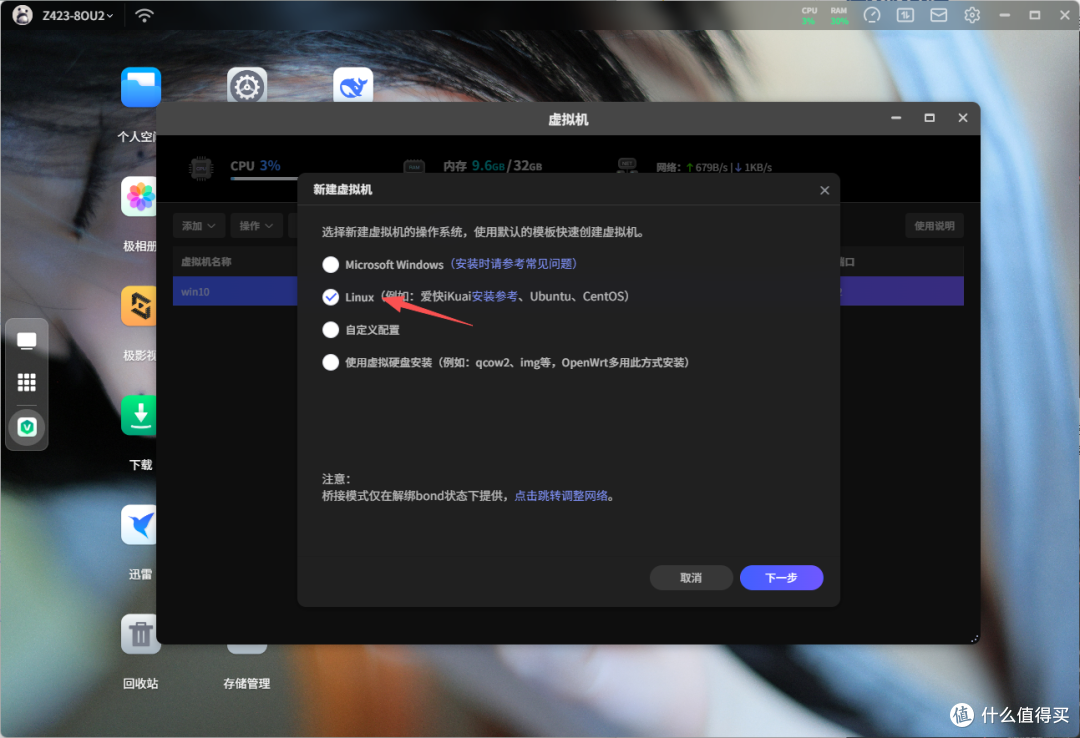
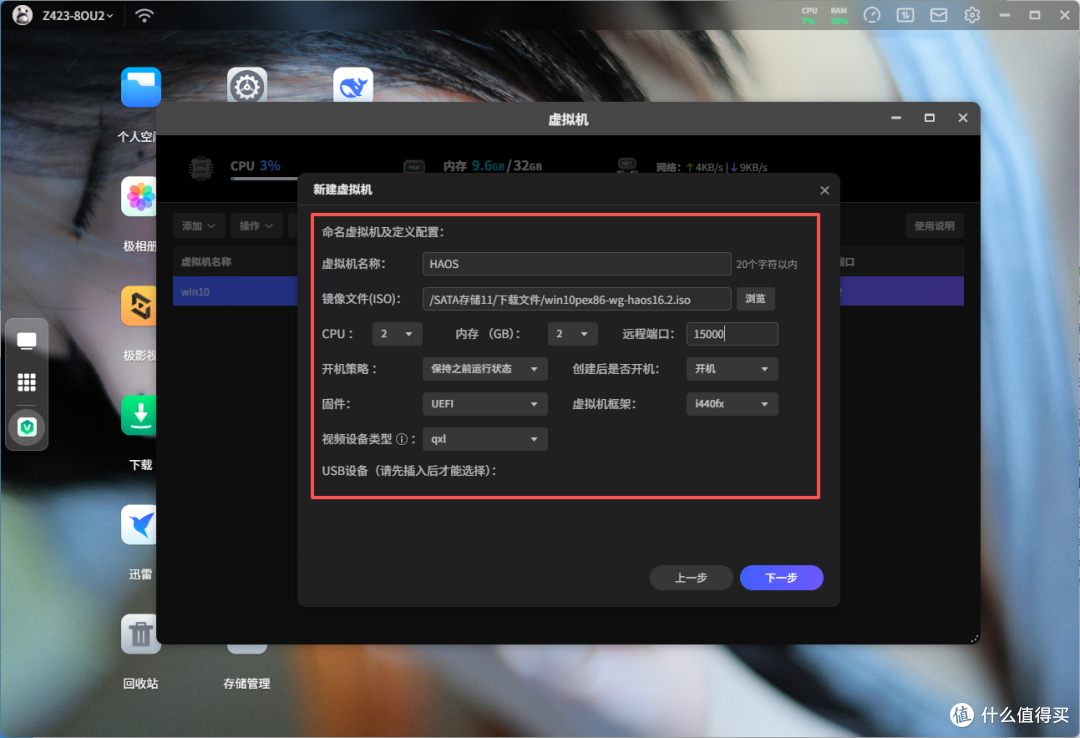
Then, name and configure the virtual machine; just name it HAOS. Select the image file we just downloaded, and the driver files are provided by Jikongjian, just click the exclamation mark to jump to download. For configuration, a maximum of 2 CPU cores is sufficient,and 2GB of memory will be smoother, but in reality, 512MB or 1GB is completely enough. Customize the ports, and make sure to select UEFI for the firmware; if it fails to boot, you can choose i440fx for the framework.
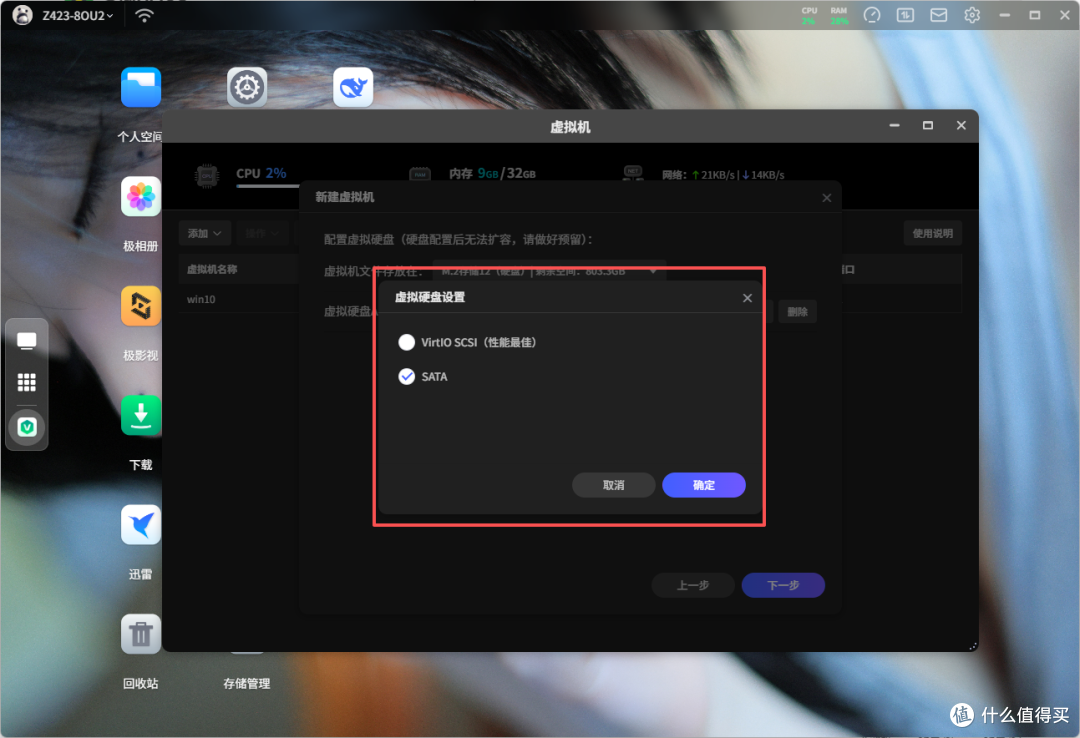
For the virtual hard disk, you don’t need to allocate too much space, as HA itself doesn’t require much; 30-50GB is sufficient, but be sure to select SATA.
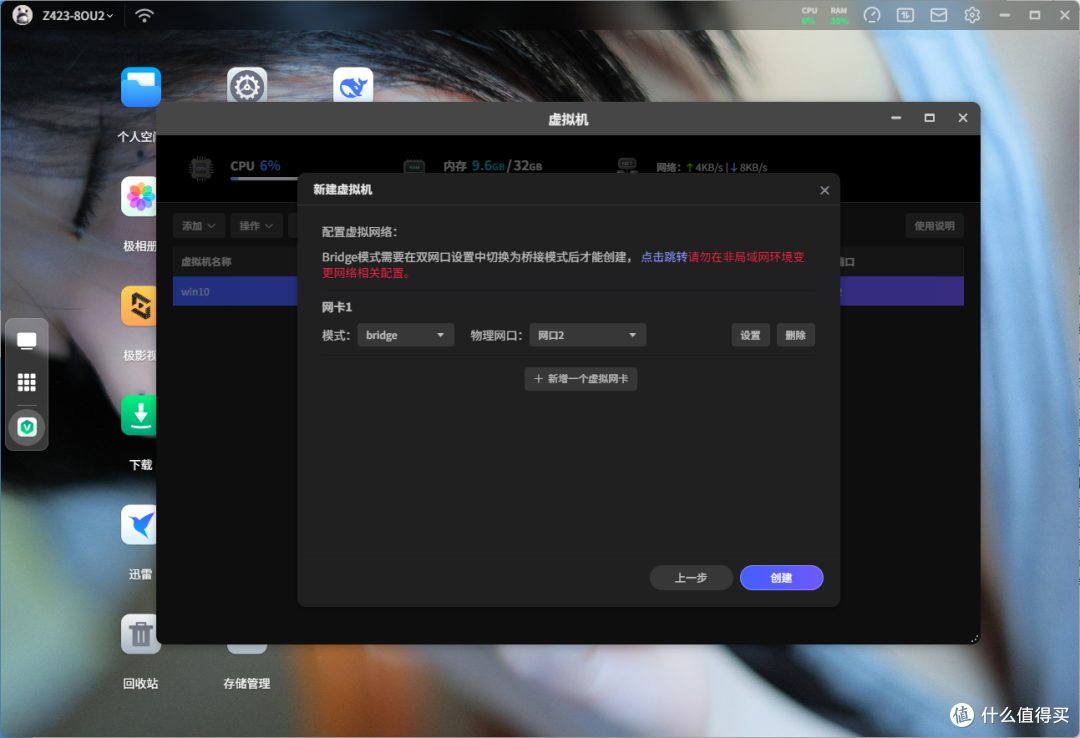
Finally, for the network, you need to use Bridge mode, which requires the NAS network settings to be in bridge mode; otherwise, you won’t be able to select Bridge. Choose the network port you want to use.
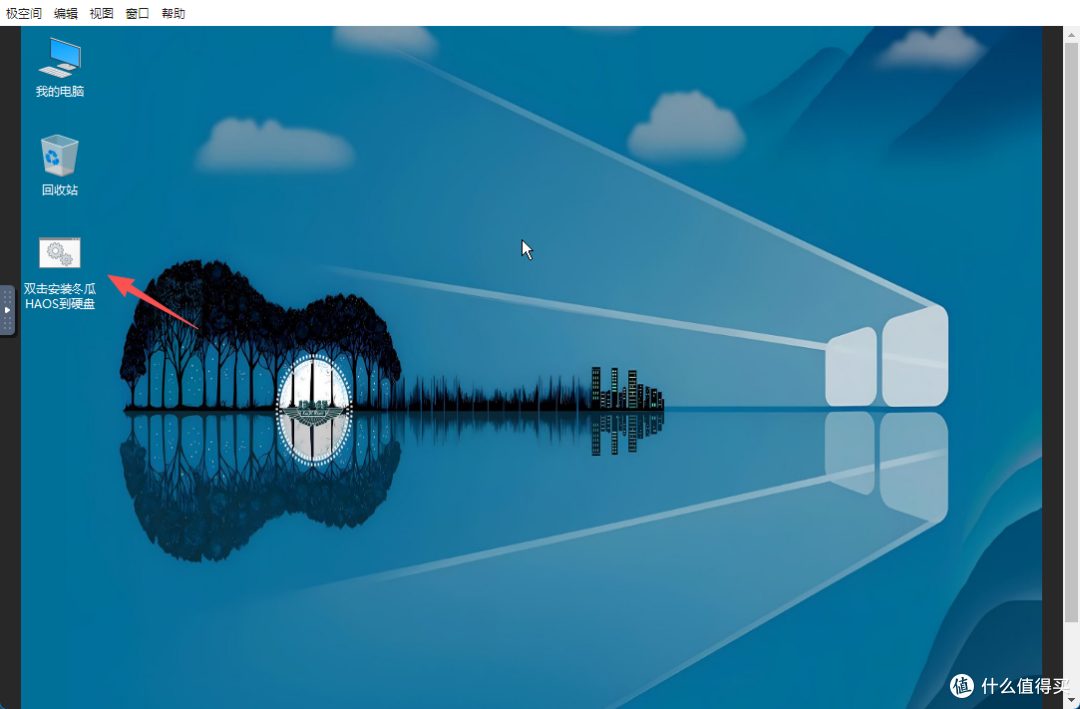
After creation, directly access the virtual machine, and a Windows 10 desktop will pop up, where there is an option to install Donggua HAOS to the hard disk; just click it.
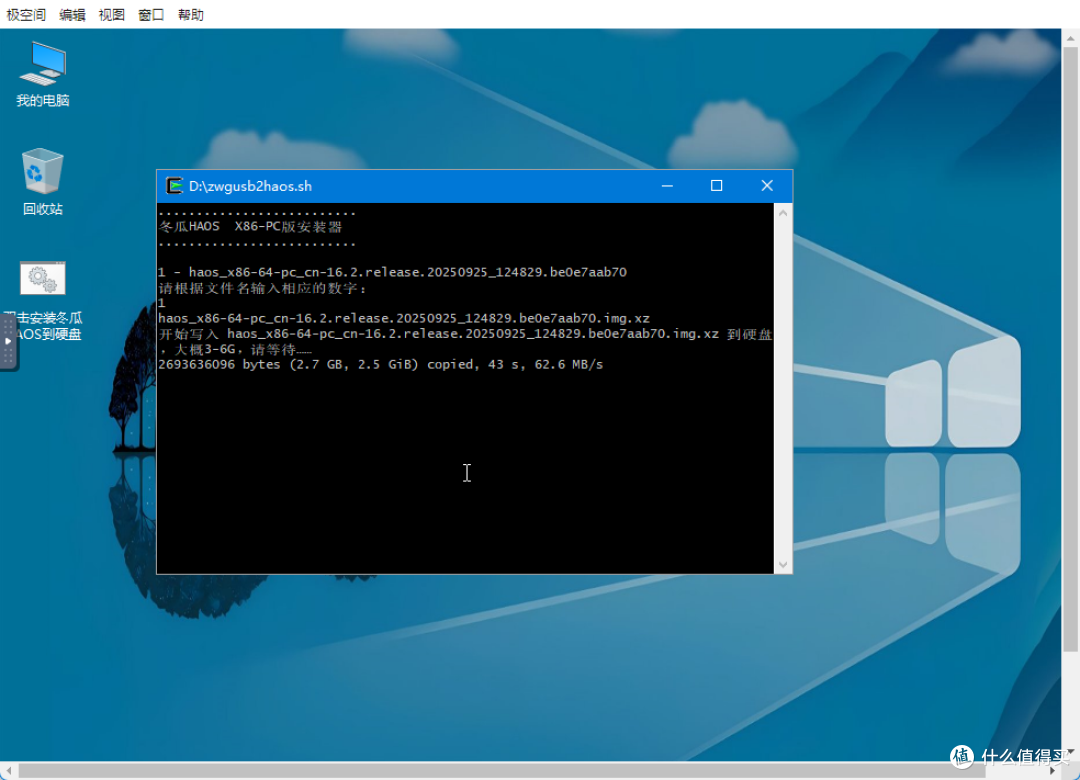
After clicking, enter 1 to automatically install the system. Once the writing is complete, just exit, and the installation of HAOS is complete. Next, some follow-up work is needed.
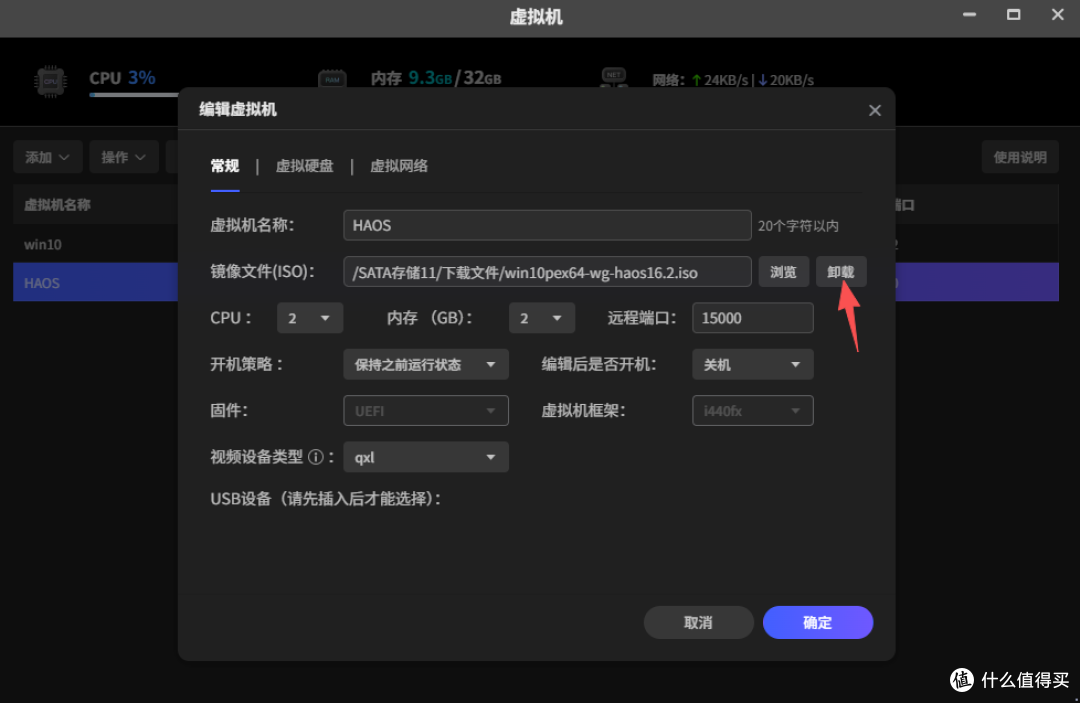
Return to the Jikongjian virtual machine, force restart the HAOS virtual machine, then click edit to unmount the image file we just added.
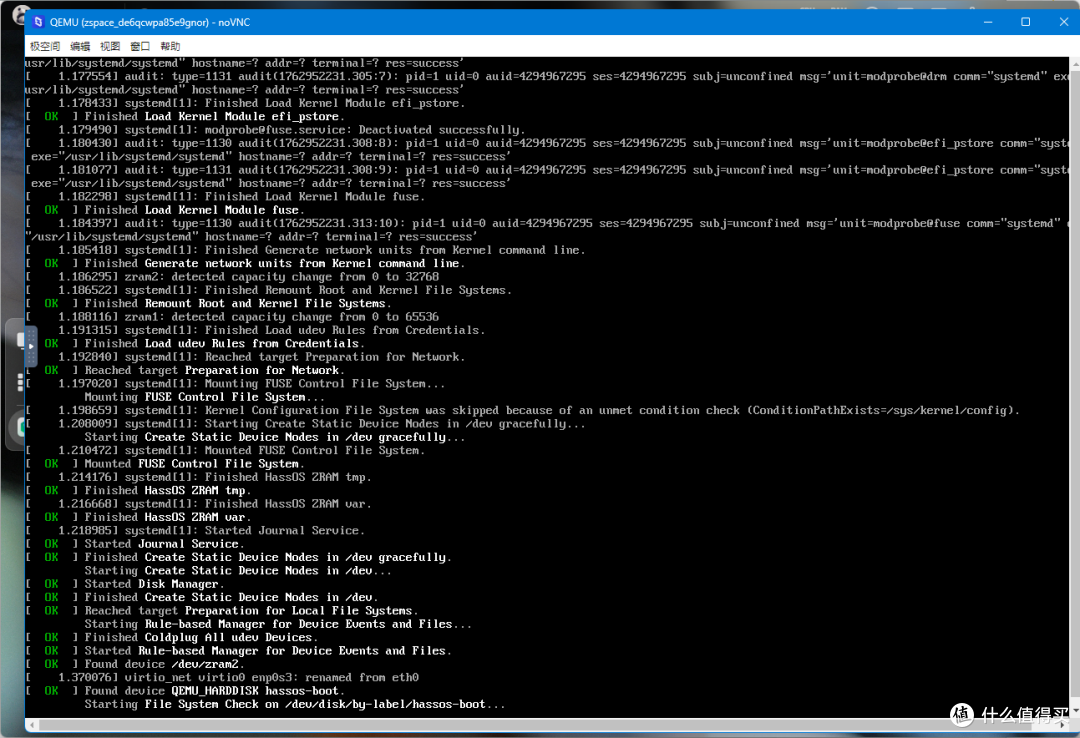
After rebooting, you will see the HA installation interface running; just wait patiently.
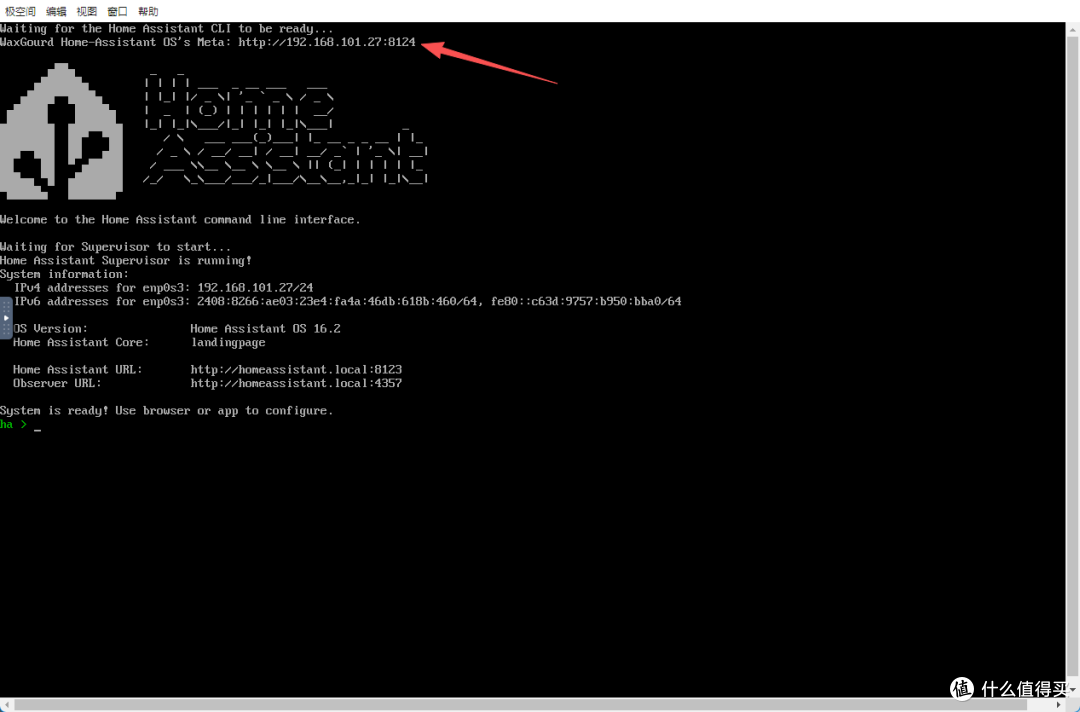
Finally, you will see this interface, which indicates that Donggua HAOS has been successfully installed. You can see the corresponding IP and port number at the top, and you can access the configuration interface through this URL. The port 8124 corresponds to the Donggua HAOS system, while 8123 is the access interface for HA.
Project Initialization
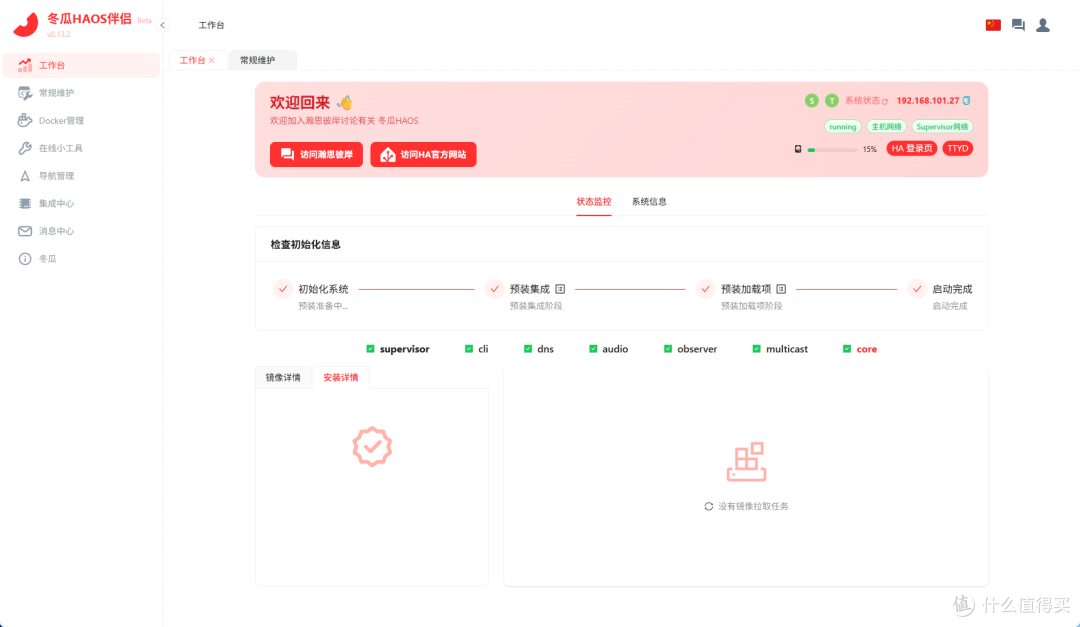
Input the given IP and Donggua HAOS port number in the local area network, and you will see the project initializing, which may take about ten to twenty minutes, depending on the network environment. The project will automatically install necessary integrations and plugins.
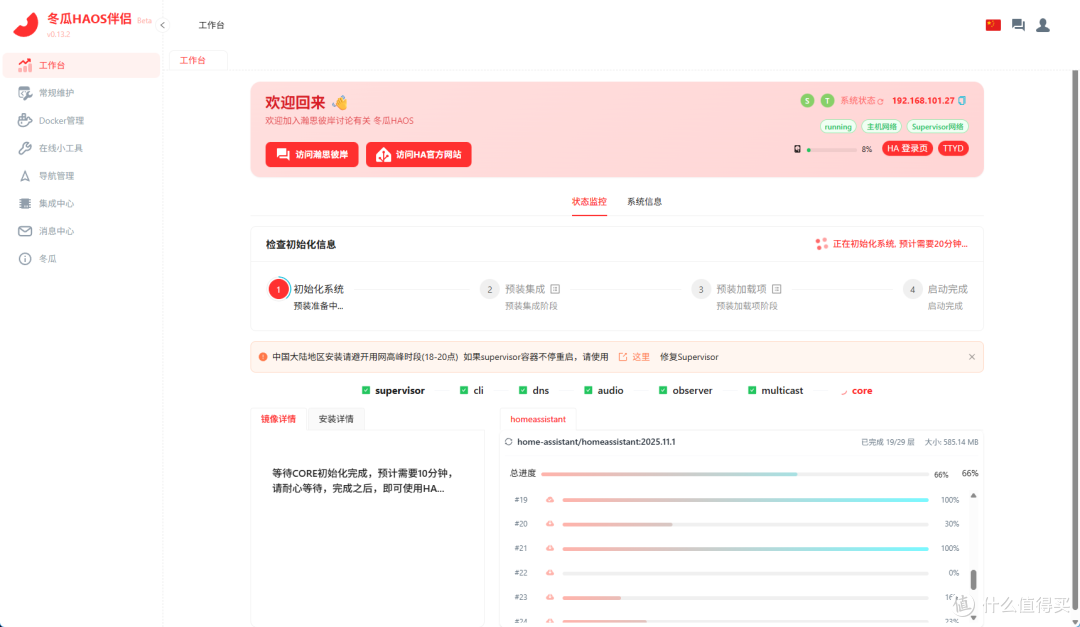
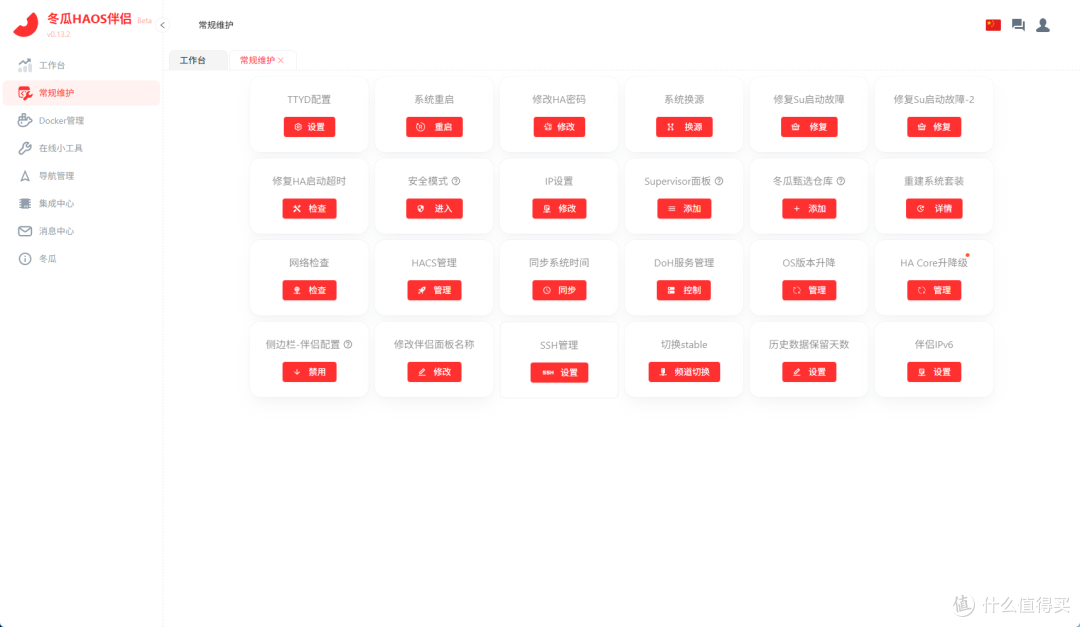
While waiting for the system to initialize, you can check the specific functions of Donggua OS. In the sidebar, there are workstations, routine maintenance, Docker management, online tools, built-in navigation pages, integration centers, and message centers. Panda won’t introduce them all; if you’re interested, you can explore them yourself.
Once the system initialization and pre-installation of integrations are complete, HA will automatically restart, and the final interface will look like this, indicating that all preparatory work is complete.
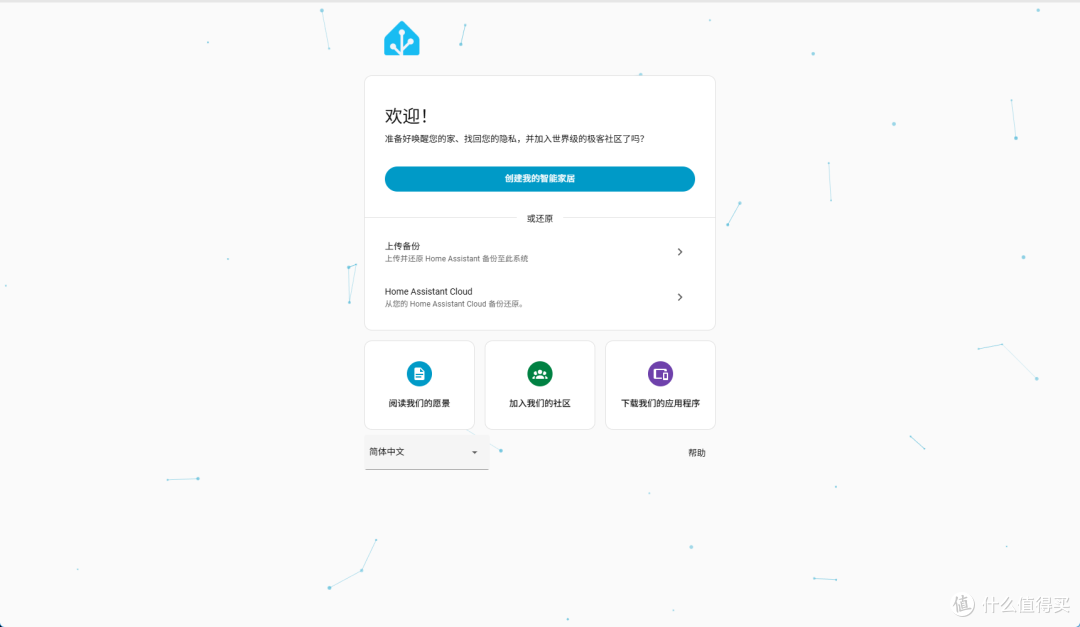
Access the HA login page through port 8123; this is no different from the regular HA login. Register an account and log in.
Project Usage
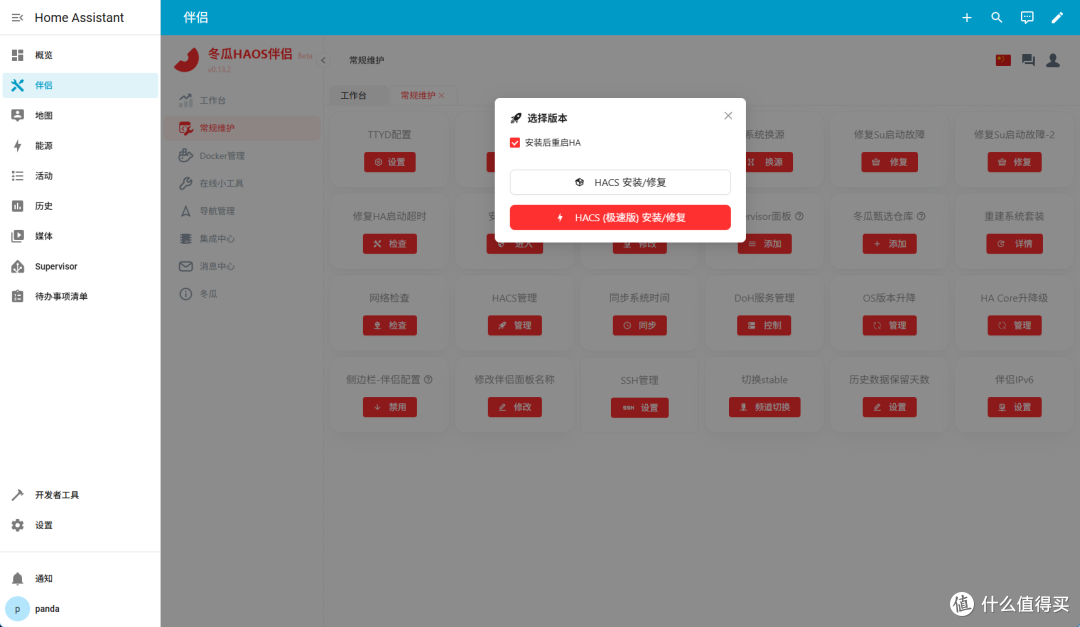
After logging into HA, you will see a companion feature in the sidebar, from which you can also access Donggua OS. Through routine maintenance, we can directly install HACS; the original version requires scientific access, while the rapid version does not.
After adding the HACS integration, the possibilities with HA become extensive. Here, you can directly download various plugins, such as integrating Mijia’s smart devices directly into HA.
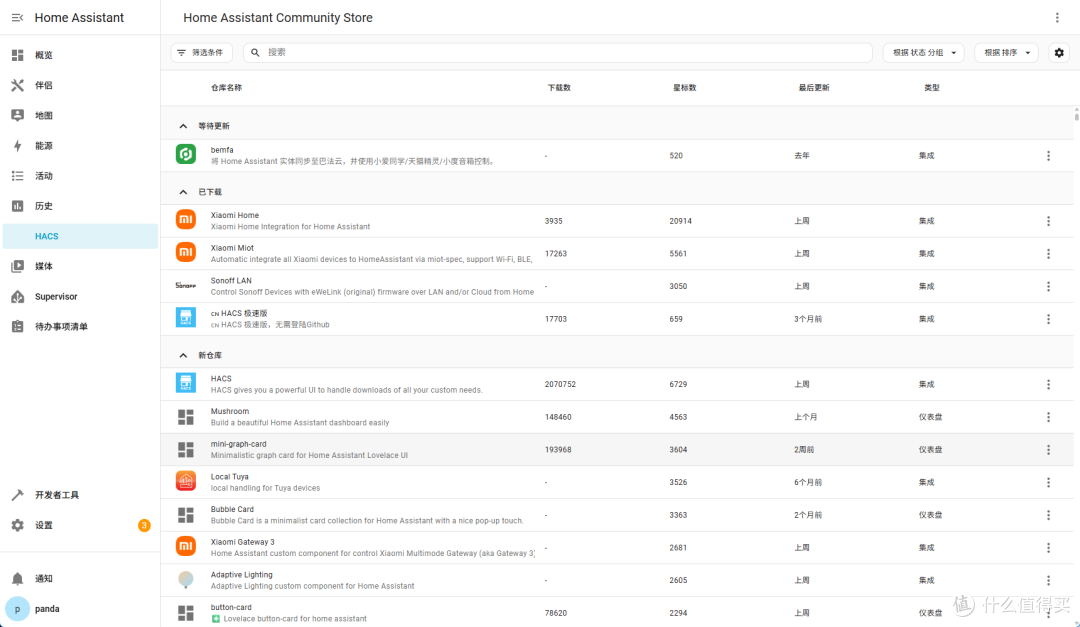
After installing the HACS integration, click on Overview, then click the upper right corner to select Add Device. Here, input the device you want to add; for example, search for “xiaomi” (make sure to use English characters), and you will see the following list.
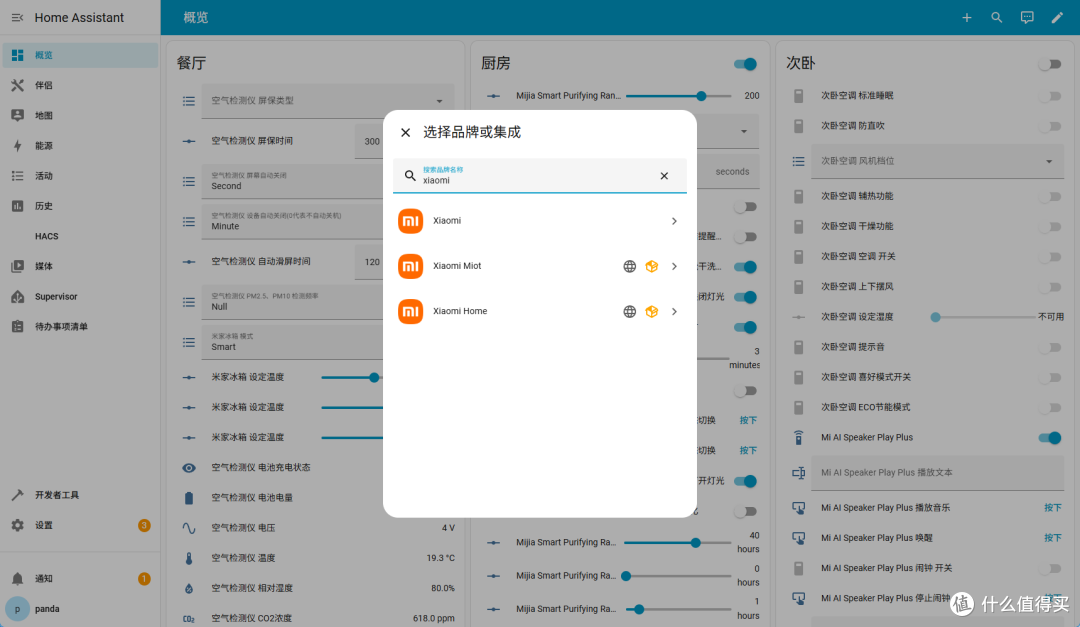
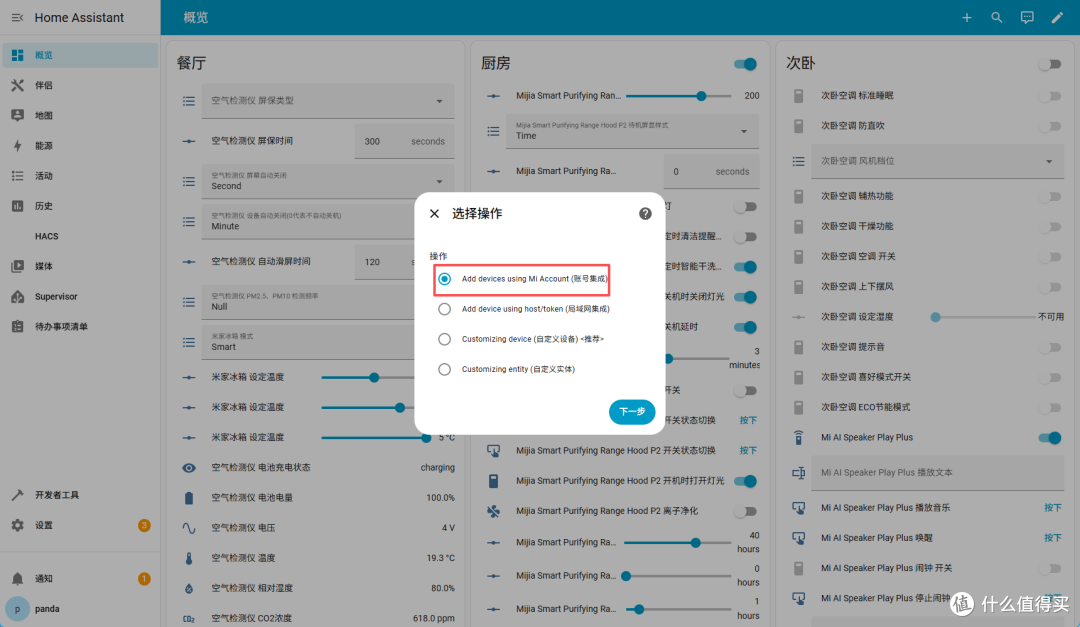
Select “xiaomi Miot”; after clicking, you will see four options: account integration, LAN integration, and custom devices and entities. We choose account integration for easier device addition.
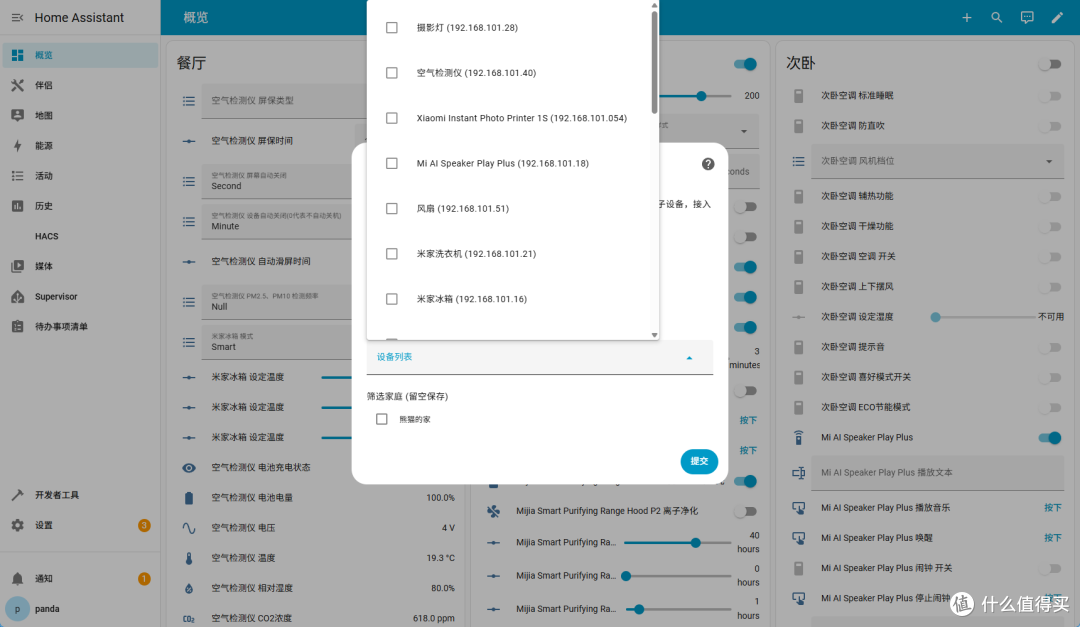
Finally, input your Mijia ID and password; remember, it’s the ID, not the phone number. You can find the ID in the Mijia app. Choose automatic for the connection mode, and then click submit. In the pop-up interface, click on the device list to see all the devices in your Mijia app.
After adding, check your homepage, and you will see many devices along with control and adjustment buttons. At this point, HA is already usable, but the interface is indeed a bit ugly. You can look online for attractive templates to apply and arrange the layout as you like.
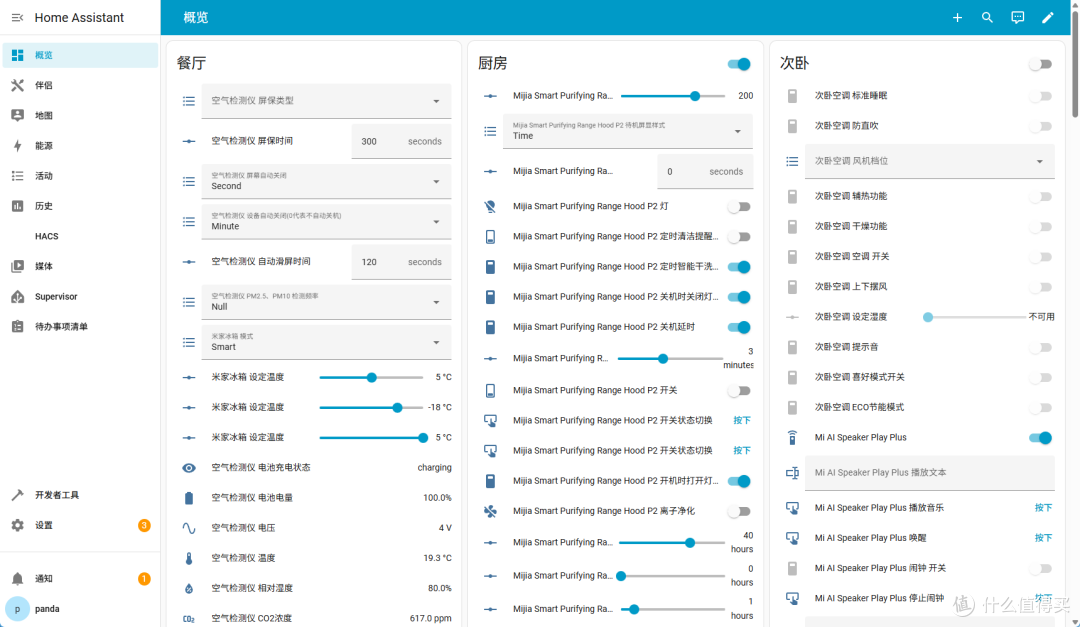
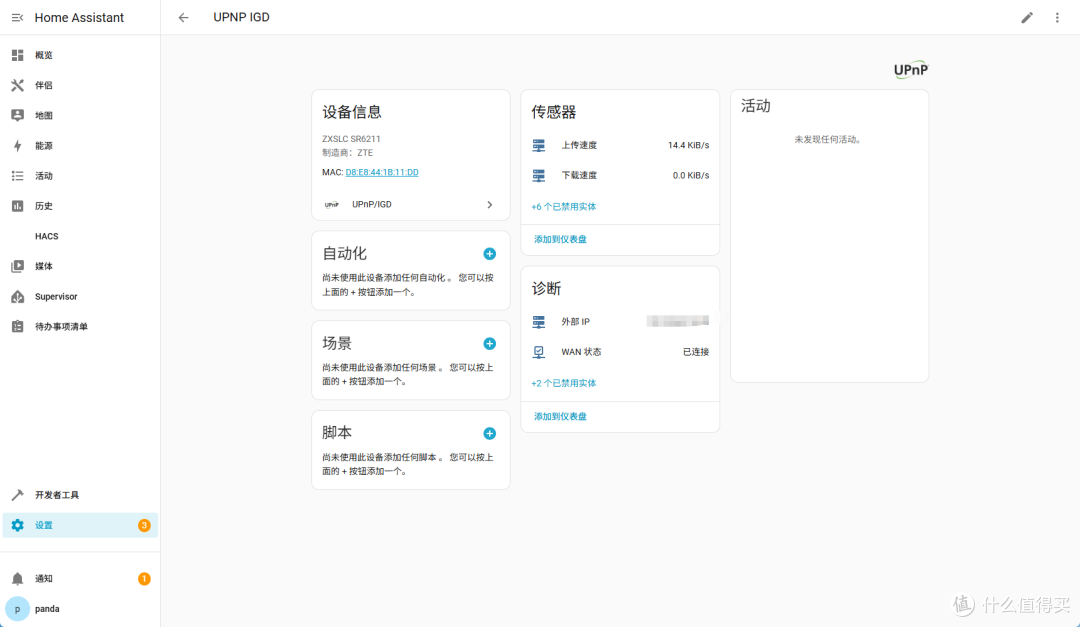
In addition to adding Mijia devices, many of your home networked devices can also be added through HA, such as the ZTE router and network UPS here.
Conclusion
In conclusion, HA is primarily designed to consolidate various smart home devices in your home. Even with such a user-friendly system, adding devices and creating interfaces still requires your own setup. HA offers greater freedom and integration, such as heart rate broadcasting, UPS access, and even integration with older devices, while domestic solutions like Mijia are purely lazy solutions that require corresponding devices to support them, each with its pros and cons.
Finally, the playability of Jikongjian NAS is actually very high; Docker and virtual machines provide many possibilities. However, the launch of the app store is aimed at catering to more novice users, providing a more foolproof one-click installation feature. In the future, the app store will also launch some high-quality third-party projects, so stay tuned.

Follow Us
WeChat ID: 135editor
Sina Weibo: @135 Editor