Introduction: When the “Strongest Editor on Earth” Meets “Free Cloud Computing Power”
During the Python development process, have you ever encountered the following dilemmas: complex local environment configuration, limited computing resources, and difficulties in synchronizing across multiple devices? This is particularly evident in the fields of deep learning and data science. Are you accustomed to the smooth autocompletion and shortcuts of VSCode, yet feel lost when facing the “rudimentary” editing experience of the Colab web version?
Today, we will introduce the 10th tip in the Efficient Python Programming series—calling Colab from VSCode. This will completely bridge the gap between local and cloud environments, allowing you to enjoy the powerful computing resources provided for free by Google while retaining the ultimate coding experience of VSCode.
Why Choose Colab + VSCode?

🌟 Unique Advantages of Colab
1. Powerful Cloud Computing Resources
Free access to GPU and TPU acceleration, especially suitable for training deep learning models.
No need to worry about local hardware limitations, easily handle large-scale data.
Pre-installed mainstream deep learning frameworks (TensorFlow, PyTorch, etc.).
2. Ready-to-Use Environment
No configuration needed, just open your browser to start coding.
Pre-installed hundreds of commonly used Python libraries, say goodbye to cumbersome environment setup.
Environment isolation, each project has its own independent and clean workspace.
3. Seamless Collaboration and Sharing
Real-time collaborative editing, supports multiple developers working simultaneously.
One-click sharing of notebooks, convenient for code reviews and teaching demonstrations.
Deep integration with Google Drive, worry-free data storage.
💻 Exceptional Experience with VSCode
1. Intelligent Code Autocompletion
AI-based IntelliSense provides precise code suggestions.
Supports function signatures and parameter hints, reducing memory burden.
Real-time error detection to identify potential issues early.
2. Powerful Debugging Capabilities
Visual debugger supports breakpoints and step execution.
Variable monitoring to view data status in real-time.
Interactive debugging console for quick idea validation.
3. Rich Extension Ecosystem
Thousands of extension plugins to meet various development needs.
Git integration for more intuitive version control.
Theme customization to create a personalized development environment.
🛠️ Usage Tutorial
Prerequisite: Have a Google account to ensure access to Colab.
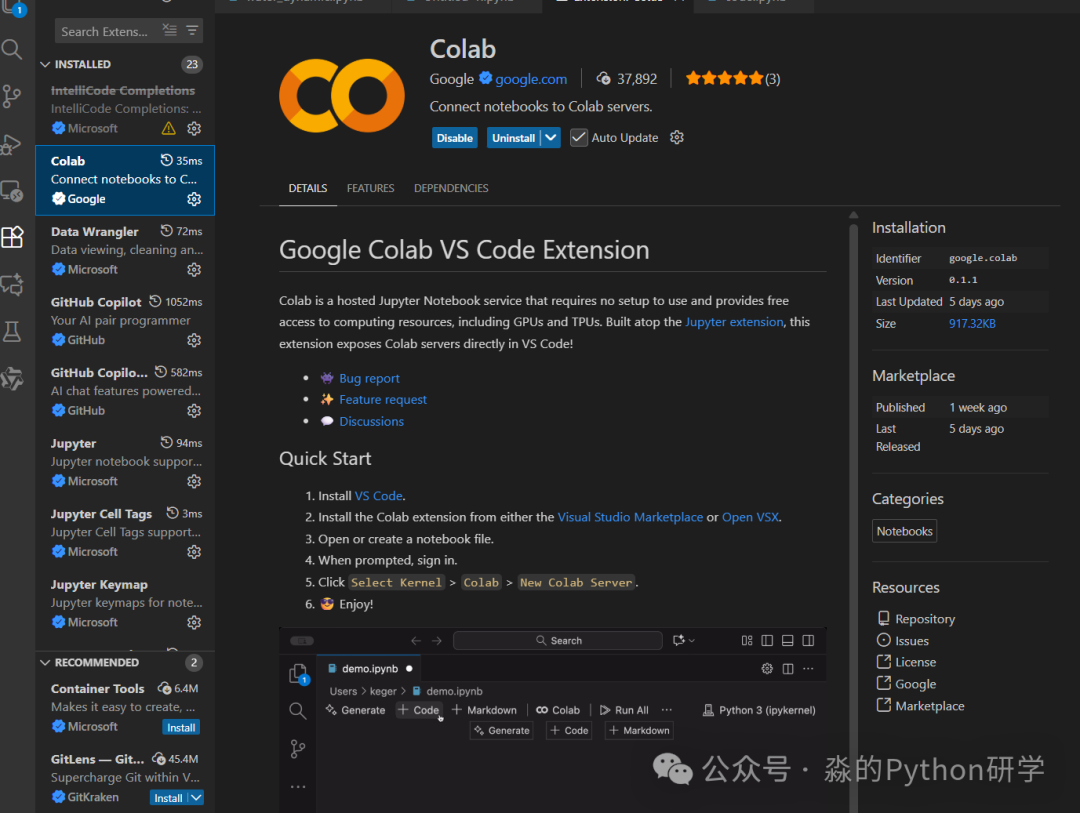
1. Open VSCode and install the Colab extension.
2. Open a Jupyter file and click to connect the kernel.
Connect to the kernel using the CPU version of the Python kernel.
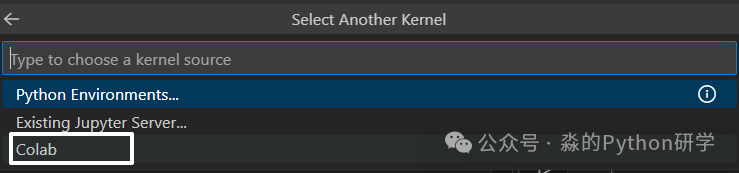
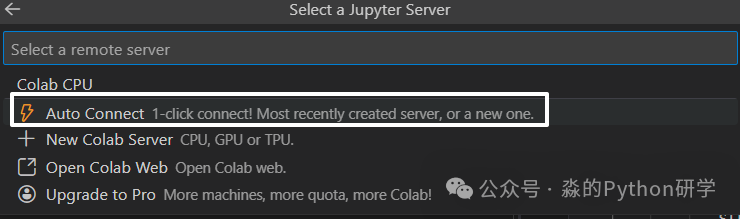
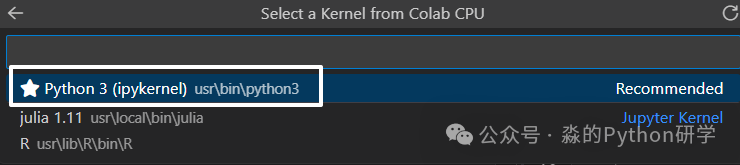
On the first startup, you need to connect to the cloud kernel, which may take some time.
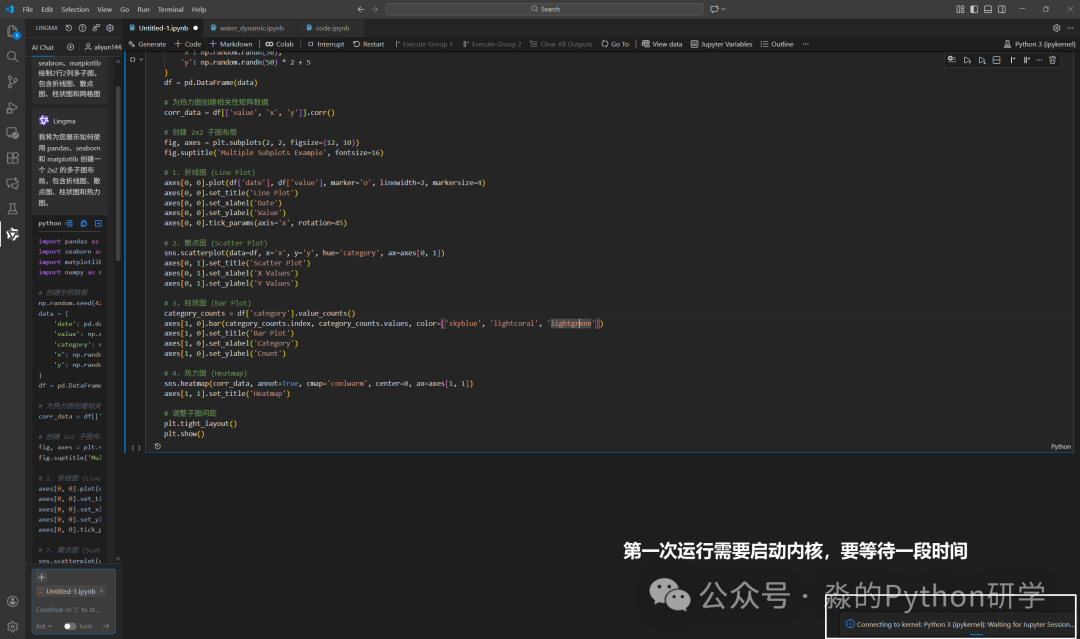
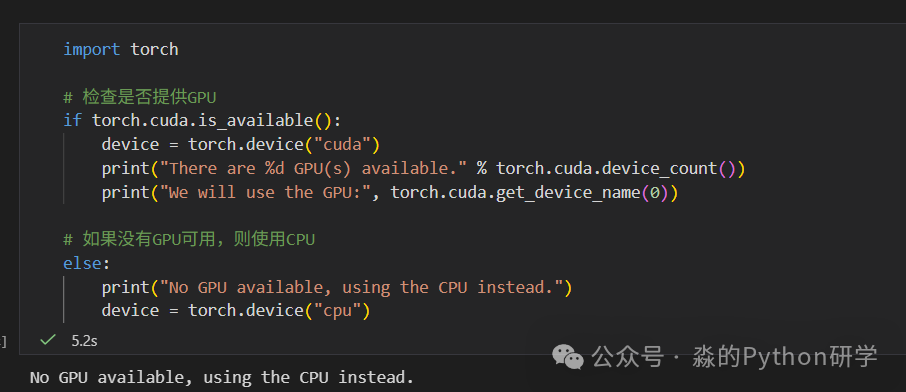
In this version, GPU cannot be used.
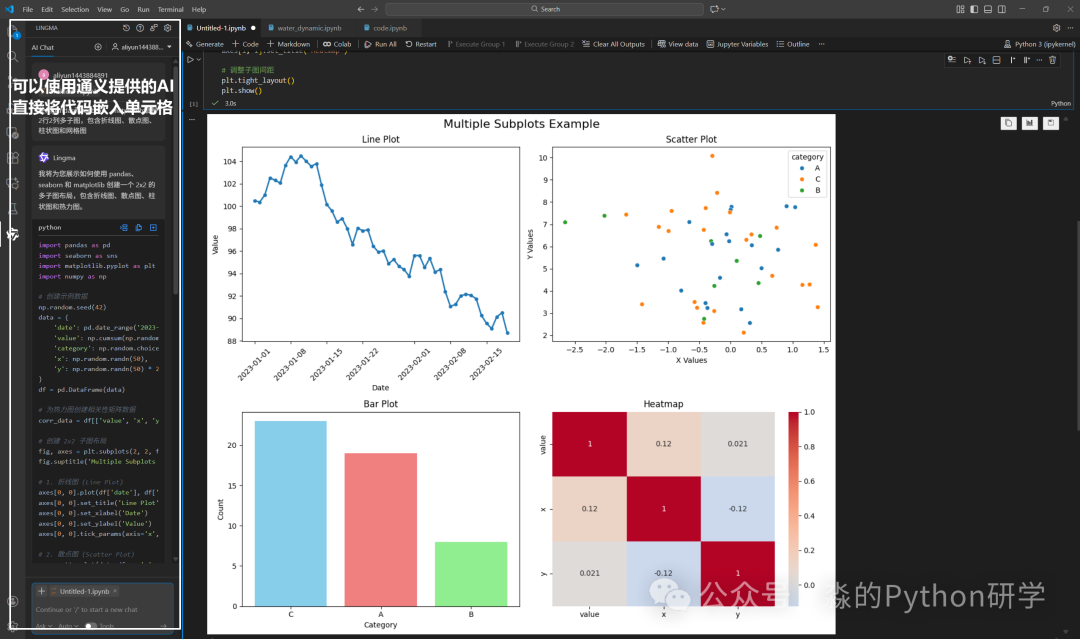
3. Pairing with AI-Assisted Programming
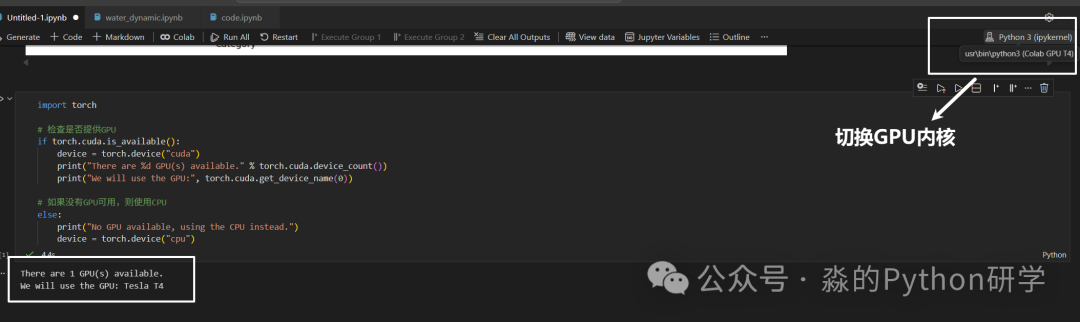
4. Using GPU/TPU
Select a kernel that provides GPU/TPU.
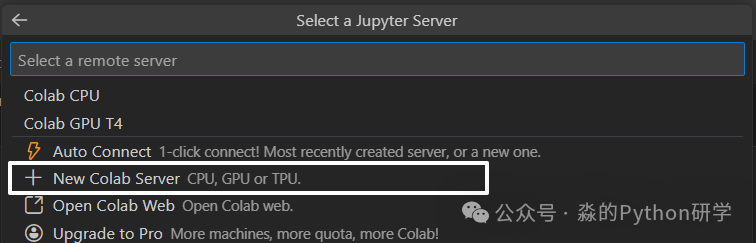
Utilize Colab’s powerful computing resources—GPU, with built-in deep learning libraries like torch and tensorflow, which can be called directly, making it very convenient!
Minor Drawback
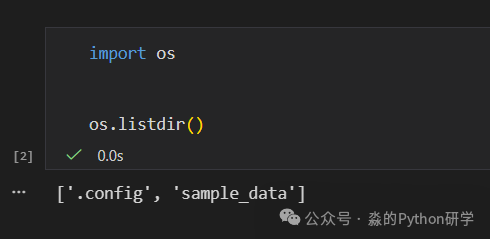
Cannot directly connect to local data; it needs to be uploaded to the cloud.
Conclusion
The combination of VSCode and Colab is not just a simple connection of two tools, but a perfect integration of local development experience and cloud computing capabilities. This combination provides us with a new paradigm for Python development:
-
Say goodbye to the troubles of environment configuration.
-
Break through local hardware limitations.
-
Enjoy the most intelligent development experience.
-
Maintain the most efficient workflow.
Whether you are a data scientist, machine learning engineer, or Python enthusiast, this combination will significantly enhance your development efficiency and experience. Try connecting Colab in VSCode now and start a new chapter in efficient programming!