In general, controllingEtherCAT slaves requires the use ofCodesys master stations/PLC or boards, etc. This article introduces a case of usingC# upper computer software to directly control motors with a regular computer.
Environment Requirements:vs2022 .Net8 WinPcap_4_1_3.exe Win11
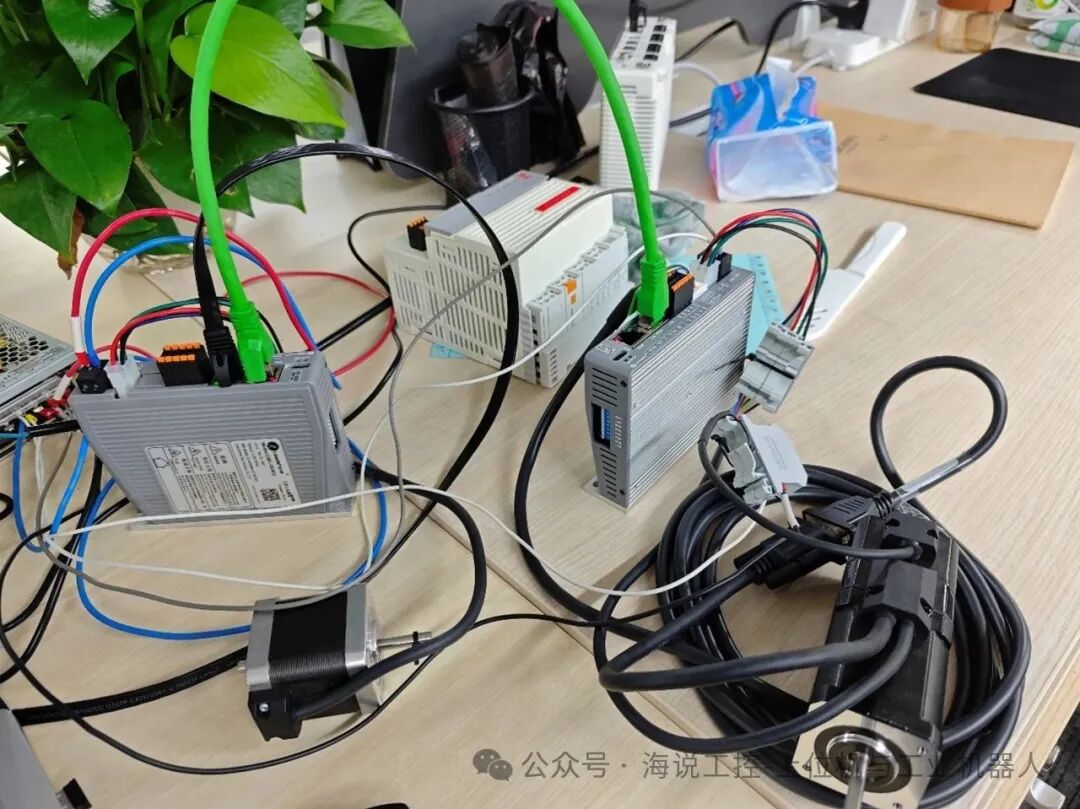
The motor brand used in this example is Leadshine, configured with2 slaves. Slave1 has a driver modelDM3J-EC522, motor model42CM06-SZ; Slave2 has a driver modelCL3J-EC503, motor model42CME08X-BZ.
1. Referenced Libraries
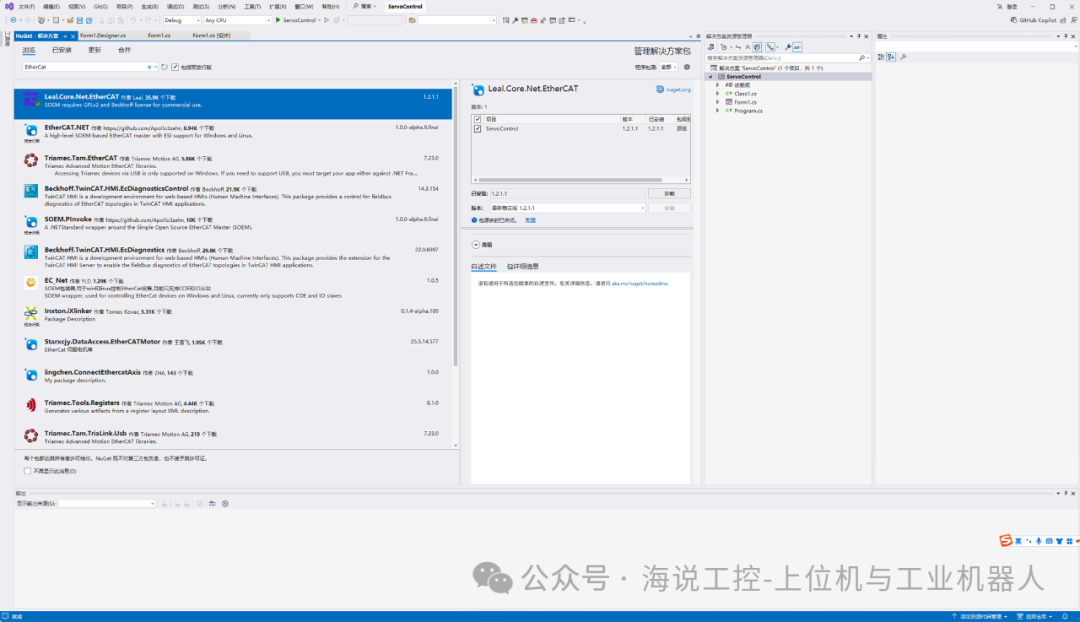
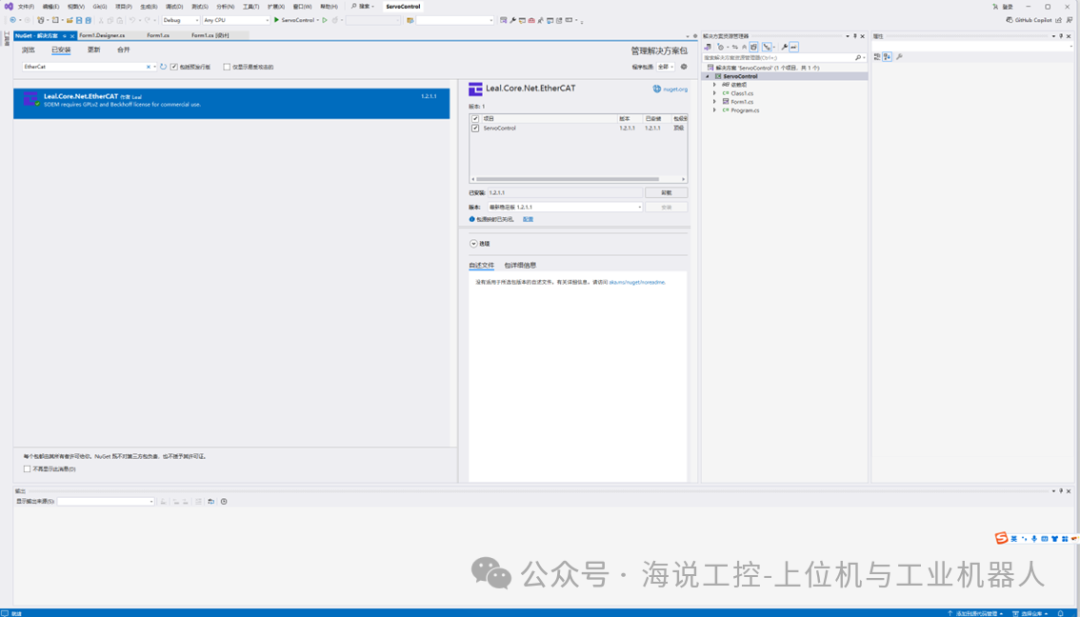
1.Create a new.net project and install theleal.core.net.ethercat.1.2.1.1 package in theNuGet package manager.
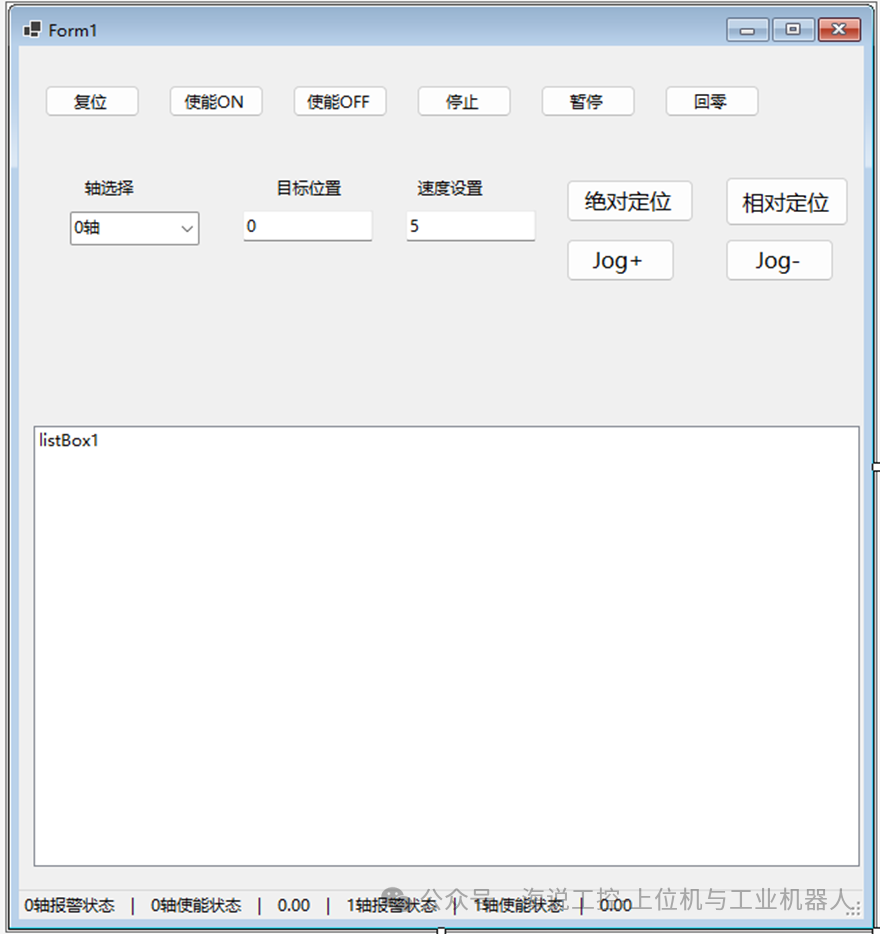
2.Write the corresponding axis control program【includingUI interface】
2. Controlling the Motor
1.AddEtherCATMaster master andIEtherCATSlave_CiA402 slave
The code is as follows (example):
EtherCATMaster? _etherCATMaster;EtherCATMaster? _etherCATMaster1;IEtherCATSlave_CiA402 _axis;IEtherCATSlave_CiA402? _axis1;public const uint PPR = 10000;//Number of pulses per revolution public const uint GearRatio = 1; //gear ratioprivate void Form1_Load(object sender, EventArgs e){_etherCATMaster = new EtherCATMaster();_axis = new EtherCATSlave_CiA402(_etherCATMaster, 1, velocityCtrlEnable: true);_axis1 = new EtherCATSlave_CiA402(_etherCATMaster, 2,velocityCtrlEnable: true); ;_etherCATMaster.StartActivity("Ethernet5");}2.Motor Control
The code is as follows (example):
1) Reset
private void btn_ServoReset_Click(object sender, EventArgs e){ if (cmb_AxisSelcet.SelectedIndex == 0) { _axis.Reset(); } else if (cmb_AxisSelcet.SelectedIndex == 1) { _axis1?.Reset(); }}2) Enable and Disable
if (cmb_AxisSelcet.SelectedIndex == 0){ if (_axis.ErrorCode == 0) { _axis.PowerOn(); } else { MessageBox.Show("Servo error state, please reset the error first!"); }}else if (cmb_AxisSelcet.SelectedIndex == 1){ if (_axis.ErrorCode == 0) { _axis1?.PowerOn(); } else { MessageBox.Show("Servo error state, please reset the error first!"); }}if (cmb_AxisSelcet.SelectedIndex == 0){ if (_axis.ErrorCode == 0) { _axis.PowerOff(); } else { MessageBox.Show("Servo error state, please reset the error first!"); }}else if (cmb_AxisSelcet.SelectedIndex == 1){ if (_axis.ErrorCode == 0) { _axis1?.PowerOff(); } else { MessageBox.Show("Servo error state, please reset the error first!"); }}3) Stop
double speed = double.Parse(txt_Speed.Text);uint vel = (uint)(speed * PPR * GearRatio);if (cmb_AxisSelcet.SelectedIndex == 0){ _axis.Stop(vel * 10);// Stop deceleration}else if (cmb_AxisSelcet.SelectedIndex == 1){ _axis1?.Stop(vel * 10);// Stop deceleration }4) Home
private void btn_GoHome_Click(object sender, EventArgs e){ if (cmb_AxisSelcet.SelectedIndex == 0) { if (_axis.AxisState.SwitchedOn) { _axis.Home(); } else { MessageBox.Show("Please enable the motor first"); } } else if (cmb_AxisSelcet.SelectedIndex == 1) { if (_axis1.AxisState.SwitchedOn) { _axis1?.Home(); } else { MessageBox.Show("Please enable the motor first"); } }}5) Absolute Positioning Motion
private void btn_MoveAbs_Click(object sender, EventArgs e){ if (_axis.AxisState.SwitchedOn) { uint AxisID = (uint)cmb_AxisSelcet.SelectedIndex; double vel = double.Parse(txt_Speed.Text); double pos = double.Parse(txt_Pos.Text); MoveAbs(AxisID, pos, vel); } else { MessageBox.Show("Please enable the motor first"); }}public void MoveAbs(uint AxisID, double position, double speed)//{ uint vel = (uint)(speed * PPR * GearRatio / 360); int pos = (int)(position * PPR * GearRatio / 360); if (AxisID == 0) { _axis.MoveAbsolute(pos, vel, vel * 10, vel * 10);// Position Speed Acceleration Deceleration (unit: Puls) } else if (AxisID == 1) { _axis1?.MoveAbsolute(pos, vel, vel * 10, vel * 10); }}6) Relative Positioning Motion
private void btn_MoveRel_Click(object sender, EventArgs e){ if (_axis.AxisState.SwitchedOn) { uint AxisID = (uint)cmb_AxisSelcet.SelectedIndex; double vel = double.Parse(txt_Speed.Text); double offs = double.Parse(txt_Pos.Text); MoveRel(AxisID, offs, vel); } else { MessageBox.Show("Please enable the motor first"); }}public void MoveRel(uint AxisID, double offs, double speed)//{ uint vel = (uint)(speed * PPR * GearRatio / 360); int pos = (int)(offs * PPR * GearRatio / 360); if (AxisID == 0) { _axis.MoveRelative(pos, vel, vel * 10, vel * 10);// Position Speed Acceleration Deceleration (unit: Puls) } else if (AxisID == 1) { _axis1?.MoveRelative(pos, vel, vel * 10, vel * 10); }}7) Jog Motion
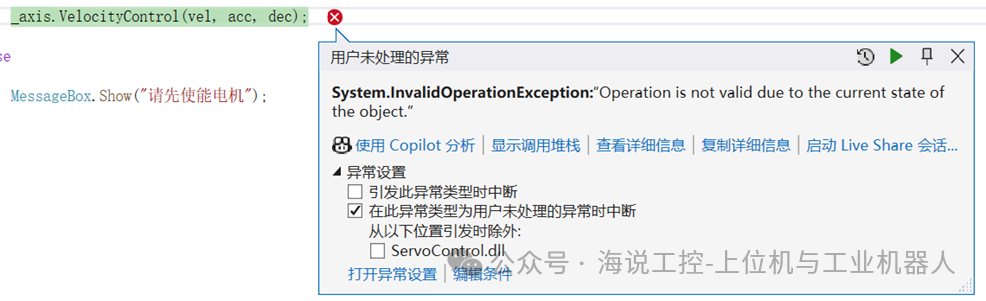
Note: If you want to useJog motion, when instantiating the axis object, you need to set the optional parametervelocityCtrlEnable totrue, otherwise an error will occur during execution. As shown in the figure below:
Example:
_axis = new EtherCATSlave_CiA402(_etherCATMaster, 1, velocityCtrlEnable: true);
Forward:
private void btn_JogForward_MouseDown(object sender, MouseEventArgs e){ uint AxisID = (uint)cmb_AxisSelcet.SelectedIndex; double speed = double.Parse(txt_Speed.Text); int vel = (int)(speed * PPR * GearRatio / 360); uint acc = (uint)(vel * 10); uint dec = (uint)(vel * 10); if (AxisID == 0) { if (_axis.AxisState.SwitchedOn) { _axis.VelocityControl(vel, acc, dec); } else { MessageBox.Show("Please enable the motor first"); } } else if (AxisID == 1) { if (_axis1.AxisState.SwitchedOn) { _axis1.VelocityControl(vel, acc, dec); } else { MessageBox.Show("Please enable the motor first"); } }}private void btn_JogForward_MouseUp(object sender, MouseEventArgs e){ double speed = double.Parse(txt_Speed.Text); uint vel = (uint)(speed * PPR * GearRatio); if (cmb_AxisSelcet.SelectedIndex == 0) { _axis.Stop(vel * 10);// Stop deceleration } else if (cmb_AxisSelcet.SelectedIndex == 1) { _axis1?.Stop(vel * 10);// Stop deceleration }}Backward:
private void btn_JogBackward_MouseDown(object sender, MouseEventArgs e){ uint AxisID = (uint)cmb_AxisSelcet.SelectedIndex; double speed = double.Parse(txt_Speed.Text); int vel = (int)(speed * PPR * GearRatio / 360)*(-1); uint acc = (uint)(vel * 10); uint dec = (uint)(vel * 10); if (AxisID == 0) { if (_axis.AxisState.SwitchedOn) { _axis.VelocityControl(vel, acc, dec); } else { MessageBox.Show("Please enable the motor first"); } } else if (AxisID == 1) { if (_axis1.AxisState.SwitchedOn) { _axis1.VelocityControl(vel, acc, dec); } else { MessageBox.Show("Please enable the motor first"); } }}private void btn_JogBackward_MouseUp(object sender, MouseEventArgs e){ double speed = double.Parse(txt_Speed.Text); uint vel = (uint)(speed * PPR * GearRatio); if (cmb_AxisSelcet.SelectedIndex == 0) { _axis.Stop(vel * 10);// Stop deceleration } else if (cmb_AxisSelcet.SelectedIndex == 1) { _axis1?.Stop(vel * 10);// Stop deceleration }}3. Hardware Connection
The hardware connection is simple. The network cable from the laptop’s network port connects to theIN port of the first driver, and theOUT port of the first driver is then connected to theIN port of the second driver via another network cable.
4. Appendix: Test Video
C# directly controls2 motors viaEtherCAT master station
Test video ofC# directly controlling2 motors