The M340 can control the LXM32 servo through the motion function blocks (MFB) provided by Unity Pro. The MFB library function blocks comply with the PLCopen standard, simplifying the control and management of Canopen servos.
Below is a detailed introduction to the implementation process of M340 controlling the LXM32 servo via the Canopen bus.
Network Topology
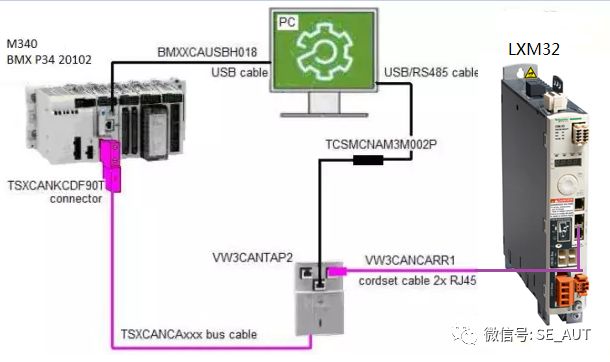
Hardware Configuration
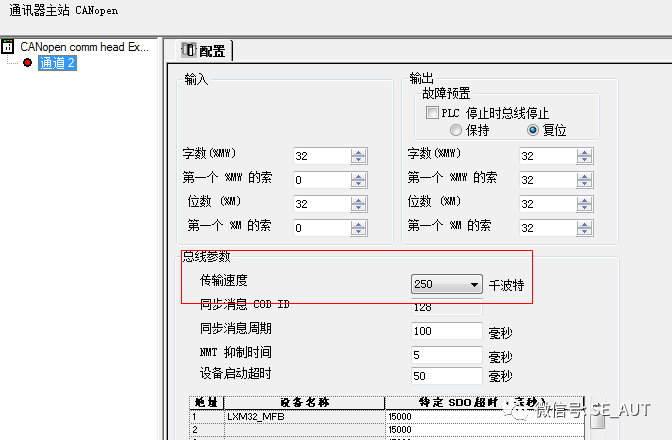
1. Set the transmission rate
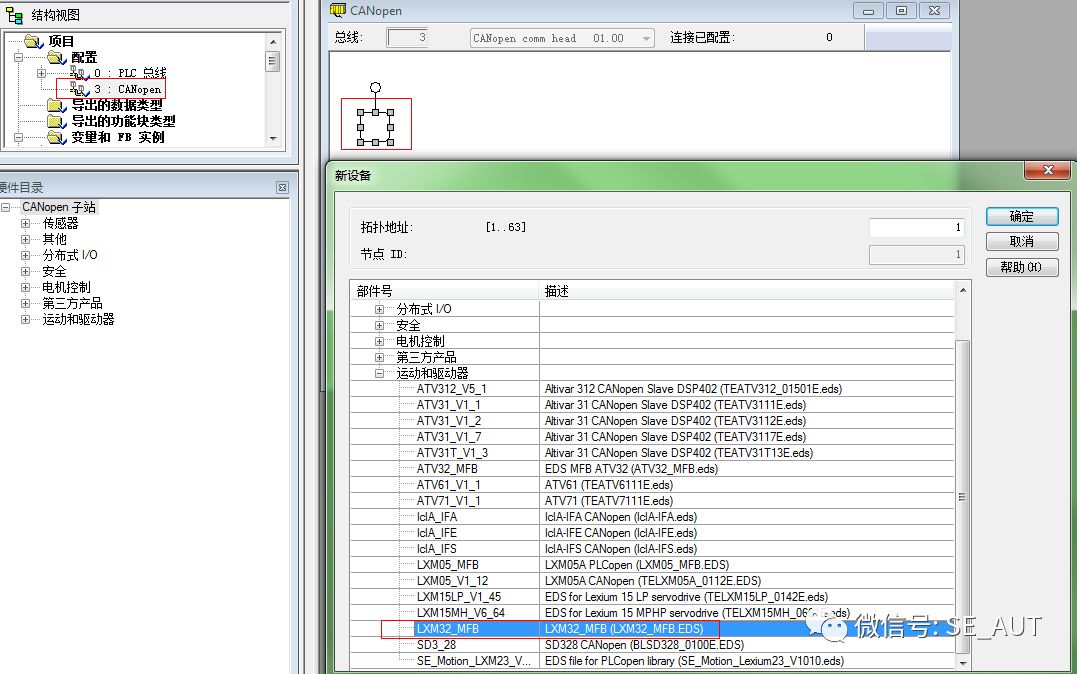
2. Add slave devices
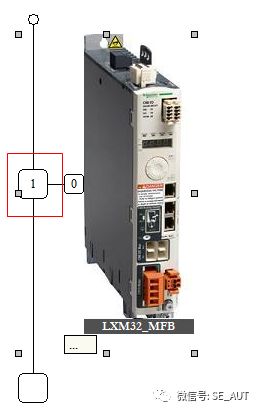
3. Set the slave address
Programming:
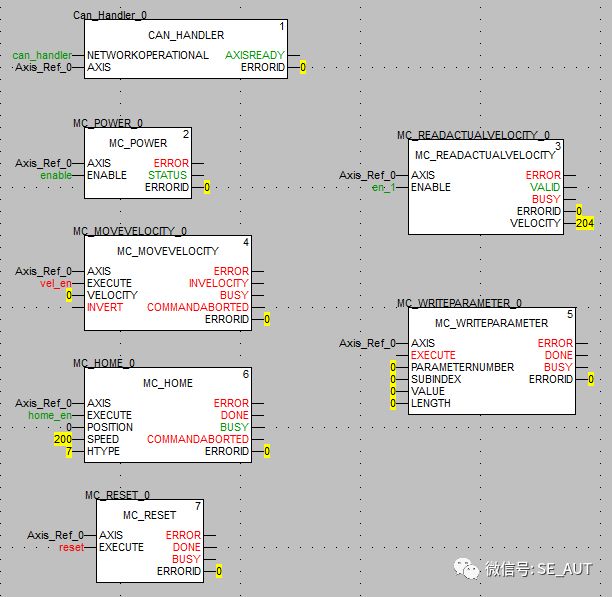
CAN_Handler
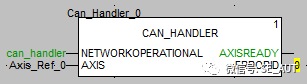
This function block is used to check whether the axis parameters correspond to the actual situation.
The instance of the function block must be assigned to the variable Can_Handler_0, consistent with the name during configuration.
The input parameter of the AXIS pin must be assigned to the axis name Axis_Ref_0 as configured.
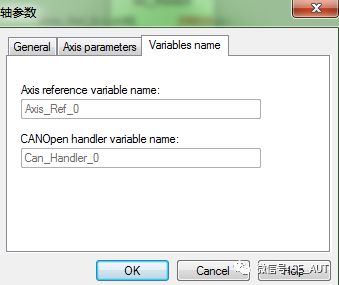
The NETWORKOPERATIONAL pin must be assigned to a flag bit that verifies the correctness of the CANopen network, as determined by the developer.
MC_POWER
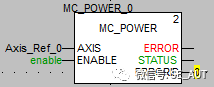
Enable the function block; ENABLE is effective at high level.
MC_HOME
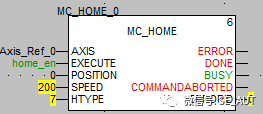
Home return function block; EXECUTE is effective on the rising edge.
SPEED is the speed for homing.
HTYPE is the homing mode.
Other motion function blocks:
MC_MOVEABSOLUTE: Allows the axis to perform absolute movement.
MC_MOVERELATIVE: Allows the axis to perform relative movement.
MC_MOVEVELOCITY: Allows the axis to perform velocity movement.
Status monitoring function blocks:
MC_READACTUALPOSITION
MC_READACTUALVELOCITY
MC_READSTATUS
MC_READAXISERROR
Troubleshooting
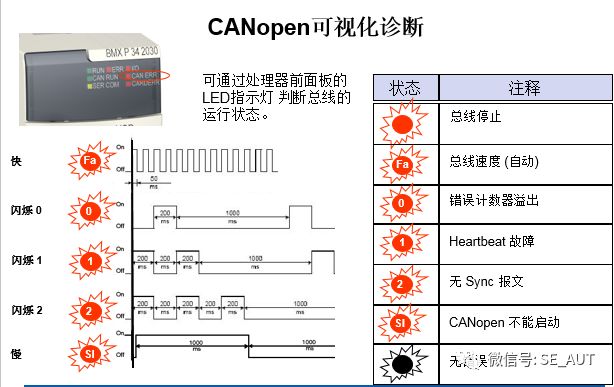
1. PLC hardware indicator lights
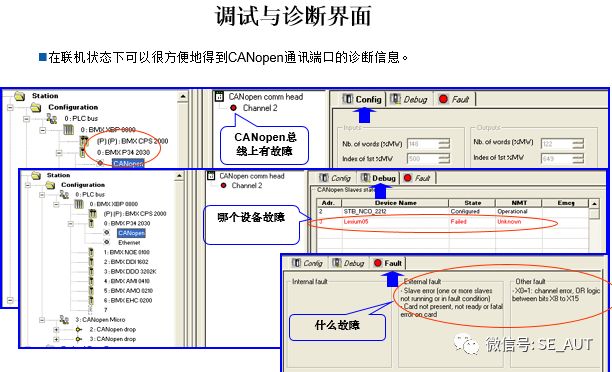
2. Unity Pro software diagnostic interface
3. IODDT variables
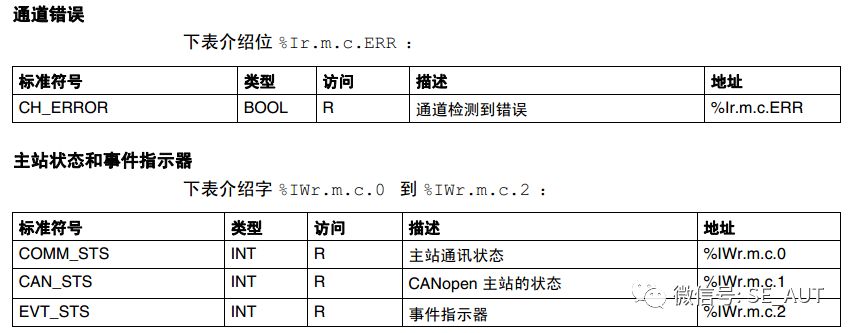
For specific meanings, please refer to the M340 CANopen user manual.
Related materials link

Link: https://pan.baidu.com/s/10y_FxwUw8JiUbn5GF0hkdA Extraction Code: 75ju