Configuring Bonding for High Availability with Dual Network Cards on CentOS 7
First, check the system version:

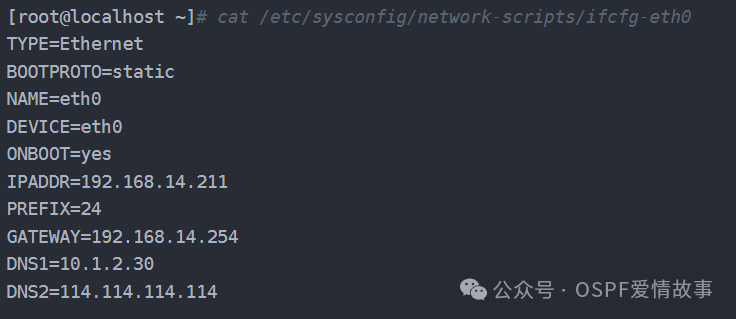
Initial configuration of network card eth0:
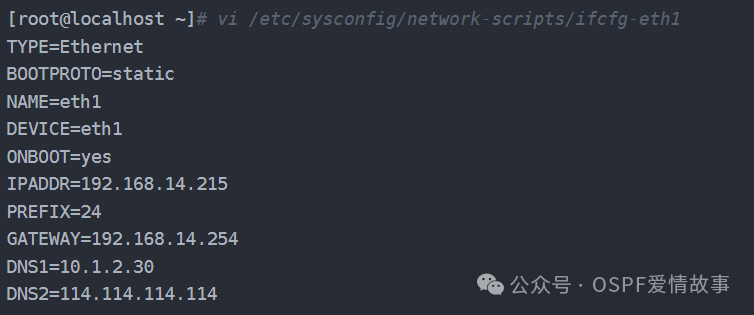
Initial configuration of network card eth1:
Configure dual network cards for primary and backup
1.Stop the NetworkManager service

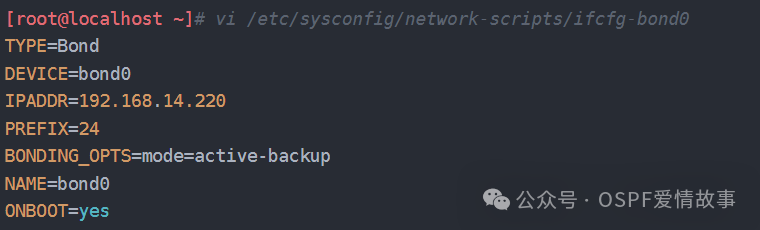
1.Add bond0
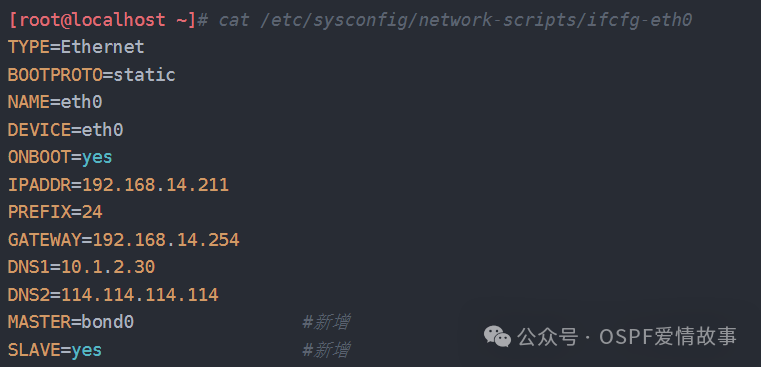
1.Modify eth0
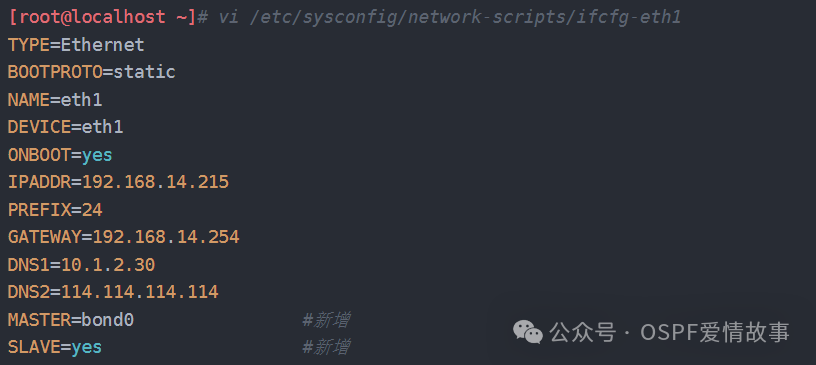
1.Modify eth1
1.Restart the network cards

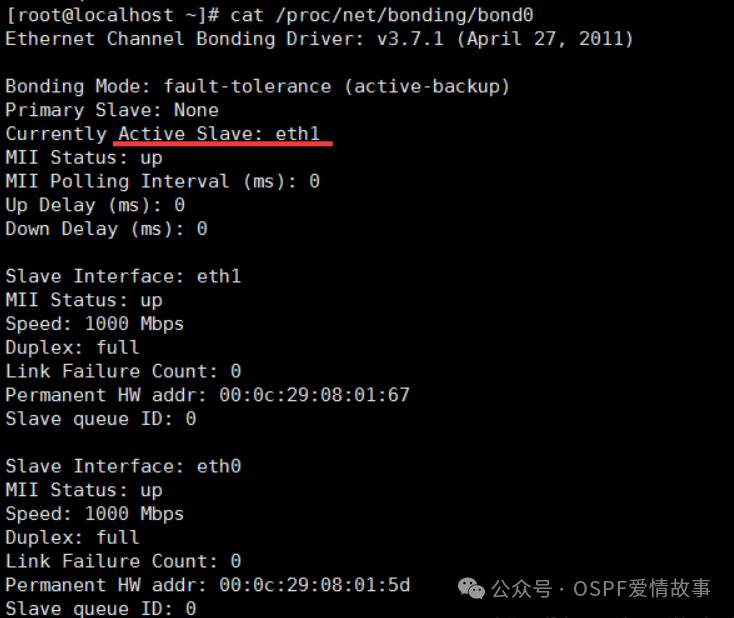
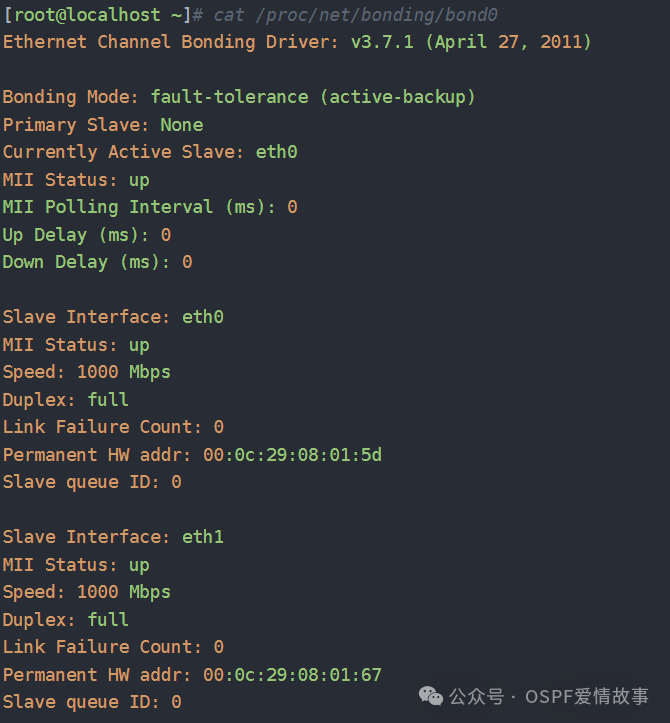
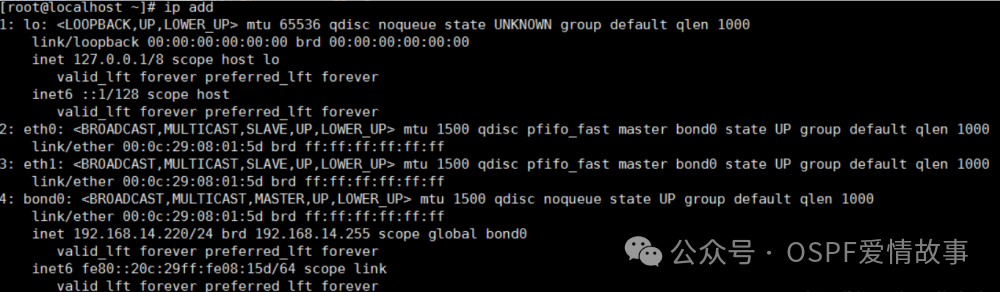
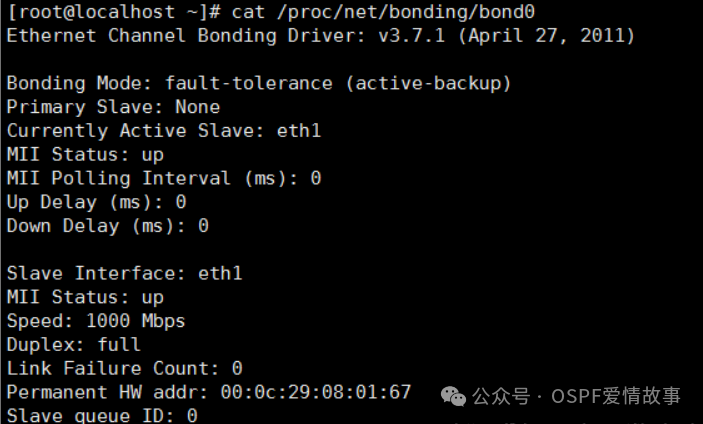
1.Check the status
1.Add a temporary default route (permanent routes should be added in the configuration file)

Simulate a real environment network card failure
1.Shut down the primary network card eth0 to simulate a failure, eth1 will switch from backup to primary

1.After the failed network card eth0 recovers, it will not take over eth1, thus avoiding network fluctuations