Technical experience sharing, welcome to follow and provide guidance.
The Debian series of operating systems uses apt for package management by default, and apt installs software packages based on a fixed apt source to pull packages. This raises a reasonable question:
Is there a way to build a customized version of a Debian-based system from scratch using apt?
The answer is yes. I have analyzed the operation mechanism of livebuild in detail, and the conclusion is that as long as it is an operating system based on livebuild, you can replicate an operating system, such as Debian 13, Ubuntu 2404, etc., as long as you provide your apt source address.
Based on the content of this article, you can build a Kylin system suitable for the RK3588 chip from scratch using the external source address provided by Kylin.
What is Building from Scratch?
What is building from scratch? Generally speaking, systems like Android, OpenHarmony, and Gentoo that are built from source code are certainly called building from scratch. If it is possible to assemble a binary-distributed system, such as Debian, from scratch to generate an operating system, can it also be called building from scratch?
I personally believe it can be, because building from scratch does not necessarily mean you have to build from source code. Even if constructed through binary installation, as long as the entire system is born from scratch, it is acceptable.
Unlike systems built from source code like Gentoo, Debian systems are typically pre-released as binaries, and during the integration phase, integrators assemble and release them using the livebuild mechanism. The benefits of this approach include:
- High stability: The binaries pre-compiled and verified by the operating system distributor run more stably compared to source code distributions.
- Strong applicability: The operating system personnel have matched the dependencies between software versions, so there is no need to worry about API compatibility during source code compilation.
- Rich software: All binaries built by developers based on the platform can be easily released to system users without providing software source code.
- Good usability: For non-developers, if they want to add functionality to the operating system, they only need to install software without building from source code.
Therefore, we often see systems like Ubuntu, which provide stable versions released as 2004, 2204, 2404 by default.
However, in the embedded field, if most systems use Ubuntu, it becomes very inconvenient for customization because Ubuntu provides a complete binary. In this case, if you need to customize functionality for this system, you must first install a complete system version and then build upon that version.
Thus, for Linux embedded operating systems, it is still meaningful for binary-distributed operating system vendors to provide a modular approach to build systems like building blocks.
Repository
To complete the from-scratch build for RK3588, I have open-sourced a repository that can be cloned as follows. This article only introduces how to customize the Kylin system.
git clone https://github.com/tangfeng-648/unibuilder.git
Of course, if you do not want to customize the Kylin system, I recommend an open-source repository for customizing Ubuntu, which you can try.
git clone https://github.com/mvallim/live-custom-ubuntu-from-scratch.git
Usage Steps
After downloading, simply run build.sh.
# ./build.sh
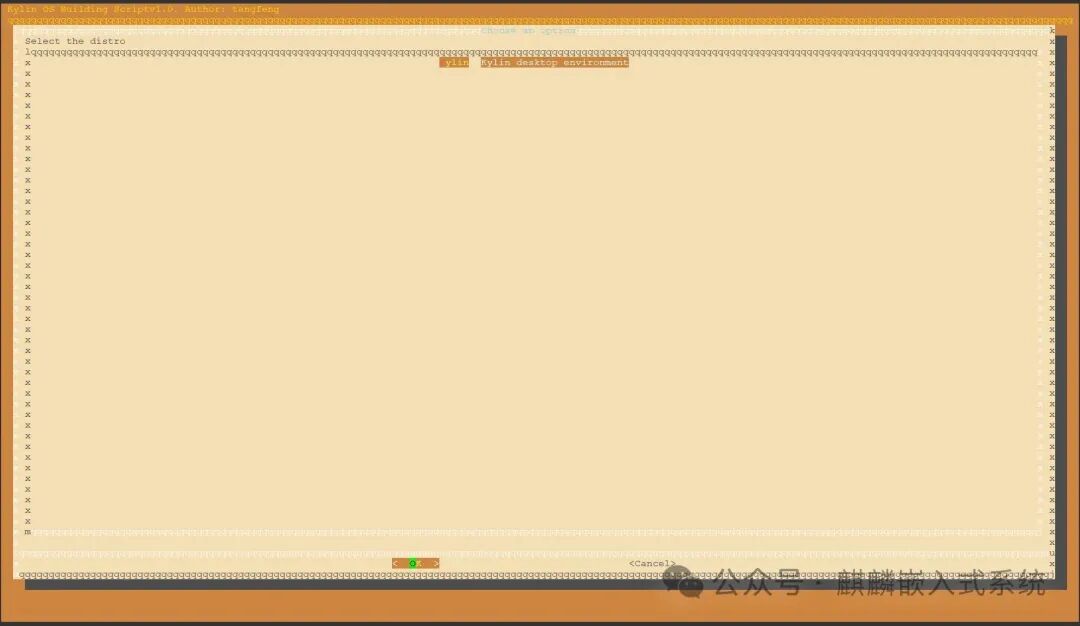
At this point, select the Kylin distribution.
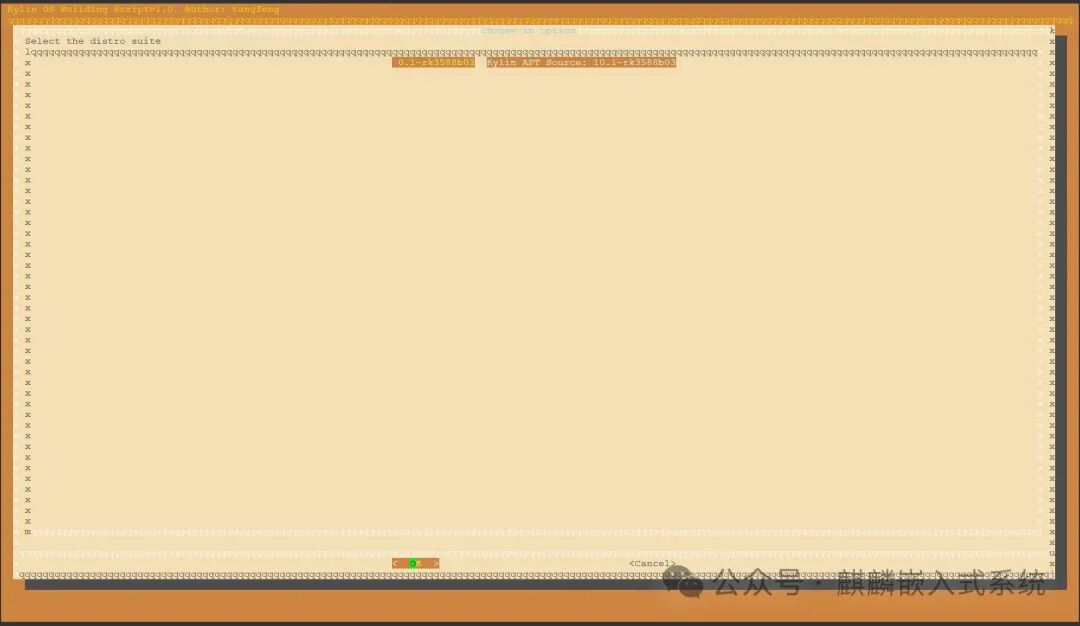
Then select the apt source address suitable for RK3588.
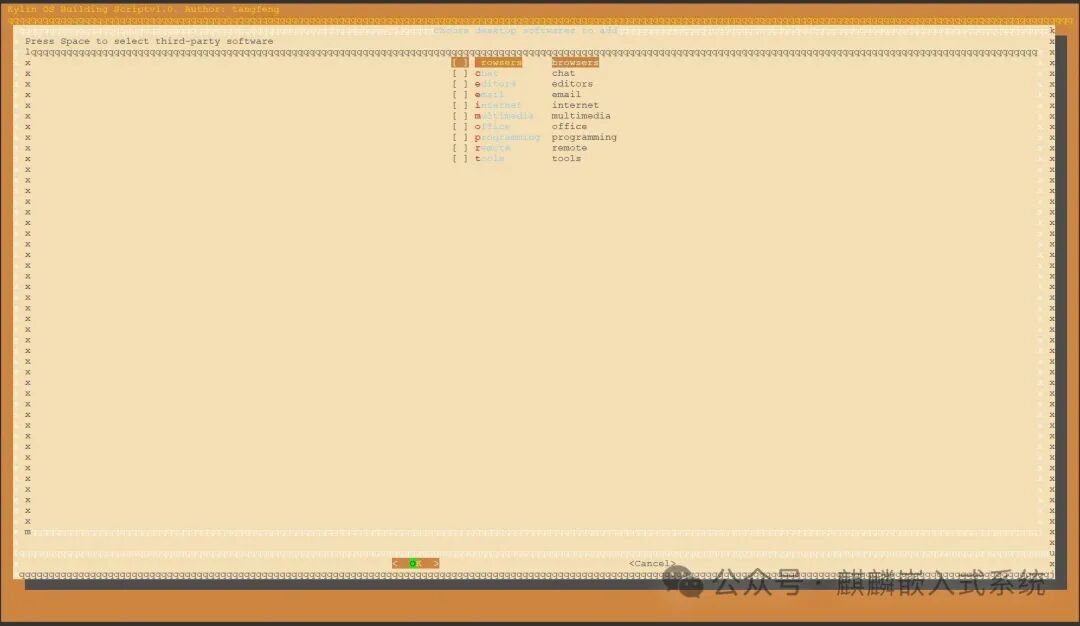
Select third-party installation packages; you can choose not to select anything here.
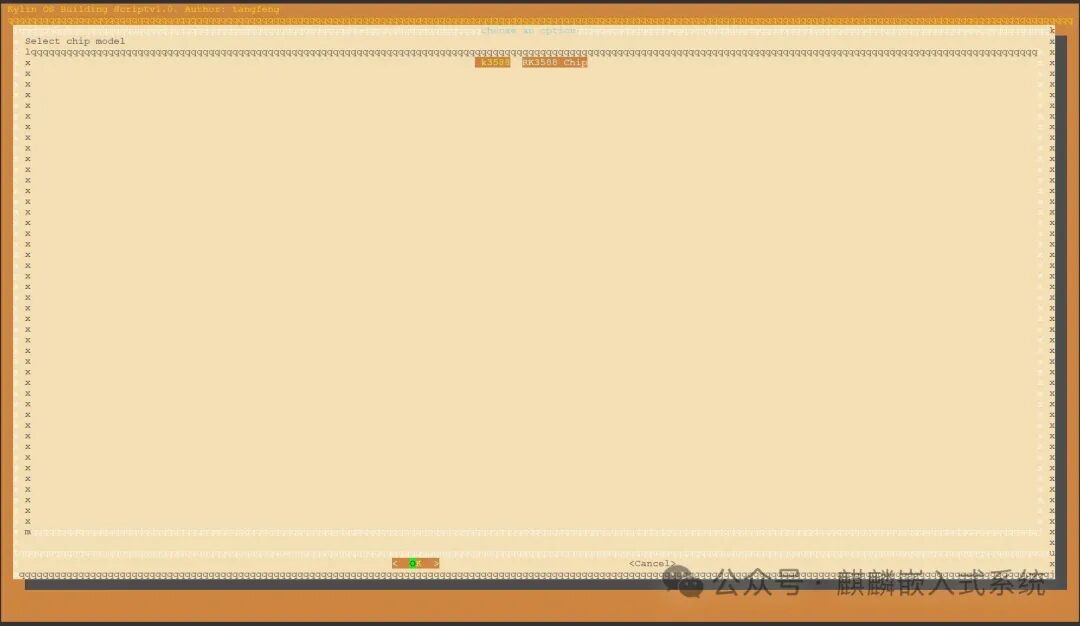
Select the chip platform, which is RK3588 here.
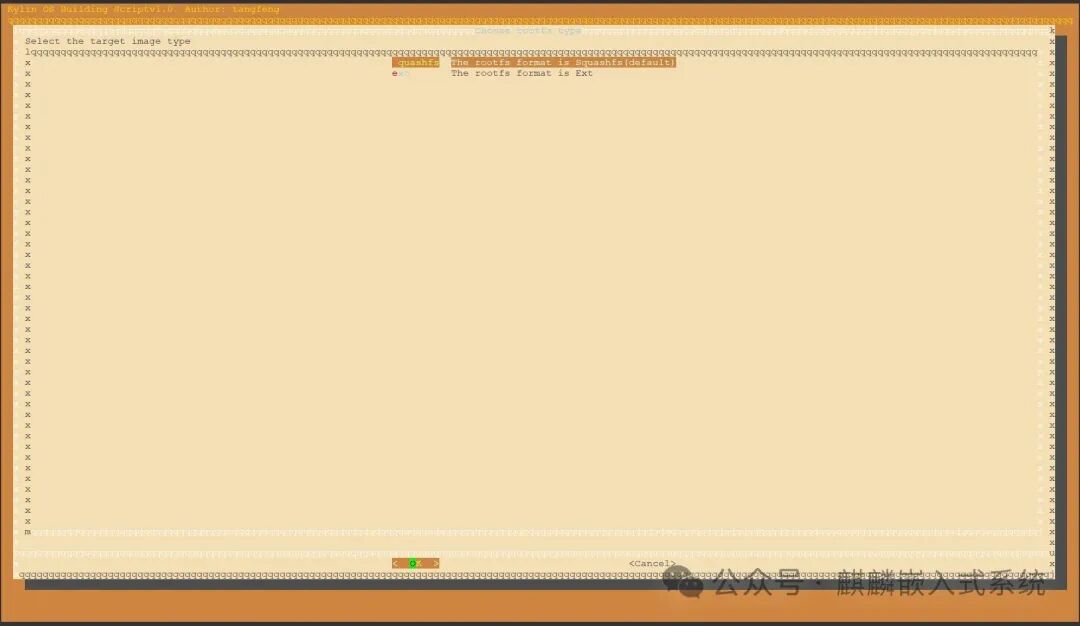
Select the output format for the root filesystem (rootfs).
Select the motherboard model.
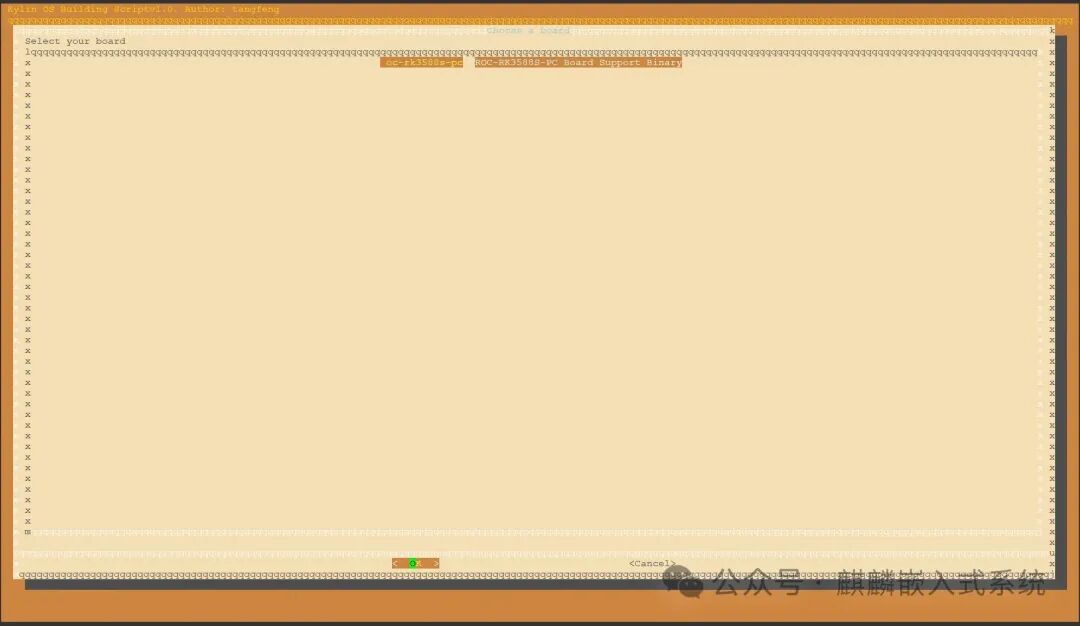
At this point, the interactive interface is complete, and you can see the selected environment content as follows:
# cat .config
#
# Automatically generated file; DO NOT EDIT.
#
BOARD: roc-rk3588s-pc
ARCH: arm64
CHIP: rk3588
SUITE: 10.1-rk3588b03
PLATFORM: rockchip
ROOTFSTYPE: squashfs
DISTRO: kylin
At this point, the log information is as follows:
[🦄] create-rootfs.sh [ Creating a new chroot for kylin ]
ii  debootstrap                                                        1.0.118kylin2                                                    all          Bootstrap a basic Debian system
ii  mtools                                                             4.0.24-1                                                         arm64        Tools for manipulating MSDOS files
Wait for 30 minutes, and the system build will be completed with the following information:
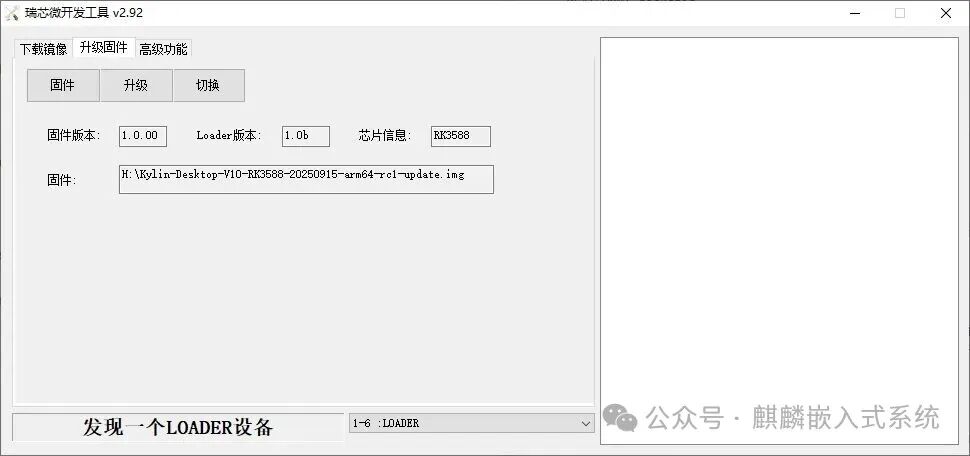
[🦄] create-rootfs.sh [ Make update.img successfully. file: /path/to/out/Kylin-Desktop-V10-RK3588-date-arm64-rc1-update.img ]
[🦄] unibuild.sh [ The kylin distribution build has been completed!!! ]
real    52m5.787s
user    0m0.296s
sys     0m0.770s
Here, an update image is automatically generated, and you can directly click to upgrade and burn it.
Precautions
Board Binary
Because the boot images of the RK platform may not be consistent (different boards, I have only open-sourced one), I have also explained the handling method in <span>config/board/rk3588/roc-rk3588s-pc/README.md</span>.
In short, it is recommended to create a directory for your board under <span>config/board/rk3588</span>, package your boot image into a <span>boardname-binary_all.deb</span> deb package and place it in this directory. During the build, it will actively fetch its content to package update.img for booting.
The method for packaging the deb package is provided in the script <span>script/binary_to_deb.sh</span>.
Default Configuration
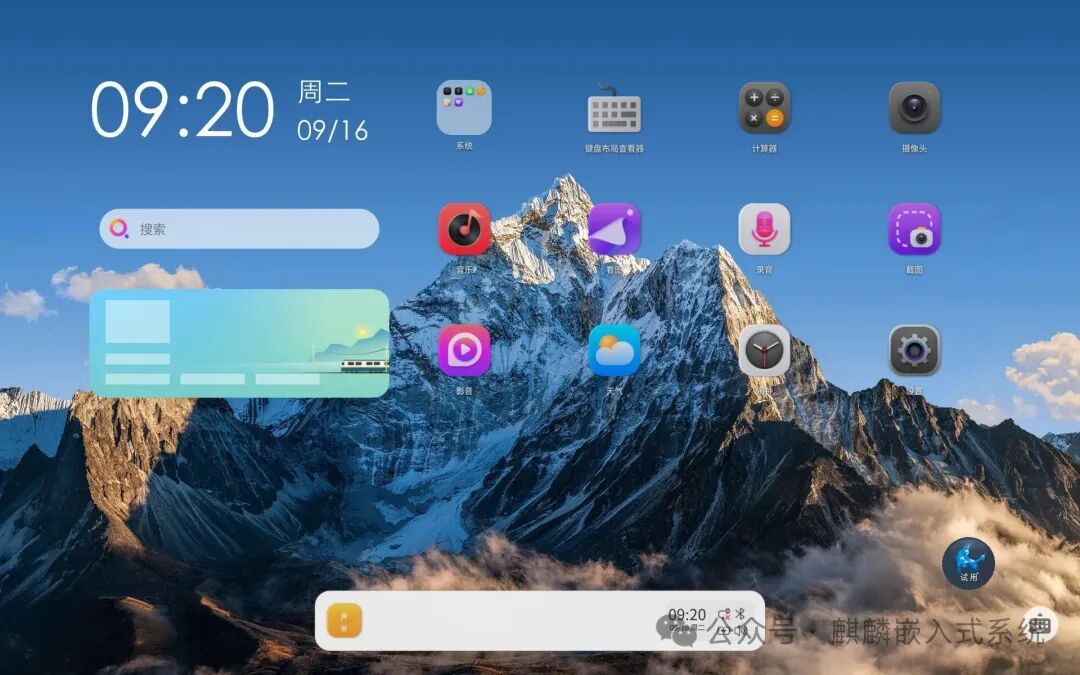
Before the system starts, it will actively synchronize for FOTA, and you will see the screen spinning for about 1 minute; this is nothing to be surprised about. Once the spinning is complete, it will automatically log in to the following interface:
If manual login is required, the account and password are as follows:
account: kylinpassword: qwer1234
Conclusion
Through the above steps, you can easily build the Kylin version for RK3588 from scratch, and subsequent system customization will become very easy; you only need to modify this script to complete the customization of the operating system.