Introduction
LingJing is a desktop-level local network target environment: it allows online retrieval of target machine images without manual configuration of virtual networks; it can launch cross-architecture target machines with one click, includes built-in routing and traffic visualization, and can run AMD64 images on M series Macs. The built-in attack machine will soon be completed, enabling a zero-configuration process for comprehensive training from beginner to red-blue confrontation, providing an efficient and realistic training environment for network security learners and practitioners, helping every user to grow rapidly in the field of network security.
Platform Features:
-
One-click retrieval, zero configuration, target machine ready in 5–30 seconds (additional connection time required for domain control scenarios, depending on physical machine performance).
-
The platform has built-in routing that enforces isolation, ensuring target machines have “zero external network” access, making risks controllable.
-
Images are deeply compressed, resulting in smaller sizes and storage savings.
-
The LingJing module captures all traffic + situational awareness + WAF, allowing for one-click replay and frame-by-frame review of the targeting process.
Project Access Address
https://github.com/414aaj/LingJing
Download Link
https://pan.baidu.com/s/1yn0yT8AJ3ScPWlSLmb2oRA?pwd=9zgm
0.4.0 Update Content
| No. | Type | Description |
|---|---|---|
| 1 | Fix | Fixed platform crash due to target machine startup issues |
| 2 | Fix | Fixed communication issues with some target machines due to network configuration problems |
| 3 | Fix | Fixed crash issue on Mac devices due to mismatched default network card with the platform |
| 4 | Fix | Fixed disconnection and communication issues with target machines in a comprehensive internal network environment |
| 5 | Fix | Fixed issue where the platform could not recognize network cards after manual installation of LingJing network card on some devices |
| 6 | Fix | Fixed WP display issue on the target machine interface |
| 7 | Fix | Fixed issue where external target machines could not reverse shell |
| 8 | Fix | Fixed issue where some Windows devices could not recognize network cards due to missing environment variables |
| 9 | Fix | Fixed issue where LingJing could not view traffic content properly under Dark theme |
| 10 | Update | LingJing routing upgrade: improved routing learning and link mapping.Resolved the issue of routing link interruption caused by flood traffic generated by high-concurrency network tools during scanning on target machines |
| 11 | Update | LingJing platform activation and abnormal network feedback |
| 12 | Update | Online updates for the platform now include distributed node servers for downloading to alleviate slow update issues |
| 13 | Update | Resetting routing will no longer affect the running target machine environment and will not prompt in a dialog box |
| 14 | Update | LingJing module cancels the platform’s internal update of routing files(If using an old version, after updating on the platform, you need to download the latest installation package to replaceRouterWindowsAmd64.qcow2 / RouterMacArm64.qcow2 files) |
| 15 | Update | Improved platform routing strategy to prevent broadcast storms on external network layer target machines |
| 16 | Update | Upgraded routing and strengthened routing links.Routing and target machines are more stable under high-concurrency scanning |
| 17 | Update | Improved external target machine reverse shell mechanism |
| 18 | Update | Linux (Ubuntu) compatibility added |
Get Activation Code👇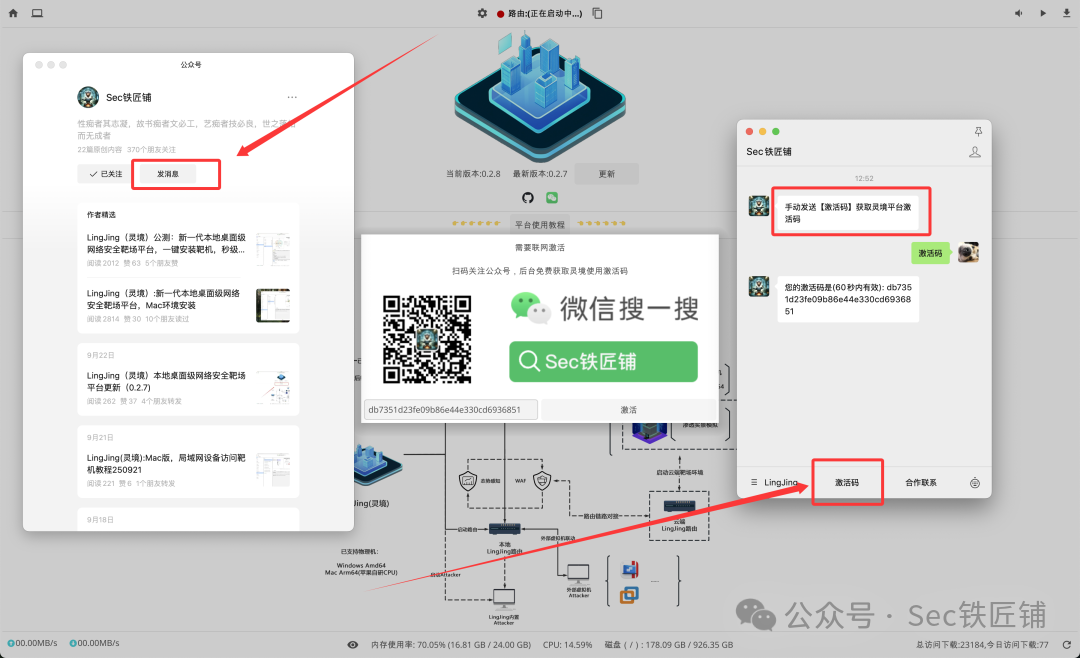 Linux Compatibility (Amd64)
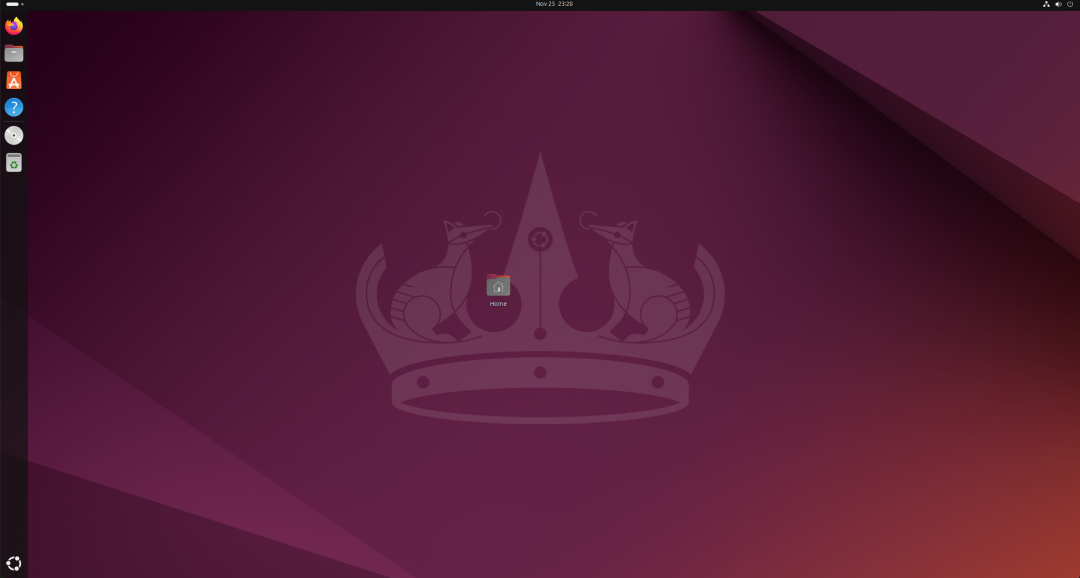
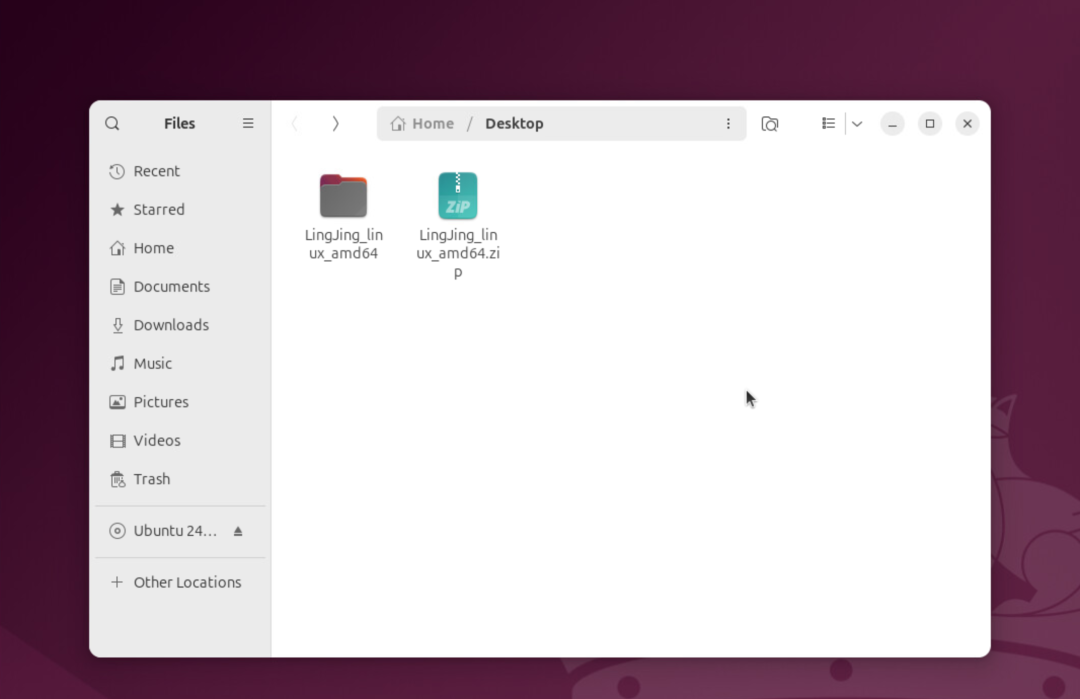
There are many Linux distributions, and compatibility and testing have been completed based on Ubuntu. As long as the dependencies are installed, other distributions can also run LingJing with the same effect as Ubuntu.
Ubuntu version now supports access and targeting of any device within the local area networkfor target machines.
Install Dependencies (No errors should occur)
sudo apt install libfdt1 libpmem1 librdmacm1 libslirp0 liburing2 libaio1t64 -y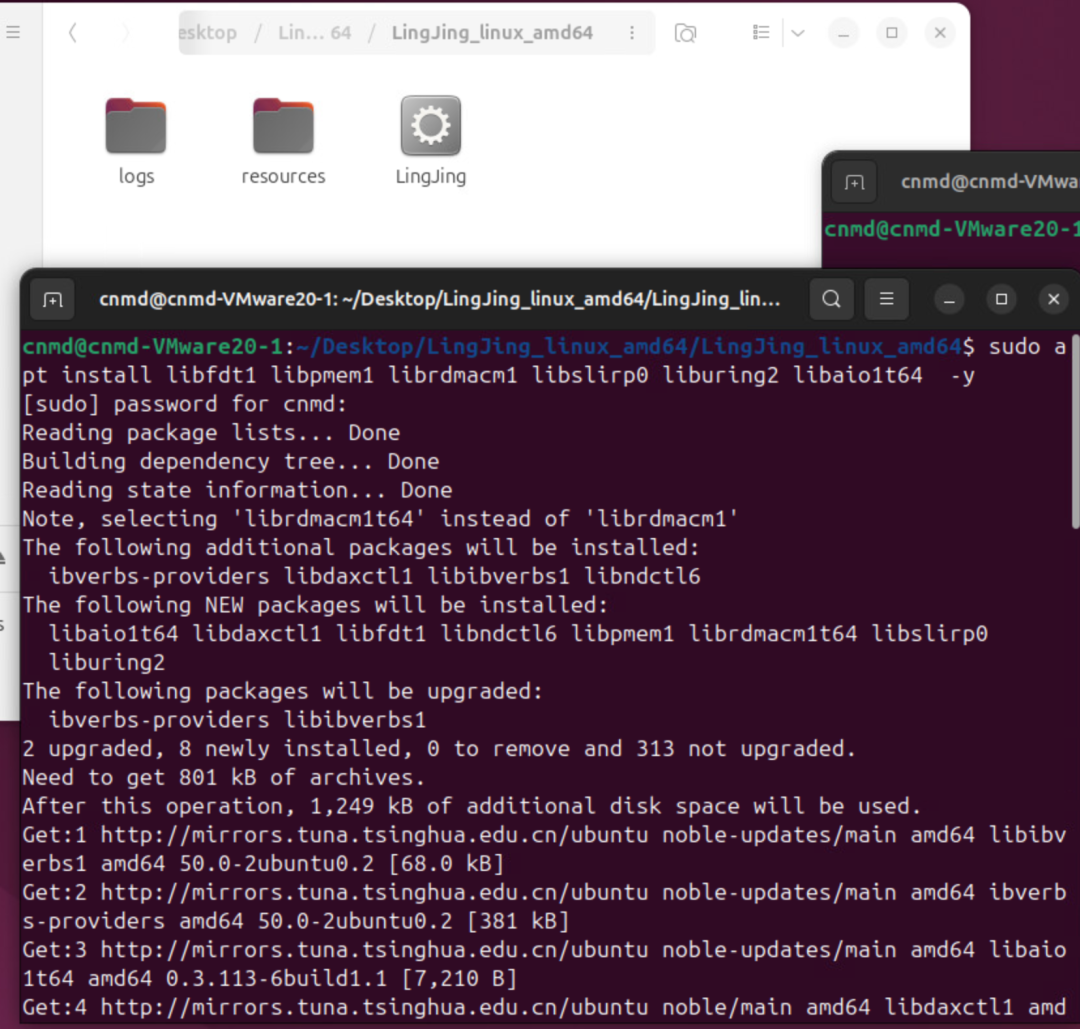 RunPS: Requires administrative privileges to create LingJing tap network card and bridge the built-in routing of the LingJing platform.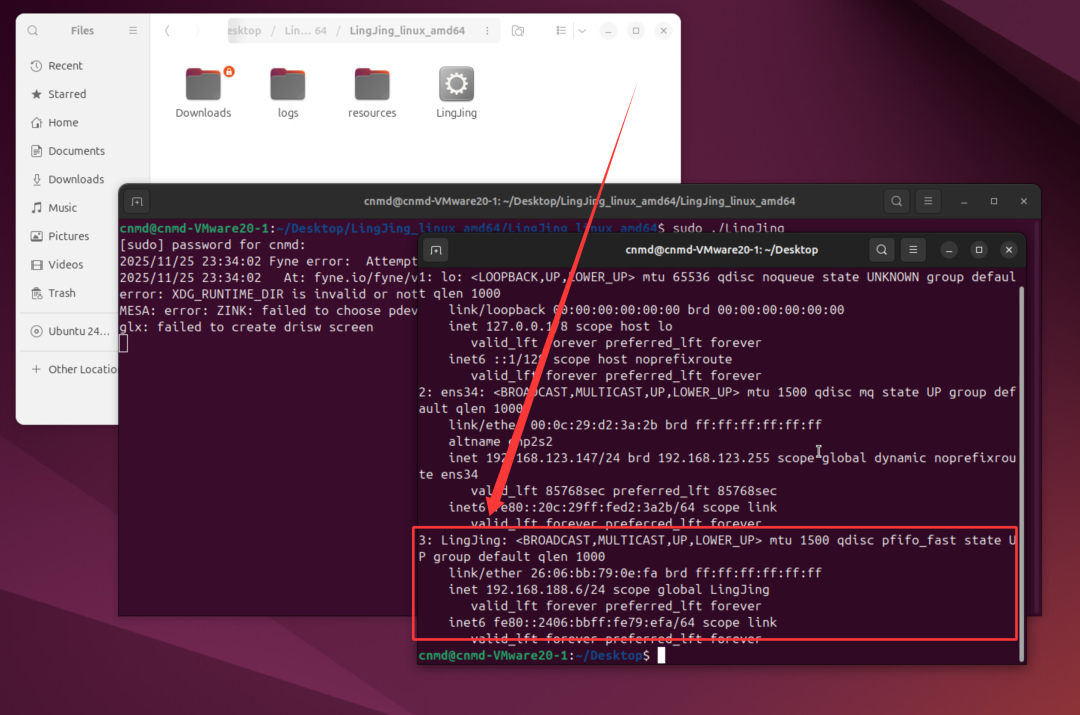
sudo ./LingJing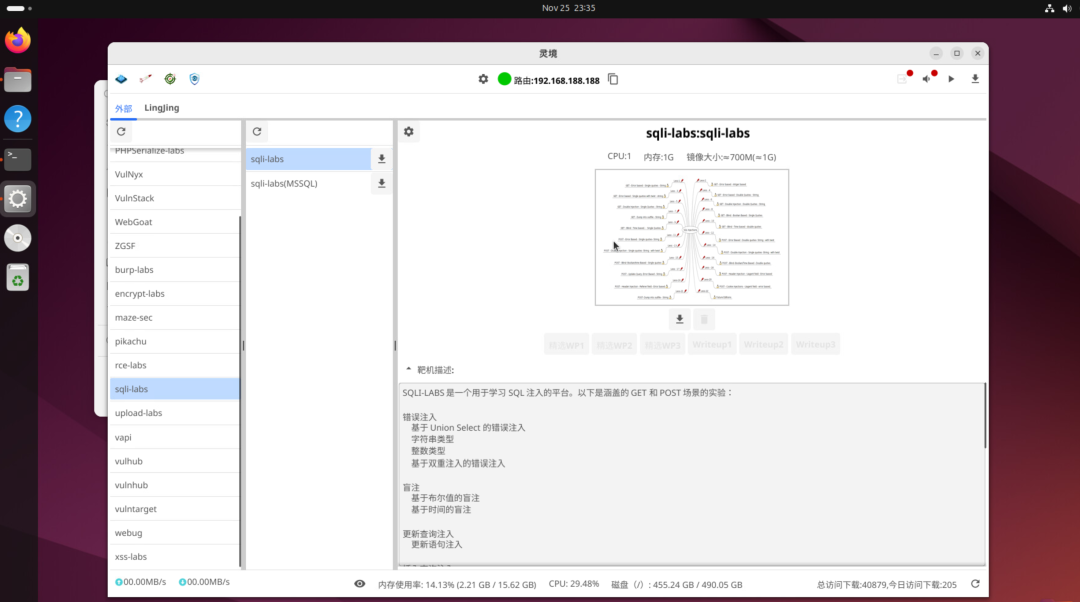
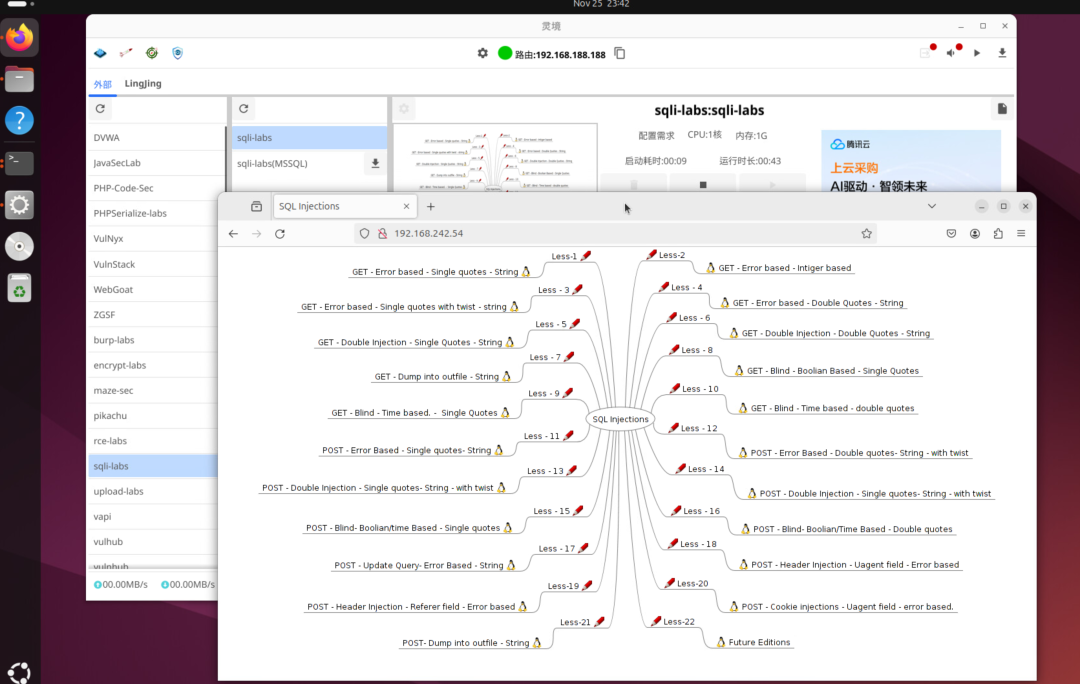
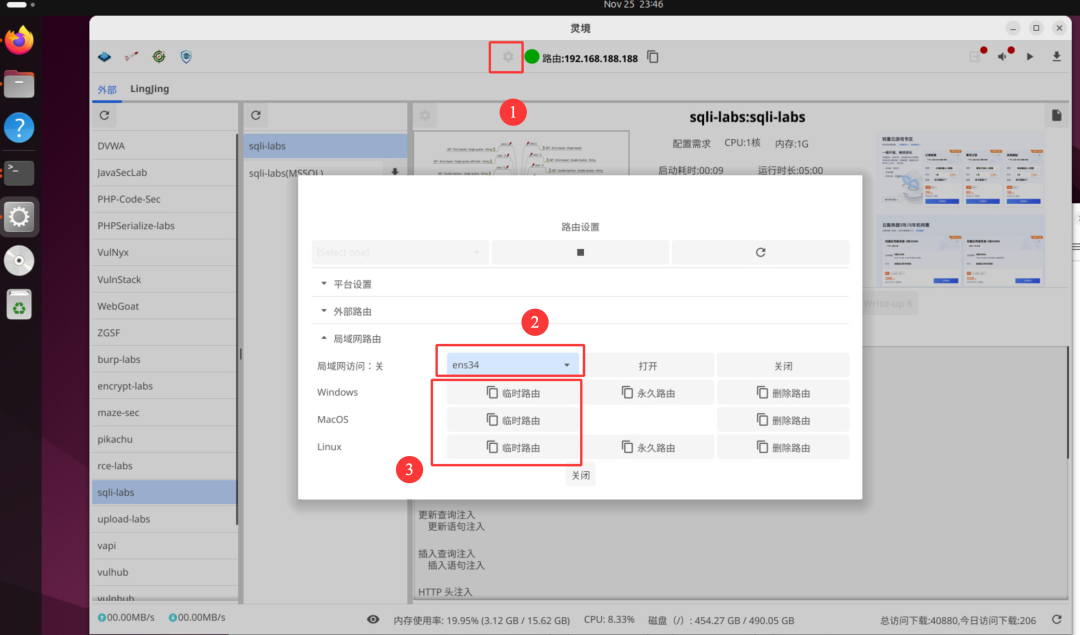 Local network devices access target machines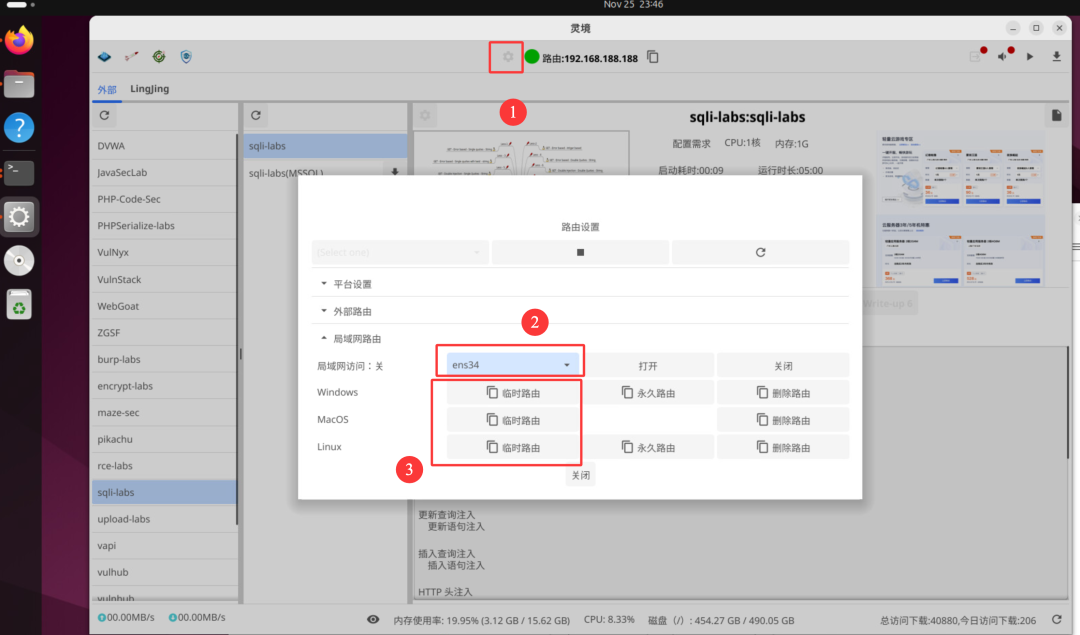
Cooperation Items
- Custom target machines can be issued with authorization codes for obtaining customized target machines
- Advertising space available for platform advertisement
- Welcome to discuss more cooperation models
After following the public account, add WeChat (note to join the group)