
More content can be added to the Linux system knowledge base package (tutorials + videos + Q&A)

Table of Contents
- 1. Sleep Modes
- 2. Automatic Sleep Wake-Up
Consolidate, share, and grow, allowing both yourself and others to gain something! 😄
The sleep state refers to a low-power operating state of the system. In this state, all peripheral devices that support sleep mode also enter sleep mode, the CPU is suspended, and all user-space applications and kernel processes are frozen, with memory in self-refresh mode. The system in sleep state will block all commands except for wake-up commands until the system is awakened for some reason.
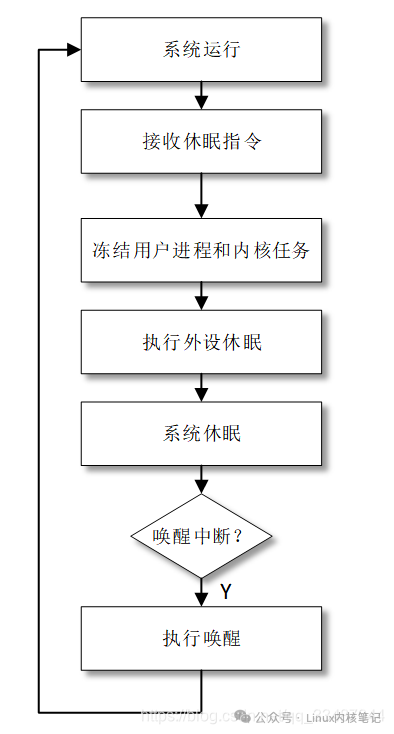
1. Sleep Modes
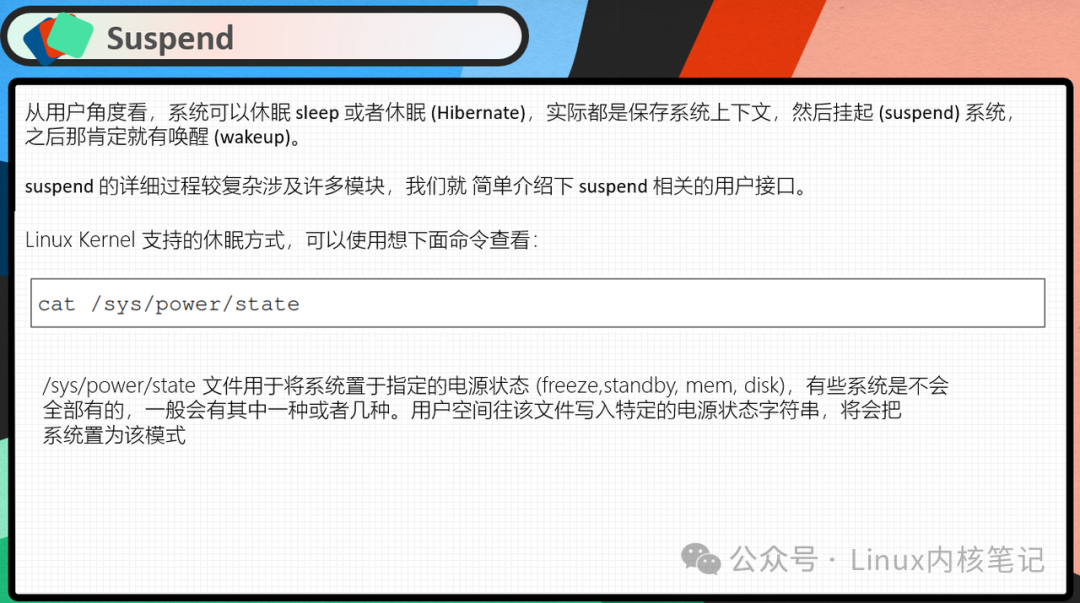
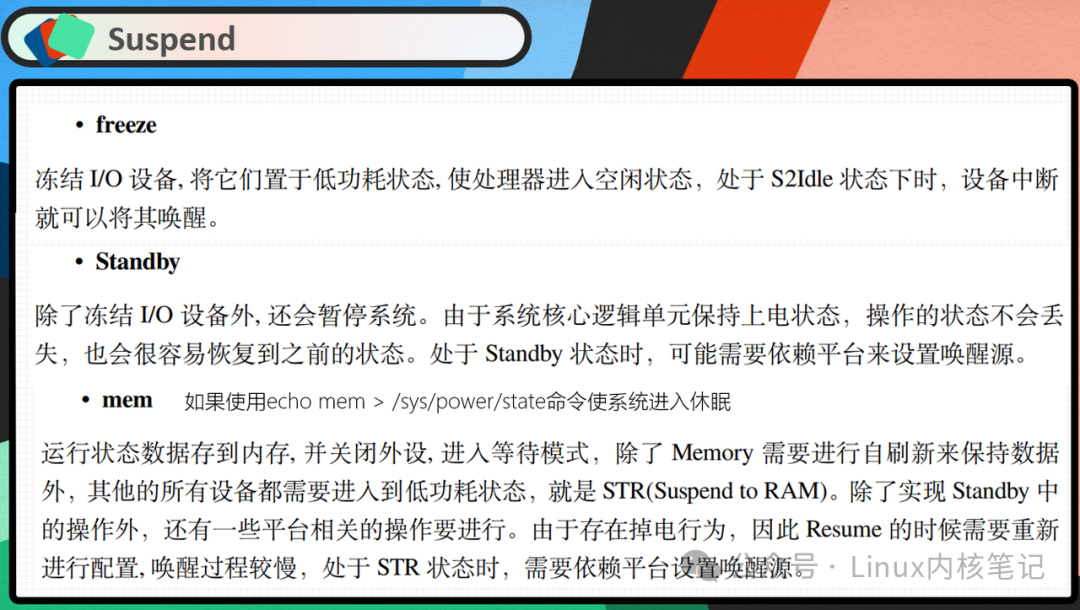
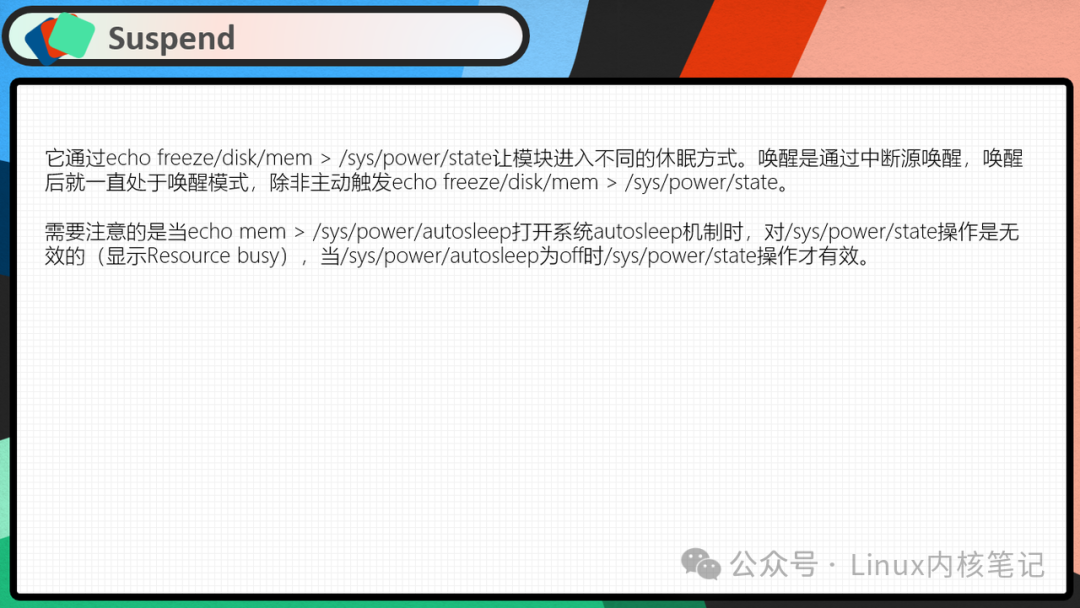
2. Automatic Sleep Wake-Up
Prerequisite: CONFIG_PM_AUTOSLEEP
echo mem > /sys/power/autosleep node<span>/sys/kernel/debug/wakeup_sources</span> prints the system’s locks, and you can see its current state: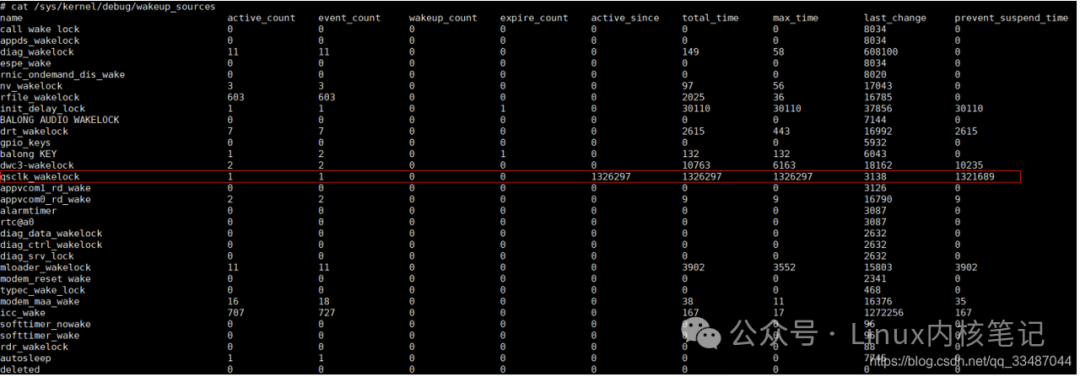
New operations: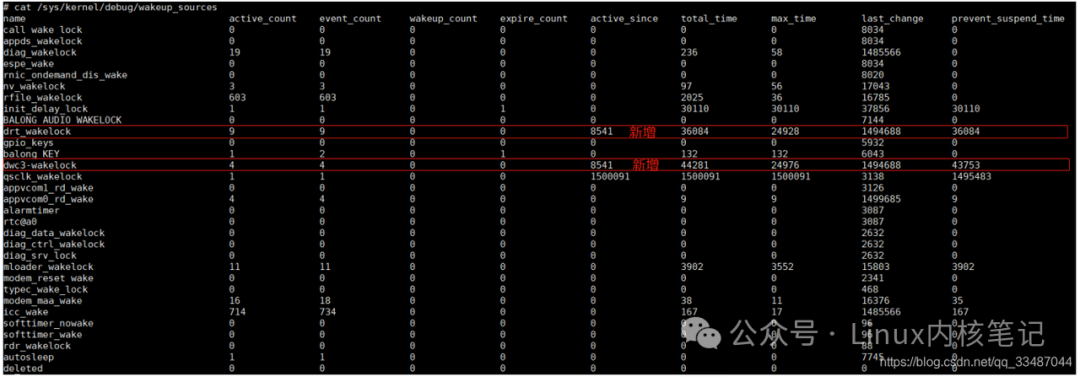
Release: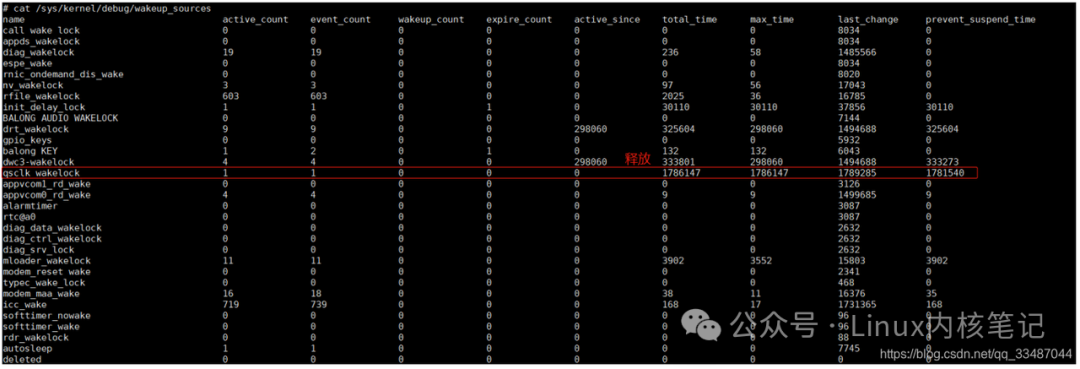
Check the number of sleep wake-ups at node /sys/kernel/debug/suspend_stats to see the previous sleep state, which summarizes how many times the sleep wake-up was successful, how many failed, and at which step it failed: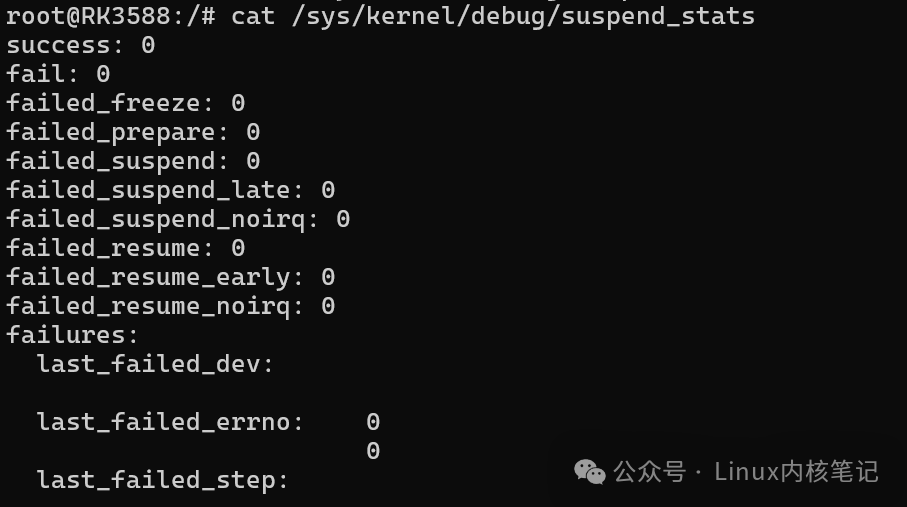
Direct command to check if there are active locks
awk '$6 != 0 {print $1" "$6}' /sys/kernel/debug/wakeup_sources