Brothers in the backend, contact me. I have plenty of space at home and I’m not afraid of taking up space. I want to build a stable multi-bay NAS at the server level. The requirements are low cost and many bays. If you want to talk about this, then I think you must use the model I recommend today: HP’s tower server. This machine is extremely cost-effective.
If you find my content useful, remember to like and follow so you won’t get lost. You can also follow my Douyin and Bilibili accounts with the same name; the content is not overlapping.
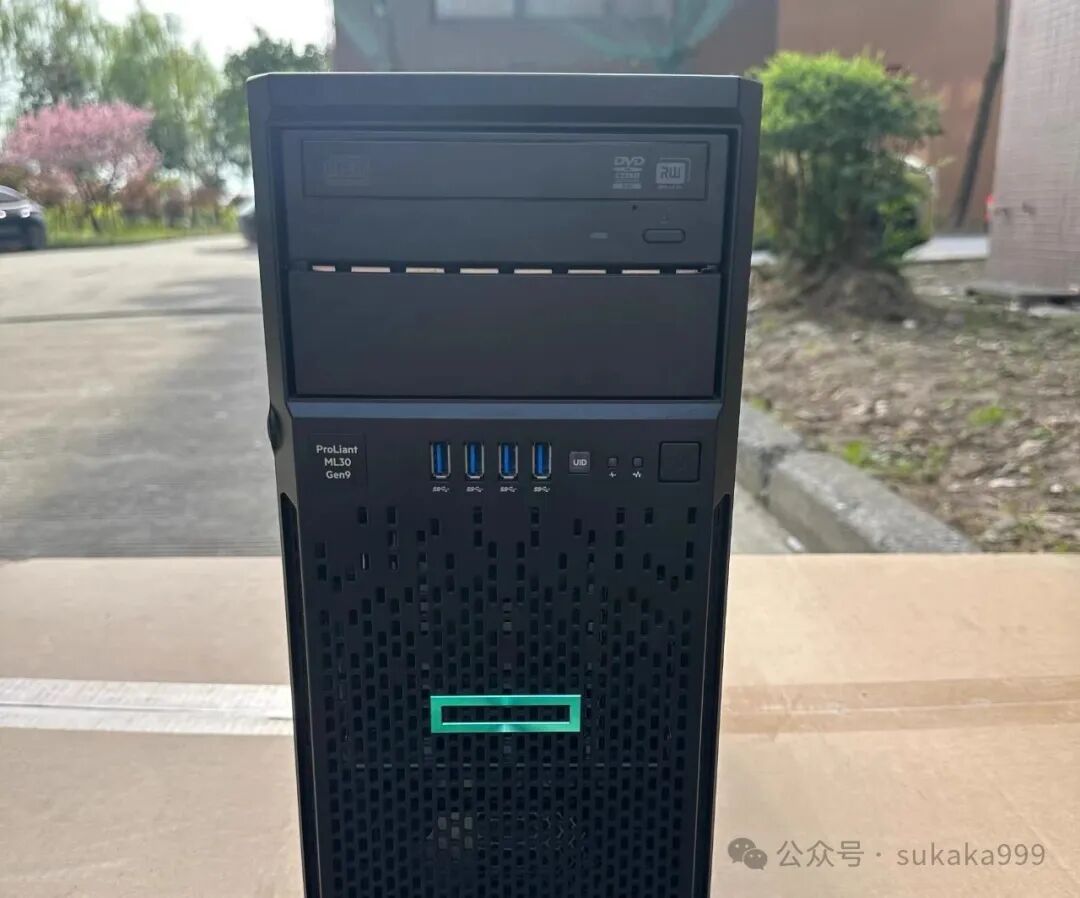 This machine is the HP ML30 Gen9, and currently, the price of this machine ranges from 380 to 550. So what makes this machine so good? First, it supports SAS hard drives. Compared to SATA hard drives, the cost of hard drives is significantly reduced. For example, currently, a second-hand 6TB SAS hard drive is only a little over 200.It natively supports 4 bays and hot-swappable drives, and you can add a 3-bay hard drive cage, making it a total of 7 bays. Moreover, I checked the second-hand market, and generally, when you purchase the main unit, a CPU is included, which is the E3-1200V5/V6. Although this CPU is not very valuable (only around 20+), it’s better than nothing.
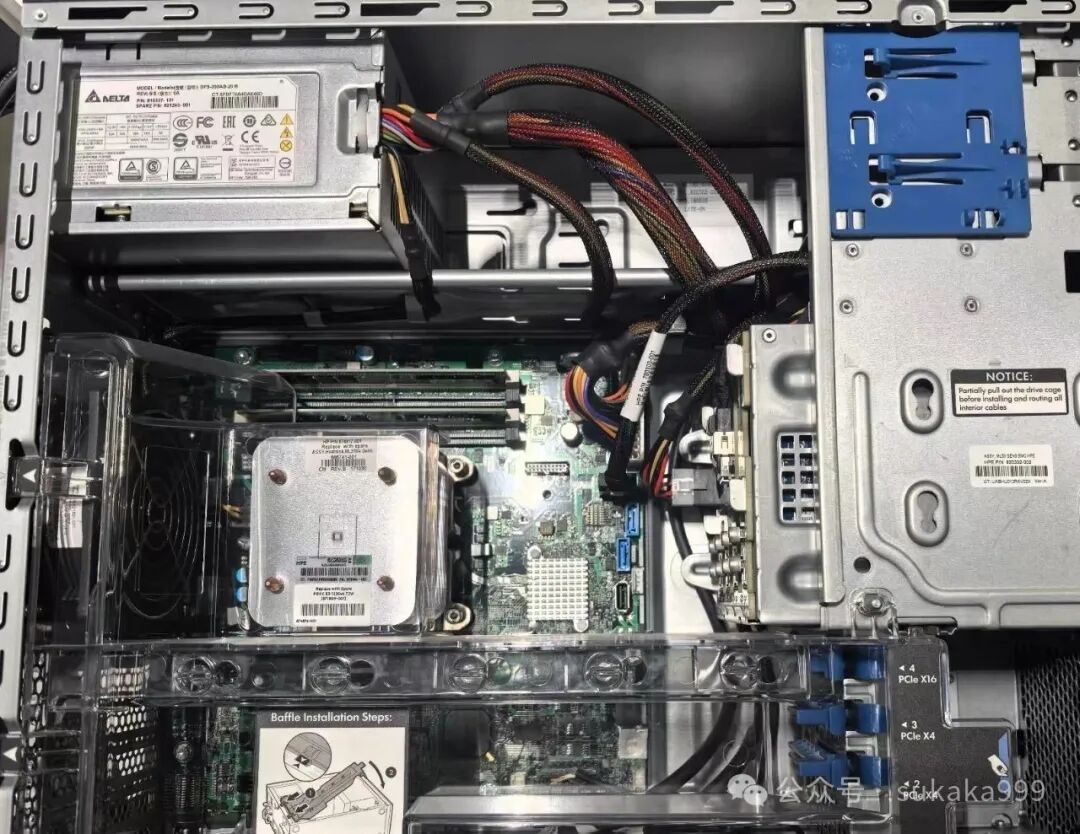 At this point, some might say that this thing is similar to an ordinary case, but in reality, it is quite different. Just look at the internal structure.The ML30 Gen9, as a server-class product, has a complete server airflow system. This means that, as an HP server product, its internal design is more suitable for long-term use as a server, making it much easier to use as a home NAS compared to a DIY NAS built from an old computer. (Chassis resonance, airflow, power stability) Moreover, as a quasi-system, the original power supply is a Delta 350W power supply, which is more than sufficient if you are only using a 4-bay NAS.
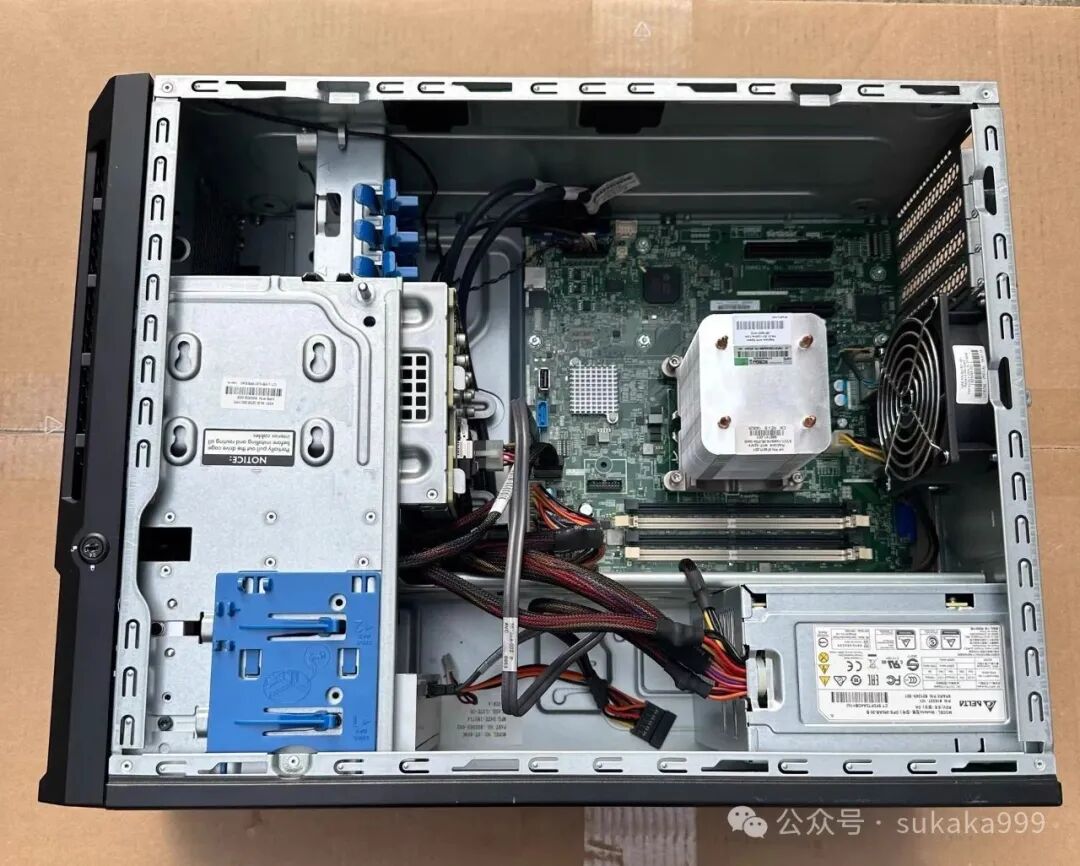 The motherboard has 4 memory slots and supports both DDR4 ECC memory and regular desktop memory. The motherboard has 4 PCIe slots, including two PCIe x4, one PCIe x16, and one PCIe x8. This basically meets any expansion needs you may have. Additionally, the motherboard also has built-in USB ports and an SD card slot. So for those playing with Hackintosh, you no longer need to have a USB stick sticking out of the main unit.
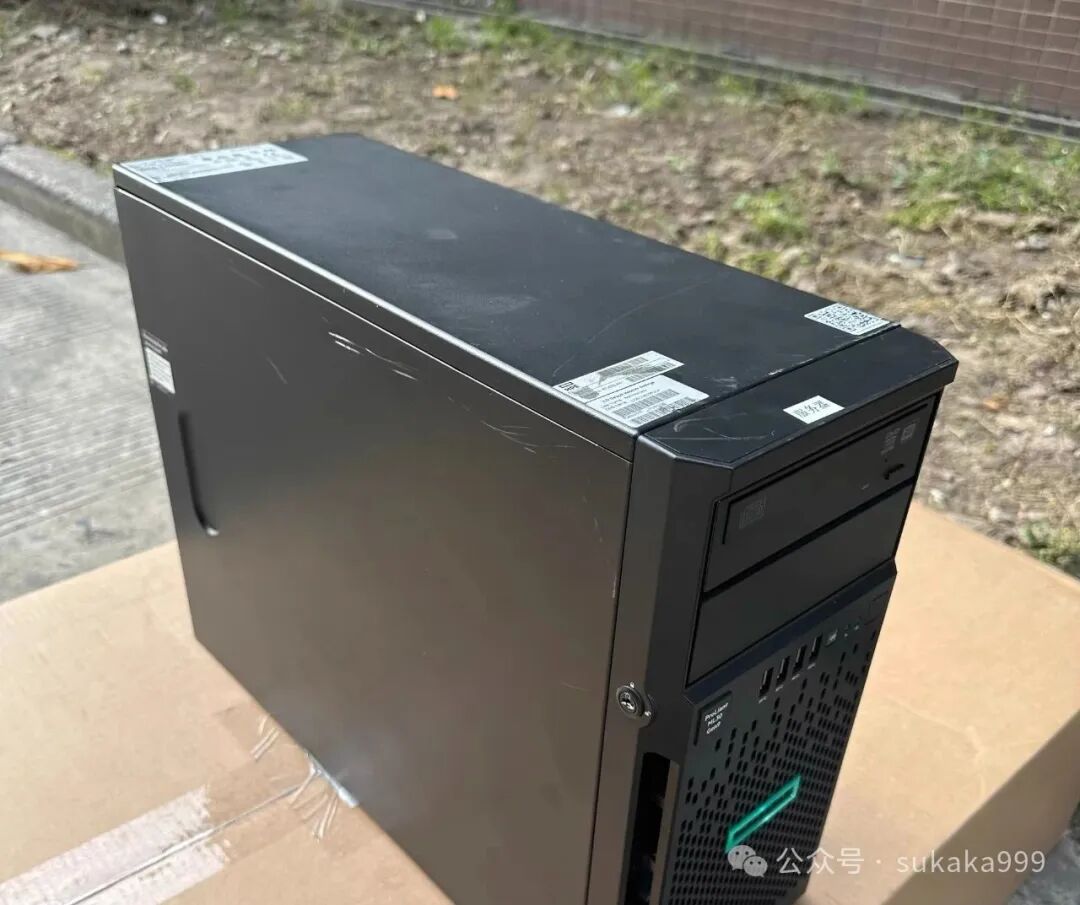 But is this product perfect? Of course not; there is no such thing as absolute perfection. First, a friendly reminder: if you use SAS hard drives, you need to connect an external HBA card becausethe ML30 Gen9has a built-in HBA card that does not support SAS hard drives. Of course, external HBA cards are not very expensive, and the price difference between SAS and SATA hard drives is negligible. Additionally, during testing, I found that the integrated graphics card could not be recognized, so if you need decoding, you will need to purchase a low-power independent graphics card for hardware decoding.
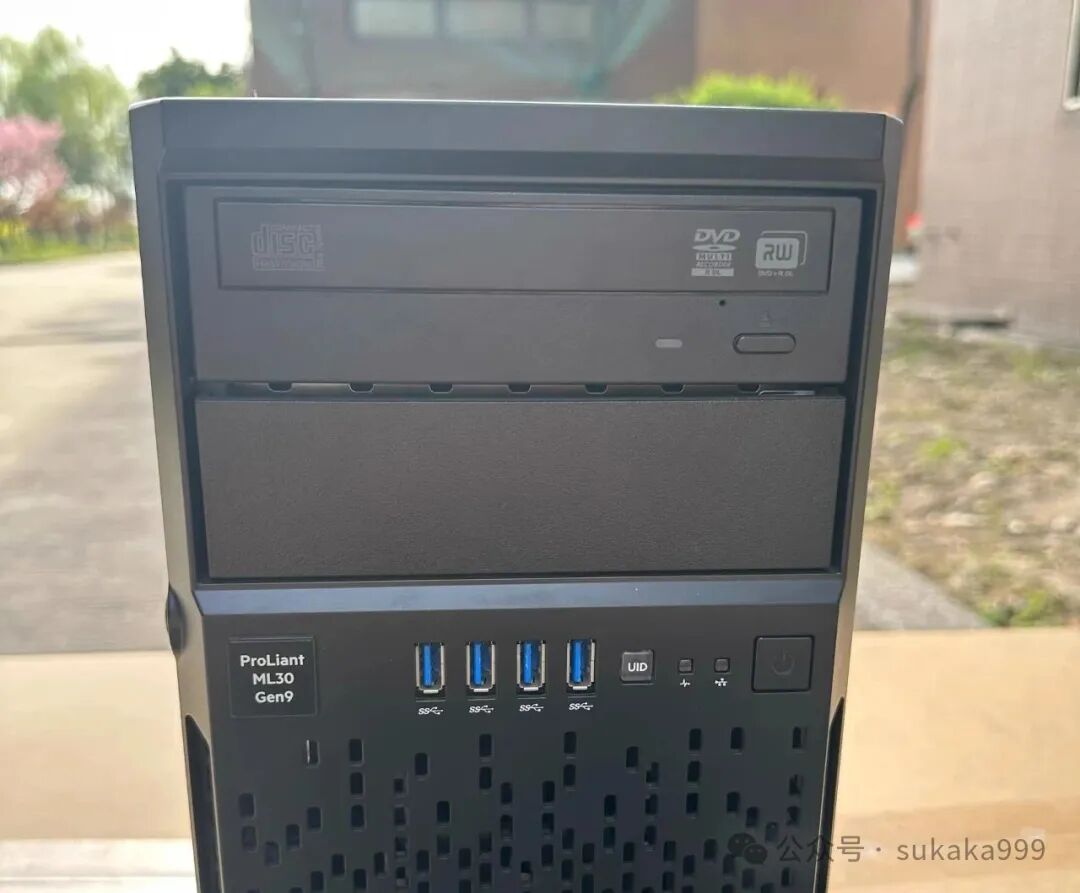 Additionally, it should be noted that server-class machines do not have low power consumption. The E3-1200 with 4 mechanical hard drives consumes about 50 watts, making it suitable for enterprise users and those who are not too concerned about electricity costs. How to choose is up to you. I must say, I really like its airflow design.Next issue preview: A 1L small host transforms into a 6-bay all-flash NAS, which should be the best solution for an all-flash NAS currently available.