Today, my mentor said to me: “Oh, xxx, you fool, you don’t even know the most basic Linux commands. What are you doing every day!”I replied: “Okay, teacher, I will learn right away, ┭┮﹏┭┮”.Introduction: So I will be updating the content on Linux commands, stay tuned!!!
Linux Directory Structure
First, let’s take a look at the Linux directory structure, as shown in the figure below,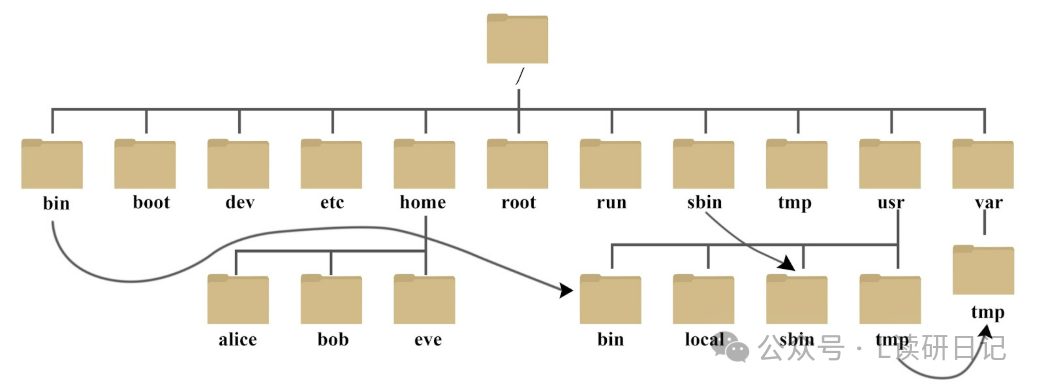 Among them:
- / , the root directory is the top-level directory.
- Linux has only one top-level directory, which is /.
- The hierarchical relationship described by the path also uses / to represent.
Next, let’s introduce some folders and their common uses:
- /bin ,bin is short for Binaries, this directory stores the most frequently used commands.
- /boot , this directory contains some core files used to boot Linux, including some connection files and image files.
- /dev , dev is short for Device, this directory stores external devices of Linux. In Linux, accessing devices is the same as accessing files.
- /etc , etc is short for Etcetera, this directory is used to store all configuration files and subdirectories needed for system management.
- /home , the user’s home directory. In Linux, each user has their own directory, usually named after the user’s account, such as alice, bob, and eve in the figure above.
- /lib , lib is short for Library, this directory stores the basic dynamic linking shared libraries of the system, similar to DLL files in Windows. Almost all applications need these shared libraries.
- /opt , opt is short for optional, this is the directory for additional software installations on the host. For example, if you install an ORACLE database, it can be placed in this directory. It is empty by default.
- /root , this directory is the home directory of the system administrator, also known as the superuser.
- /sbin , s stands for Super User, it is short for Superuser Binaries, this directory stores system management programs used by the system administrator.
- /tmp , tmp is short for temporary, this directory is used to store temporary files.
- /usr , usr is short for unix system resources, this is a very important directory where many user applications and files are stored, similar to the program files directory in Windows.
- /usr/bin , applications used by system users.
- /usr/sbin , higher-level management programs and system daemons used by the superuser.
- /var , var is short for variable, this directory stores things that are constantly expanding. We usually place frequently modified directories here, including various log files.
- /run , this is a temporary filesystem that stores information since the system started. When the system restarts, the files in this directory should be deleted or cleared. If your system has a /var/run directory, it should point to run.
Now let’s test it. I will check the file directory in the Linux terminal, as shown below,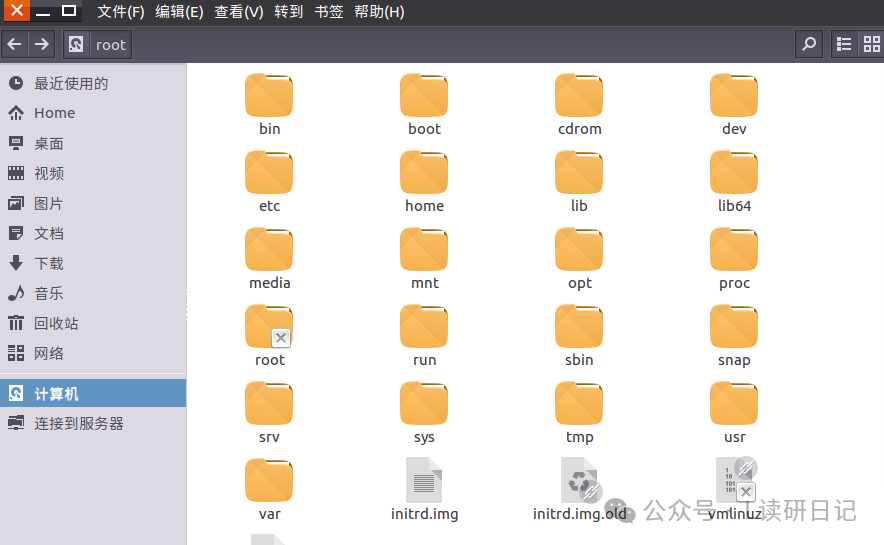 Hmm, not much difference!Now I will play around a bit. First, I will open the home folder
 Then, let’s see what’s inside the home folder?
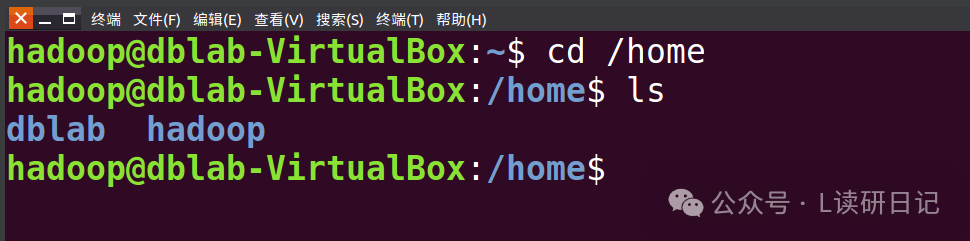 Alright, that’s it for today’s sharing!