Modern ships are no longer isolated mechanical systems, but rather highly integrated “floating intelligent systems at sea,” with the core being the onboard computer system (CBS), which mainly includes main control, propulsion control, power distribution, communication, navigation, and other systems. These systems extensively use commercial operating systems (such as Windows and Linux), and connect to the internet or satellite networks for data transmission, which exposes ships to an increasing number of cybersecurity threats, including virus and malware infections, unauthorized access and operations, illegal peripheral connections, and more.
To address these threats, it is necessary to implement essential endpoint security hardening for the aforementioned CBS. The Winut Industrial Control Host Guardian is a host security hardening product designed for industrial environments (including ships). This article will analyze the application of the Industrial Control Host Guardian in the actual ship Electronic Chart Display and Information System (ECDIS) and Radar systems, explaining how it provides potential value to users while ensuring compliance.
1. Installation of the Industrial Control Host Guardian
The primary issue to resolve when installing the Industrial Control Host Guardian is the compatibility of the operating system. The ship’s ECDIS uses the Windows operating system, while the RADAR uses the Linux operating system. These are currently the most widely used operating systems in onboard computer systems (CBS). Since both the ECDIS and RADAR systems are critical components of the ship’s navigation systems, the installation process must strictly follow the installation guidelines of the Industrial Control Host Guardian.
1. Installation of the Industrial Control Host Guardian for ECDIS
To ensure safety, electronic chart data was backed up before installation. During installation, we configured the Industrial Control Host Guardian according to the system characteristics to ensure compatibility. After multiple tests, it was verified that all functions of the electronic chart operated normally and the data was accurate after installing the Industrial Control Host Guardian.
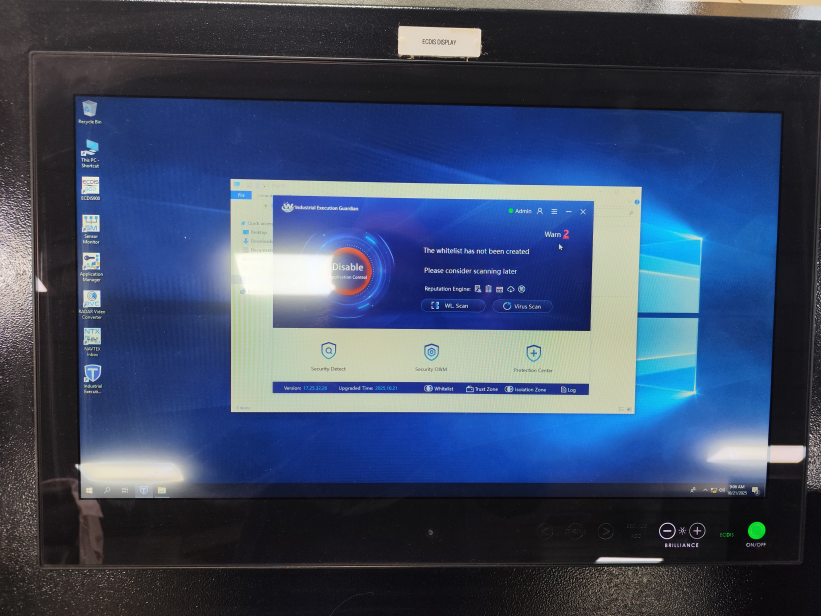
Figure 1: Schematic diagram after successful installation of the ECDIS Industrial Control Host Guardian (English version)
2. Installation of the Industrial Control Host Guardian for RADAR Systems
When deploying the Industrial Control Host Guardian in the RADAR system, we focused on overcoming its complex system environment. By conducting hardware compatibility checks before installation and using a silent installation method, we ensured a stable and interference-free installation process. Ultimately, the Industrial Control Host Guardian successfully adapted to both RADAR systems without affecting their core functions such as detection and tracking.
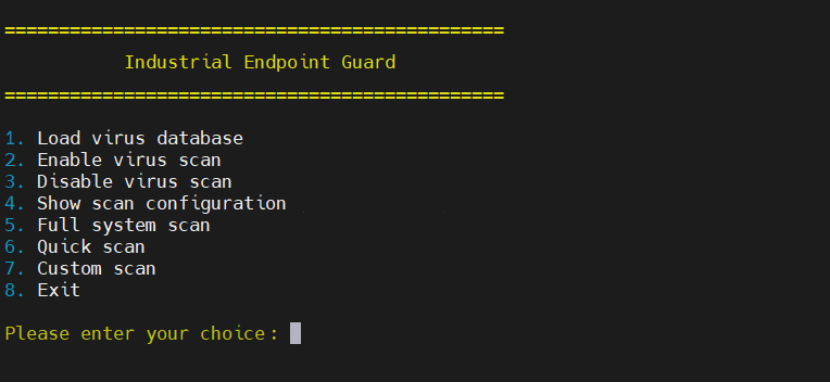
Figure 2: Schematic diagram after successful installation of the RADAR Industrial Control Host Guardian (English version)
2. Security Function Configuration
1. Security Detection
This function can detect host asset information, baseline hardening status, network status, vulnerability existence status, port list, shared directories, auto-start, service list, program list, process list, user list, partition status, and other information, automatically generating reports that comply with standard specifications. Reports can be scheduled to be generated monthly, weekly, or daily, facilitating safe operation and maintenance for customers.
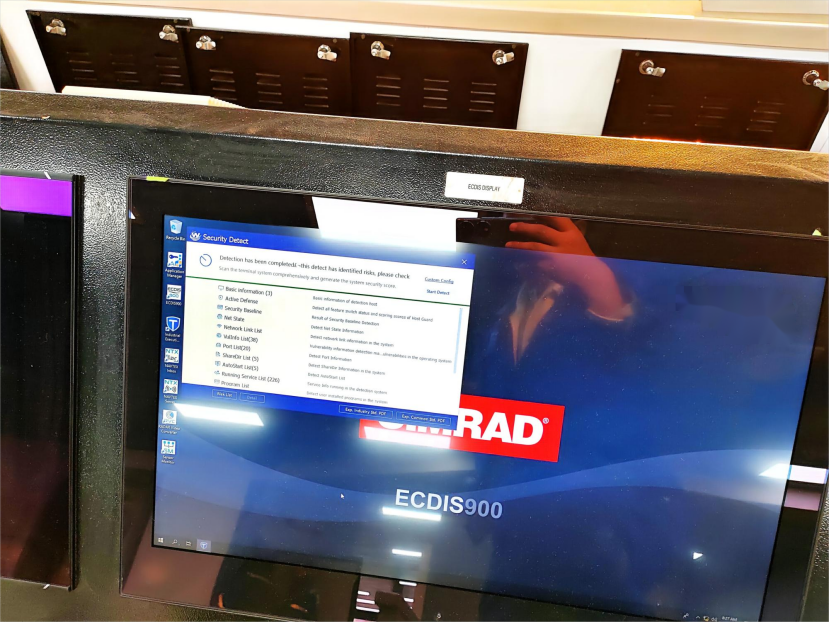
Figure 3: Security detection by the Industrial Control Host Guardian
2. Program Whitelisting
This function can automatically scan Windows and Linux system-generated file-level whitelists, including application installation scans, one-click addition of executable files released by installation programs to the whitelist for micro-segmentation; it also supports monitoring the execution of executable files based on the whitelist; administrators can perform operations such as editing, deleting, appending, querying, importing, and exporting the generated whitelist; configure exception paths to specify directories that should not be scanned, trusted paths, and trusted processes.
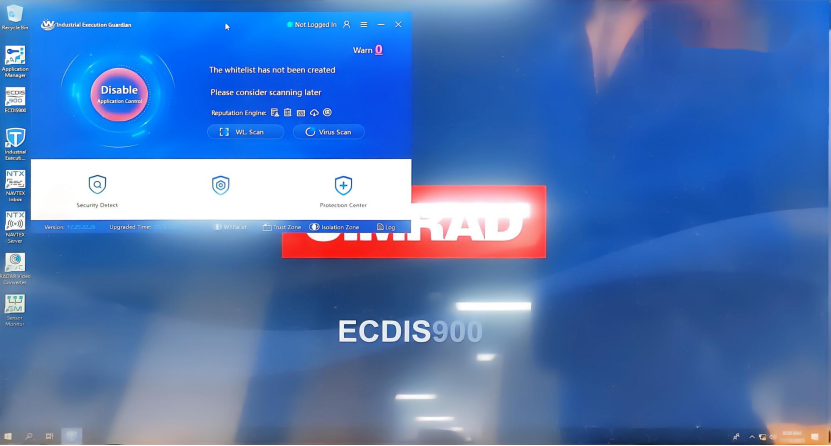
Figure 4: Whitelist generation by the Industrial Control Host Guardian
3. Unauthorized External Connections
This function can set up detection for access to custom IP or DNS domain names, and alert and log any unauthorized network connection behaviors.
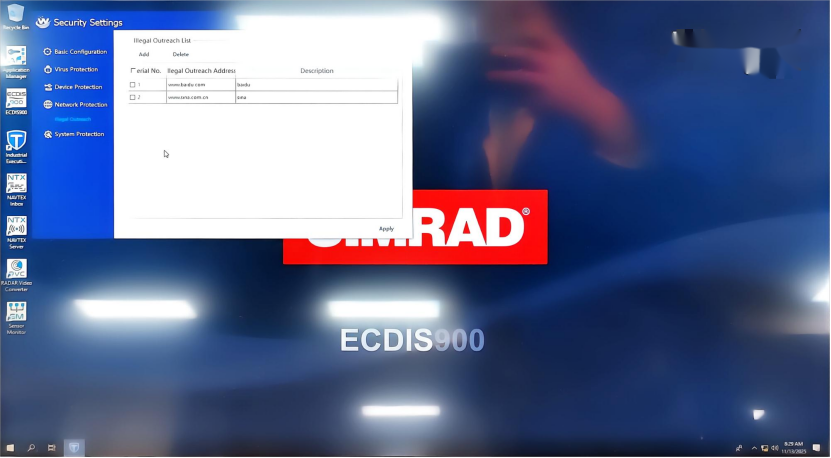
Figure 5: Unauthorized external connection settings by the Industrial Control Host Guardian
4. Peripheral Control
This function can set the enablement and disablement of floppy disks, optical drives, wireless network cards, and control the enablement and disablement of Bluetooth, serial, and parallel ports. It supports configuring access policies for ordinary USB drives and secure USB drives, with policies supporting “disable, read-only, read-write, execute” attributes. Secure USB drives support both ordinary and secure zones, which can verify antivirus marks separately; without antivirus marks, read and write access can be prohibited. It also supports the registration management of ordinary USB drives and non-registered USB drives, and after enabling the management policy for registered USB drives, all non-registered USB drives will be prohibited from use. Secure USB drives support data exchange between Windows and Linux system hosts.
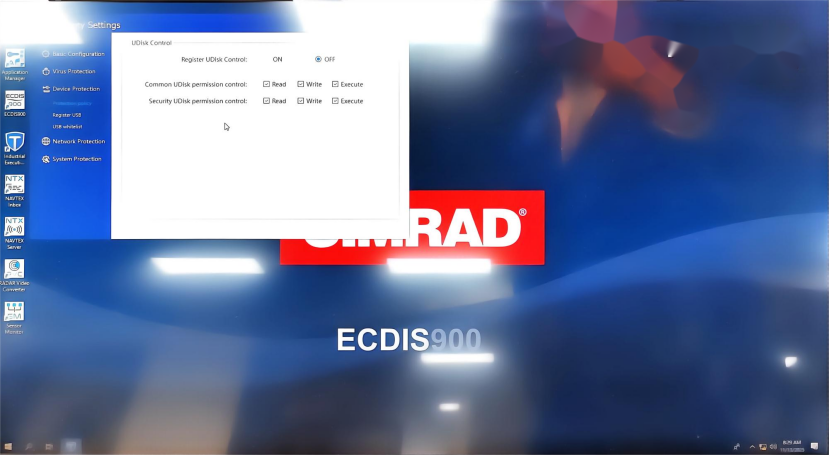
Figure 6: Peripheral control settings by the Industrial Control Host Guardian
5. Virus Protection
This function supports three scanning modes: full scan, quick scan, and custom scan; it supports setting the scanning speed, displaying the current scanning file, number of scanned files, number of risks, and time used; it supports displaying detailed virus information, showing the total number of scanned files, total time consumed for scanning, number of viruses, and number of viruses processed; it supports configuring scanning thresholds for executable files and compressed files; it supports online upgrades of the virus database.
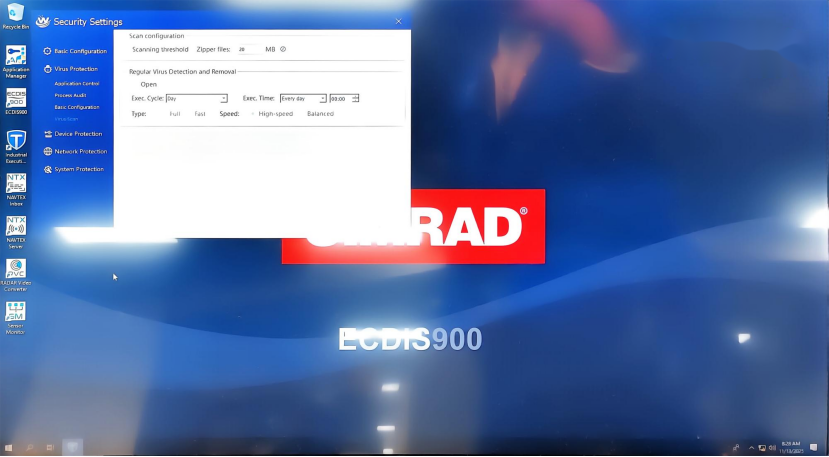
Figure 7: Virus protection settings
3. Testing and Verification of Security Functions
1. Testing of Peripheral Control Function
After configuring the peripheral control policy, we attempted to connect an unregistered USB drive to the system, and the Industrial Control Host Guardian successfully intercepted it. As shown in the figure below:
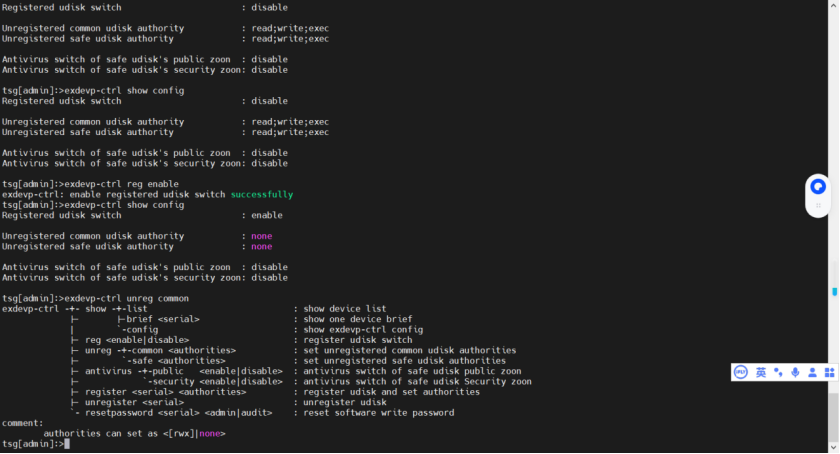
Figure 8: Testing of illegal connection of USB drive in RADAR
2. Virus Scanning Test
After configuring the virus protection, we connected a USB drive containing a virus sample (EICAR) to the system, and then used the virus scanning function of the Industrial Control Host Guardian to scan, successfully detecting and isolating the virus sample.
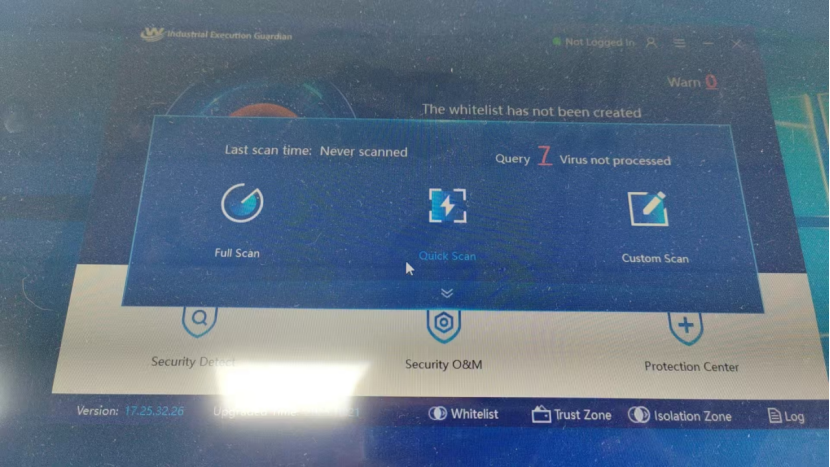
Figure 9: Virus scanning results of the ECDIS Industrial Control Host Guardian
4. Conclusion
The application on actual ships proves that the Industrial Control Host Guardian can become the “guardian” of safe navigation for ships. Through precise early warning and intelligent diagnosis, it directly avoids major mechanical damage accidents, minimizing the risk of downtime. Its value lies not only in the technology itself but also in the immeasurable safety benefits and economic returns it creates for shipowners, making it an indispensable core equipment for modern shipping.