Interestingly, three years ago, when I started writing “A Quick Start Guide to Virtualization with KVM” and “Advanced Practices in Virtualization with KVM,” it was just after the initial lull of the pandemic, and cloud architecture was surging. At that time, KVM was like a galloping horse, racing across the open-source prairie, and we took up the reins, attempting to untangle its muscles and veins, guiding readers into the realm. After the book was published, I was fortunate to receive support from many peers and operations colleagues, who either emailed for discussions or left comments for corrections, with enthusiasm evident in every line, which I deeply appreciate.
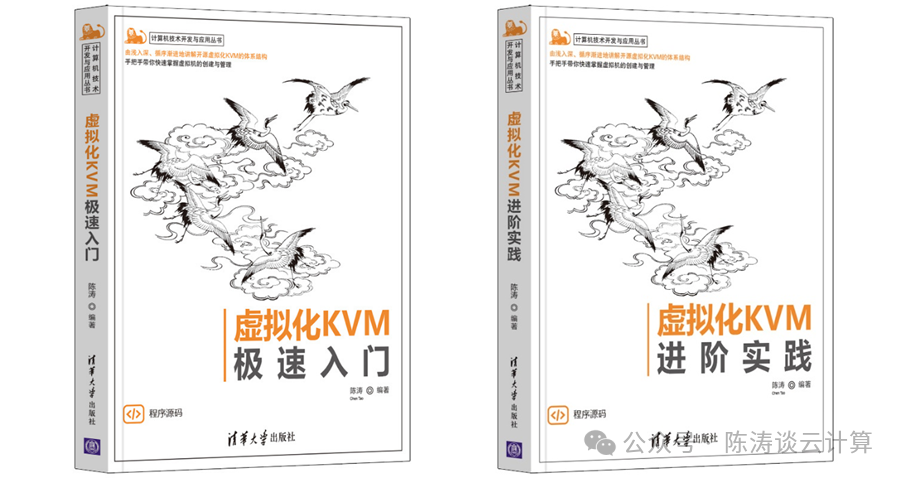
However, the path of technology is like rowing upstream. Over the past three years, KVM has long ceased to be what it once was: from advancements in vCPU scheduling to the widespread adoption of VFIO passthrough; from QEMU security hardening to lightweight transitions in cloud computing scenarios—deep customizations by cloud vendors, the widespread implementation of confidential computing, and significant improvements in live migration performance, all of these are incomparable to the past. If one still clings to the diagrams from 2022, they might find themselves lost at the threshold of a new world.
Therefore, I am determined to revisit the old manuscript and give these two books a “new lease on life.” Starting with the “Quick Start Guide,” it will not only involve textual revisions but also a complete transformation—upgrading to a “micro-course version.” What is a micro-course? It means recording the processes of command execution, interface operations, and troubleshooting into short videos, accompanying the text. Readers will practice as they read, seeing and doing, as if a master is guiding them step by step. After all, knowledge gained from books is always superficial; only through hands-on experimentation can one truly grasp the essence of KVM.
This task sounds easy, but in practice, it is as intricate as embroidery, requiring patience with every stitch. But I am willing to try, just to honor the version of myself who stayed up late in the server room setting up environments, tormented by libvirt errors.
Revision Plan for “A Quick Start Guide to Virtualization with KVM (Second Edition)”
1. Global Update Strategy and Core Principles
1.1 Host Operating System Selection: Rocky Linux 9
- Operating System Use Rocky Linux 9 as the primary experimental platform for this book.
- Reasons
- Stability and Long-Term Support As a binary-compatible version of RHEL 9, Rocky Linux 9 offers a support cycle of up to 10 years (until 2034), with a stable kernel version (e.g., 5.14.x series), effectively avoiding the uncertainties of rolling release versions, ensuring that readers can obtain consistent and predictable experimental results for years to come, which is crucial for “basic users.”
- Command Compatibility Highly compatible with the command system of the original book based on CentOS 8 (e.g., yum replaced by dnf), significantly reducing the learning and adaptation costs for readers.
- User-Friendliness High domestic mirror support rate, facilitating reader downloads and installations.
1.2 Technical Boundaries and Content Focus
- Hardware Limitation Focus on x86 general platforms with Intel VT-x / AMD-V architecture.
- Reasons To ensure the general applicability of the book’s content, we will not introduce domestic CPUs or ARM architecture and other specialized content, as the latter is more suitable for advanced or specialized books.
- Scenario Limitation Strictly limited to “single host KVM management.”
- Reasons Considering that there is also a book titled “Advanced Practices in Virtualization with KVM,” this book explicitly excludes discussions on cluster management, virtual machine migration (both live and offline), shared storage (such as Ceph, GlusterFS), nested virtualization (except for conceptual introductions), P2V / V2V migration tools, and in-depth discussions on enterprise-level management platforms (such as oVirt). Related complex topics will be clearly directed to “Advanced Practices,” and indexed as necessary with “see Chapter X of Advanced Practices.”
1.3 Revision Goals and Core Principles (Optimized for “Basic Users”)
- Establish Knowledge Bridges Actively utilize readers’ existing experience with VMware Workstation / Player to explain corresponding concepts in KVM through analogy (e.g., network modes, virtual disks), significantly lowering the learning threshold.
- To be determined: whether to add an appendix titled “VMware → KVM Quick Reference Manual,” mapping common operations in VMware (such as cloning virtual machines, console access, shared folders, snapshot management) to corresponding functions and tools in KVM (such as virt-clone, Cockpit / virt-viewer, virtio-fs, qcow2 snapshots), further smoothing the learning curve.
- Simplify Complex Concepts Focus on “what” and “how to do it,” only briefly touching on overly in-depth “why” or guiding to advanced readings.
- Strengthen Hands-On Practice Maintain a “principle + experiment” style, ensuring that each experimental step is clear, reproducible, and provides expected result screenshots, giving readers immediate feedback and a sense of achievement.
- Clarify Learning Pathways After completing the core content of the book, clearly guide readers on what they can learn next (e.g., “Advanced Practices”), providing a roadmap for continuous learning.
2. Existing Chapter Revisions (Optimized for “Basic Users”)
Chapter 1: Overview of KVM
Original Directory: 1.1 Overview of Virtualization 1.1.1 Definition of Virtualization 1.1.2 History of Operating System Virtualization 1.1.3 Implementation Methods of Operating System Virtualization 1.1.4 Classification of Virtualization Translation Technologies 1.1.5 Classification of Hypervisors 1.2 Overview of KVM 1.2.1 History of KVM 1.2.2 Architecture of KVM 1.2.3 QEMU and KVM 1.2.4 libvirt and KVM 1.2.5 Centralized Management and Control of KVM 1.3 Summary of This Chapter
New Technical Points:
- 1.2.6 Modern Security Features: Overview of Confidential Computing Reason: As a significant advancement in virtualization security, even for entry-level readers, they should understand its basic concepts (such as runtime memory encryption, changes to the trust boundary of the hypervisor) to broaden their horizons and recognize the importance of KVM in the future security domain, but without delving into configuration and implementation details.
- Enhanced Teaching Tips In 1.1.3 “Implementation Methods of Operating System Virtualization,” clarify the analogy: “The familiar VMware Workstation is a typical representative of the ‘hosted’ architecture (Hosted Hypervisor), while the KVM we learn in this book is a more powerful ‘bare-metal’ architecture (Bare-metal Hypervisor).” Explanation: After repeated discussions, it was decided not to add specialized technical content on ARM architecture virtualization (such as Kunpeng, Feiteng), national cryptography algorithms, or domestic OS adaptations, focusing on x86 generality.
Chapter 2: KVM Installation (Rewritten)
Original Directory: 2.1 Preparation of Installation Environment 2.1.1 Hardware Configuration for Production Environment 2.1.2 Preparation of Experimental Environment 2.2 Installation of KVM 2.2.1 Downloading the CentOS 8 ISO File 2.2.2 Creating a New Virtual Machine 2.2.3 Modifying Virtual Machine Settings 2.2.4 Installing KVM Components During CentOS 8 Installation 2.2.5 Viewing Installation Results 2.2.6 Installing Additional Components and Upgrading 2.2.7 Verifying Virtualization Features 2.3 KVM Management Methods 2.3.1 Local Management 2.3.2 Remote Management 2.4 Summary of This Chapter
Due to significant changes in the CentOS distribution policy, the experimental process based on CentOS 8 in the original book needs to be completely rewritten. Additionally, support for Windows 11 as a Guest OS will be enhanced.Revision Highlights: Provide Rocky Linux 9 specific installation guidance, ensuring each step is clear and verifiable.
Specific Changes:
- 2.1.1 Hardware Configuration for Production Environment Emphasize that the CPU must support Intel VT-x or AMD-V, and provide the
<span>grep -E "vmx|svm" /proc/cpuinfo</span>command for verification. - 2.1.2 Preparation of Experimental Environment Clearly guide readers to enable virtualization features in BIOS/UEFI, providing multiple illustrative images (such as motherboard interface screenshots) to assist in locating and enabling relevant options.
- 2.2 Installation of KVM Provide Rocky Linux 9 specific installation procedures.
- Use
<span>sudo dnf install @virtualization -y</span>or<span>sudo dnf install qemu-kvm libvirt virt-manager virt-install bridge-utils libvirt-daemon-kvm -y</span>and other commands to install core components and management tools. - Provide detailed instructions for starting, enabling, and checking the status of the libvirtd service.
- Add steps to add the current user to the libvirt group, allowing readers to execute virsh commands without sudo.
- 2.2.7 Verifying Virtualization Features Simplify verification steps;
<span>lsmod | grep kvm</span>showing kvm_intel or kvm_amd indicates successful installation, enhancing reader confidence.
Chapter 3: Creating Virtual Machines (Key Updates)
Original Directory: 3.1 Creating Virtual Machines Using Cockpit 3.2 Creating Virtual Machines Using virt-manager 3.3 Creating Virtual Machines Using virt-install 3.4 Paravirtualized Driver VirtIO 3.5 QEMU Guest Agent 3.6 Display Devices and Protocols 3.7 Summary of This Chapter
Revision Highlights: Start from the familiar experience of readers, introduce new features of KVM, and emphasize practicality.
Specific Changes:
- 3.2 Creating Virtual Machines Using virt-manager Establish operational analogies, for example: “The ‘Storage’ option here is similar to specifying the location of the .vmdk file in VMware Workstation.” New UEFI and vTPM configurations: Guide readers to configure UEFI firmware and vTPM 2.0 in virt-manager to support modern operating systems like Windows 11, emphasizing its role in secure boot, supplemented with screenshots and brief explanations.
- New Chapter: 3.X Cloud-Init Automated Configuration Introduce Cloud-Init technology, focusing on how to use virt-install or virt-manager with cloud-init images for automated configuration, rather than delving into its principles.
- New Chapter: 3.X virtio-fs File Sharing Introduce virtio-fs as a high-performance shared file system native to KVM, emphasizing that it is “simpler and performs better (performance improvements can exceed 3 times) than VMware shared folders,” focusing on graphical interface configuration and advantages.
- 3.4 Paravirtualized Driver VirtIO Update the version of virtio-win drivers, clarifying their support for Windows 11.
Chapter 4: Managing Virtual Machines
Original Directory: 4.1 Overview of libvirt Architecture 4.2 Managing Virtual Machines Using virt-manager 4.3 Managing Virtual Machines Using virsh 4.4 Managing Virtual Machines Using Cockpit 4.5 Summary of This Chapter
Focus on daily operations, downplaying programming and automation, while retaining the latest usage of core management tools.
Specific Changes:
- Retain core management operations for Cockpit, virt-manager, and virsh (power on/off, pause, view information, resource adjustment), and update to the latest version features and interfaces.
- Update virsh commands: Introduce
<span>virsh await</span>and other new commands for waiting for specific domain states, providing a foundation for future simple script writing. - Adjust automation content: Change “Automated Management or IaC” to “Extended Reading” mode, prompting readers that “this section requires a scripting programming foundation, beginners may skip it for now,” reducing the pressure of mainline learning.
Chapter 5: Managing Virtual Networks
Original Directory: 5.1 Viewing Default Network Environment 5.2 Working Principles and Management of TUN/TAP Devices 5.3 Working Principles and Management of Bridges 5.4 Common Network Types in KVM/libvirt 5.5 Creating and Managing Isolated Networks 5.6 Creating and Managing NAT Networks 5.7 Creating and Managing Bridged Networks 5.8 Creating and Managing Routed Networks 5.9 Creating and Managing Open Networks 5.10 Implementing Multi-VLAN Support 5.11 Enhancing Security Through Network Filters 5.12 Summary of This Chapter
Revision Highlights: Explain core network modes in a straightforward manner, focusing on mainstream configuration tools.
Specific Changes:
- Strengthen Common Network Types
- NAT Mode: Analogous to “the virtual machine shares the host’s IP to access the internet, similar to a home router mode, simple to configure but not directly accessible from the outside.”
- Bridged Mode: Analogous to “the virtual machine connects directly to the physical network, obtaining an independent IP, on par with the host.”
- Complex Network Modes such as “Isolated Mode,” “Routed Mode,” etc., focus on application scenarios to aid understanding.
- Focus on nmcli In 5.7 “Creating and Managing Bridged Networks,” primarily explain how to create bridges using nmcli, which is the most mainstream and error-free method in Rocky Linux 9.
- Firewall Updates
- 5.11 “Enhancing Security Through Network Filters”: Clarify that Rocky Linux 9 defaults to using firewalld (underlying based on nftables).
- Simplify Configuration: Focus on how to use
<span>firewall-cmd</span>(e.g.,<span>firewall-cmd --add-service=virt --permanent</span>) to configure KVM virtual machine network access and NAT forwarding rules, replacing complex nftables commands. - SR-IOV and PCI Passthrough In 5.4.9, explain that these are advanced network optimization technologies, only summarizing their existence and performance advantages, without providing configuration teaching.
Chapter 6: Managing Virtual Storage
Original Directory: 6.1 Terminology of Virtual Storage 6.2 Unmanaged Storage 6.3 Usage of qemu-img Command 6.4 Storage Pools 6.5 Storage Volumes 6.6 Summary of This Chapter
Based on the development of cloud computing technology, explain the concept of “pool” management and introduce modern storage features.
Specific Changes:
- 6.4 Storage Pools Strengthen the explanation of the concept of “storage pools,” analogous to: “VMware Workstation allows arbitrary selection of folders to store virtual machine files, while KVM requires planning ‘storage pools’ (such as directories, disks, or LVM volume groups) first, and then creating virtual machine disks (storage volumes) within them, making it more organized and easier to manage.”
- 6.3 Usage of qemu-img Command
- Introduce LUKS disk encryption: Explain how to use
<span>qemu-img create -f qcow2 -o encryption=luks,luks-key-secret=key0 disk.qcow2 10G</span>and other commands to encrypt qcow2 images. - Update qcow2 features: Mention sparse save and other enhanced functionalities.
3. New Accompanying Courseware Resources
Micro-Courses: Highlight core skills through video experiments, providing replicable successful experiences. For example:
- Experiment 2-1: Deploying Rocky Linux KVM Environment
- Experiment 3-2: Using virtio-fs for Host-VM File Sharing
- Experiment 3-X: Configuring Secure Boot for Windows 11 (UEFI + vTPM)
- Experiment 3-X: Using cloud-init for Automated Linux VM Configuration
- Experiment 5-1: Bridged Network Configuration and SSH Remote Access
- ……
4. New Chapter 7: Outlook: KVM’s Journey into Cloud-Native
New Chapter Positioning: As supplementary reading, showcasing the application of learned KVM skills in cloud-native technologies, broadening horizons without requiring in-depth understanding.
Content Simplification:
- KubeVirt: Provide extremely simple experimental scripts (such as minikube installation, KubeVirt deployment, running CirrOS virtual machines), allowing readers to execute scripts to experience
<span>kubectl get vmi</span>, avoiding the complexity of understanding Kubernetes. - Kata Containers: Only introduce concepts and architecture diagrams, without requiring hands-on experiments, focusing on helping readers understand the core idea that “Kata strengthens containers using KVM.”