Introduction
In industrial sites or embedded development, debugging communication interfaces is often a love-hate experience. Sometimes, a simple data transmission issue can take half a day to resolve; at other times, lacking a suitable tool forces one to cobble together multiple software solutions just to manage.
This article introduces a comprehensive and user-friendly debugging tool that can significantly enhance efficiency. It integrates various functions such as TCP/UDP network communication, serial port debugging, and PLC protocol support, providing a one-stop solution for users.
Project Overview
A cross-platform communication debugging tool based on web technology, supporting HTTP, WebSocket, TCP/UDP, RS232/485 serial communication, as well as debugging for mainstream PLC protocols like Mitsubishi and Siemens.
The core design philosophy is “lightweight” and “modular,” integrating multiple communication methods through a unified interface, allowing complex debugging tasks to be completed without switching between different software.
Project Features
1. Network Communication Debugging
Supports local and remote connections using TCP/UDP protocols, allowing customization of local ports (e.g., 5003, 5004) and remote IPs (e.g., 127.0.0.1).
Users can send custom messages (e.g., Barcode:Pn123), view received data in real-time, and configure parameters such as check bits and stop bits.
The WebSocket feature further expands real-time communication scenarios, such as IoT device monitoring.
2. Serial Port Debugging
Integrates RS232/485 serial communication modules, supporting COM port selection (e.g., COM1), baud rate settings (default 9600), and adjustments for data bits/stop bits. The “Send” button allows for quick testing of device responses, suitable for debugging hardware like sensors and controllers.
3. PLC Protocol Support
Covers mainstream PLC protocols such as Mitsubishi PUC and Siemens MODBUS, providing a simulated PLC function to verify logical correctness. Users can establish communication with real devices using the “Connect” button or use the “Simulate PLC” mode for offline development, reducing dependency on hardware environments.
4. Advanced Features
Supports POST requests and WebService calls, facilitating integration with web service interfaces; provides a “Clear” button to quickly reset the debugging window; and allows users to pre-store commonly used commands through the “Select Message” feature, enhancing efficiency for repetitive tasks.
Project Characteristics
1. Modular Design
Each communication module is independently packaged, allowing users to flexibly enable or disable features based on their needs. For instance, when only debugging the serial port, users can hide network communication-related interfaces to simplify the operation process.
2. Real-time Data Visualization
Received data is displayed in both text and hexadecimal formats, supporting timestamp recording for easier analysis of communication timing. The UDP/TCP debugging window can simultaneously display sent and received content, allowing for comparison and verification of data consistency.
Project Technology
1. Frontend Technology Stack
WebSocket communication uses the Socket.IO library to ensure stable real-time data transmission.
2. Backend Architecture
TCP/UDP communication is implemented through native net and dgram modules, while serial port debugging relies on the serialport library, and PLC protocol parsing adopts a modular plugin design.
3. Performance Optimization
For high-frequency data scenarios (e.g., serial communication), Web Worker multi-threading technology is employed to avoid interface lag; asynchronous I/O models (e.g., Promise) enhance concurrent processing capabilities, ensuring smooth execution of multiple tasks simultaneously.
Project Code
Setting Up Service Listening
private void StartWebsocketServer()
{
    if (string.IsNullOrEmpty(this.txtWebsocketPort.Text.Trim()))
    {
        MessageBox.Show("Port number cannot be empty!");
        return;
    }

    int port = Convert.ToInt32(this.txtWebsocketPort.Text.Trim());
    //_WebSocketServer.State
    _WebSocketServer.NewSessionConnected += WebSocketServer_NewSessionConnected;
    _WebSocketServer.NewMessageReceived += WebSocketServer_NewMessageReceived;
    _WebSocketServer.SessionClosed += WebSocketServer_SessionClosed;
    ServerConfig serverConfig = new ServerConfig();
    serverConfig.Ip = "127.0.0.1";
    serverConfig.Port = port;
    //serverConfig.ReceiveBufferSize = 10240;
    if (!_WebSocketServer.Setup(serverConfig))
    {
        MessageBox.Show("Failed to set up service listening!");
        return;
    }

    if (!_WebSocketServer.Start())
    {
        MessageBox.Show("Failed to start service listening!");
        return;
    }

    this.btnStartWss.Text = "Started";
    this.btnStartWss.ForeColor = Color.White;
    this.btnStartWss.BackColor = Color.Green;
}
Project Results
Tool Homepage
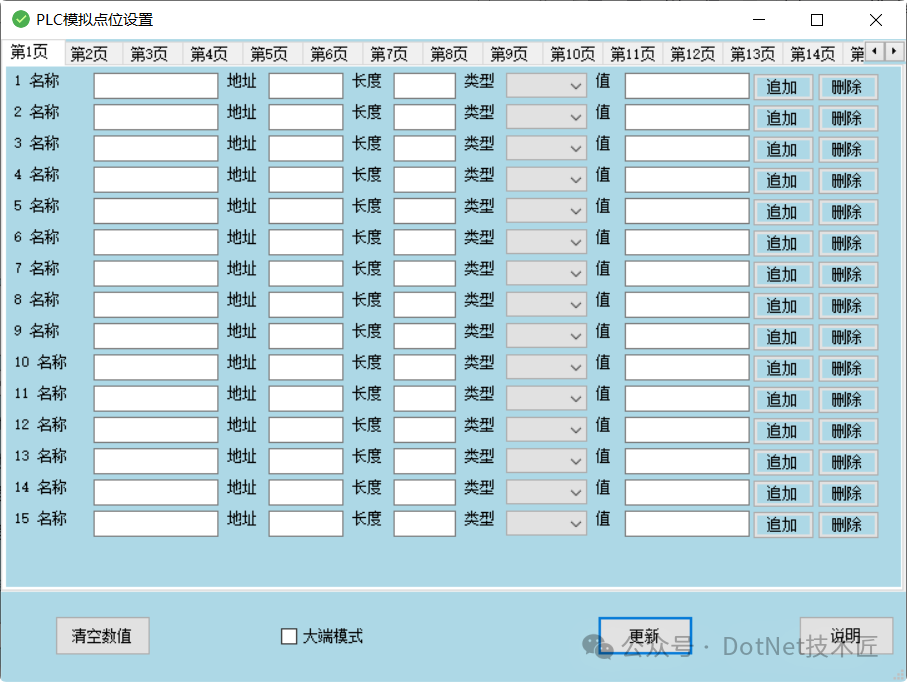
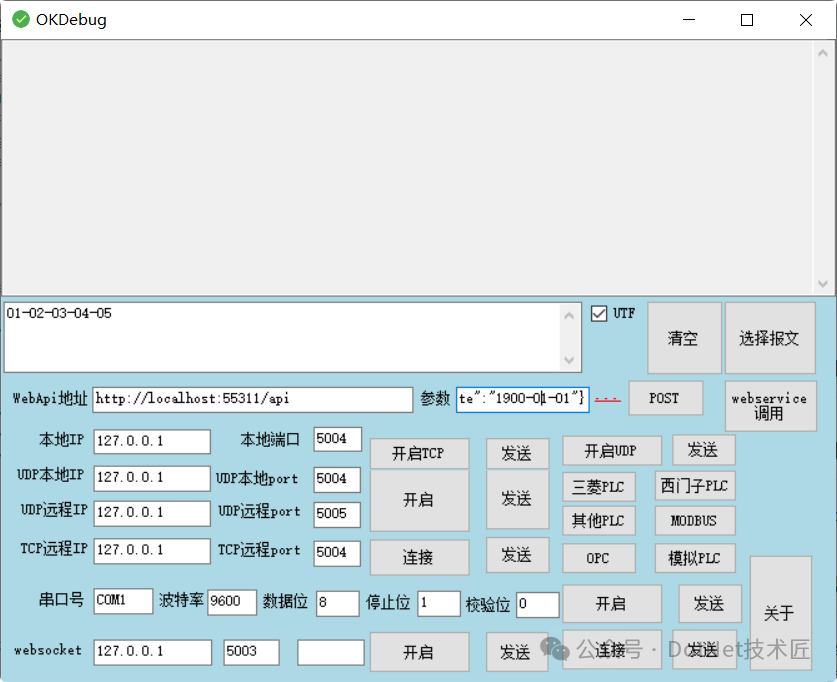 PLC Simulation Point Setting
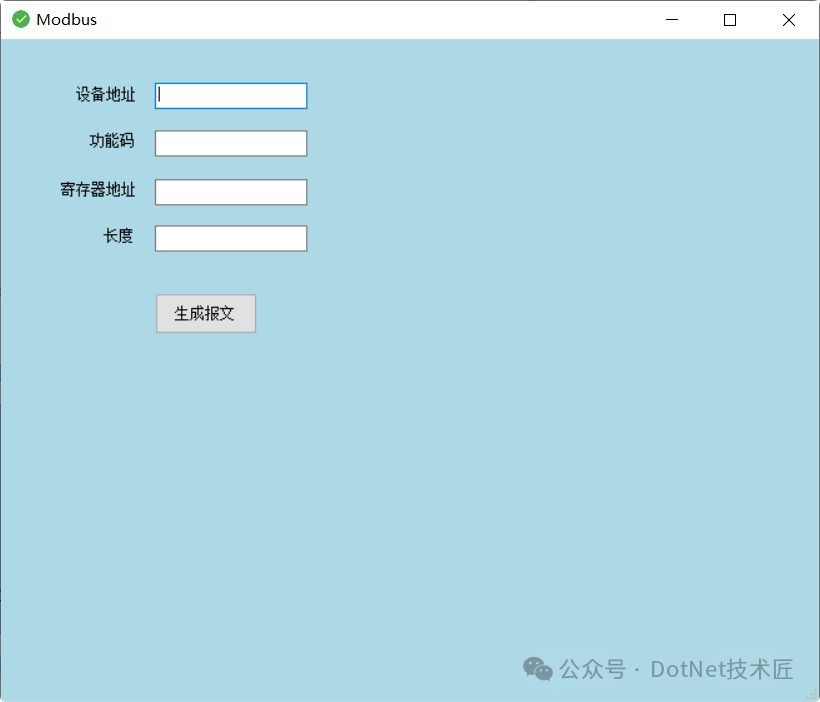
 Modbus
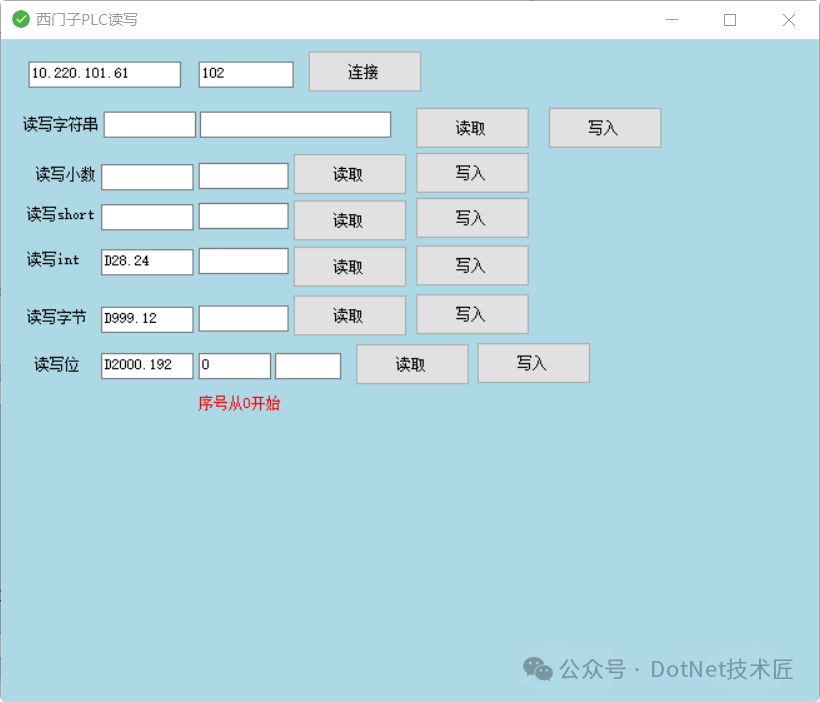
 Siemens PLC Read/Write
 Other PLC Read/Write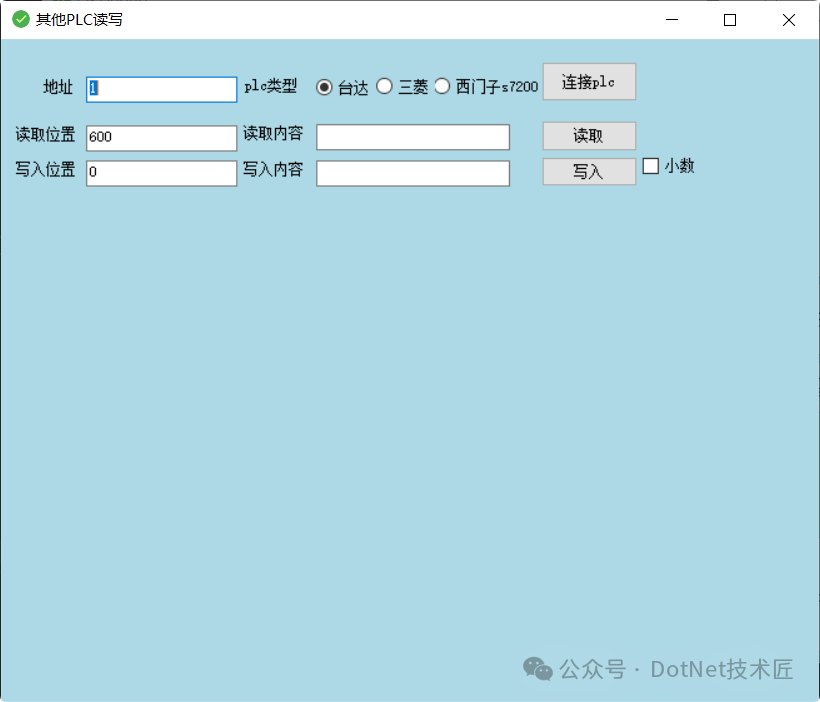
Project Source Code
Gitee: https://gitee.com/fanyeyong/okdebug
Conclusion
With comprehensive functionality coverage, a lightweight design philosophy, and an open-source collaboration model, this tool redefines the standards for communication debugging tools. Whether for beginners to quickly get started or for deep customization, it provides reliable support.
Keywords
#Communication Debugging, #TCP, #UDP, #Serial Port, #PLC, #WebSocket, Open Source Project, #Cross-Platform, #Modular, #TCP/UDP, #Serial Port Debugging, #PLC Simulation, #Modbus, #WinForm, #Industrial Automation
FinallyIf you find this article helpful, please give it a thumbs up to support! Your support is my motivation to continue sharing knowledge. If you have any questions or need further assistance, feel free to leave a message. You can also join the WeChat public account[DotNet Technology Craftsman] community to exchange insights with other technology enthusiasts and grow together!
Author: Little Code Craftsman
Source: gitee.com/smallcore/DotNetCoreDisclaimer: Online content is for learning purposes only, respecting copyright. Please delete if infringing, apologies and thanks!ENDFacilitating communication, resource sharing, and mutual growthA pure technical exchange group, if you want to join, please scan the code and note【Join Group】

Recommended ReadingAutomatic Update Solution for .NET Desktop Applications Based on JSON ConfigurationOpen Source Free WPF Control Library — Beautiful, Fully Functional, Supporting Industrial Scenarios
Visual Process Editing Industrial Vision Framework Based on .NET
WPF Lightweight Plugin Framework: Dynamic Menus, Floating Windows, Hot Loading DLLs, Ready to Use
WPF Intelligent Warehouse Upper Machine System, Integrating Data Collection and Lightweight MES Functions
C# + FFmpeg One-Click Transcoding, Easily Solving Hikvision Video Web Playback Issues
C# Industrial-Grade Global Keyboard and Mouse Behavior Monitoring and Logging Tool
Open Source .NET Workflow Engine + Visual Design, Easily Handling OA/CRM/ERP DevelopmentWinForm + STM32 Creating a Stable and Usable Remote Upgrade Tool for Industrial EquipmentVisual Studio 2026 Hands-On Experience, AI Understands You, Clean Interface, Seamless CollaborationC# Creating a Lightweight Upper Machine, Efficiently Bridging MES and Visual Inspection Systems
WPF Visual Inspection Software That Runs Without a GPU (Emgu CV + SQLite)
C# Solving Industrial-Grade Scanning Problems, Using WeChat for Accurate Scanning and Automatic Input into Any Application
Is Good UI Lacking in Industrial Software? This .NET Control Library Covers Everything from IO Lights to Rounded Buttons
How Does WPF Support a Flexible Flowchart Editor?
High-Performance Vector Canvas Component Based on WinForm GDI+
WPF + MVVM Reshaping Cognex VisionPro Debugging ToolsWinForm + MVP Architecture Collaboration: Creating a Super Practical Book Management SystemWPF High-Quality Industrial Upper Machine Rapid Development FrameworkEfficient PLC Data Collection System Developed with WinForm + SQLiteC# Developed Serial Port Firmware Transfer Tool Supporting OTA UpgradesC# Implementing Industrial Communication Integration of Hikvision Cameras + PLC + DatabaseWinForm Wireless Environment Monitoring Upper Machine System Design and ImplementationIndustrial Automation Practice: C# Implementing Basler Camera Image Acquisition SystemC# Based Liquid Color Recognition System Using Machine Vision
C# Complete Guide to GB28181 Standard and Streaming Media Pushing
Practical Development of Line Drawing System Based on .NET + Vue 3 (Including Source Code)
PLC Data Collection and Monitoring System Based on Strategy and Factory Patterns Under WinForm
C# Developing Industrial-Grade Temperature and Humidity Upper Machine: Real-Time Collection and Storage
WPF PLC Style Upper Machine Development Framework for Industrial Automation
An Open Source Free OPC UA Gateway Written in C#, Supporting Siemens PLC
Lightweight Video Compression Tool Developed with WinForm + FFmpeg
Practical Development of a Cross-Platform Simple Campus Information Management System Based on .NET 8 + Avalonia
Visual Management Tool for Windows Services: Installation, Start/Stop, and Scheduling All Done
C# + WPF + SuperSocket Developing MES System for Industrial Automation
Say Goodbye to Service Downtime, C# Watchdog Protecting Your WinForm and Windows Services
An Efficient Cross-Platform Automatic Update Tool for .NET (Differential Updates + Hotfixes + Automatic Upgrades)
Intelligent Voice Broadcasting Solution for Factory Automation (Based on .NET Windows Service)
Open Source Practice of Industrial Automation Monitoring System Based on WPF + Prism
Is Industrial Automation UI Too Difficult to Make? This Set of Industrial-Grade Control Solutions in WPF is Truly Attractive (Source Code Included)
Modular Machine Vision Solutions for Industrial Automation Using WPF + Halcon
C# Open Source Visual and Motion Control Integration Platform, Modular Design Empowering Industrial Automation
Open Source Benefits! Eight WPF + HandyControl Industrial Management System Source Codes Fully Opened
WinForm + Win32 API Custom Borderless Window Practice (Essential for Industrial Software)
Lightweight Video Player Implementation Based on WPF + MVVM Architecture
Multi-Client Synchronized PLC Remote Monitoring System Based on HslCommunication
C# + Vue Real-Time Data Collection and Monitoring Platform for Industrial Scenarios
WinForm Data Collection Practice: From Serial Communication to Lightweight Solutions for MES Integration
A .NET Rapid Development Framework That Rejects Over-Design: Ready to Use, Focused on “Getting Work Done”
C# Industrial Vision Full Process Practice: Template Matching, Glue Nail Positioning, and Lower Machine CommunicationWPF Communication Console: Feature-Rich, Beautiful Interface Upper Machine Development PracticeReady to Use! An Open Source Data Dashboard Template Based on .NET 6 + WPF
WinForm + SunnyUI and MQTTnet Implementing Intelligent Visual Fire Alarm Linkage Dashboard System
.NET 9 + WPF + Halcon Building Industrial Vision Process Framework: From Architecture Design to Practical Implementation
WinForm High-Resolution Screen Adaptation Challenge? A Powerful Control Adaptive Scaling Tool
Cross-Platform Industrial Vision Image Analysis Tool Based on .NET 6 + OpenCVSharpVisual Inspection in the Field of Industrial Control Under WinForm Framework
Feel like you gained something? Please share to benefit more people
Follow “DotNet Technology Craftsman“, to enhance technical strength together
 Collect
 Like
Like Share
Share Looking