In the previous issue, I shared how to use gemini-2.5-flash-image to quickly generate popular 3D figurine-style images.
In fact, its applications go far beyond figurines—today I am providing a dozen multi-scene prompts that can be used directly!
AboutNano Banana
Nano Banana and gemini-2.5-flash-image are based on the same model.
It first anonymously surged to the top of the LMArena image editing chart, and because its icon is a banana, netizens nicknamed it “Nano Banana.”
————15Applicable Scene Prompts(1) Figurine Style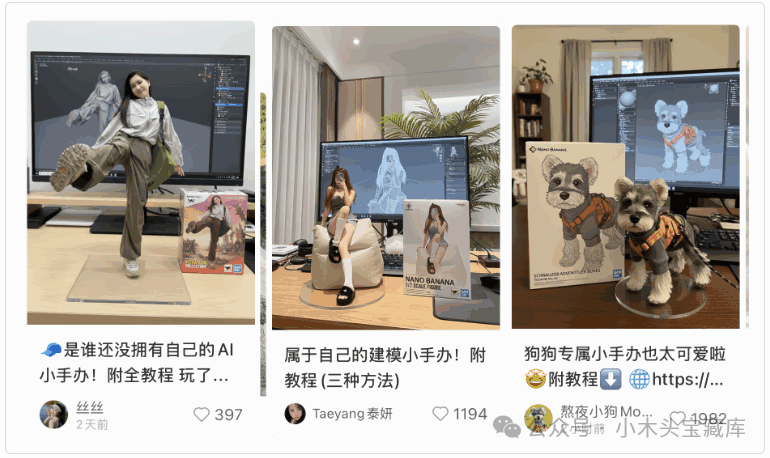 Prompt:create a 1/6 scale commercialized figurine of the characters in the picture, in a realistic style, in a real environment. The figurine is placed on a computer desk. The figurine has a round transparent acrylic base, with no text on the base. The content on the computer screen is the Blender software UI modeling process of this figurine. Next to the computer screen is a BANDAI-style toy packaging box printed with the original artwork. The packaging features two-dimensional flat illustrations. Maintain consistency with the image(Transform this photo into a character image. Place a box behind it, printed with the character’s image, and on the computer screen above the box, display the Blender modeling process. Add a round plastic base in front of the box, with the character image standing on it.)(2)Draw Real Scenes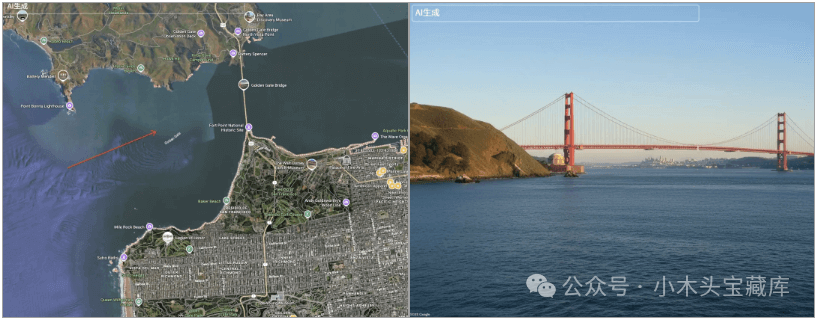
Prompt:
draw what the red arrow sees.(Draw what the red arrow sees.)
(3) Old Photo Restoration and Coloring
SIMPLE

Prompt:
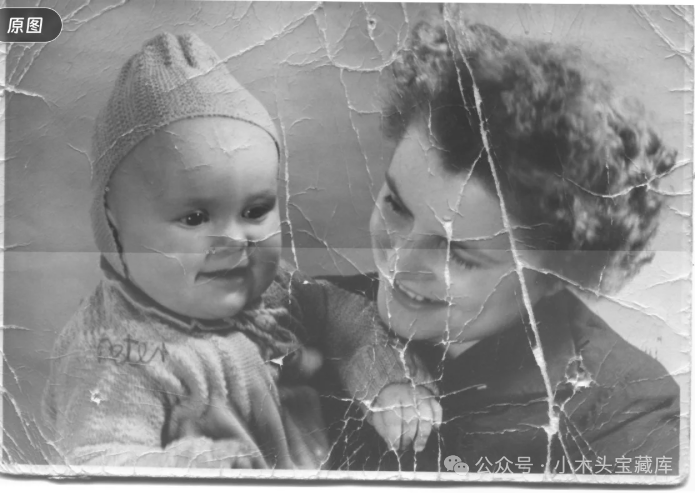
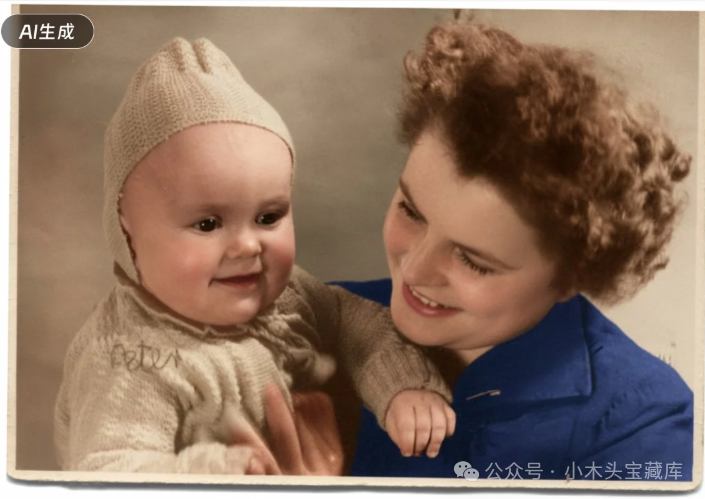
Restore and colorize the picture without altering, removing, or adding any detail or element.(Restore the picture’s color, but do not change, remove, or add any details or elements.)
(4)Specified Model Outfit
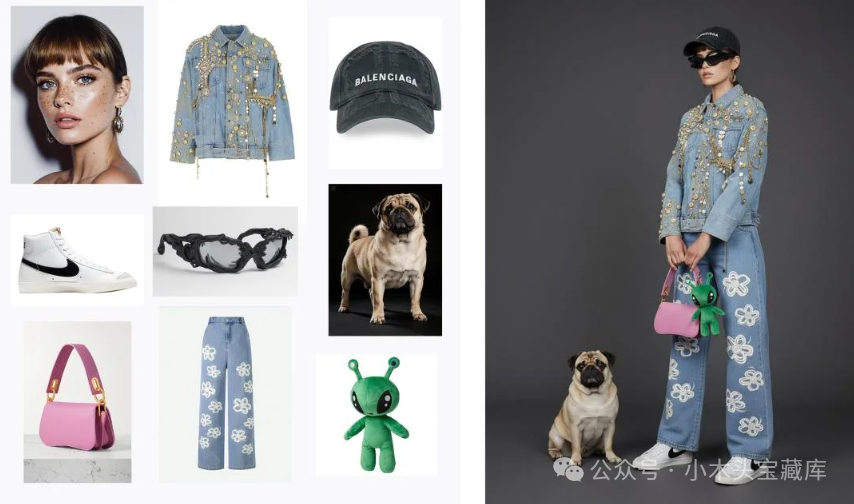
Prompt:
A model is posing and wearing the following items, she is standing against a dark grey background. The green alien is a keychain and it’s attached to the pink handbag. There is a pug sitting next to her(A model is posing for a photo, wearing some items, standing against a dark grey background. The green alien is a keychain attached to the pink handbag. A pug is sitting next to her.)
(5)Buyer Show
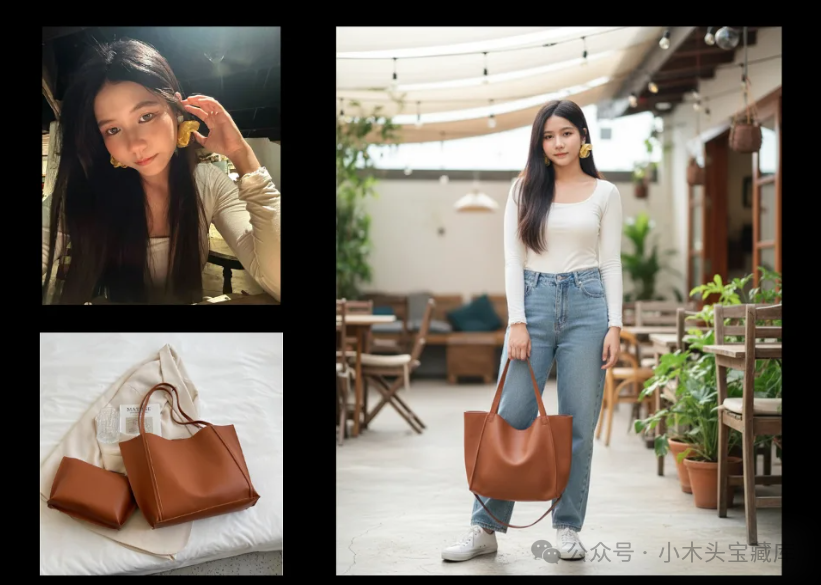
Prompt:
The character in the image is holding a bag, maintaining a consistent height for the character, in a casual style.(The character in the image is holding a bag, maintaining a consistent height for the character, in a casual style.)
(6)Digital Elevation Model to Real Scene
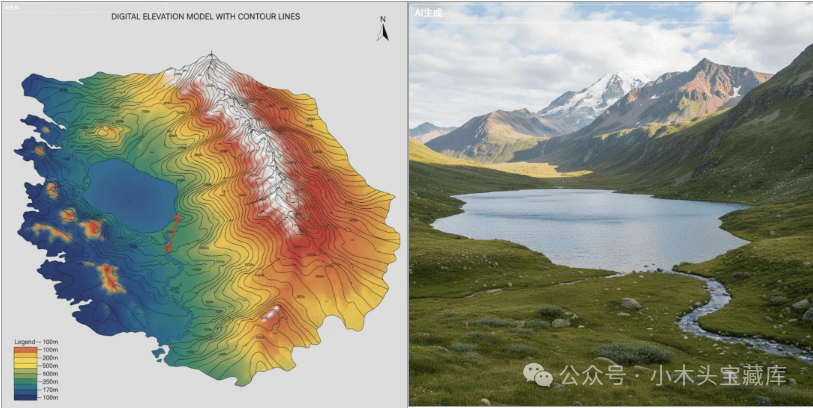
Prompt:
Draw a DEM with contour lines.
draw the real world view from the red circle in the direction of the arrow.(Draw a digital elevation model with contour lines. Draw the real-world view from the red circle in the direction of the arrow.)
(7)Transform Design Drawings into 3D Views
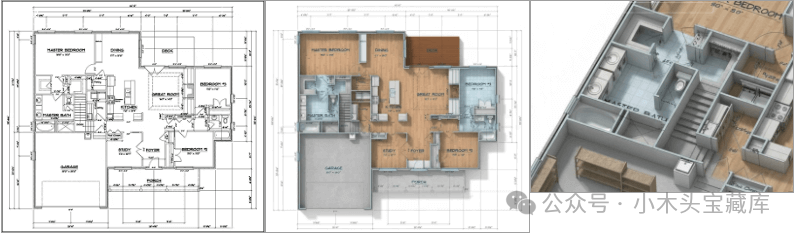
Prompt:
Create a highly detailed 3D rendering of a technical design blueprint, transforming 2D schematics into a realistic, fully textured 3D model. The scene should showcase the blueprint’s intricate details, such as precise measurements, annotations, and structural components, brought to life with accurate proportions and realistic materials (e.g., metal, glass, or plastic where applicable). Use a clean, well-lit studio environment with soft shadows and subtle reflections to emphasize the 3D depth. Maintain the blueprint’s technical aesthetic, including visible lines, labels, and grid patterns, while enhancing them with a modern, polished 3D perspective. The camera angle should be slightly isometric to highlight the model’s structure and details.
(8)Change Perspective
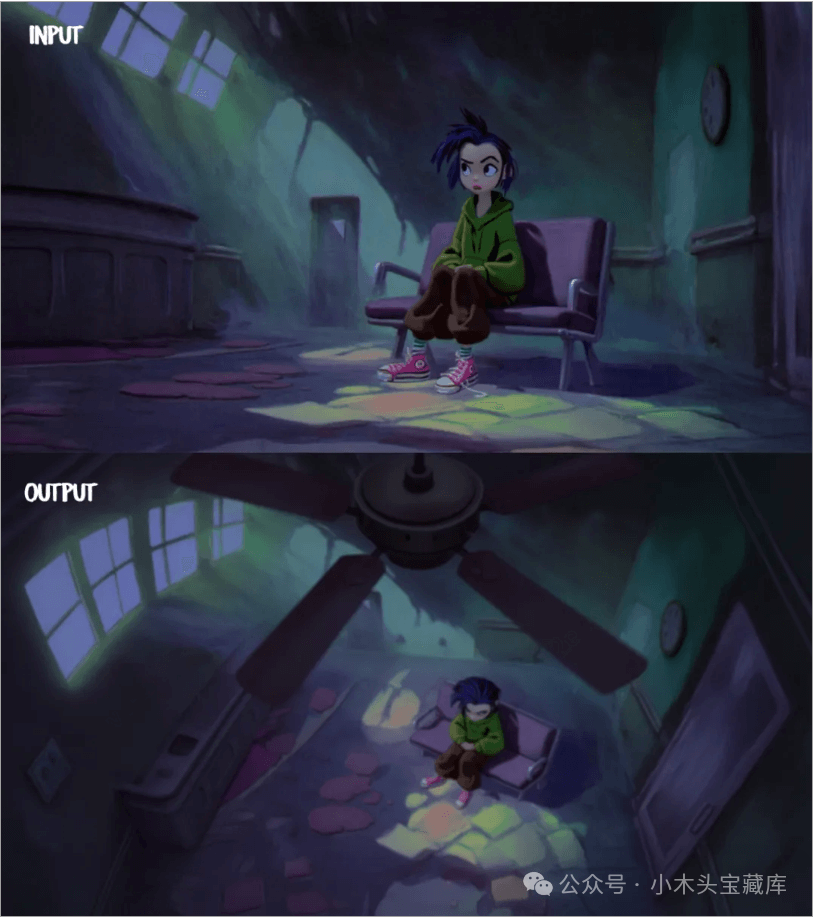 Prompt:
aerial perspective of a camera behind the blurry ceiling fan looking down at the girl sitting in a hospital waiting room.(An aerial perspective from a camera behind a blurry ceiling fan looking down at a girl sitting in a hospital waiting room.)
(9)Change Text
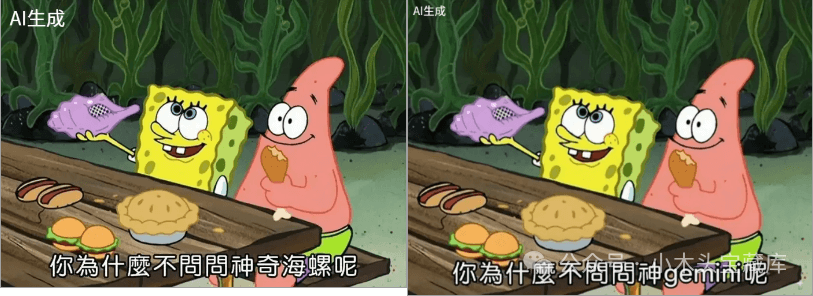
Prompt: Change the text in the image to: Why don’t you ask God gemini?
(10) Change Clothes
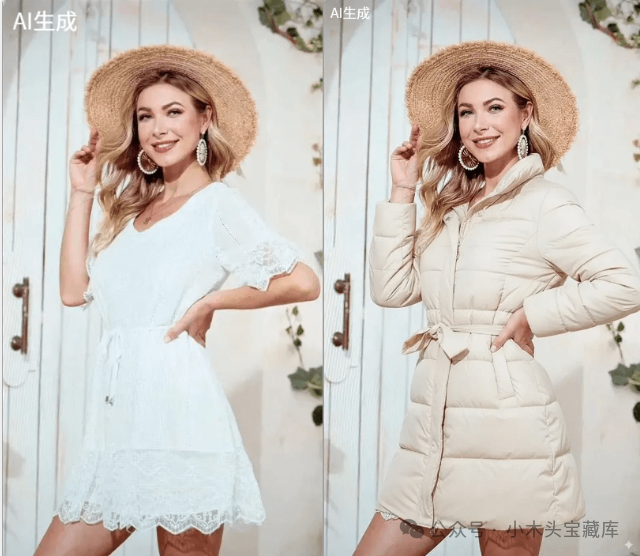
Prompt: Change the character’s clothes to a down jacket.
(11)Pose Reference
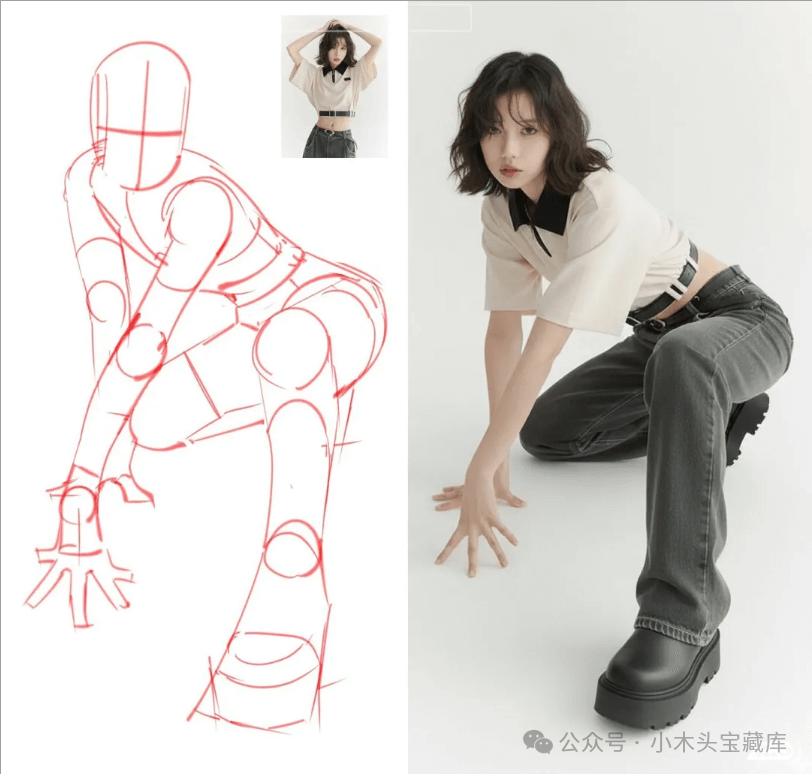
Prompt:
Model pose like the sketch.(The model’s pose should resemble the sketch.)
(12) Group Photo
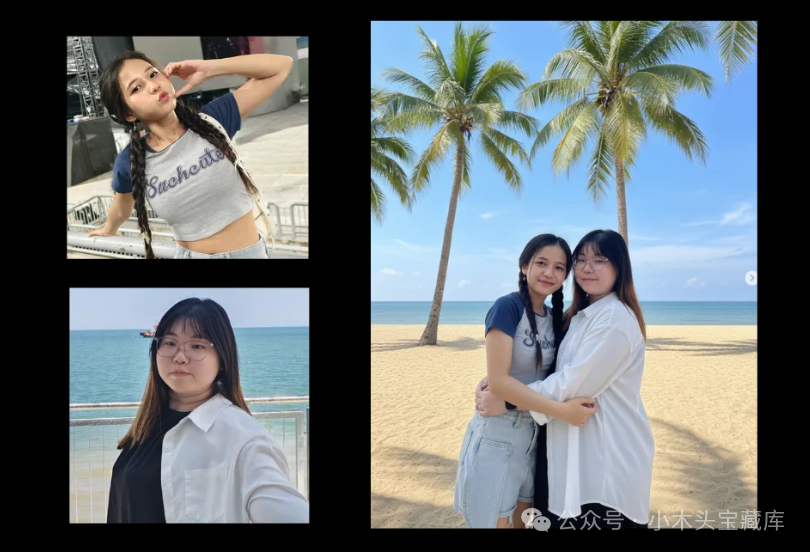
Prompt:
Create a 1/7 scale commercialized figure of the character in the illustration, in a realistic style and environment. Place the figure on a computer desk, using a circular transparent acrylic base without any text. On the computer screen, display the ZBrush modelling process of the figure. Next to the computer screen, place a BANDAI-style toy packaging box printed with the original artwork(Create a 1/7 scale commercialized figure of the character in the illustration, presenting a realistic style and environment. The figure is placed on a computer desk, with a circular transparent acrylic base that has no text. The computer screen displays the ZBrush modelling process of the figure. Next to the computer screen, place a BANDAI-style toy packaging box printed with the original artwork.)
(13)Comic to Real Person
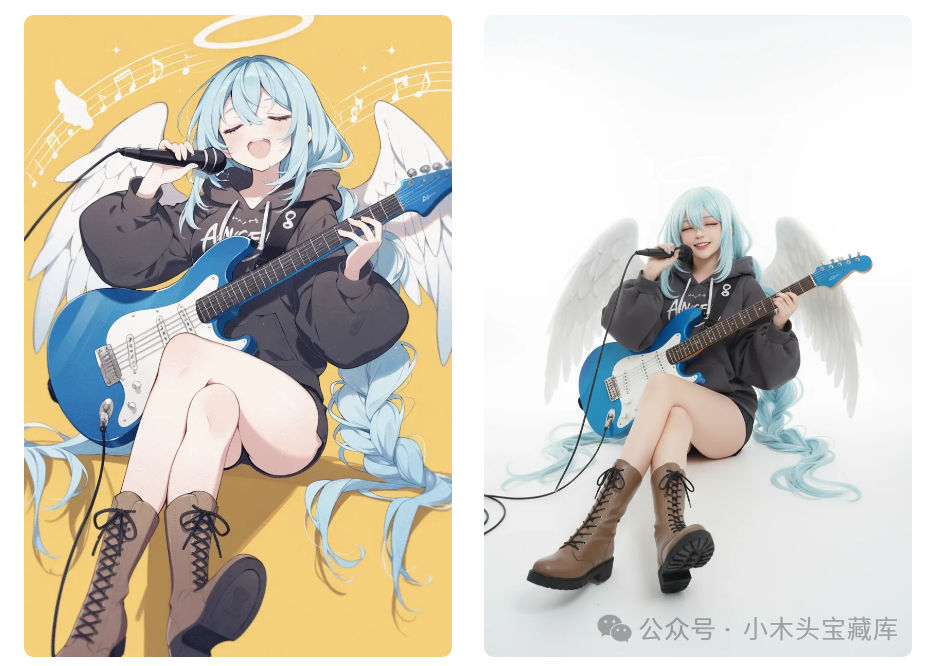
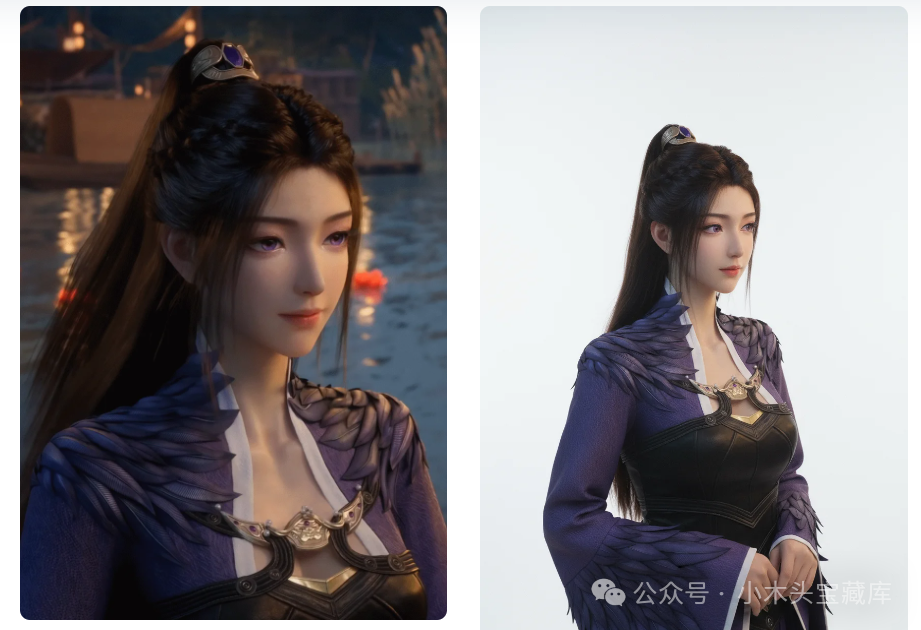
Prompt 1:
in Studio, pure white background, a cosplayer dressed in an identical outfit, as the girl in the reference image, mimicking her pose and outfit.
Prompt 2:
in Studio, pure white background, a cosplayer dressed in an identical outfit, as the girl in the reference image, mimicking her pose and outfit. Enhanced with film grain for a gritty, authentic particle effect reminiscent of 35mm film stock; 8K ultra-HD, sharp and believable, no abstraction.
(14)Specify Glasses for the Model
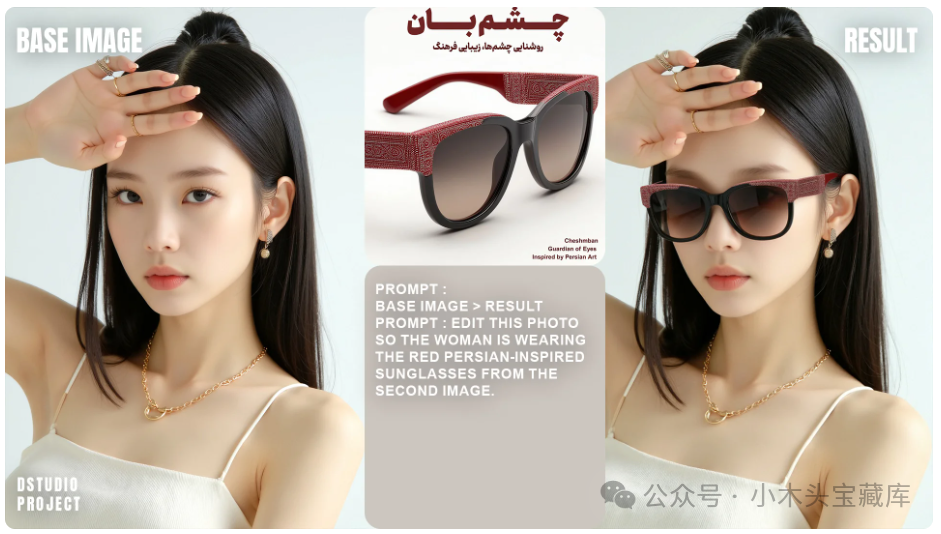
Prompt:
Edit this photo so the woman is wearing the red Persian-inspired sunglasses from the second image.
(15) Change Outfit
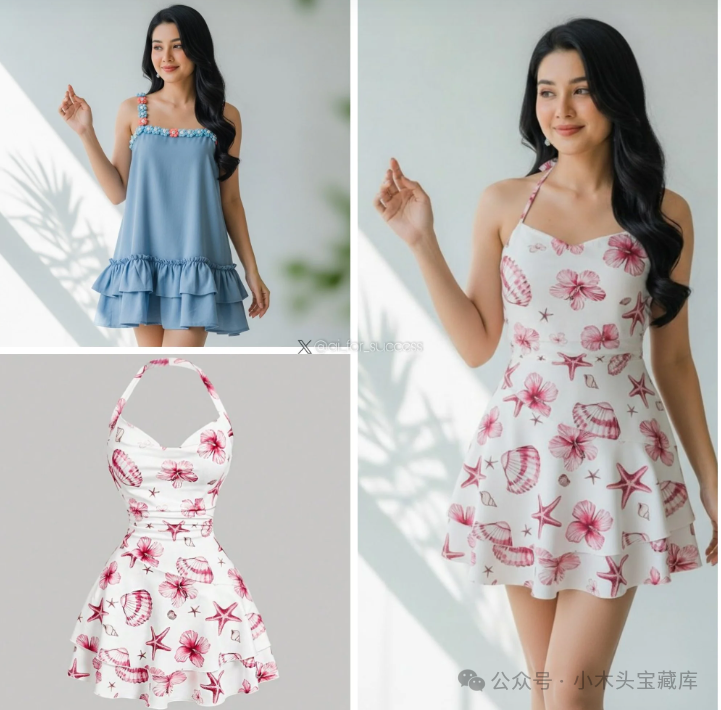
Prompt:
make model from image 1 wear the dress from image 2.
–(End)–
Previous Selections
For beginners with zero foundation, create your first app in 5 minutes.
Promise me not to spend money on random PDF tool memberships, okay?
Recently, AI-generated 3D figurine models have become very popular, and I tried it out as well.