How to Compile OpenWrt Firmware

How to Compile OpenWrt Firmware

Why Compile OpenWrt Yourself There are several reasons to compile OpenWrt yourself: Customization: Users can choose which software packages to install according to their needs, resulting in a smaller firmware file size. Updates: If you want to use the latest kernel version or other software, you can compile it yourself. Security: If you want to … Read more

OpenWrt LuCi Arbitrary File Read

OpenWrt LuCi Arbitrary File Read

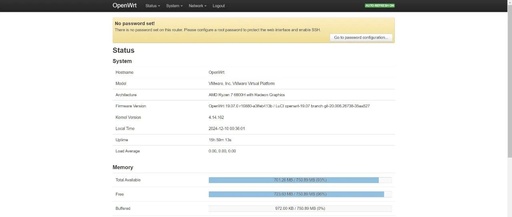
Setting Up OpenWrt Environment Download the OpenWrt 19.07 image, extract it, and import it as a disk image into the virtual machine. wget https://downloads.openwrt.org/releases/19.07.0/targets/x86/generic/openwrt-19.07.0-x86-generic-combined-ext4.img.gz gunzip openwrt-19.07.0-x86-generic-combined-ext4.img.gz sudo apt-get install qemu-utils -y sudo qemu-img convert -f raw openwrt-19.07.0-x86-generic-combined-ext4.img -O vmdk openwrt-19.07.0-x86-generic-combined-ext4.vmdk Successfully accessed the web backend, after setting the password, you can access it via SSH. … Read more

Filebrowser Web File Manager for OpenWrt NAS

Filebrowser Web File Manager for OpenWrt NAS

NO.1NO.1 Introduction to Filebrowser GitHub Address https://github.com/filebrowser/filebrowser A web-based file manager in the browser NO.2 Usage Scenarios The previous article solved the optimization of editing code in the browser 《OpenWrt Soft Router (NanoPi For NAS All In One R4S): VSCode in Browser with Code Server》 This article continues to solve the visual operation of folders … Read more

Install OpenWrt on Raspberry Pi 4B for Portable WiFi Router

Install OpenWrt on Raspberry Pi 4B for Portable WiFi Router

As a programmer, I often need to search for information on Google, but the local magic internet tool has many drawbacks. For example, it requires a separate export of the proxy in the Mac terminal, and a separate configuration of the system proxy in the virtual machine. When I enable the magic internet tool on … Read more

Getting Started with OpenWrt on Raspberry Pi as a Bypass Router

Getting Started with OpenWrt on Raspberry Pi as a Bypass Router

Introduction It’s been a while since I posted an article, haha. This time, I’m sharing a complete guide on building a home server from scratch. Starting from zero, we will use idle hardware at home to create a fully functional server. The content includes but is not limited to: 1. Enhancing network functionality 2. Building … Read more

Limit Bandwidth for Specific IP Addresses in OpenWrt

Limit Bandwidth for Specific IP Addresses in OpenWrt

Limit bandwidth for specific IP addresses in OpenWrt 1. Script for limiting bandwidth Use a custom script to limit the bandwidth for specific IP addresses or address ranges for connected devices. # !/bin/sh # Define incoming and outgoing interfaces (IDEV for internal network interface, ODEV for external network interface) IDEV=”tunAcc” ODEV=”br-wan” # Define total upstream … Read more

Configuring IPv6 NAT6 for Guest WiFi Network in OpenWRT

Configuring IPv6 NAT6 for Guest WiFi Network in OpenWRT

First, add the WiFi guest network through the web interface or by modifying the configuration. The wireless interface added through the MTK management interface must be added to the bridge: 12345678910111213141516171819 config globals 'globals' option ula_prefix 'xxxx:xxxx:xxxx::/48' config interface 'guest' option proto 'static' option ipaddr '10.0.100.1' option netmask '255.255.255.0' option device 'br-guest' option ip6assign '64' … Read more

How to Install and Configure PPPoE Server on OpenWRT

How to Install and Configure PPPoE Server on OpenWRT

Installing PPPoE on OpenWRT: 12 opkg update opkg install rp-pppoe-server Configuring PPPoE: 123456789 cat > pppoe-server-options << EOF # PPP options for the PPPoE server # LIC: GPL require-chap login lcp-echo-interval 10 lcp-echo-failure 2 ms-dns 8.8.8.8 EOF Setting up PPPoE account and password: 1234 cat > /etc/ppp/chap-secrets << EOF #USERNAME PROVIDER PASSWORD IPADDRESS www.haiyun.me * … Read more