How to Access the Router Settings Interface at http://192.168.1.1 Using a Mobile Phone
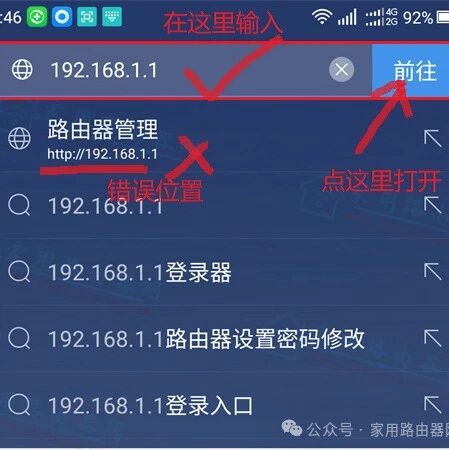
How to Access the Router Settings Interface at http://192.168.1.1 Using a Mobile Phone

How can I access the router settings interface at http://192.168.1.1 using my mobile phone? I only have a mobile phone and no computer; how can I log into the 192.168.1.1 settings page through a mobile client? Answer: Currently, there are three main brands and one type of device that use 192.168.1.1 as the login password, … Read more


Linux Guide (Twenty-One): IP Address

The IP address in Linux systems is essentially a logical address used to identify devices in a network, divided into two main categories: IPv4 and IPv6. In daily use, IPv4 is predominant, and the configuration methods are categorized into temporary and permanent configurations. Classification of IP Addresses 01 The IP addresses in Linux systems follow … Read more

How To Find Your IP Address In Linux

How To Find Your IP Address In Linux

Click the blue text above to follow us Every website has a unique public IP address that anyone can access from anywhere. Internet Protocol (IP) needs no introduction — we use it every day. Even if you don’t use it directly, when you type website-name.com in your browser, it looks up the IP address of … Read more

Linux Commands for Viewing IP Addresses

Linux Commands for Viewing IP Addresses

The most commonly used and recommended command to view the IP address in Linux is the <span>ip</span> command. Additionally, this article will introduce some other traditional commands and techniques. 1. Preferred Recommended Command:<span><span>ip addr</span></span> This is the most recommended command to use in modern Linux distributions, as it is powerful and comprehensive. Command: ip addr … Read more

Yaskawa Robot – Modifying IP Address

Yaskawa Robot - Modifying IP Address

Yaskawa Robot Modifying IP Address Introduction to Modifying IP Address of Yaskawa Robot Yaskawa robots typically need to modify their IP address in the following situations: When communicating with other devices When the Yaskawa robot needs to communicate over the network with external devices (such as welding machines, vision systems, PLCs, etc.), it is necessary … Read more

Common Network Configurations in IoT

Common Network Configurations in IoT

Hello, everyone! I am Lao Kou! Let’s learn about network configurations together. Due to work requirements, I need to familiarize myself with the network configurations of gateway devices, so I organized this for easy reference. I still remember when I was in college, my teacher taught us about computer networks, but I wasn’t paying attention … Read more

What Does ‘0.0.0.0’ Mean? Essential Knowledge for Linux Operations!

What Does '0.0.0.0' Mean? Essential Knowledge for Linux Operations!

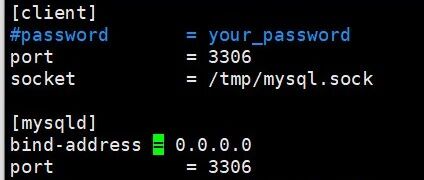
For us operations personnel, “0.0.0.0” is a special IP address that frequently appears but can easily cause confusion. From a basic networking perspective, “0.0.0.0” represents all IPv4 addresses on the local machine. Unlike a specific IP address (like 192.168.1.100), it does not point to any particular network interface but rather encompasses a collection of all … Read more

Understanding How Home Networks Access External Servers

Understanding How Home Networks Access External Servers

As someone who frequently deals with electronics, I have always had a question. Is there no trick behind the ability to casually interact with external servers just by tapping on a phone or typing on a computer at home? How do home devices access external servers? Before this, I only knew part of the story. … Read more

Modifying Default IP Address During OpenWrt Compilation

Modifying Default IP Address During OpenWrt Compilation

Modify the following file openwrt/imx_openwrt/package/base-files/files/bin/config_generate as follows: case "$protocol" in static) local ipad case "$1" in #lan) ipad=${ipaddr:-"192.168.1.1"} ;; #*) ipad=${ipaddr:-"192.168.$((addr_offset++)).1"} ;; lan) ipad=${ipaddr:-"10.168.103.129"} ;; *) ipad=${ipaddr:-"10.168.$((addr_offset++)).1"} ;; esac netm=${netmask:-"255.255.255.0"} uci -q batch &lt;&lt;-EOF set network.$1.proto='static' set network.$1.ipaddr='$ipad' set network.$1.netmask='$netm' EOF [ -e /proc/sys/net/ipv6 ] &amp;&amp; uci set network.$1.ip6assign='60' ;; The actual effect is OK: … Read more