This tutorial mainly describes the usage instructions for the 5G module based on the Toybrick RK3399ProD.
-
Hardware Platform: Toybrick RK3399ProD
-
Software Platform: Debian 10
-
5G Module: Huawei MH5000
The MH5000 5G module uses the Huawei Balong 5000 chip, with core components including the main chip, PMU, RF, etc., supporting NSA/SA dual mode and full compatibility with 2G/3G/4G/5G.
01
Hardware Connection
Establish USB communication between the RK3399ProD and the module. Connect the DVK board to the RK3399ProD using a USB 3.0 cable through the USB interface.
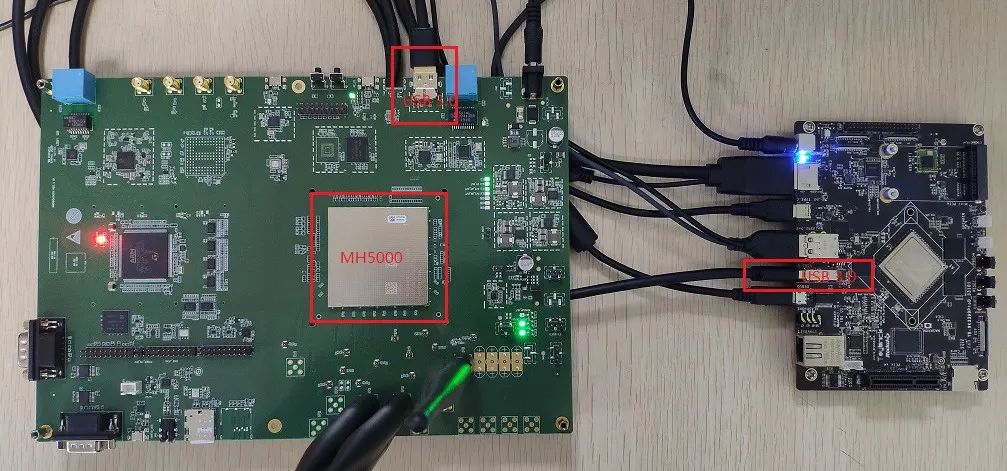
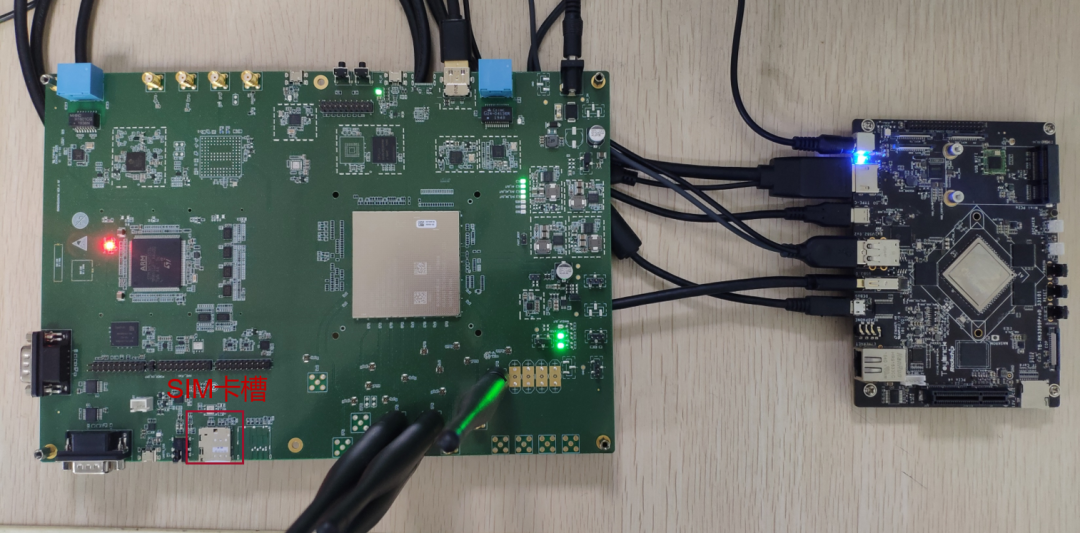
Insert the SIM card into the SIM card slot.
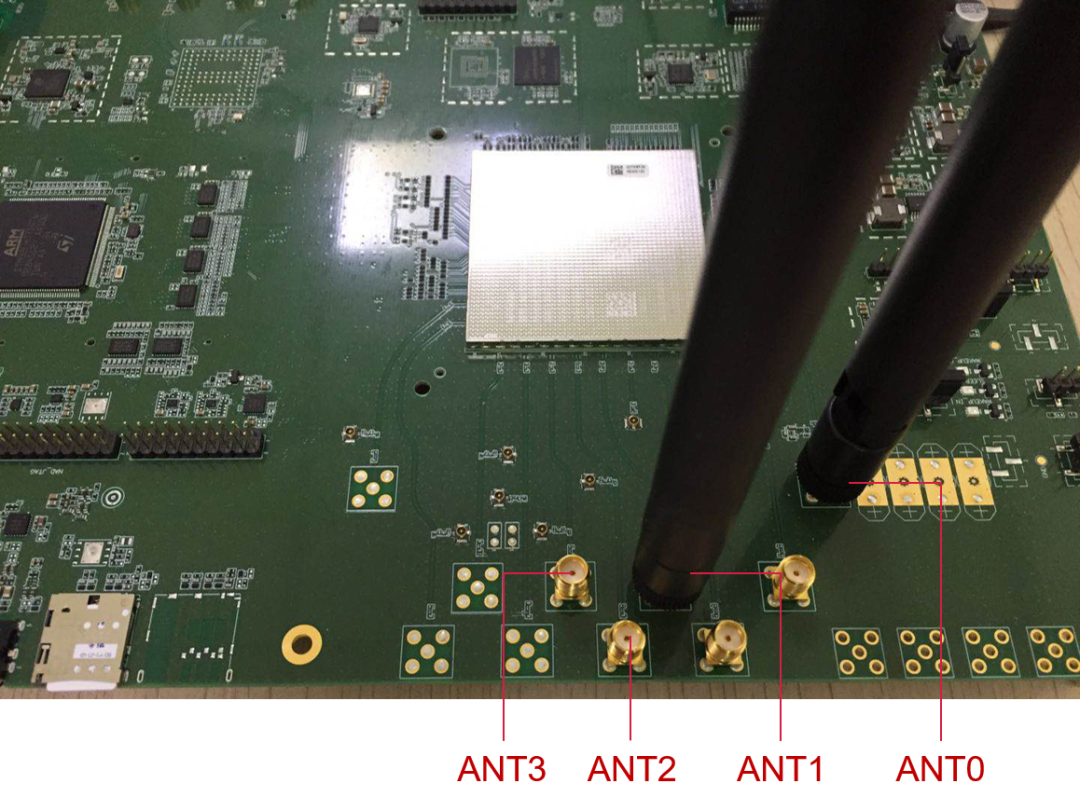
To use the communication function of the module, connect the RF antenna to the antenna port on the DVK.
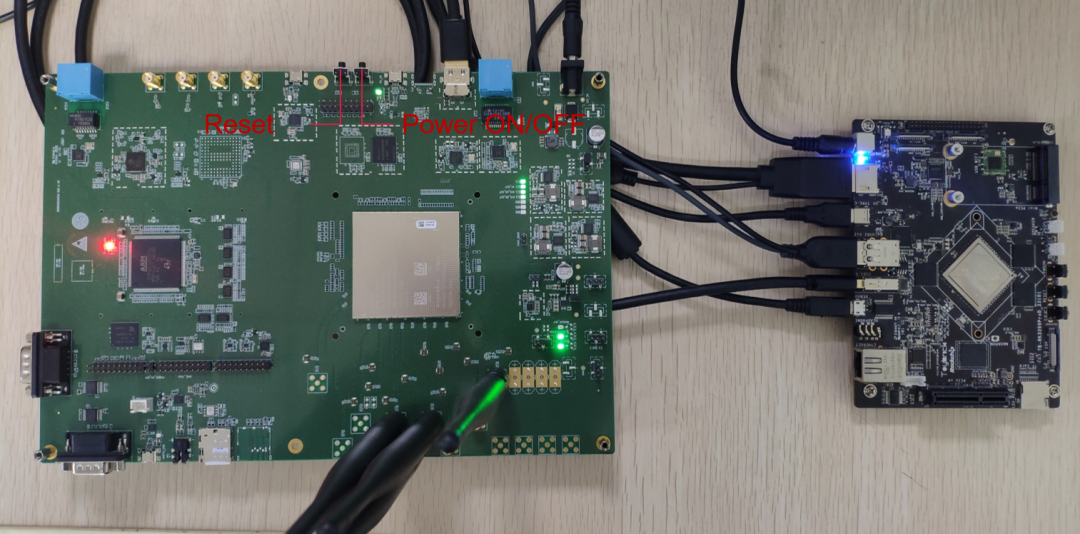
Press the ON_OFF button and hold it for more than 1 second to start the module.
02
Driver Integration
The USB serial driver is a standard USB serial universal driver adapted for the Huawei module, requiring no additional code modifications; just configure the compilation options directly.
USB serial driver related configuration items:
CONFIG_USB_SERIAL=y
CONFIG_USB_SERIAL_OPTION=y
CONFIG_USB_SERIAL_WWAN=y
PPP dial-up related configuration items:
CONFIG_PPP=y
CONFIG_PPP_MULTILINK=y
CONFIG_PPP_FILTER=y
CONFIG_PPP_ASYNC=y
CONFIG_PPP_SYNC_TTY=y
CONFIG_PPP_DEFLATE=y
CONFIG_PPP_BSDCOMP=y
The CDC ECM driver is a standard ECM universal driver adapted for the Huawei module, requiring no additional code modifications; just configure the compilation options directly. This feature supports kernel versions after 2.6.22. For kernels prior to 2.6.22, if data services are needed on the Linux side, the PPP-related configuration items need to be integrated, and data services should be dialed using PPP-Modem.
CDC ECM driver related configuration items:
CONFIG_USB_USBNET=y
CONFIG_NETDEVICES=y
CONFIG_USB_NET_CDCETHER=y
The CDC MBIM driver is a standard universal driver adapted for the Huawei module, requiring no additional code modifications; just configure the compilation options directly.
CDC MBIM driver related configuration items:
CONFIG_USB_USBNET=y
CONFIG_NETDEVICES=y
CONFIG_USB_NET_CDC_MBIM=y
03
Function Verification
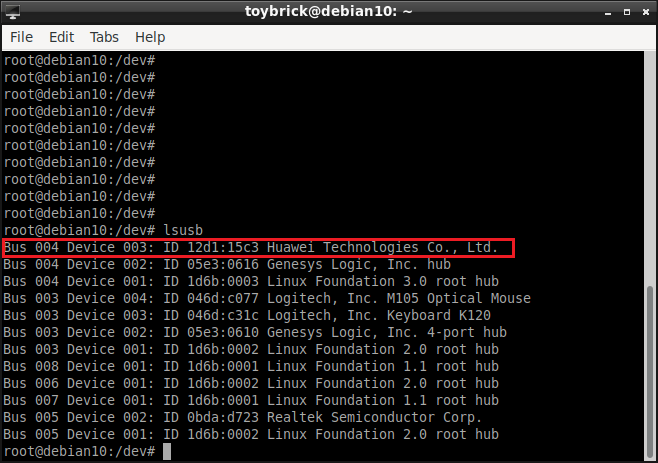
View device information: You can see the loaded PID and VID information.
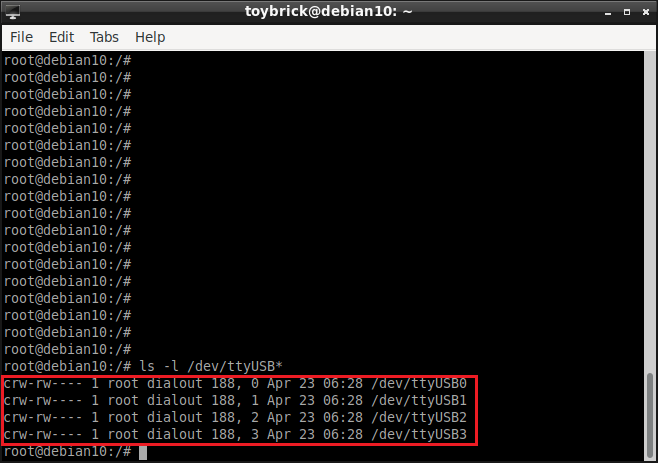
Check the port: ls -l /dev/ttyUSB*
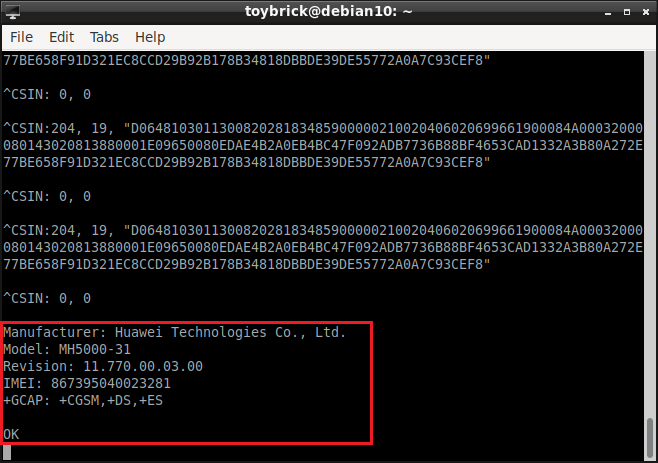
Change port permissions: sudo chmod 777 /dev/ttyUSB* Verify PCUI port: Open two terminals, one outputs the print result: cat /dev/ttyUSB1, and one sends AT commands: echo -e “ati\r\n“ > /dev/ttyUSB1
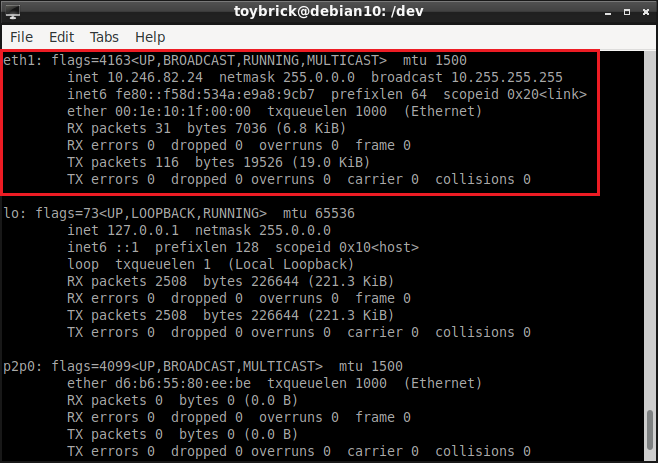
View network card: ifconfig, If the network card cannot be found, send AT commands: echo -e “at^setmode=0\r\n“ > /dev/ttyUSB1
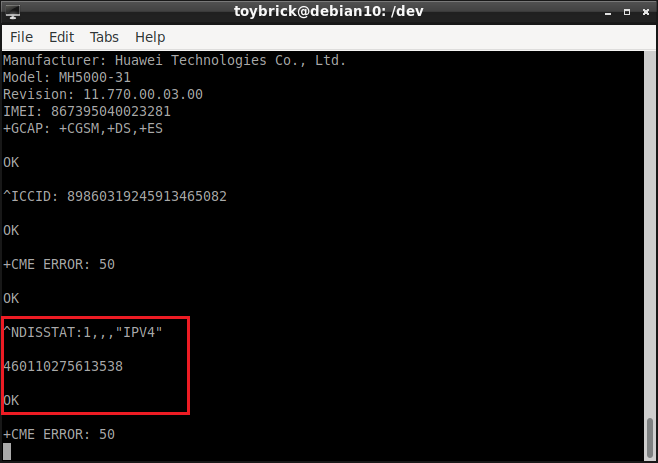
Dial: Send AT command echo -e “at^ndisdup=1,1\r\n“ > /dev/ttyUSB1
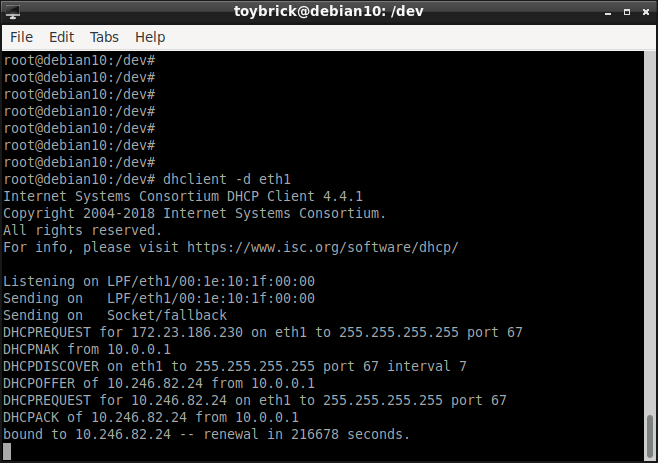
Obtain dynamic IP: dhclient -d eth1
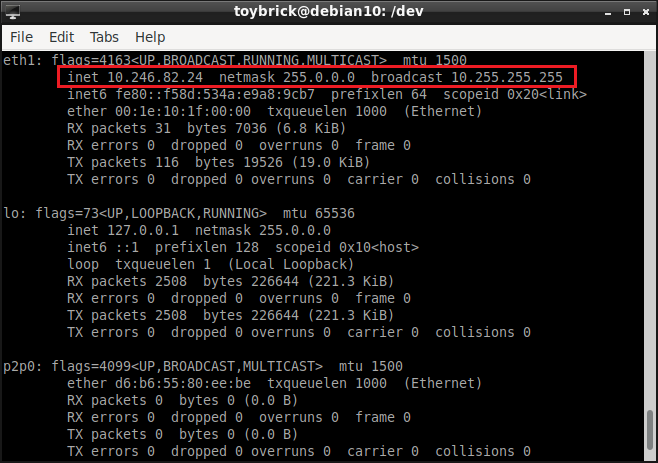
After obtaining, check the result: You can see that eth1 has obtained an IP address (for example: 10.246.82.24)
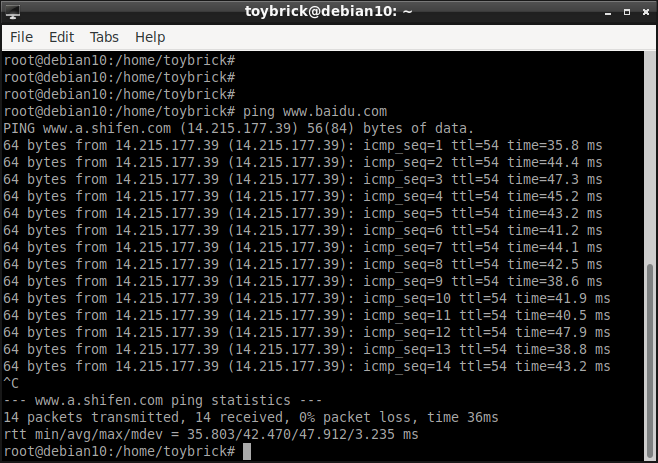
Test PING Baidu: ping www.baidu.com
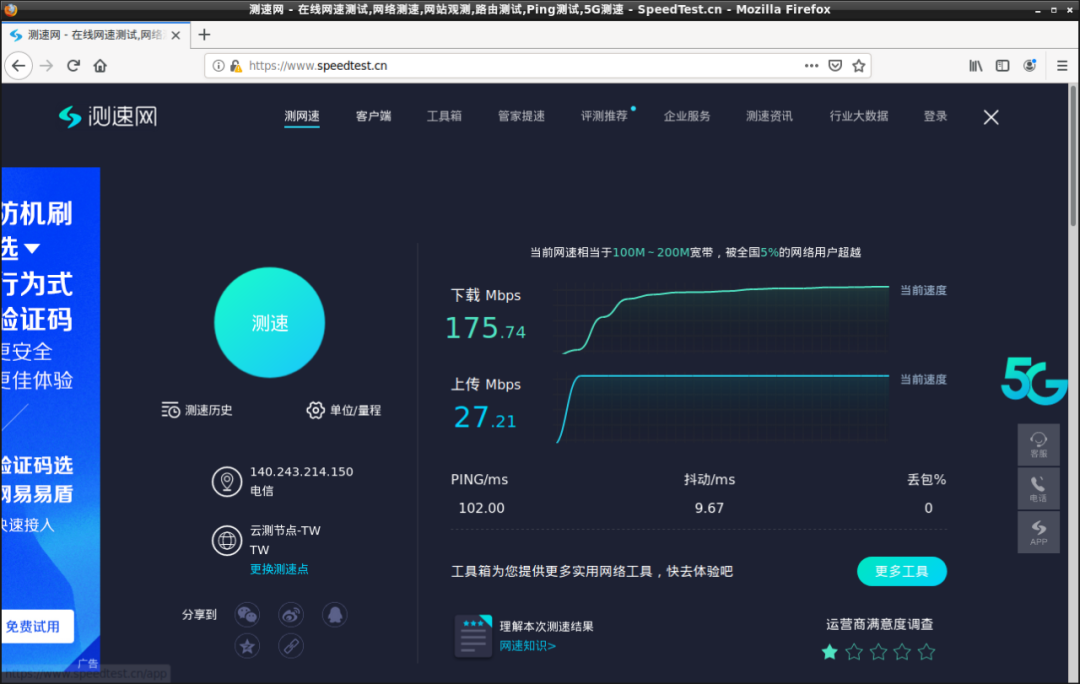
Test network speed: Open firefox-esr, go to https://www.speedtest.cn, click the test button to perform a speed test.

For business cooperation, please contact: [email protected]
TB-RK3399ProD purchase link: Copy this line ₤BfzZ1mhuHDt₤ and transfer to Taobao