A virtual machine encounters a network connection failure issue, solution one.
1.Check the network management service
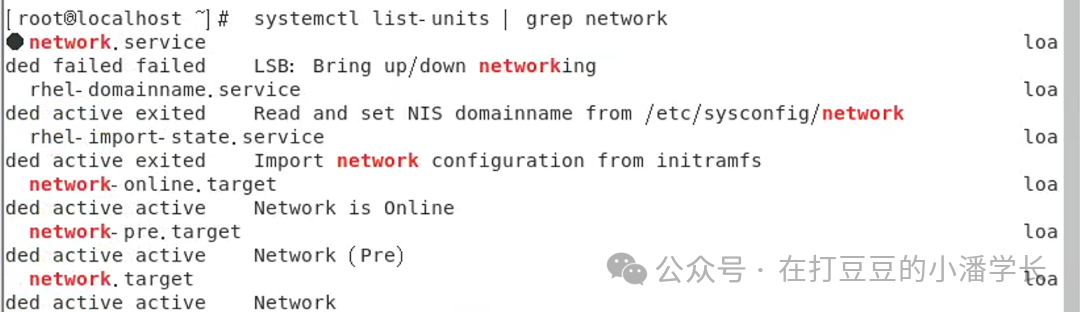
systemctl list-units | grep networkIf the following result appears, it indicates that network.service is in a failed state.
2.Restart network.service
sudo systemctl restart network.service3. Check again
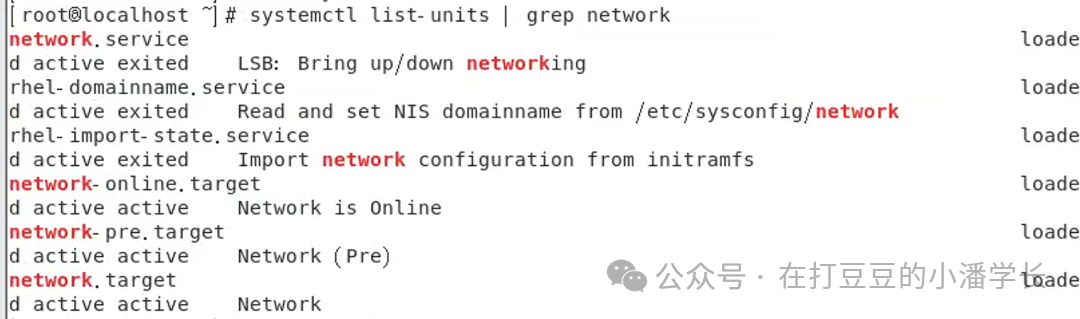
systemctl list-units | grep networkIf the following result appears, it indicates that network.service is in an active state.
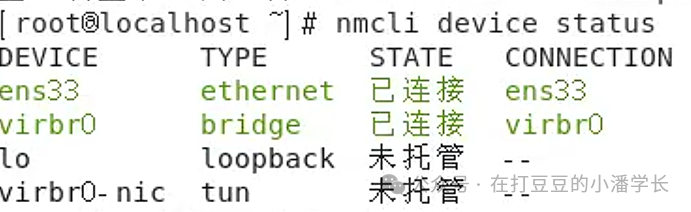
nmcli device status # Check the status of network devicesThe following status indicates normal operation
That’s all for this sharing. The next issue will feature more exciting single-cell analysis content, stay tuned.
Follow our public account for more exciting content.