Click the blue “Most Programmer” to follow me!
Add a “Star“, every day at 18:03, let’s learn technology together!
Source: cnblogs.com/summertime-wu/p/11140052.html
Can Linux Be Used?
Some of my friends still seem to have an impression of Linux that is stuck in the dark command line interface. When I tell or suggest to them to use Linux, they look surprised and ask me, how do you use that (for development or daily use)?
Linux Has a Graphical Interface
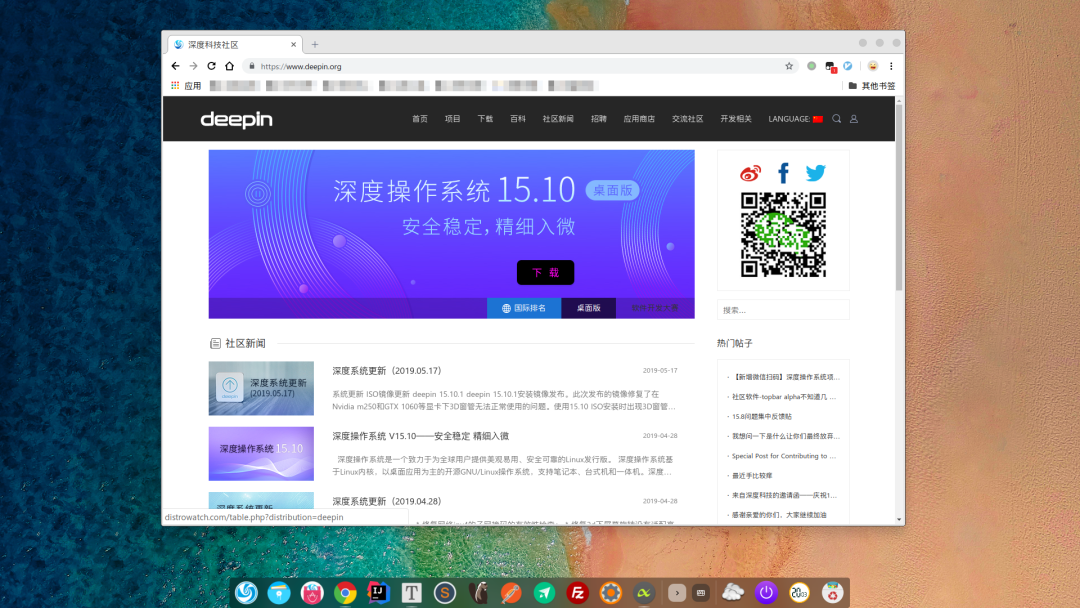
Desktop
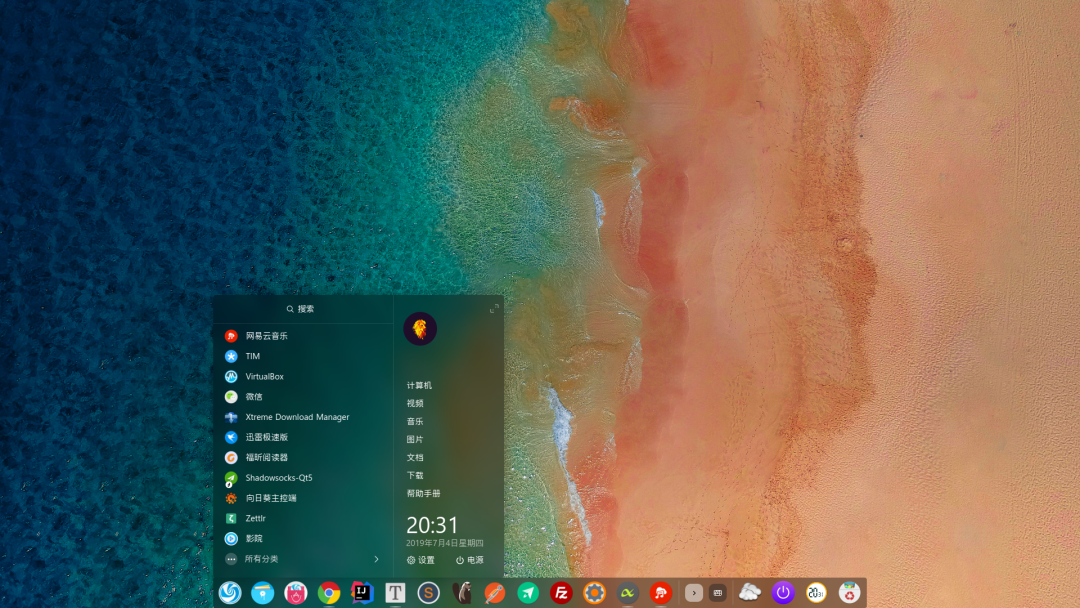
Launcher
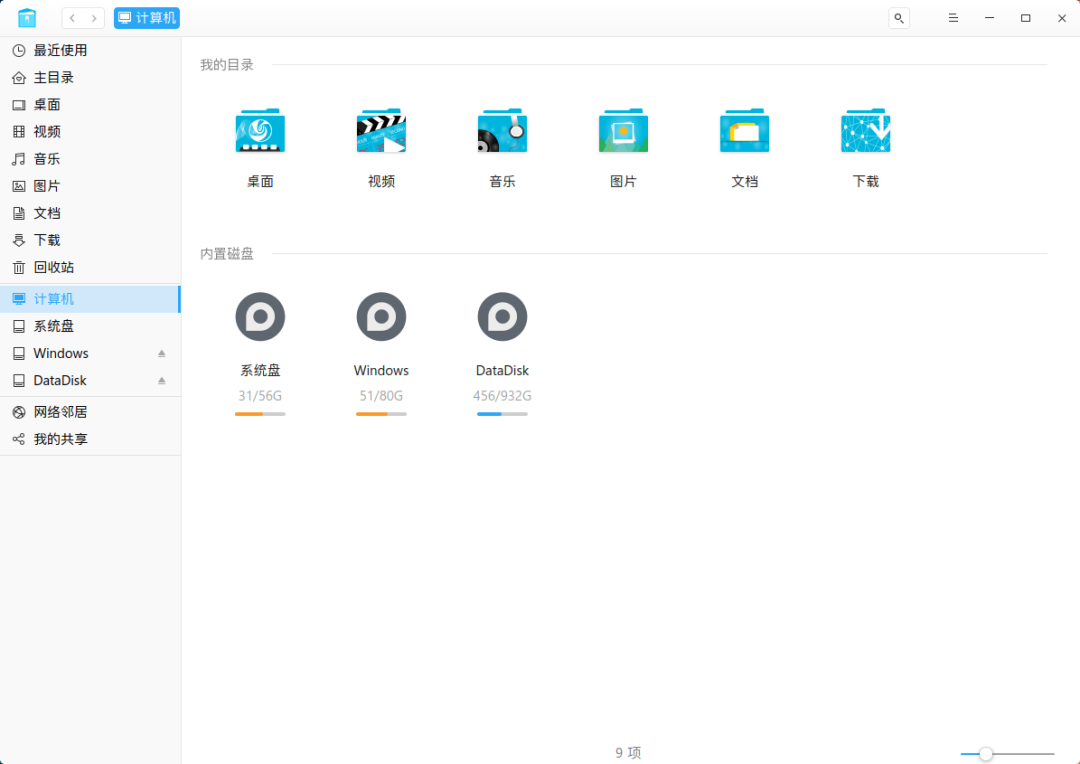
File Manager
Settings
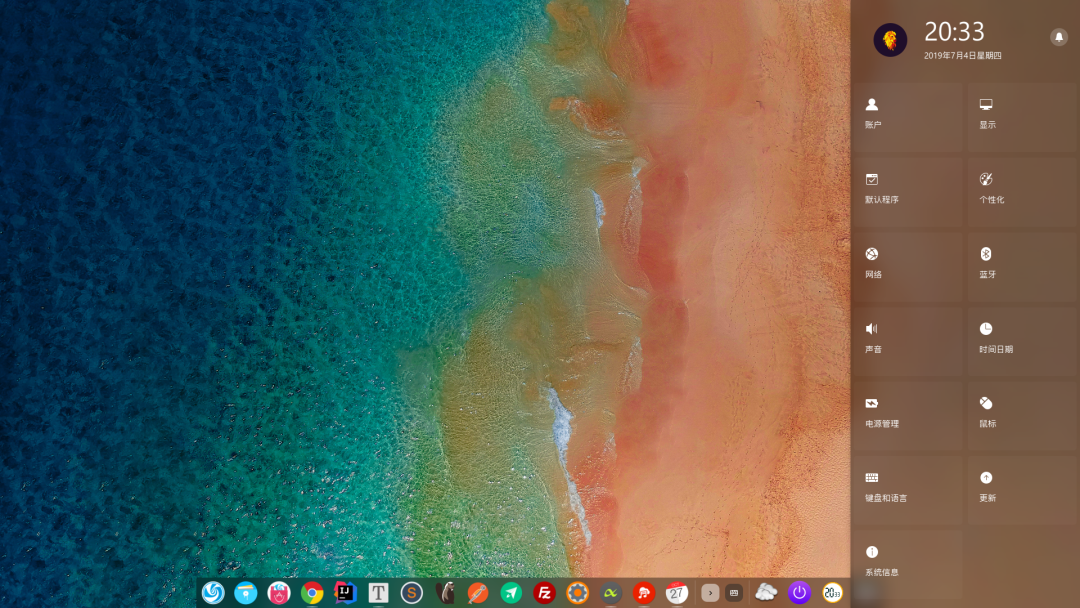
This is the “domestic” operating system Deepin that I have been using for nearly two years. I don’t know if the interface is beautiful, but it definitely works.
For other Linux distributions, you can refer to:
- Eight Beautiful Linux Distributions! https://www.linuxprobe.com/eight-linux-distribution.html
- Top 10 Most Beautiful Linux Distributions of 2018 https://www.cnbeta.com/articles/soft/695605.htm
- Seven Usable Linux Distributions to Look Forward to in 2017 https://www.linuxidc.com/Linux/2017-01/139414.htm
A backend management system + user mini program based on Spring Cloud Alibaba + Gateway + Nacos + RocketMQ + Vue & Element, supporting RBAC dynamic permissions, multi-tenancy, data permissions, workflows, third-party login, payment, SMS, e-commerce, and other functions.
- Project address: https://github.com/YunaiV/yudao-cloud
- Video tutorial: https://doc.iocoder.cn/video/
Supports Daily Development
First of all, Vim/Emacs can handle it, but I feel I’m not familiar with them…
- Java: Eclipse, IDEA, NetBeans, Android Studio…
- Python: PyCharm, WingIDE…
- C++: KDevelop, Code Blocks…
- PHP: PhpStorm…
- Frontend: Sublime, VS Code, WebStorm…
- …
The ranking is not in any particular order.
No Issues with Social Communication
Surprisingly, there is still ICQ…
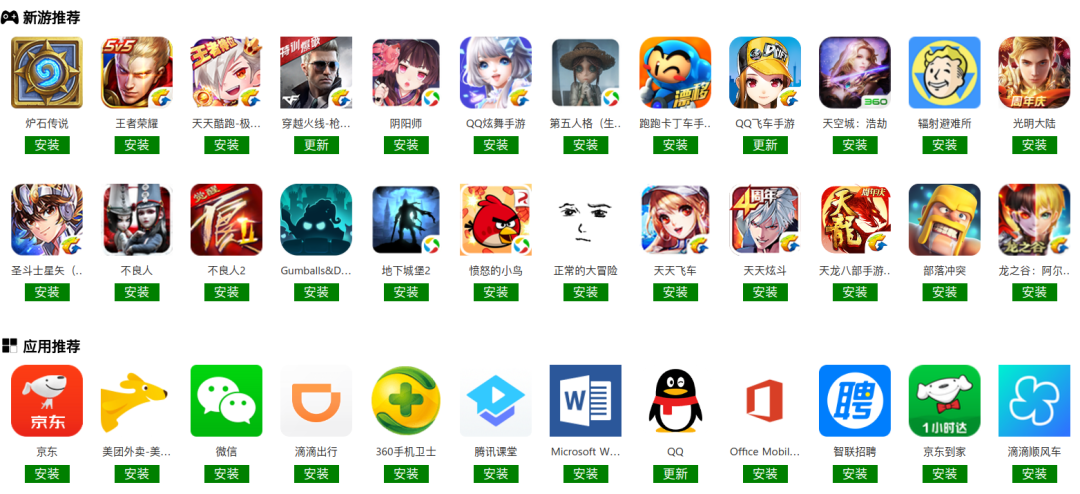
Due to time constraints, I used screenshots from the Deepin store here. Other Linux distributions may not have such a rich selection, but installing QQ and WeChat should not be a problem.
Can Linux Replace Windows?
First, let me list the software I use daily:
- Development: IDEA
- Database: DBeaver, Navicat, PL/SQL
- Communication: TIM, WeChat
- Browser: Chrome, Firefox, 360
- Office: WPS, Microsoft Office Online
- Music: NetEase Cloud Music
- Input Method: Sogou Input Method
- Player: Deepin’s built-in player, VLC
- Editor: Sublime Text
- Remote Control: TeamViewer, Sunflower, VNC, Remmina
- Download: Thunder Speed Edition, Aria2
- Cloud Storage: JiuGuo Cloud, Baidu Cloud
- Markdown Editor: Typora, Zettlr
- Terminal: Deepin’s built-in (very good)
- Mind Mapping: XMind ZEN
- FTP: FileZilla
- PDF: Foxit Reader
- Virtual Machine: VirtualBox, VMware
- Games: Steam, Minecraft
- Android APP: xDroid
These are just my personal daily uses, and there are many excellent software not listed.
As for whether it can replace Windows, this question varies from person to person. For me, in my two years of experience, I have not encountered any issues that could not be resolved under Linux, requiring me to revert to Windows.
Moreover, if all else fails, there are still virtual machines.
Other references:
- 100 Best Ubuntu Applications (Part 1) https://zhuanlan.zhihu.com/p/71833109
- Deepin App Store https://dstore-appstore.deepin.cn/china/index
- A Collection of Commonly Used Awesome Linux Software, Essential for Entering Operations! http://www.sohu.com/a/238318823_100008608
- Minor Software – Linux https://www.appinn.com/tag/linux/
Running Android Applications on Linux
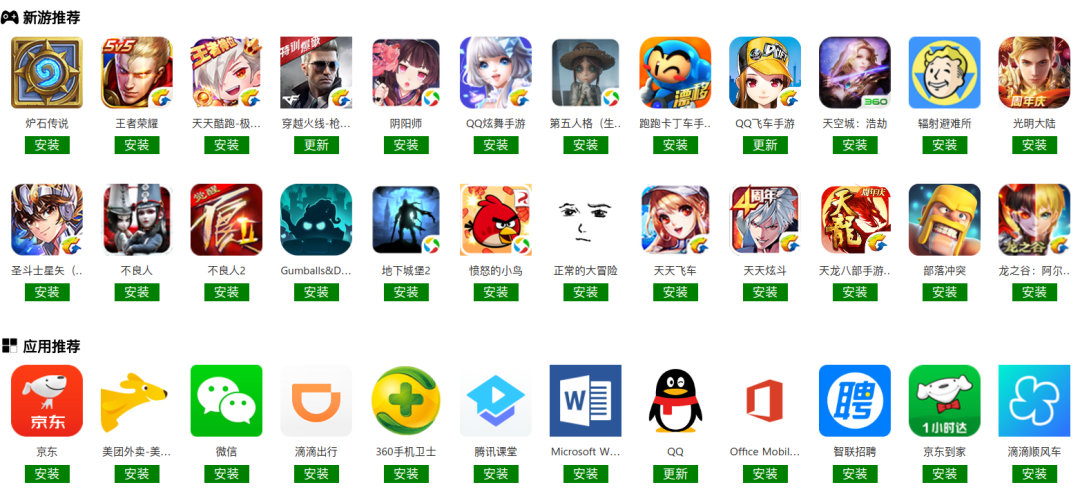
xDroid allows Android applications to run on Linux, greatly expanding the Linux ecosystem.
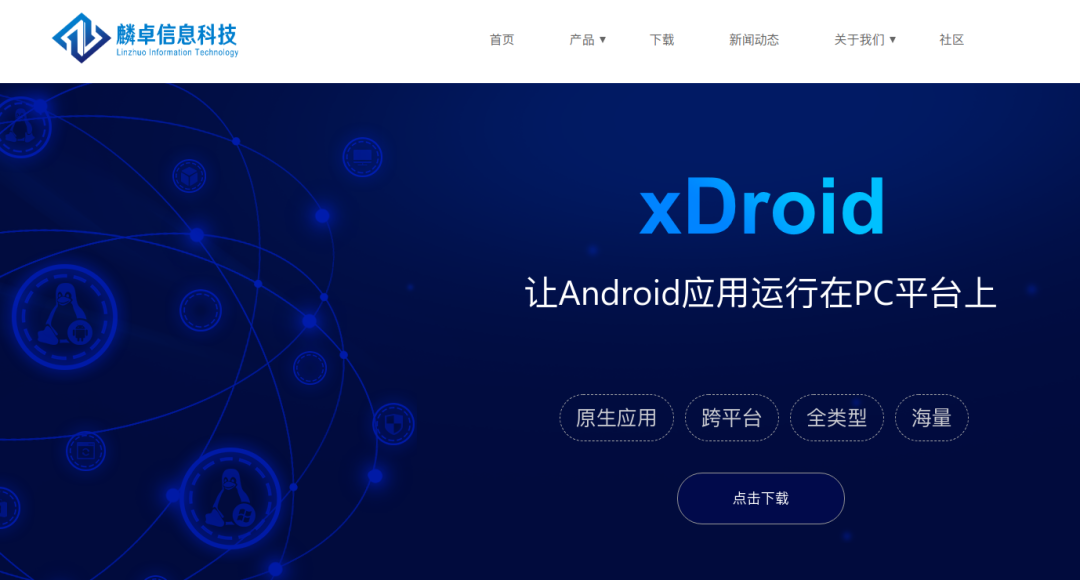
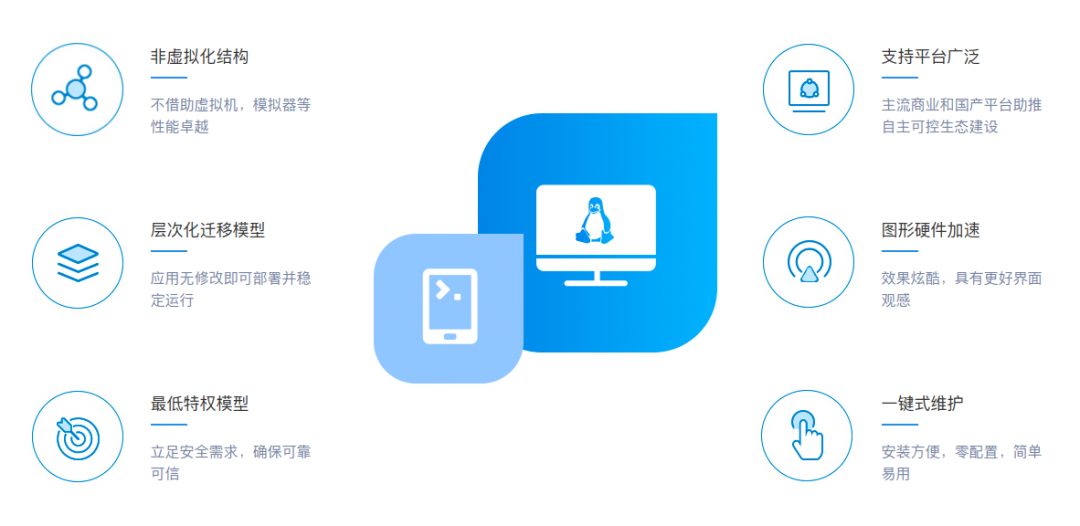
Yes, you read that right, it is not based on a virtual machine or emulator, the speed is considerable, and it occupies little resources.
This seems to be something that Windows cannot achieve at present.
Running Screenshot
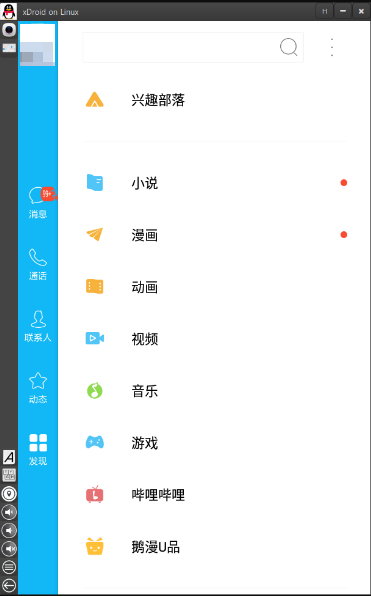
Application Market Partial Screenshot
What Advantages Does Linux Have?
The cost of migrating from one system to another is enormous. What charm does Linux have that makes it worth my while?
Linux is Elegant
When I install software on Windows, I first need to open a browser, search for the software I want, carefully avoid ads, and when I find a site that looks right, I still have to cautiously find the download link instead of a huge download button, and finally install it carefully, making sure not to miss any checkboxes. If I accidentally miss one, I find that my computer seems to be a bit sluggish, and soon, its friends will appear on my desktop.
In contrast, under Linux, commands like apt install or yum install can handle the entire installation.
- Linux does not require you to choose whether to install software on C drive or D drive; it has already defined where certain files should go.
- No need for antivirus software.
- No need to clean up junk.
- No need to free up memory.
- No need to activate the system; it is open-source and free.
- No need for disk optimization.
- No annoying pop-ups.
- No forced updates.
Linux is Efficient
This is the most attractive aspect of Linux for me.
Command Line
The command line is not an outdated way to control a computer. On the contrary, it has always been efficient and expressive.
When you want to copy, cut, or delete a file, I believe that opening a file manager and jumping between different windows is not as fast as a single command.
When you want to check the system’s running status, I believe that moving the mouse, right-clicking, and selecting Task Manager is not as fast as a single command.
When you want to write a simple script or file, I believe that opening an editor, creating a file, writing, and selecting a file location to save is not as fast as a single command.
…
The mouse is a good tool, but it has its limitations; after all, it only has three buttons. The expressiveness of using parameters in the command line is infinite.
Reduce Mouse Usage
Through the command line, the Vimium plugin for browsers (which operates the browser interface in a Vim-like manner), Albert (which can be summoned by a specified key to open an input box for apps, files, URLs, direct searches, calculators…), system shortcuts, and IDEA (which is designed with a keyboard-first philosophy), I can use the mouse very little.
Of course, it’s not that the mouse is unwelcome; when your hands are flying over the keyboard, using the keyboard directly is faster than moving your right hand to the mouse and back, and this uninterrupted experience is very pleasant.
As for why this is an advantage of Linux, in my many years of Windows experience, I have not found an entry point for customizing system shortcuts, let alone custom macros. Windows certainly has a command line, but I believe its richness and the interplay between commands are not as good as Linux’s (some call it an accessory).
Reduce Repetitive Tasks
I have a folder dedicated to storing various scripts I have written. Most of the time, the problems you encounter can be solved by existing software, but when there are some small, unique, repetitive tasks, scripts can help you solve these well.
For example, I have a script that monitors the production environment (which should actually be provided by the project itself), an OA guardian script (which monitors whether I have written a daily report, and if not, sends me a text reminder), and even a script that sends WeChat messages at scheduled times…
These scripts can help reduce repetitive labor in the information world, allowing me to focus more on creative work.
Startup Speed
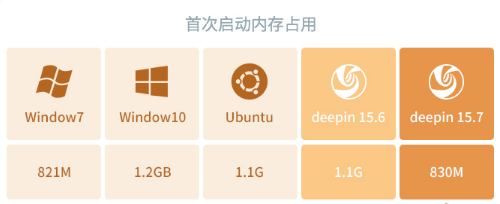
On my computer, both the system startup speed and the software (IDEA, Chrome) startup speed are slightly better than Windows.
This is based on my experience, without precise testing data. However, IDEA has been tested and is over a second faster.
Memory Usage
Linux is Free
The above only illustrates the benefits brought by scripts, but does not explain that they are brought about under Linux.
Because only Linux has such openness and customizability, you can easily modify system configurations and change system states through commands, even modify kernel code, compile, and use it.
- If you don’t like the current desktop environment, you can easily switch through commands.
- If you like macOS, you can follow online tutorials to make Ubuntu look exactly the same (even including the boot logo).
- If you don’t like the built-in file manager, you can choose other excellent software, such as Nautilus.
- If you don’t like the current terminal, there are many choices; I have even used one that mimics a terminal from a movie, which has a very geeky style.
In contrast, for example, when it comes to fonts, in Linux, I can install and switch system fonts through commands, while in Windows, there is no such setting or entry. I don’t quite understand why there is no right to choose.
And these are just trivial examples.
References:
- What Advantages Does Linux Have Compared to Windows? You Will Understand After Reading https://blog.csdn.net/lmseo5hy/article/details/79279424
Linux Can Also Be Beautiful
Deepin 15.10 Chinese promotional video https://www.bilibili.com/video/av50732978