Hello everyone, I am ConardLi.
On August 16, the official Chromium blog announced that it will attempt to default all website protocols to HTTPS (even if users actively access via HTTP). This experiment has already been initiated in Chrome 115.
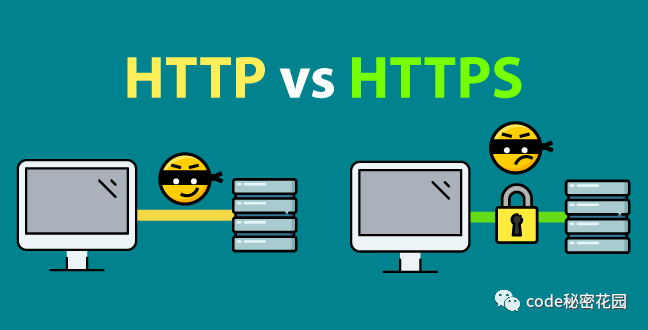
As you may have noticed, over the past few years, most websites have been transitioning from HTTP to HTTPS because HTTP transmits data in plaintext over the internet, making it easy to intercept or tamper with. In contrast, HTTPS ensures encrypted transmission of request data.
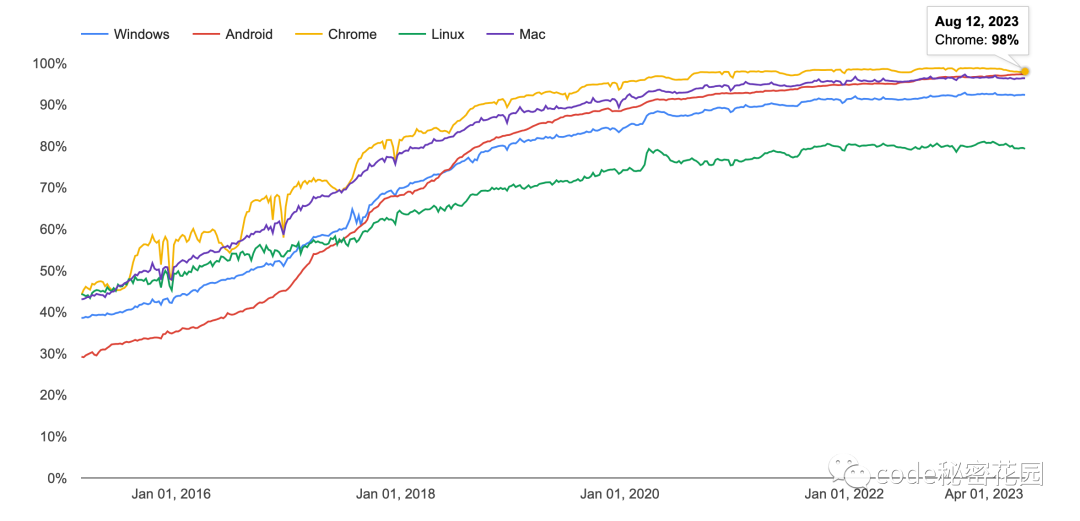
According to Chrome statistics, over 90% of users have started browsing websites using the HTTPS protocol.
Proportion of major platforms using the HTTPS protocol:
Proportion of time spent browsing using the HTTPS protocol:
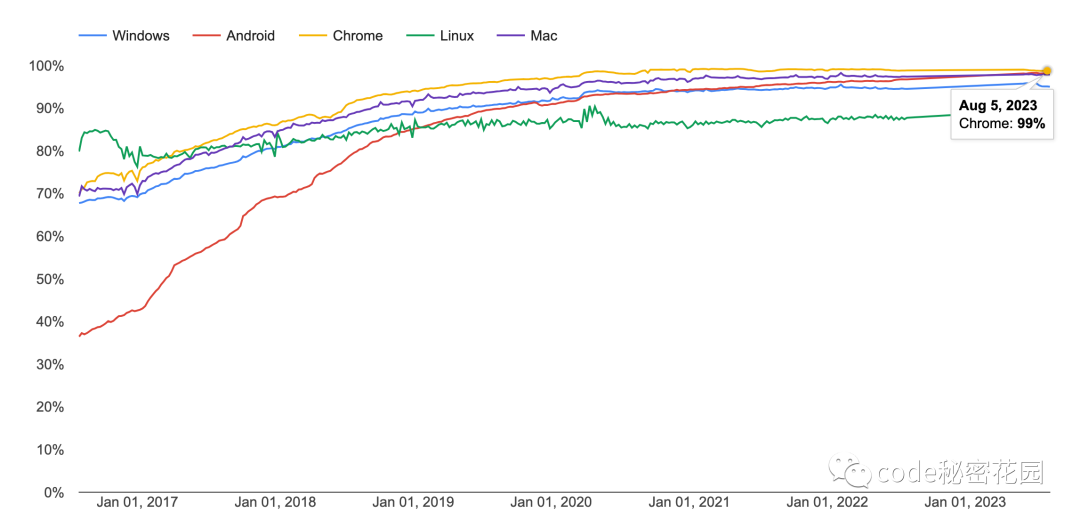
Top 100 websites have HTTPS enabled by default, along with the number of websites supporting HTTPS:

This means that the majority of current website traffic is encrypted and authenticated, protecting it from certain types of cyber attacks. However, there is still a stubborn 5-10% of traffic remaining on HTTP, allowing attackers to eavesdrop on or alter the data of these requests.
When the connection to a website is insecure, Chrome displays a warning in the address bar, but this is far from sufficient; many people may not notice it, and even if they do, the data may have already been compromised.
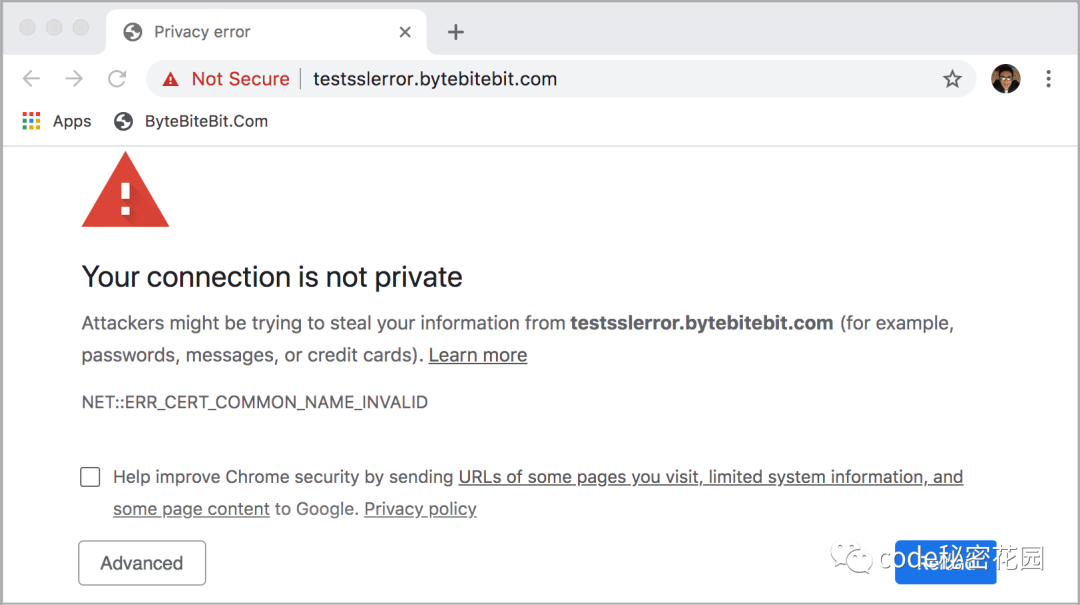
A good online environment should be secure by default. The HTTPS first mode allows Chrome to obtain our explicit permission before connecting to a website insecurely, thus fulfilling this promise.
Chrome‘s goal is to eventually enable this mode by default for every user. Although many websites may not yet be ready to enable HTTPS first mode by default (for example, if a website is not properly configured with a TLS certificate, accessing it via HTTPS will result in a failure), Chrome will enable several transitional capabilities.
Automatic HTTPS Upgrade
Chrome will automatically upgrade all http:// protocol accesses to https:// by default, even if we explicitly use the http:// protocol to access a website.
This is actually very similar to the principle of HSTS (an HTTP Header: Strict-Transport-Security, which redirects all HTTP traffic to HTTPS by default); you can think of it as adding HSTS by default to all websites.
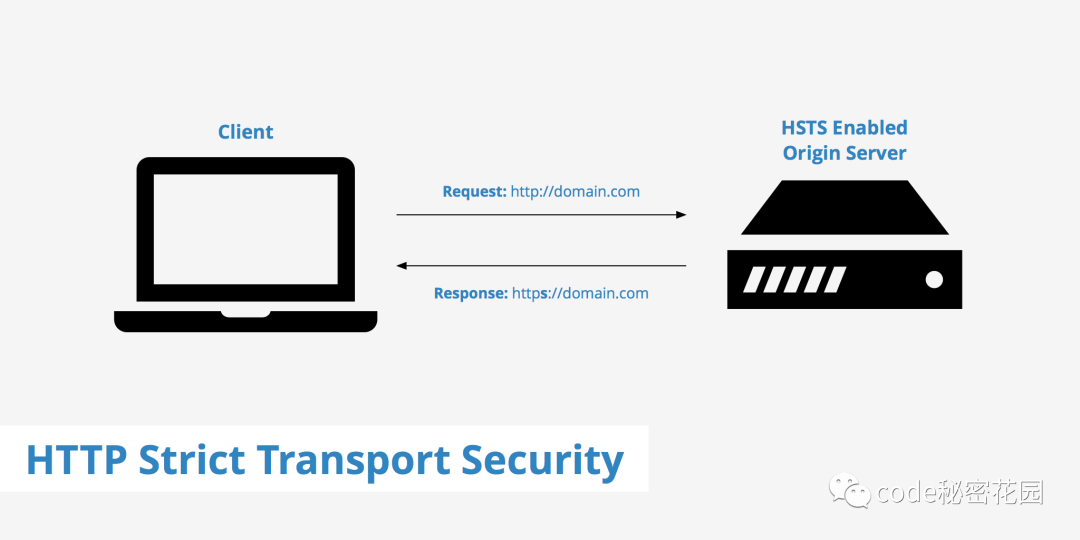
However, it is more user-friendly than HSTS; Chrome will check whether these default upgrades will fail (for example, due to the website providing an invalid certificate or returning HTTP 404), and then automatically revert to http://. This change ensures that Chrome only uses the insecure HTTP when HTTPS is genuinely unavailable, rather than because we clicked on an outdated insecure link. Currently, Chrome 115 is testing this change and is working to standardize the behavior across the web, which may soon enable it by default for all websites.
Although this change cannot completely prevent active network attacks, it is a stepping stone towards the HTTPS-First mode and can protect more traffic from passive network eavesdropping and tampering.
Insecure Download File Warnings
Currently, Chrome has removed support for mixed downloads (downloading HTTP content from HTTPS websites).
Then, Chrome will start displaying warnings before downloading any high-risk files through insecure connections. Downloaded files may contain malicious code that bypasses the Chrome sandbox and other protections, and when insecure downloads occur, network attackers may compromise your computer.
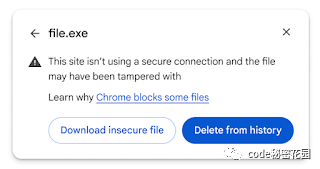
This warning is actually to inform users of the security risks they are undertaking. If you are willing to take the risk, you can still download the file.
Before enabling the HTTPS-First mode, Chrome will not display warnings when downloading files such as images, audio, or video through insecure connections, as these file types are relatively safe. However, it is expected that warnings for these file types will also begin in mid-September.
Gradual Rollout of HTTPS-First Mode
Since the ultimate goal for the entire web is to enable HTTPS-First mode for everyone, to minimize the impact, it may be gradually rolled out in the following areas:
- Users who have registered for the
GoogleAdvanced Protection Program and are logged intoChromewill enableHTTPS-Firstmode; - It will soon be enabled by default in incognito mode;
- Exploring automatic enabling of
HTTPS-Firstmode for users who rarely useHTTPprotocol;
If you want to enjoy the safest online environment immediately, you can go to chrome://settings/security to enable Always use secure connections to activate HTTPS-First mode~

In Conclusion
Wishing for a web environment free of HTTP! No more hijacking, tampering, or eavesdropping ~
Reference: https://blog.chromium.org/2023/08/towards-https-by-default.html
If you want to join a high-quality front-end communication group, or if you have anything else you want to discuss with me, you can add my personal WeChat ConardLi.
Likes and Views are the greatest support ⬇️❤️⬇️