Essential Guide! Capturing HTTP MP4 Media Streams with Wireshark: From Traffic Capture to Content Parsing, Accessible for Beginners
Background
Recently, while capturing packets on a mobile device, I discovered an interesting aspect: a major company’s video streaming is based on HTTP. This article analyzes the format of HTTP streaming media and shares insights that I hope will be helpful to everyone.
Key Concepts
When transmitting video over HTTP, there are several key concepts to be aware of, as follows:
Chunked Transfer and Range Requests (Resume Downloads / Chunked Loading)
A. The Request contains a Range header.
B. The server responds with 206 Partial Content, indicating that it is a partial response and not the complete file.
C. The server’s response Content-Type is video/mp4, indicating that it is a streaming media file.
D. The server’s response Content-Length indicates the size of the chunk.
E. Accept-Ranges
This mechanism supports resume downloads (allowing continuation from the last position after interruption) and chunked loading (during video playback, the initial segment is downloaded first to allow quick playback, while subsequent segments are loaded in the background).
Wireshark Packet Capture
Export the captured packets from the mobile device as a pcap file and analyze it using Wireshark.
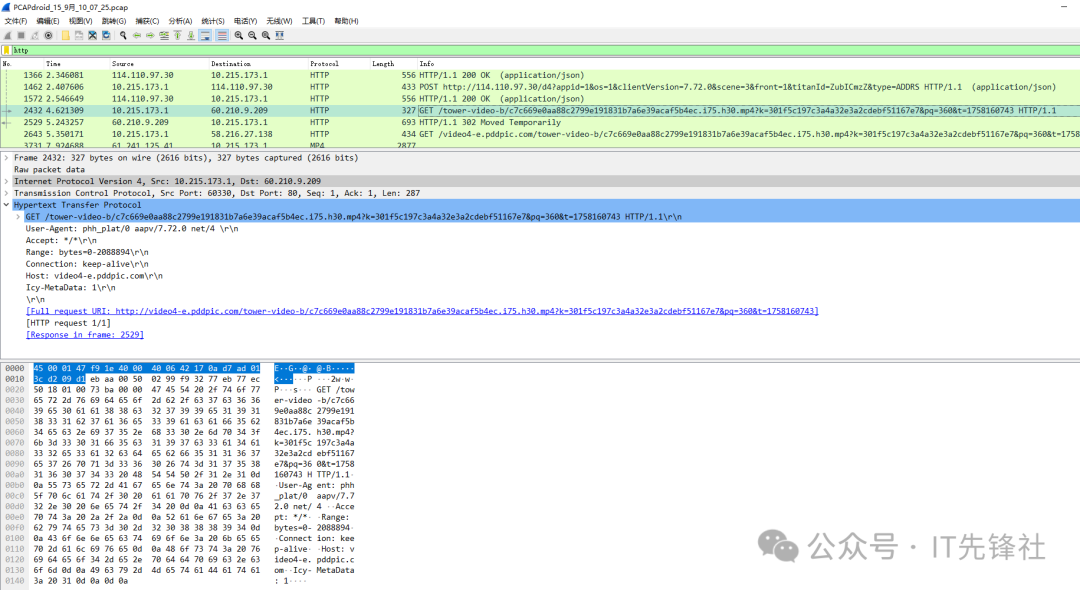
A. Request Method: GET, used to retrieve resources.
B. Request URL: points to an MP4 video file (the path includes tower-video-b/…j75.h30.mp4), indicating the target is video content.
C. Range: bytes=0-288894: Range Request — the client requests only the portion of content “from byte 0 to 288894.” This is the core mechanism of HTTP streaming media “chunked downloading,” supporting “play while downloading” or “resume downloads” (allowing playback of a segment without downloading the entire video, with subsequent requests for other segments).
Let’s look at the corresponding response packet.
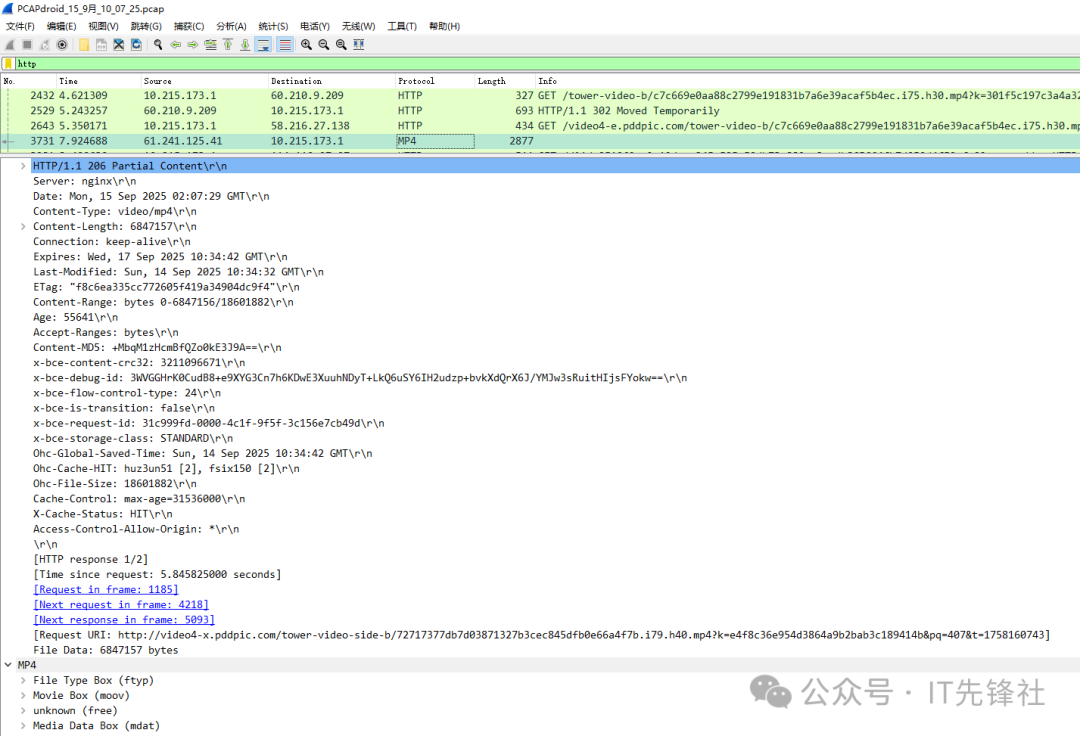
HTTP-related:
A. HTTP/1.1 206 Partial Content: indicates a partial content response (the client retrieves a “segment” of the video through a “Range Request,” rather than the complete file), which is the core mechanism of streaming media “play while downloading.”
B. Content-Type: video/mp4: clearly indicates that the response body is MP4 format video data.
C. Content-Length: 6847157: the size of this response body is approximately 6.8MB (i.e., the size of the transmitted video chunk).
D. Accept-Ranges: bytes: the server supports byte range requests, allowing the client to “download in segments” (for example, subsequent requests can ask for bytes=6847158-xxx for the next chunk).
MP4 Format Related:
A. File Type Box (ftyp): the “file type box” of MP4, stores format identifiers (such as supported codecs, compatible formats), used for player format compatibility verification.
B. Movie Box (moov): the “movie box” of MP4, stores video metadata (such as track information, timestamps, encoding parameters, resolution, etc.), serving as the “manual” for the player to parse the video.
C. Media Data Box (mdat): the “media data box” of MP4, stores the actual video/audio data frames (i.e., the binary encoded content of images and sounds).
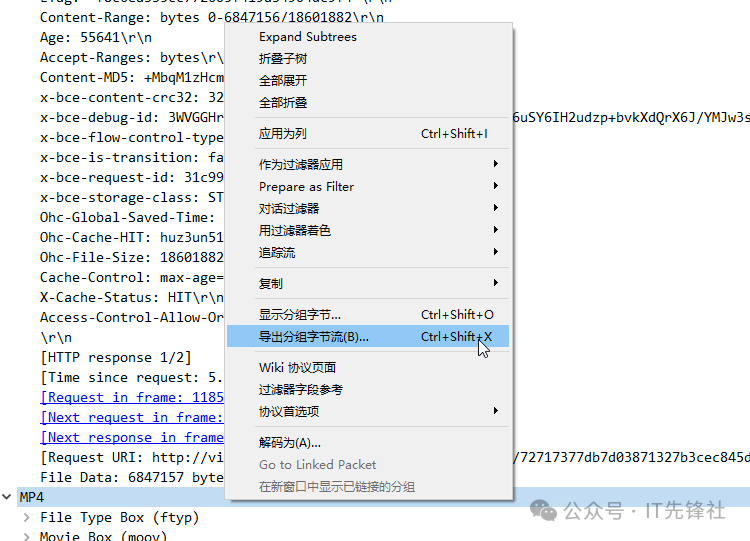
Select the MP4, right-click “Export Packet Bytes” and rename it to an MP4 file, as shown in the figure below:
Play it using a media player, and it should play normally.
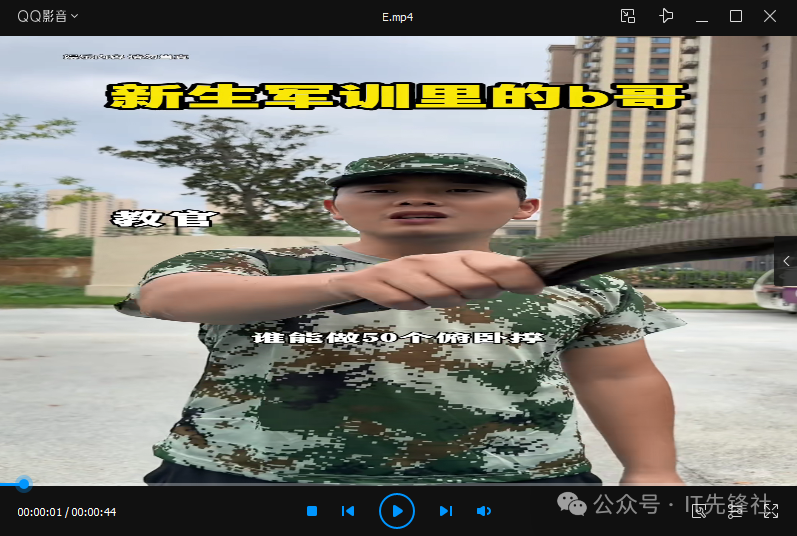
However, when playing to a certain later position:

Open it with 010Editor to take a look:
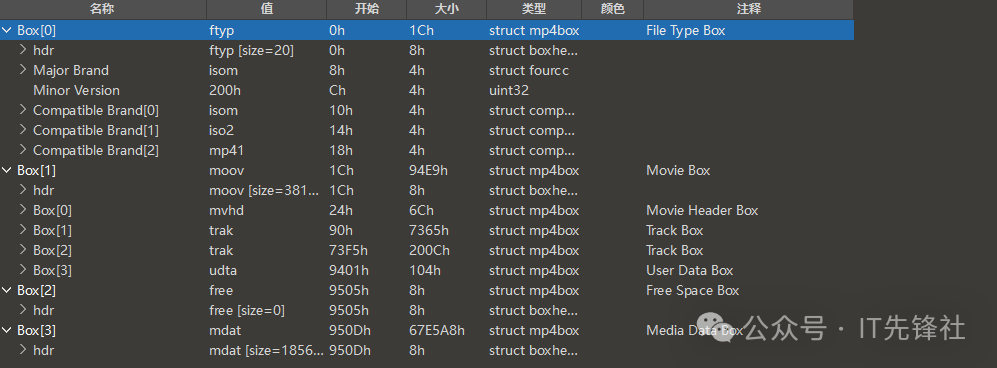
It can be seen that this request transmitted 4 MP4 boxes, among which the File Type Box (ftyp) and Movie Box (moov) are complete (these are necessary for the player to open), while the others are the video data.
To summarize the key formats of MP4:
① ftyp is the “format identifier” of MP4, located at the very beginning of the file, determining whether the player can recognize the file;
② moov is the “metadata container” of MP4, storing core information such as media encoding, timing, and tracks, serving as the “manual” for the player to parse the video.
Both are indispensable: ftyp allows the player to “recognize this as MP4,” while moov allows the player to “know how to play this video segment.
Follow Us