Hello everyone, today we are going to talk about a tool that can directly save you a few strands of hair—the Python logging library.
Do you often find yourself in a situation where: halfway through writing code, the logic gets a bit messy, and you accidentally type the familiar <span>print("debug...")</span>? As a result, the more you write, the messier it gets, and the screen is filled with output that makes your eyes dizzy; after debugging, you have to delete each one manually. If you don’t delete them, you feel uneasy, but if you do, you worry about missing some. In the end, you are tortured by “print debugging” to the point of questioning your life.
Don’t ask me how I know, I was once a victim of <span>print()</span> debugging.
Later, I encountered the logging library, and at that moment I realized: debugging can be this elegant!
Today, I will help you thoroughly understand the logging library—from beginner to advanced, from basic configuration to custom classes. I guarantee that after reading this, your code debugging mindset will be refreshingly clear, and you will no longer have to struggle with <span>print()</span>.
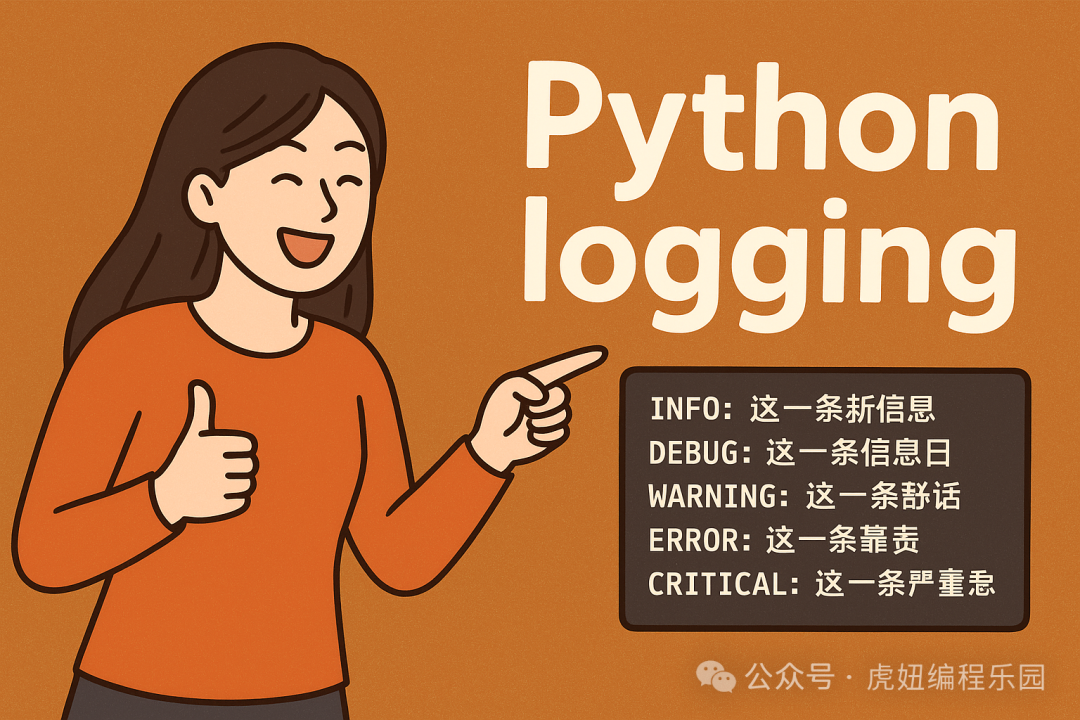
1. Why print() is Not Enough?
To be honest, <span>print()</span> is not completely useless; it’s like soy sauce in cooking, occasionally adding flavor.
However! If you rely entirely on “soy sauce” for the whole dish, it will only turn into a pot of salty soup.
For example: you wrote 200 lines of code, with 30 <span>print()</span> statements mixed in, and when you run it, the screen refreshes faster than stock market quotes. After debugging, you still have to delete them manually, and if you miss a few, you might end up outputting to the console after going live.
What’s worse is that the output from <span>print()</span> is a chaotic mess, with no levels or formats, making it like searching for a needle in a haystack when troubleshooting.
On the other hand, the logging library is different; it can help you:
- Output logs by level: debug information, warnings, errors are all clear.
- Define output formats: with timestamps and module names, it looks much better.
- Save to files: for future problem tracing, no need to painfully scroll through console history.
- Multiple outputs: whether you want to see it in the console or in a file, it’s up to you.
In summary:logging is the art of debugging, while print is just a temporary workaround.
2. The “Hello World” of logging
Don’t be afraid of complexity; let’s start with the simplest example.
import logging

# Set basic configuration, log level is DEBUG
logging.basicConfig(level=logging.DEBUG)

# Output an INFO level log
logging.info('This is an info log')

# Output a DEBUG level log
logging.debug('This is a debug log')

# Output a WARNING level log
logging.warning('This is a warning log')

# Output an ERROR level log
logging.error('This is an error log')

# Output a CRITICAL level log
logging.critical('This is a critical error log')
Run it, and the output will look something like this:
INFO:root:This is an info log
DEBUG:root:This is a debug log
WARNING:root:This is a warning log
ERROR:root:This is an error log
CRITICAL:root:This is a critical error log
See? Just compared to <span>print()</span>, it’s already much more advanced.
Here’s an important point: log levels have priorities, from low to high they are:DEBUG < INFO < WARNING < ERROR < CRITICAL.
For example, if you set the log level to <span>ERROR</span>, then DEBUG, INFO, and WARNING will not be output; only ERROR and CRITICAL will be printed. Isn’t that flexible?
3. The “Little Tricks” Behind Log Levels
Some of you might ask: how should these log levels be used?
Let me give you a metaphor from everyday life:
- DEBUG: it’s like you’re talking to yourself in the kitchen, “Is the fire a bit low? Let’s try adding more salt.”—all internal musings.
- INFO: similar to telling a friend, “This dish is generally okay, edible.”—a normal status report.
- WARNING: like your mom reminding you, “The smoke is too much, be careful not to choke.”—not fatal, but needs attention.
- ERROR: equivalent to burning the dish while cooking; it can still be saved, but the taste is compromised.
- CRITICAL: the pot is on fire, stop cooking and put it out quickly!
Isn’t it easy to remember now?
4. Adding Some “Style” to Logs: Custom Formats
The default log format is a bit monotonous; just <span>INFO:root:xxx</span> can be a bit dull.
The logging library supports custom formats, such as adding timestamps, log levels, and message content, making it clearer:
import logging

# Set log format
logging.basicConfig(level=logging.DEBUG,
                    format='%(asctime)s - %(name)s - %(levelname)s - %(message)s')

logging.debug('This is a debug log')
logging.info('This is an info log')
Output effect:
2025-01-12 10:23:56,123 - root - DEBUG - This is a debug log
2025-01-12 10:23:56,124 - root - INFO - This is an info log
Doesn’t it feel more “professional”? In company projects, logs with timestamps are particularly important; when issues arise, you can directly pinpoint when they occurred.
5. Writing Logs to Files: Leaving a “Record” of Bugs
In real scenarios, just looking at the console is not enough. After you leave work, the server is still running, and if something goes wrong, you need evidence.
At this point, you need to write logs to a file:
import logging

# Log to a file
logging.basicConfig(level=logging.DEBUG,
                    filename='app.log',
                    format='%(asctime)s - %(levelname)s - %(message)s')

logging.info('This log will be written to the file')
After running, you will find a new <span>app.log</span> file in the current directory, where the logs are neatly stored.
This is the “record”. Even if you look back a few days later, you can find the entire process of the problem.
6. Advanced Techniques: Multiple Handlers + Formatting
If you want to “output to both the console and save to a file”, you will need to use the combination of logger, handler, formatter.
Here’s the code:
import logging

# Create logger object
logger = logging.getLogger('my_logger')
logger.setLevel(logging.DEBUG)

# Create a console handler
console_handler = logging.StreamHandler()
console_handler.setLevel(logging.INFO)

# Create a file handler
file_handler = logging.FileHandler('my_log.log')
file_handler.setLevel(logging.DEBUG)

# Create formatter and set it to the handler
formatter = logging.Formatter('%(asctime)s - %(levelname)s - %(message)s')
console_handler.setFormatter(formatter)
file_handler.setFormatter(formatter)

# Add handlers to logger
logger.addHandler(console_handler)
logger.addHandler(file_handler)

# Test log output
logger.debug('Debug information')
logger.info('Normal information')
logger.warning('Warning information')
With this setup, you can view real-time logs in the console while storing historical records in a file, without interfering with each other.
This is standard practice for large projects.
7. Encapsulating Your Own Log Class
By now, you might feel that configuring handlers and formatters is a bit cumbersome.
No worries, we can encapsulate a <span>Log</span> class to package these details neatly for reuse.
import logging

class Log:
    def __init__(self, name="my_logger", level=logging.DEBUG, log_file="app.log"):
        """
        Initialize logger
        :param name: Logger name
        :param level: Log level
        :param log_file: Log output file
        """
        # Create logger object
        self.logger = logging.getLogger(name)
        self.logger.setLevel(level)

        # Create a console handler
        console_handler = logging.StreamHandler()
        console_handler.setLevel(logging.INFO)

        # Create a file handler
        file_handler = logging.FileHandler(log_file)
        file_handler.setLevel(level)

        # Create formatter and set it to the handler
        formatter = logging.Formatter('%(asctime)s - %(levelname)s - %(message)s')
        console_handler.setFormatter(formatter)
        file_handler.setFormatter(formatter)

        # Add handlers to logger
        self.logger.addHandler(console_handler)
        self.logger.addHandler(file_handler)

    def debug(self, message):
        """Record DEBUG level log"""
        self.logger.debug(message)

    def info(self, message):
        """Record INFO level log"""
        self.logger.info(message)

    def warning(self, message):
        """Record WARNING level log"""
        self.logger.warning(message)

    def error(self, message):
        """Record ERROR level log"""
        self.logger.error(message)

    def critical(self, message):
        """Record CRITICAL level log"""
        self.logger.critical(message)

# Test custom Log class
if __name__ == "__main__":
    log = Log(name="custom_logger", level=logging.DEBUG, log_file="custom_log.log")
    log.debug("This is a debug log")
    log.info("This is an info log")
    log.warning("This is a warning log")
    log.error("This is an error log")
    log.critical("This is a critical error log")
Now, whenever you want to log, you just need to:
log.info("Program started successfully")
log.error("Database connection failed")
Isn’t that neat?
8. The Practical Value of logging
<spanat "i’m="" a="" ask:="" fine,="" is="" just="" might="" point,="" print="" right?"
Indeed, for small scripts, using print is sufficient.
However, once you enter scenarios like team collaboration, online projects, data analysis platforms, you will find:
- Leaders need to see if the system is running normally, relying on INFO logs.
- When issues arise, developers need to check DEBUG logs to find the cause.
- The security department needs to track system anomalies using ERROR and CRITICAL logs.
In other words, logging is the basic skill of professional developers; it is not just a “debugging tool” but also “the eyes of the system”.
9. Summary: Upgrading from print to logging
Today we learned:
- Why print is not enough, and logging is more elegant.
- The basic usage of logging and log levels.
- How to customize log formats for clearer output.
- How to save logs to files to leave a “record”.
- How to build a complex logging system with handlers and formatters.
- How to encapsulate a Log class for elegant reuse.
If <span>print()</span> is a bicycle, then logging is a car. At first, you may need to learn some “driving skills”, but once you get the hang of it, speed, stability, and safety are on a whole different level.
So, the next time you write Python code, don’t foolishly use print to clutter the screen. Try logging and make debugging elegant!
Finally, here’s a question: 👉 Are you still using print for debugging in your projects? Or have you switched to logging?
Feel free to share in the comments; I’d love to hear your stories.