The nested virtualization in ESXi mainly addresses the issue where some software requires VT-d virtualization technology, which prevents the software from opening. Once nested virtualization is enabled, PCIe passthrough cannot be utilized. This guide will help you resolve this issue step by step, solving the problem of the emulator freezing at 59% and allowing you to start your nested virtualization journey. This will enable both nested virtualization and PCIe hardware passthrough, perfectly resolving the nested virtualization issue. The versions tested in this article are ESXi 7.0 and ESXi 8.0; versions below 6.7 have not been tested, but feel free to test them if needed.In analyzing a small error, when opening a virtual machine in ESXi, an error occurs: monitirt.oop. This error is caused by insufficient disk space. The solution is to reduce the memory to half of the current allocation to successfully open it. After opening, please quickly clean up the files. For example, if you have allocated 64GB of memory, change it to 32GB to successfully open.1. Log in to ESXi, enable SSH, and then use WinSCP to modify the ESXi configuration file, or you can also use PuTTY.
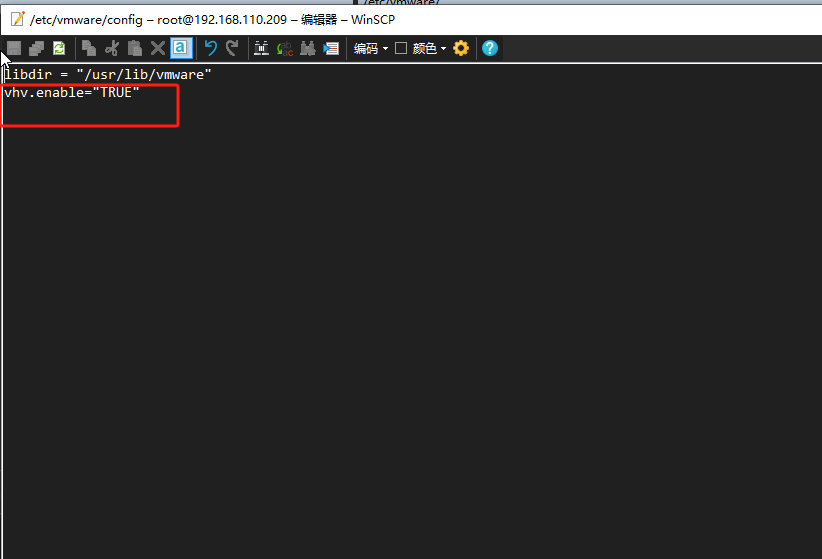
Modify the file /etc/vmawe/config and add the following code: vhv.enable="TRUE"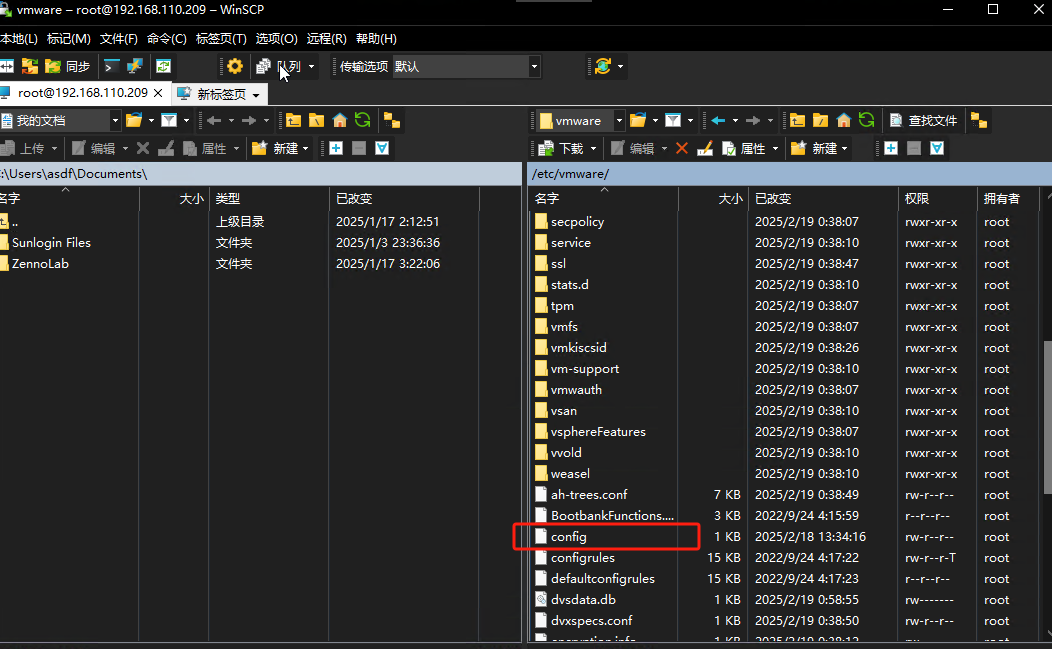
 2. Then edit the virtual machine configuration file and add the configuration parameter:vhv.allowPassthru=TRUE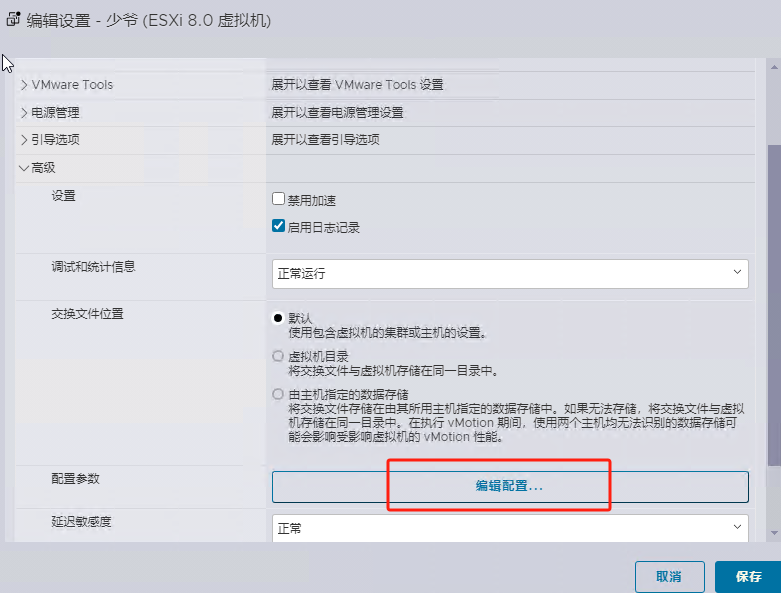
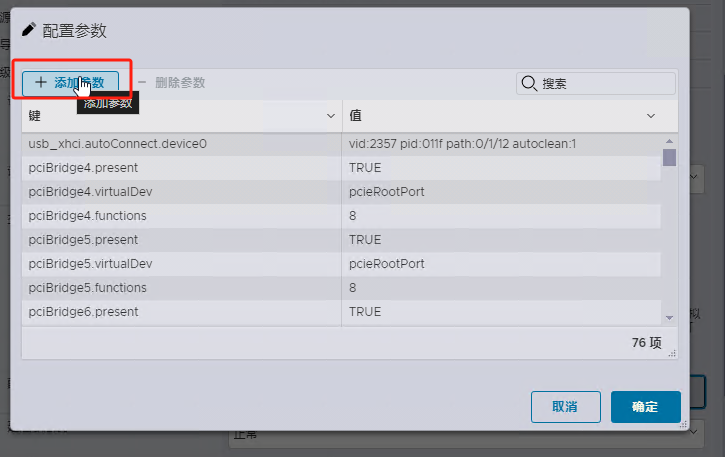
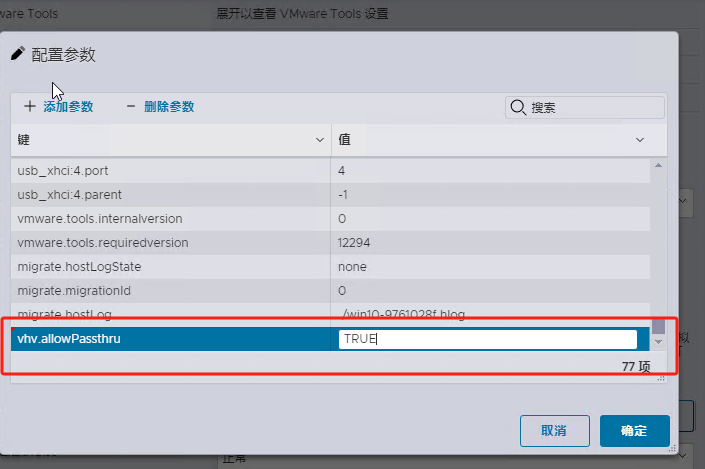 You must click save; many people forget to click save here, which leads to failure.