How to Convert Python Files to EXE Files.https://docs.pingcode.com/baike/1148103
How to Convert Python Files to EXE Files
Using PyInstaller, cx_Freeze, and py2exe are the three main methods for converting Python files to EXE files. This article will detail these three methods, with a focus on how to use PyInstaller to convert Python files to EXE files.
1. Using PyInstaller (Note: All operations are performed in PyCharm)
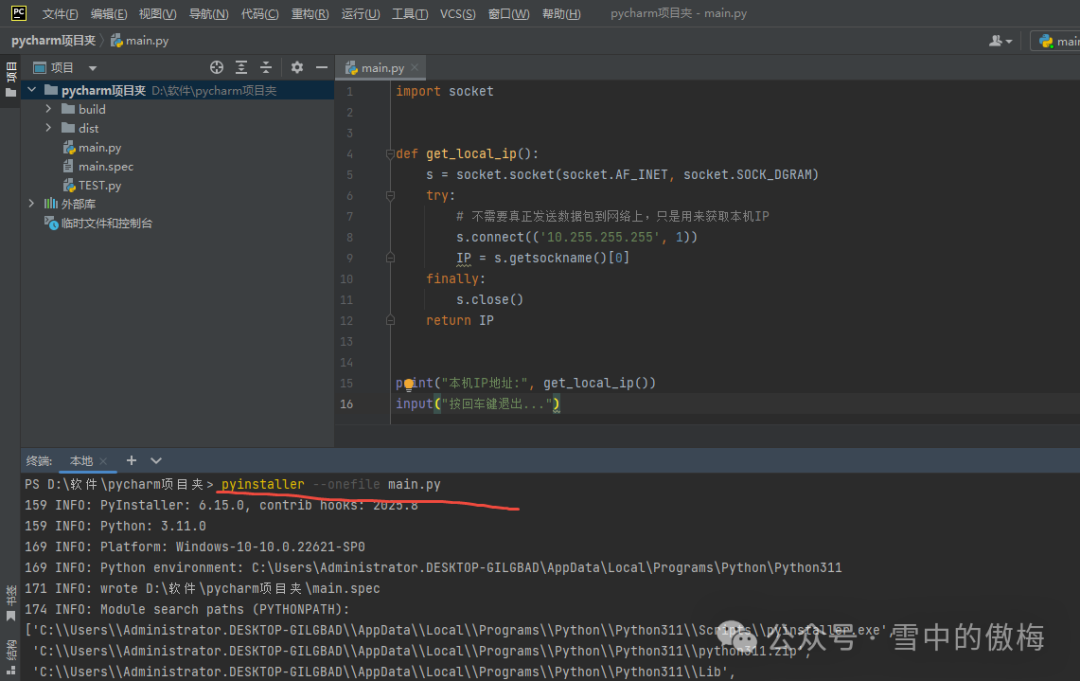
PyInstaller is a tool that packages Python applications into standalone executable files, supporting multiple platforms. Below are the detailed steps for using PyInstaller.
1. Install PyInstaller
First, you need to install PyInstaller using pip in the command line:
pip install pyinstaller
2. Package the Python File
Assuming you have a Python file named<span>example.py</span>, use the following command to package it into an EXE file:
pyinstaller --onefile example.py
The<span>--onefile</span> option indicates that all dependencies will be packaged into a single EXE file. If this option is not added, PyInstaller will generate a folder containing multiple files.
3. Customize Packaging Options
PyInstaller provides various customization options, such as adding icons and excluding certain modules. Here are some commonly used options:
·<span>--windowed</span>: for GUI applications, it will not display the command line window.
·<span>--icon</span>: specify the icon for the EXE file.
4. Output File
After packaging is complete, you can find the generated EXE file in the<span>dist</span> folder.
2. Using cx_Freeze
cx_Freeze is another tool for packaging Python scripts into EXE files. Below are the steps for using cx_Freeze.
1. Install cx_Freeze
Install cx_Freeze using pip:
pip install cx_Freeze
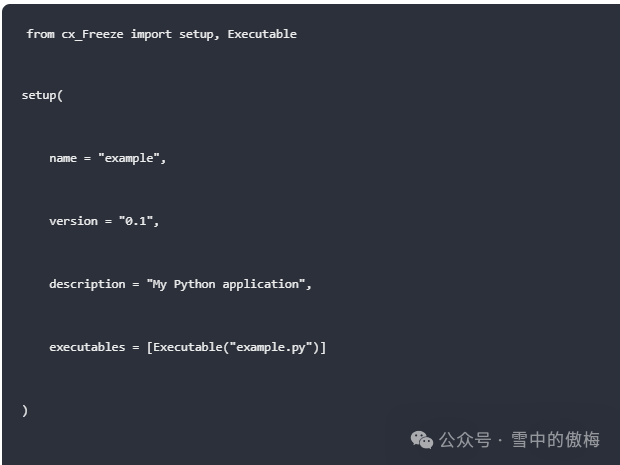
2. Create a setup.py File
Create a file named<span>setup.py</span> with the following content:
3. Run setup.py
Run the following command in the command line:

After packaging is complete, you can find the generated EXE file in the<span>build</span> folder.
3. Using py2exe
py2exe is a tool specifically designed to convert Python scripts into Windows executable files. Below are the steps for using py2exe.
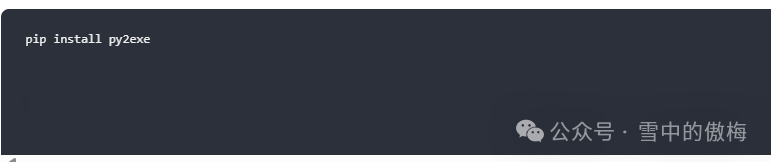
1. Install py2exe
Install py2exe using pip:
2. Create a setup.py File
Create a file named<span>setup.py</span> with the following content:

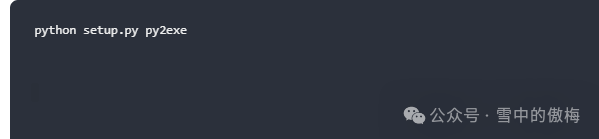
3. Run setup.py
Run the following command in the command line:
4. Detailed Introduction to More Features of PyInstaller
1. Include Data Files
Sometimes your Python application may require additional data files, such as images or configuration files. You can use the<span>--add-data</span> option to include these files.

The above command will include the<span>config.json</span> file in the EXE file.
2. Specify Hidden Imports
Some modules are dynamically imported at runtime and may not be automatically included in the generated EXE file. You can use the<span>--hidden-import</span> option to explicitly specify these modules.

3. Include Multiple Scripts
If your project contains multiple Python scripts, you can use the<span>--additional-hooks-dir</span> option to specify the path to these scripts.
pyinstaller --onefile --additional-hooks-dir=path_to_scripts example.py
5. Common Issues and Solutions
1. EXE File Too Large
The packaged EXE file may be quite large because it includes the Python interpreter and all dependencies. You can use UPX (Ultimate Packer for eXecutables) to compress the generated EXE file.
pip install upx
pyinstaller –onefile –upx-dir=path_to_upx example.py
2. EXE File Errors on Execution
Sometimes the generated EXE file may throw errors during execution, which could be due to certain modules not being packaged correctly. You can check the log file generated by PyInstaller to find the missing modules and add them manually.
3. Slow Execution Speed of Packaged EXE File
The execution speed of the packaged EXE file may be slower than the original Python script because it needs to decompress and load all dependencies. You can improve execution speed by optimizing code and reducing dependencies.
6. Conclusion
Converting Python files to EXE files can greatly enhance the portability and usability of Python applications.PyInstaller, cx_Freeze, and py2exe are three commonly used methods, with PyInstaller being powerful and easy to use, recommended for use. Through this article, you should have mastered the basic methods and some advanced techniques for converting Python files to EXE files.
Whether developing small tools or deploying large applications, converting Python files to EXE files is an important step. I hope this article helps you achieve greater success in your Python development journey!