PCB design is both a science and an art. There are numerous technical specifications related to trace width, layer stacking, schematics, and more. However, when it comes to the artistic aspect of component placement in PCB design, things become interesting.In fact, there are very few restrictions on component placement, and there are no “absolutely correct” specifications. This allows beginners to approach component placement on circuit boards with a sense of ambition and creativity, relying entirely on their design ideas.
However, this does not mean you can do whatever you want. The designs in computers ultimately need to be grounded in reality, resulting in something usable. Therefore, the following ten tips for PCB component placement can guide electronic beginners through the initial stages of electronic design smoothly.
Why is Component Placement So Important?
There is an old saying (unknown origin) that 90% of PCB design is in component layout and 10% in routing. This is indeed a profound truth. Taking the time to carefully place components can yield significant benefits and improve the electrical characteristics of the PCB. What happens if you randomly place components on the circuit board?
-
Time Wasted:There is a high likelihood that during the routing process, you will find that there is simply not enough space to route some traces, and you may need to start the entire routing process over.
-
The Circuit Board Doesn’t Work:You might think that once you place the components and route all the leads, everything is fine. You send the design files to the PCB manufacturer and wait a few days to receive the brand new circuit board. Just as you are excited to solder the circuit, reality hits hard when you discover that some components cannot be soldered at all (either due to incorrect packaging or conflicts with each other).
-
Aesthetic Disarray:We must admit that even as humble engineers, we still appreciate symmetry and detail in aesthetics. A circuit board that has been poorly laid out by someone lacking care and attention will only lead to frustration during the soldering and debugging process, leaving you with nothing but a sense of despair.
If you encounter a nitpicker, they might argue that there are no strict rules for component placement. The same schematic can yield a thousand different routing schemes from a hundred electronic engineers. This is why designing a circuit board is often seen as an artistic creative process. ▲ An elegant, artistically designed circuit board easily attracts attention. Symmetrical and tidy, the component placement is beautiful!If you always want to clarify right and wrong, here’s a little trick to help you judge whether your component placement on the circuit board is appropriate.After placing the components, use the auto-routing feature in your PCB design software (such as that provided in Autodesk EAGLE) to route the board. If the final circuit connectivity rate is below 85%, it indicates that you need to spend more time optimizing the component placement.Now, let’s get to the practical tips about component placement.01Tip: Understand the Physical Limitations of the Circuit BoardBefore placing components, you need to know the locations of mounting holes, edge connectors, and the mechanical size limitations of the circuit board. Why?Because these factors affect the size and shape of your circuit board. I have seen designs where the circuit board could not fit into the designated area, necessitating a redesign.To avoid making such mistakes, intentionally set a clearance area around those mechanical constraints (mounting holes, circuit outline, etc.) so you can confidently create within the allowed range.
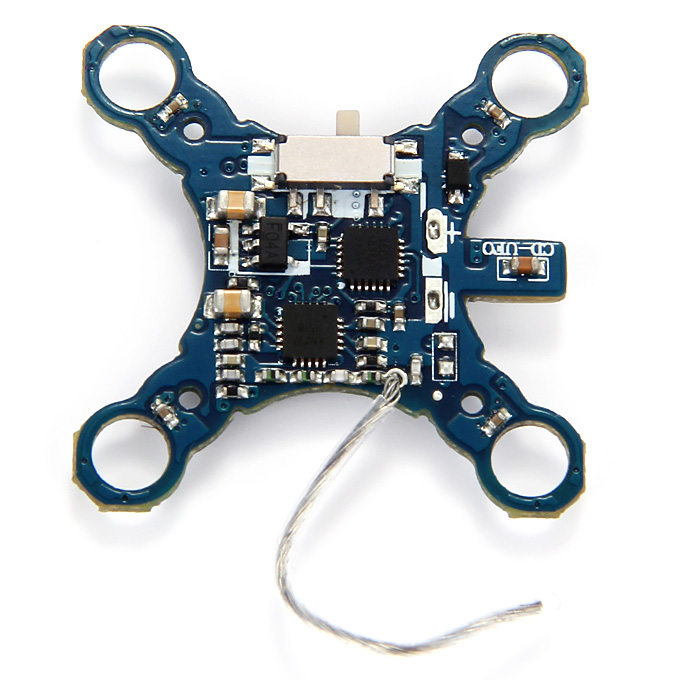 ▲ Quadcopters or other flexible wearable circuits often require the circuit board to have an interesting appearance. This is the design for a signal receiving circuit used in a mini quadcopter.02Tip: Understand the PCB Manufacturing ProcessSimilarly, before placing circuit components, it’s best to clarify a few key pieces of information from the circuit manufacturer:
-
The assembly process and testing procedures for the circuit;
-
Whether space needs to be reserved for PCB V-groove cutting;
-
Component soldering process: is it wave soldering, selective soldering, or hand soldering?
The PCB manufacturing process will affect the spacing requirements between components. Additionally, if your circuit board will be soldered on an assembly line in the future, you need to leave extra space (greater than 20 mil) at the edges of the circuit board for securing it to the conveyor belt. The extra holding plate on the circuit board is removed after soldering.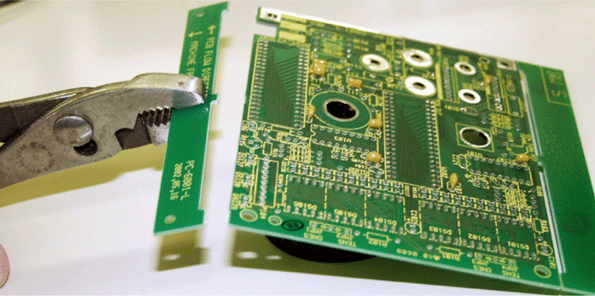 03Tip: Leave Breathing Space for Integrated ChipsNote that the “breathing” space mentioned here is not for air; you will understand what it is after reading below.When placing any components, always try to leave at least 350 mil of space between them, and for chips with many pins, the space needs to be larger. Why?Modern chips have more and more pins, and they are getting denser. If integrated chips are placed too closely together, it is highly likely that you will not be able to easily route their leads.Often, the later you get into routing, the harder it becomes. Sometimes, routing a single trace can cost you a hundred hairs, leading to a situation where you feel helpless. (If only I had known this earlier!)
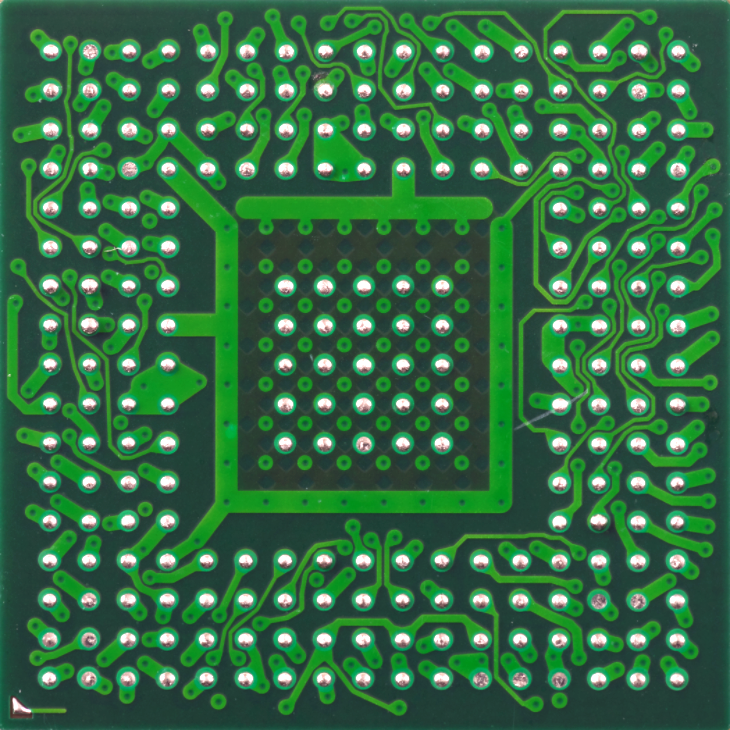 ▲ See, this BGA packaged chip has densely packed pins. If you do not leave enough space around it, you will have a tough time during routing.04Tip: Keep the Same Orientation for Similar ComponentsFor similar components, try to align them in the same direction. Are you a perfectionist? This is mainly to facilitate later assembly, inspection, and testing of the circuit board, especially for surface-mounted components during wave soldering, where the circuit board passes uniformly through the molten solder wave. Uniformly placed components heat evenly, ensuring high consistency in solder joints.The example below shows that uniformly placed components are suitable for uniform wave soldering processes.
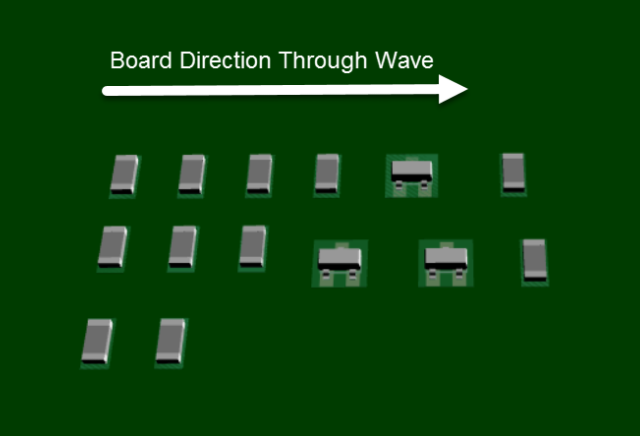 ▲ Example of uniformly placed components; consistent orientation is suitable for uniform wave soldering.If you place components in a disorganized manner as shown below, the quality of solder pads during wave soldering will vary, especially when some small components are located between larger components, creating a “shadow” effect that may lead to poor soldering of the small components.

▲ Example of disorganized component placement: components with different orientations are likely to create poor solder joints during wave soldering.
05Tip: Reduce Lead CrossingsBy adjusting the position and orientation of components, reduce lead crossings. How to do this?Many PCB design software now provide a feature that displays the connection relationships between unconnected pins.For example, the image below shows the connection relationships between all component pins in the schematic, indicated by thin gray lines (these lines are called ratsnest: flying wires, pre-routed lines).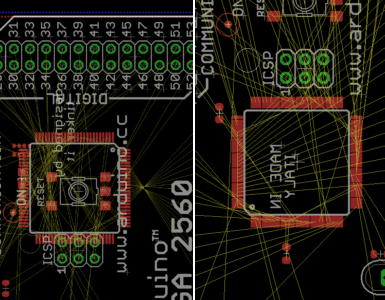 ▲ PCB interface showing flying wires.By changing the position and orientation of components, you can significantly save effort in routing by minimizing lead crossings.06Tip: Place Edge Components FirstFor components that cannot be moved freely due to mechanical constraints, such as external connectors, switches, USB ports, etc., place them first. Why?These components often have predetermined positions established during the overall mechanical design of the system. After placing these components, you will have a solid starting point for arranging the remaining components. Once you have placed the edge components, the rest is your time to unleash your imagination and creativity.
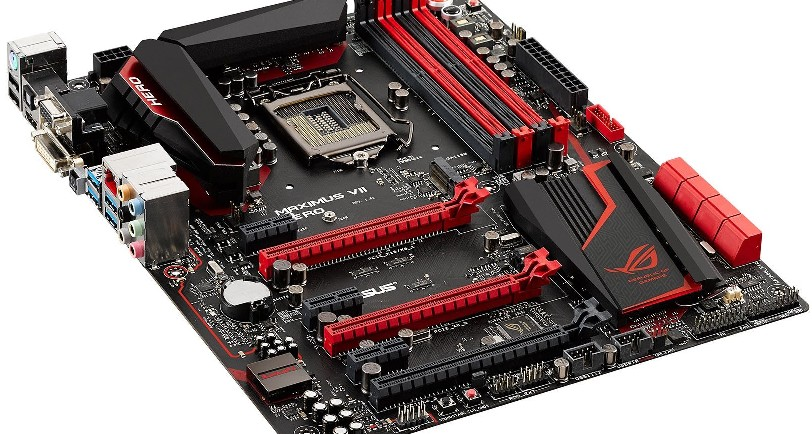 ▲ The positions of peripheral interface components on a computer motherboard are closely related to the chassis design, and their positions need to be predetermined.07Tip: Avoid Conflicts Between ComponentsAbsolutely avoid overlapping pads or edges of components to route on a small circuit board. It is best to maintain a distance of 40 mil (1 mm) between all components. Do you have a fear of tight spaces?The main reason is to prevent short circuits between pads during the subsequent circuit manufacturing process. Don’t forget, tight placement will also make routing more difficult.Similarly, when placing vias, avoid excessive density. These small round holes may later expose copper, causing circuit shorts.08Tip: Place Components on the Same SideIf you are designing a two-layer circuit board, the most common advice is to place components on the same side. Why?If components are not placed on the same side of the circuit board, it will complicate the manufacturing process later. Here’s why: typically, components on the circuit board are placed by automatic component placement machines, and if components are on one side, the PCB production process only needs to be done once.Otherwise, two placements are required. Wasting production time is wasting money and life.09Tip: Keep Chip Pins and Component Polarities ConsistentEach integrated chip has a marking indicating the starting position of pin 1. For the orientation of pin 1 of the chip or for polarized components (motors, capacitors, diodes, transistors, LEDs, etc.), keeping the direction consistent will facilitate PCB manufacturing. Is this necessary?If you have ever soldered or debugged a circuit board yourself, you will not doubt this. Think about it: when you are soldering components on the circuit board with chaotic polarities and orientations, don’t you feel uncertain about successfully soldering the board?
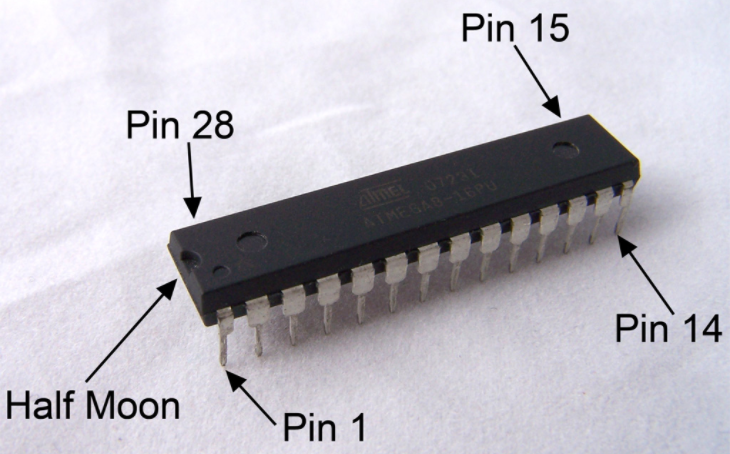 ▲ Typically, there will be a small dot on the integrated chip package indicating the position of pin 1. Keeping all chip orientations consistent will facilitate soldering and inspection.10Tip: Similar Component Positions to the SchematicWhen placing components, try to follow the positional relationships from your schematic. Why?
In fact, when you designed the schematic, you already optimized the positional relationships between components (shortest connections, least crossings), so following the component positions from the schematic to the PCB layout has inherent rationality.
Especially during manual routing later, the schematic will subconsciously help you choose reasonable short paths for routing.Creation Under Constraints
The best PCB designs originate from extraordinary component layouts. Do not take this lightly. You should always focus your energy on reasonable component placement; all efforts in this process are worthwhile. This may be the most rewarding aspect of your PCB design journey. When you see your designed PCB transformed into a finished circuit board, it will be a moment of joy in reaping the fruits of your labor.