ESP32 is a powerful microcontroller widely used in IoT projects. However, in applications requiring precise timing, the built-in RTC of the ESP32 often falls short. This is where
<span>ESP32Time</span>library comes into play! It allows you to easily set and retrieve the internal RTC time of the ESP32, ensuring your project maintains accurate timing.
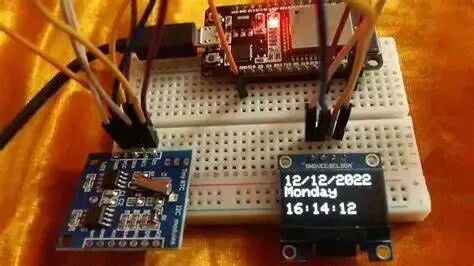
ESP32Time: An Arduino Library for Precise Time Management
<span>ESP32Time</span> is an Arduino library specifically designed for the ESP32, providing a simple and easy-to-use API for setting and reading the internal RTC time. This means you can achieve precise timing without relying on external RTC modules. Additionally, <span>ESP32Time</span> supports time offsets, making it convenient for time adjustments across different time zones.
Getting Started: Installation and Usage
Installing the <span>ESP32Time</span> library is very straightforward; simply search for “ESP32Time” in the library manager of the Arduino IDE and install it. You can also download the library files from GitHub and manually add them to the library directory of the Arduino IDE.
Once installed, include the <span>ESP32Time.h</span> header file in your Arduino code:
#include <ESP32Time.h>Then, create an <span>ESP32Time</span> object:
ESP32Time rtc; // Using default 0 seconds offset
// Or specify an offset:
// ESP32Time rtc(3600); // 1 hour offset
Setting Time: Multiple Methods to Choose From
<span>ESP32Time</span> provides various methods for setting the time, allowing you to choose the most suitable option for your needs:
-
• Use the
<span>setTime(seconds, minutes, hours, day, month, year)</span>function to set a specific time. -
• Use the
<span>setTime(epoch)</span>function to set a Unix timestamp. -
• Use the
<span>setTimeStruct(time)</span>function to set a<span>tm</span>structure.
Getting Time: Flexible Output Formats
<span>ESP32Time</span> also offers a rich set of methods for retrieving time, supporting various formatted outputs:
-
•
<span>getTime()</span>: Retrieves the current time in HH:MM:SS format. -
•
<span>getDate()</span>: Retrieves the current date in Day, Month Day Year format. -
•
<span>getDateTime()</span>: Retrieves the current date and time in Day, Month Day Year HH:MM:SS format. -
•
<span>getTimeDate()</span>: Retrieves the current time and date in HH:MM:SS Day, Month Day Year format.
All of the above functions support an optional boolean parameter to control the full spelling of the date and month. For example, <span>getDate(true)</span> will return Sunday, January 17 2021 instead of Sun, Jan 17 2021.
Even more powerful, the <span>getTime("%A, %B %d %Y %H:%M:%S")</span> function allows you to use a <span>strftime</span> format string to customize the time output format, catering to various personalized needs.
Other Useful Features
In addition to basic time setting and retrieval functions, <span>ESP32Time</span> also provides several other useful features:
-
•
<span>getEpoch()</span>: Retrieves the current Unix timestamp. -
•
<span>getLocalEpoch()</span>: Retrieves the current local Unix timestamp (without offset). -
•
<span>getMicros()</span>,<span>getMillis()</span>: Retrieves microsecond and millisecond counters. -
•
<span>getSecond()</span>,<span>getMinute()</span>,<span>getHour()</span>,<span>getDay()</span>,<span>getDayofWeek()</span>,<span>getDayofYear()</span>,<span>getMonth()</span>,<span>getYear()</span>: Retrieves specific date and time elements.
Time Offset: Easily Handle Time Zone Differences
<span>ESP32Time</span> supports time offsets, allowing you to easily manage time across different time zones. You can specify the offset when creating the <span>ESP32Time</span> object or modify the <span>rtc.offset</span> property at any time. The offset is specified in seconds and can be either positive or negative.
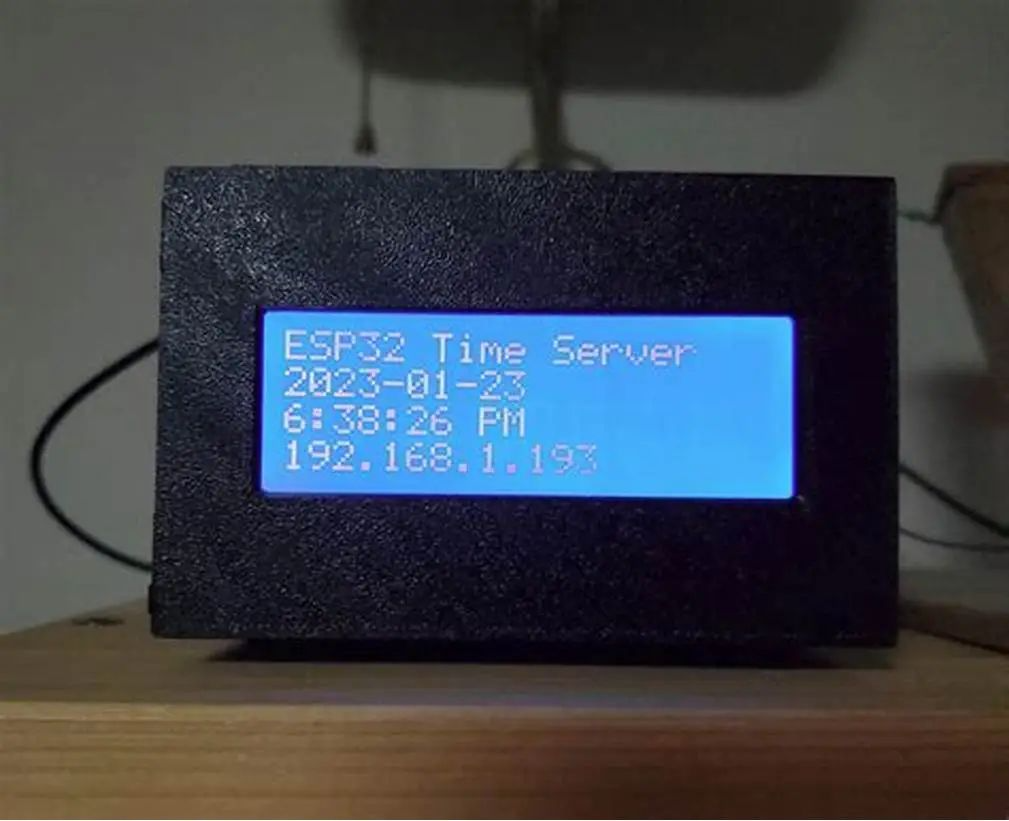
Conclusion
<span>ESP32Time</span> library provides a simple yet powerful solution for time management on the ESP32. It is easy to use, feature-rich, and capable of meeting various timing needs, ensuring your ESP32 project maintains accurate timing. Whether you are building a simple clock or a complex IoT application, <span>ESP32Time</span> is your ideal choice.
Project Link:https://github.com/fbiego/ESP32Time ESP32Time