
In IoT development, the MQTT protocol has become the “golden partner” for devices to connect to the cloud due to its lightweight nature, low bandwidth consumption, and efficient communication.
However, in practical applications, developers often encounter issues such as connection management, protocol compatibility, and low power optimization. Newcomers may also struggle with practical operations regarding hardware and software…
This article specifically shares development example tutorials and outlines several high-frequency issues encountered when using MQTT with Hezhuo modules, helping you quickly avoid pitfalls!
1
– MQTT Development Example Tutorial –
The Hezhuo Resource Center provides developers with detailed application example tutorial documents; simply select the corresponding model’s software development materials to obtain them.
Taking the classic models Air780EPM and Air780EQ for LuatOS development/AT commands as examples, the MQTT example tutorial links are as follows:
01)LuatOS Development
MQTT example for Air780EPM module:https://docs.openluat.com/air780epm/luatos/app/socket/mqtt/
02)AT Commands
MQTT example for Air780EQ module:https://docs.openluat.com/air780eq/at/app/command/mqtt/
For more example tutorials, please refer to the latest documents in the resource center:https://docs.openluat.com/

2
– Common MQTT Development Issues –
Below is a summary of some issues and answers encountered by developers in practical applications:
01)Does the Hezhuo module support MQTT protocol version 5.0 or 3.1.1?
Currently, all Hezhuo modules support MQTT protocol version 3.1.1 and do not support version 5.0.
02)What is the maximum number of MQTT connections supported by the module?
Different modules and versions have varying limits on the number of MQTT connections.
-
AT Development:
Only supports one MQTT connection.
-
LuatOS Version:
The Air724UG module supports up to 10 connections; the Air780E module supports 6 connections without SSL; please refer to the specific model’s manual for details.
Note:Some functions in the LuatOS version library, such as Update, AGPS, LBS Loc, errDump, etc., will occupy socket connections. For example, if Update and LBS Loc are working at a certain time, they will occupy 2 socket connections, thus reducing the maximum number of connections available for user application scripts by 2. Proper planning is required.
03)When configuring the MQTT keepalive time, does the module actively send heartbeat data?
The module will actively send heartbeat data, and the actual keepalive time is 0.75 or 1.5 times the configured keepalive time.
If there are high stability requirements for the connection, it is recommended to also add a heartbeat mechanism at the application layer to double ensure the stability of the MQTT connection.
04)What to do if MQTT messages are not being received?
First, you can use a test server for testing: lbsMQTT.airm2m.com, port number 1884.Ensure that it runs normally on the test server, and then gradually troubleshoot potential issues when connecting to the actual server, such as network configuration, subscription topics, client username, and password settings.
05)How to set up the Air780E module AT commands to use two links (TCP and MQTT)?
In AT development, MQTT only supports one link.If you want to use multiple links, first enable the multi-link feature through AT commands.
After enabling multi-link, first connect TCP; after the TCP connection is successful, connect MQTT, and other settings can follow the examples in the AT manual.
For the latest AT manual, see:https://docs.openluat.com/air780e/at/app/at_command/
Regarding channel settings, if MQTT is opened first, it is channel 0; if MQTT is opened later, it is channel 1. When setting, if one link is TCP and the channel is set to 1, be careful with the MQTT channel settings to avoid conflicts.
06)Does the Air780E module AT firmware stop sending heartbeat packets during MQTT communication?
Yes. During MQTT communication, when data is being transmitted, the module will stop sending heartbeat packets, which is allowed by the MQTT protocol and is a normal phenomenon.
Therefore, the server side cannot rely solely on timers to determine whether heartbeat data is present to assess the connection’s status; it must also consider normal data packets.
07)Why does the Air780E module AT firmware sometimes fail to send data every one or two seconds via MQTT?
When this occurs, first check the QoS settings.
If QoS is set to 1, under poor network conditions, a 2-second interval may not be sufficient to complete the round-trip data transmission. If fast sending is desired, set QoS to 0 to improve the success rate of data transmission.
08)Is there a way to set MQTT to automatically reconnect using Air724UG AT firmware?
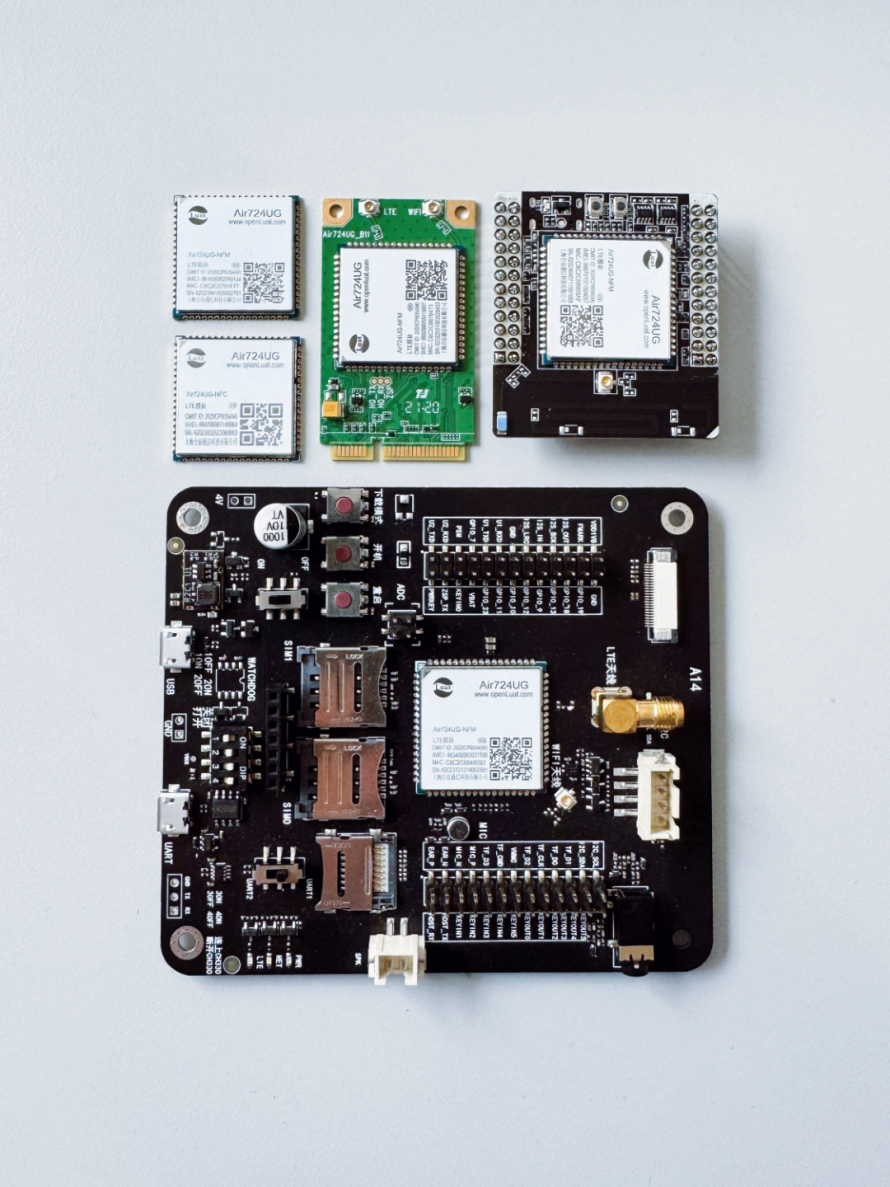
Currently, there is no direct method to set MQTT for automatic reconnection in the Air724 AT firmware.
Developers need to manually reconnect upon detecting URC; please refer to the following link for related content:https://doc.openluat.com/wiki/27?wiki_page_id=3252#TCP_218
09)How to determine if connected to the MQTT server using Air724UG LuatOS development?
Refer to the following link for a detailed introduction on how to connect to the MQTT server using the Air724UG module in LuatOS development:https://docs.openluat.com/air724ug/luatos/app/socket/MQTT/
10)What to do if data reception takes too long?

Specific situation:The Air780EQ module, in low-power normal mode, uses MQTT to connect to the server, and there is a probability that it will receive data only after 30 seconds.
Solution:If you encounter this situation, try setting CSCLK to 1 or 2. Adjusting this parameter may improve the timeliness of data reception and optimize the MQTT data reception performance of the module in low-power normal mode.
11)Is it necessary to disconnect the MQTT connection before entering sleep mode for it to take effect?
When entering sleep mode, it is recommended to enter flight mode rather than simply disconnecting the MQTT connection, as this better achieves sleep functionality and reduces device power consumption; however, if the data sending frequency is high, it is not recommended to switch in and out of flight mode.
12)In low-power normal mode MQTT, is it necessary to reinitialize the network and MQTT after waking up?
Under normal circumstances, low-power normal mode should maintain a long connection. If there is a disconnection after waking up, check the logic in the code for entering and exiting flight mode and reconnection.

I hope the above answers can provide strong assistance in your MQTT development applications. If you have any other questions, feel free to leave a message for discussion!

▼ Learn More About Hezhuo ▼
4G+ positioning + WiFi + Bluetooth, Air8000 complete development boardNew Air8101 core board + accessory board
Hezhuo low-power 4G modules, adding 4 more hardcore new products