This section is for personal learning purposes. If there are individuals involved in Mitsubishi secondary development, you can join the simulation group for communication.
Mitsubishi Learning | Mitsubishi Simulation Software Learning Group [NCTrainer2plus]
Learning through exploration, during this process, we will continue to use our previous learning approach to seek answers. This may conflict with new concepts, and when we clarify this conflict, it will be the time to get started.
Pose questions, solve problems, and learn applications.
The PLC text box control can perform read and write operations on NC’s PLC devices and can display the values of the PLC devices.
(1) Creating the PLC Text Box Control
Click on [Function Objects] in the NC Designer2 menu, select [PLC textbox object] from the dropdown list, or click the icon on the [Functional Object] panel in the NC Designer2 interface.
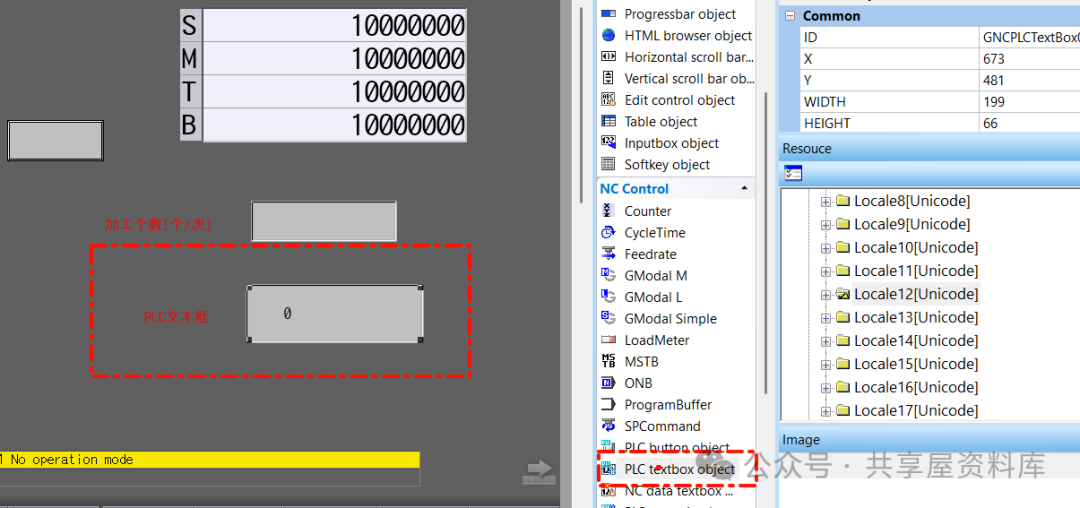
(2) Setting the Properties of the PLC Text Box Control
Select the PLC text box control created above, and set the properties of the PLC text box control in the property list on the right as follows.
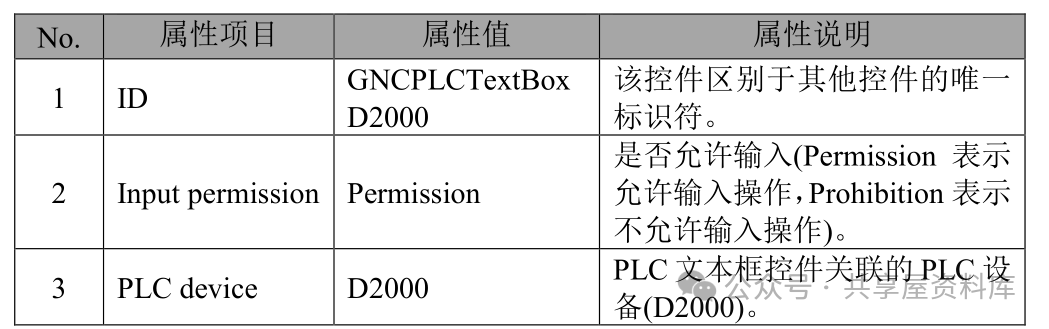
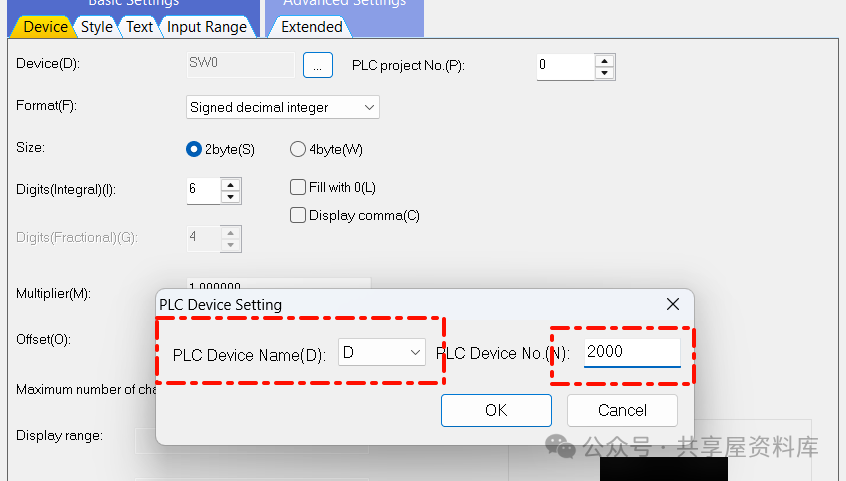
Here, we will explain the properties of the PLC text box control associated with the PLC device D2000 in the screen. Other properties will use the default settings from creation.
Notes:
* PLC bit devices are a type of PLC device, and their values are stored using a binary bit, which can only be 0 or 1. There are also PLC devices that use 16 and 32 binary bits to store values.
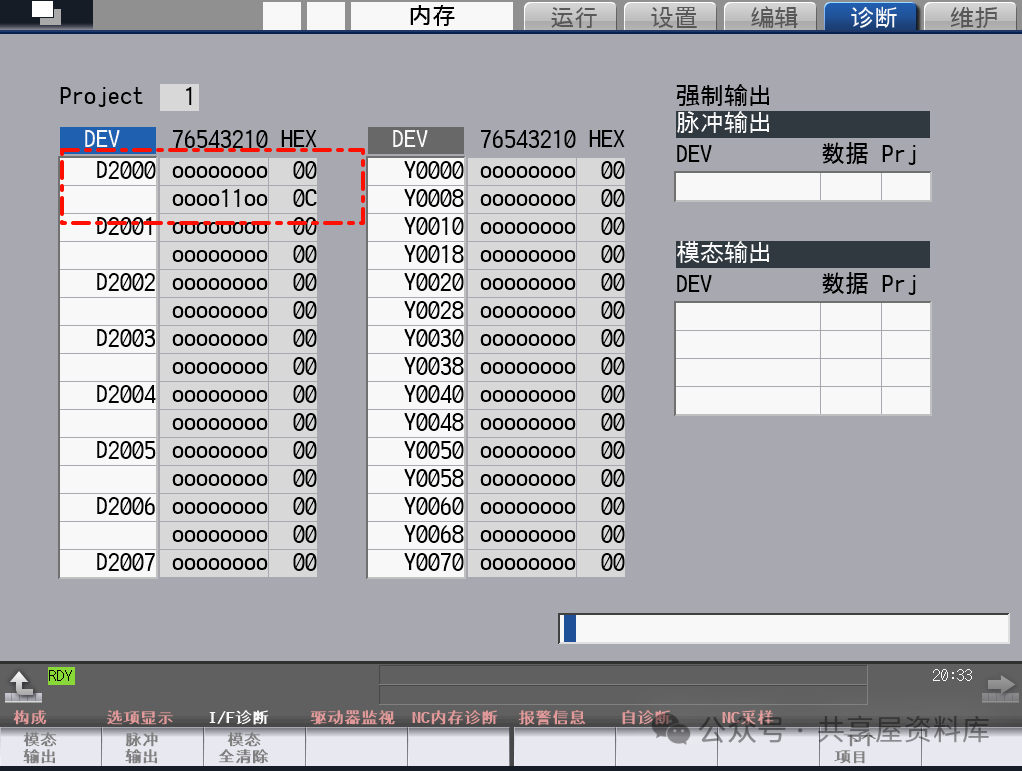
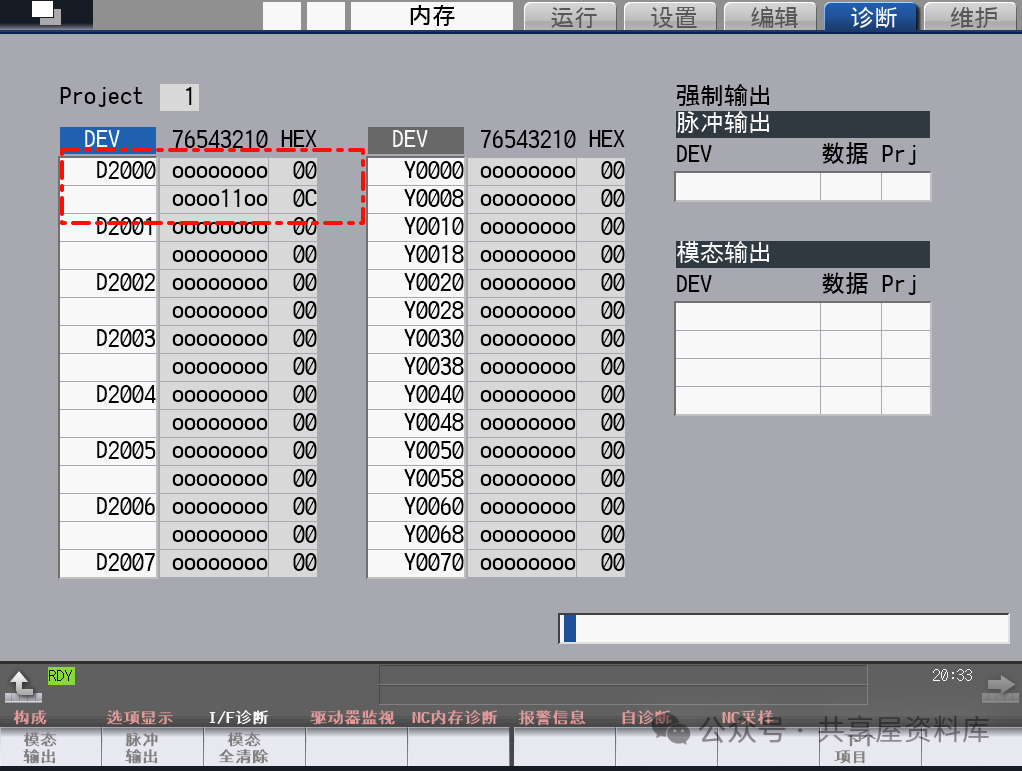
(5) Display Screen of the PLC Text Box Control
After creating the PLC text box control and setting its properties, the display result of the PLC text box control on the panel is shown in the following image.
Time is the best proof. Continue to work hard in learning PLC knowledge of the Mitsubishi system.
Learn the M80 PLC tutorial with me: M80 PLC Tutorial | How to Learn Mitsubishi M80 PLC Programming Technology from Scratch?
Shared WeChat: 136959805