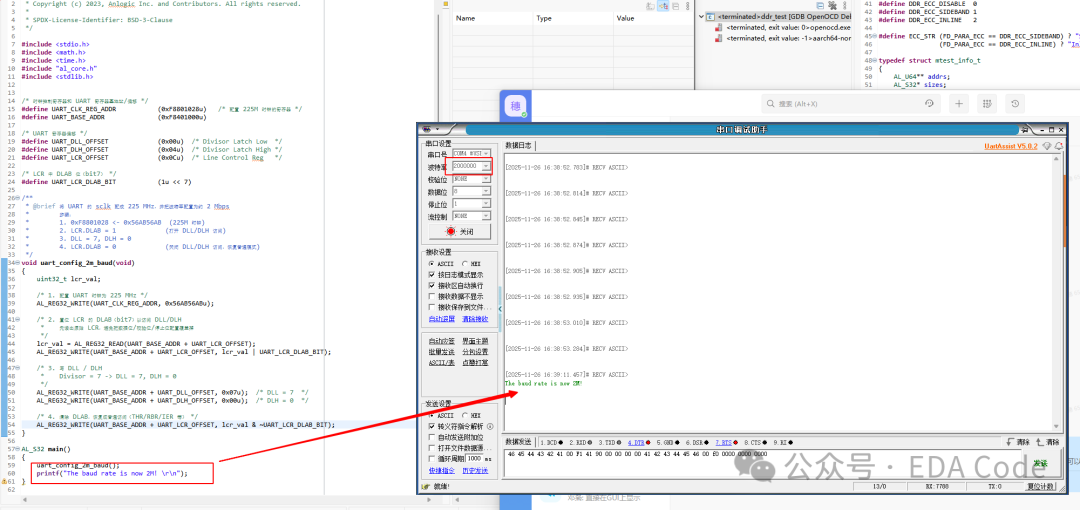
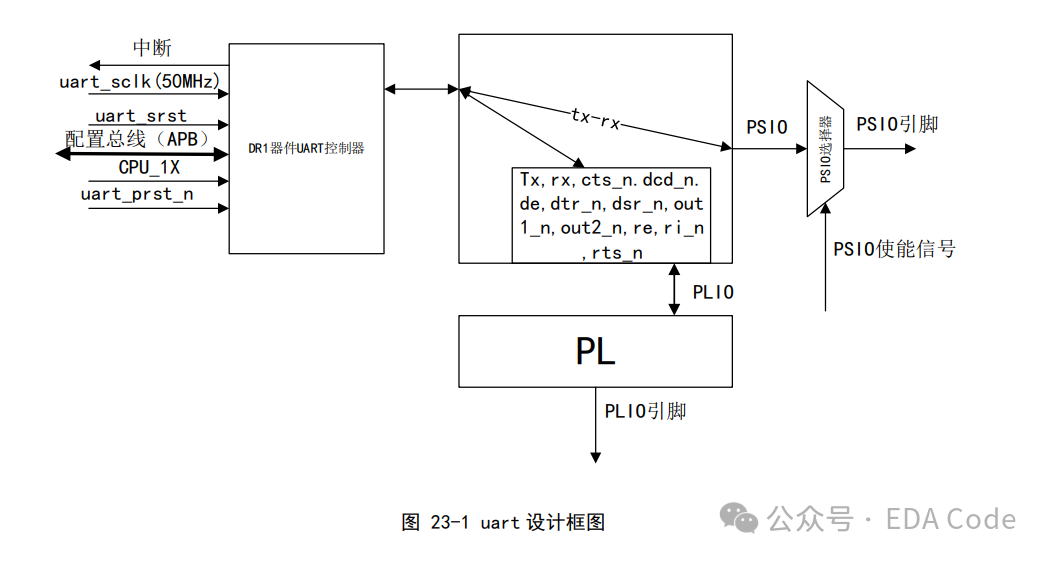
Currently, the TD only supports a baud rate of 921600 bps, but it will soon support 2M baud rate. Is there a temporary solution to support 2M? Of course, there is, as the hardware supports it.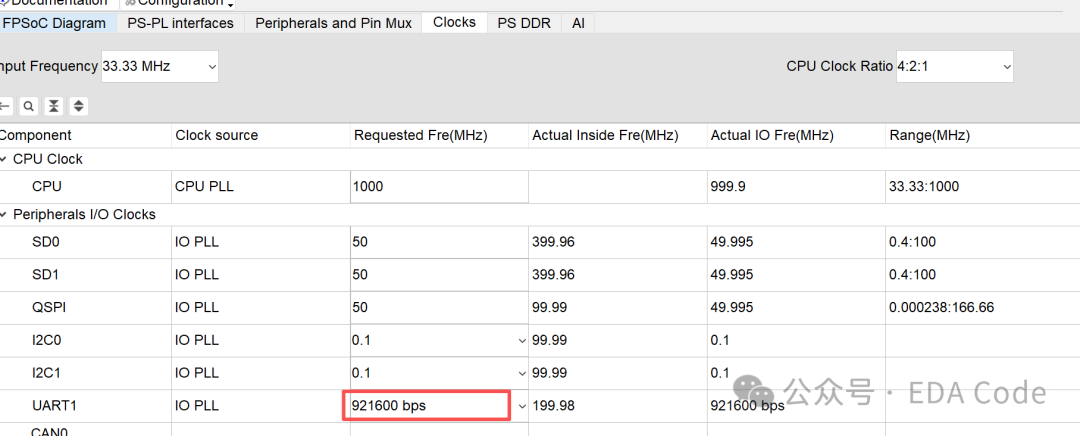 The core method is to configure the UART registers through PS. The architecture diagram of UART can be found in the URM as follows:
 Introduction to Key Registers
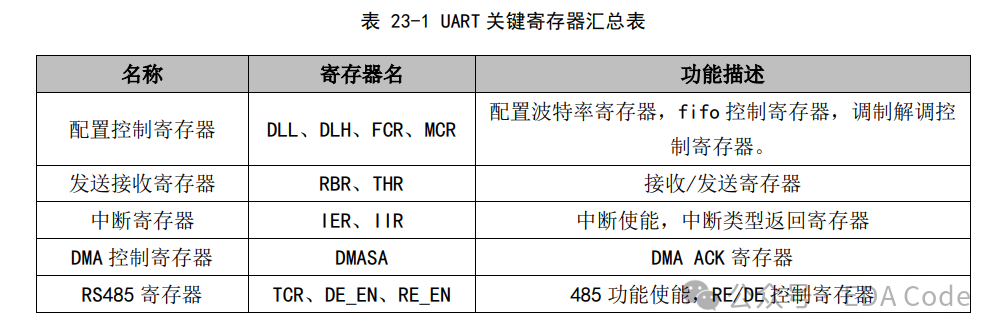 For specific register descriptions, please refer to the UART section
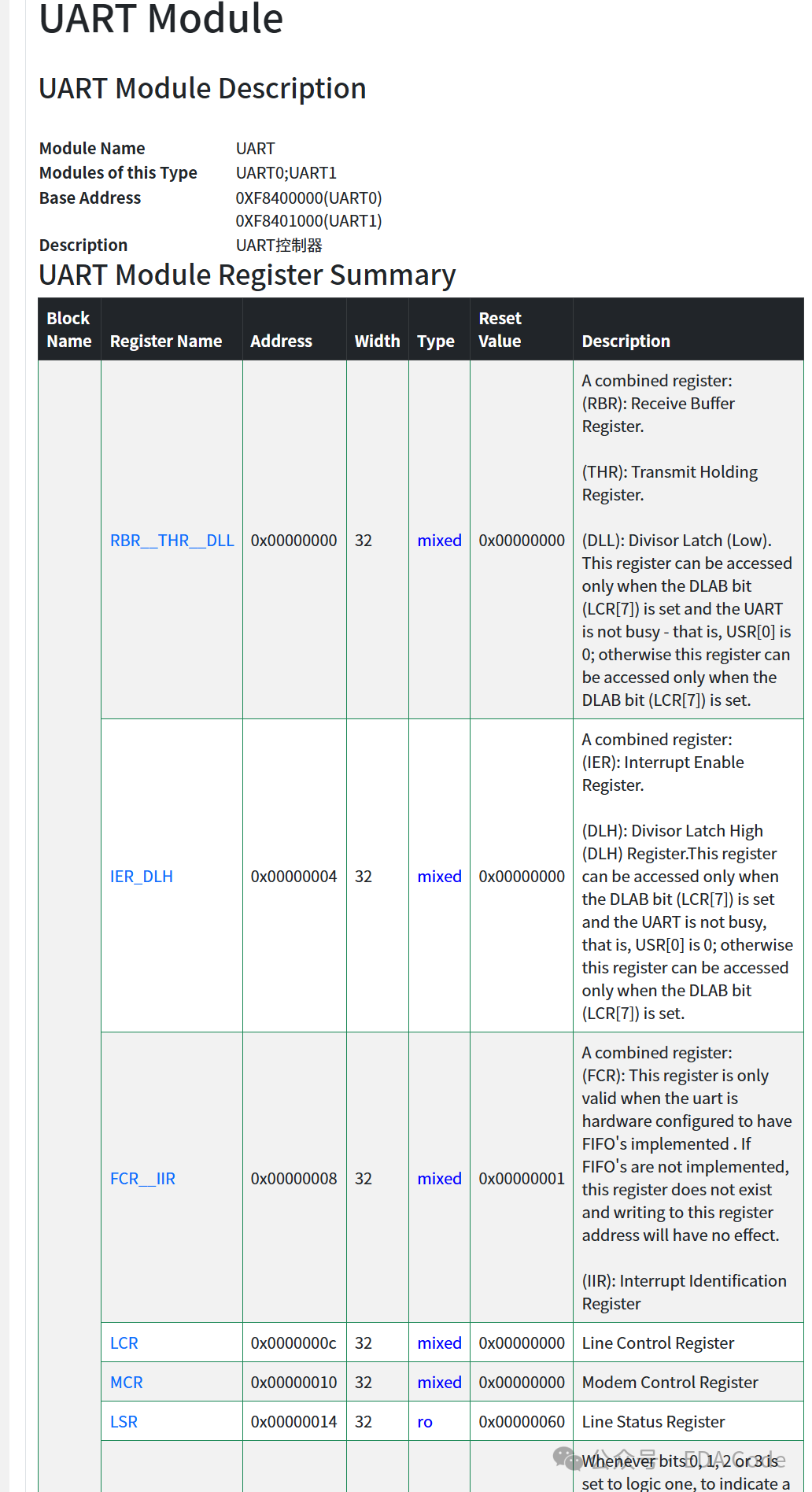 The core of adjusting the baud rate is how to calculate the baud rate from the register values, the formula is as follows:
 In the above formula, the Serial clock frequency is the clock frequency of the serial port module, and the divisor is the division factor, which mainly involves the THR, DLH, and LCR registers: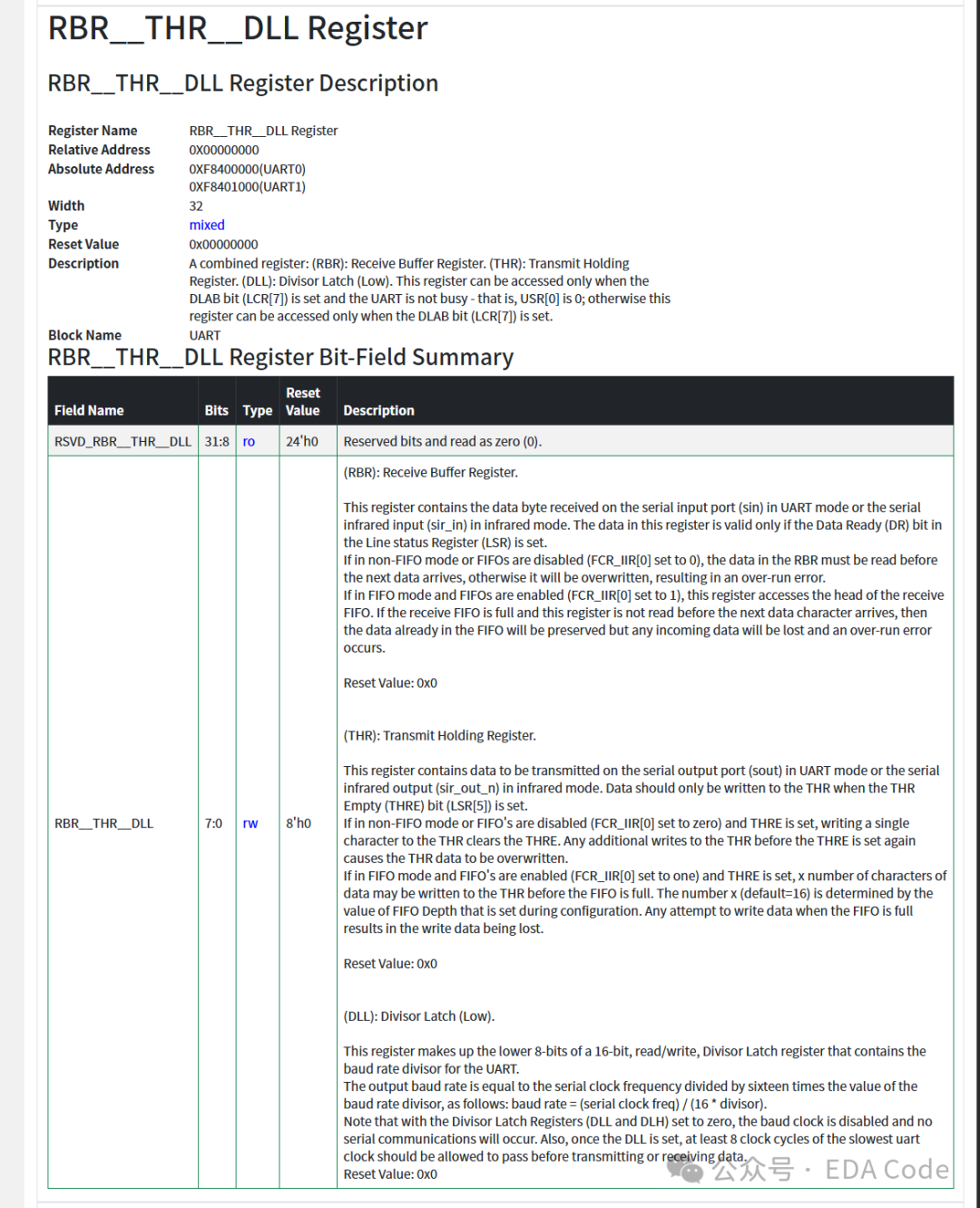
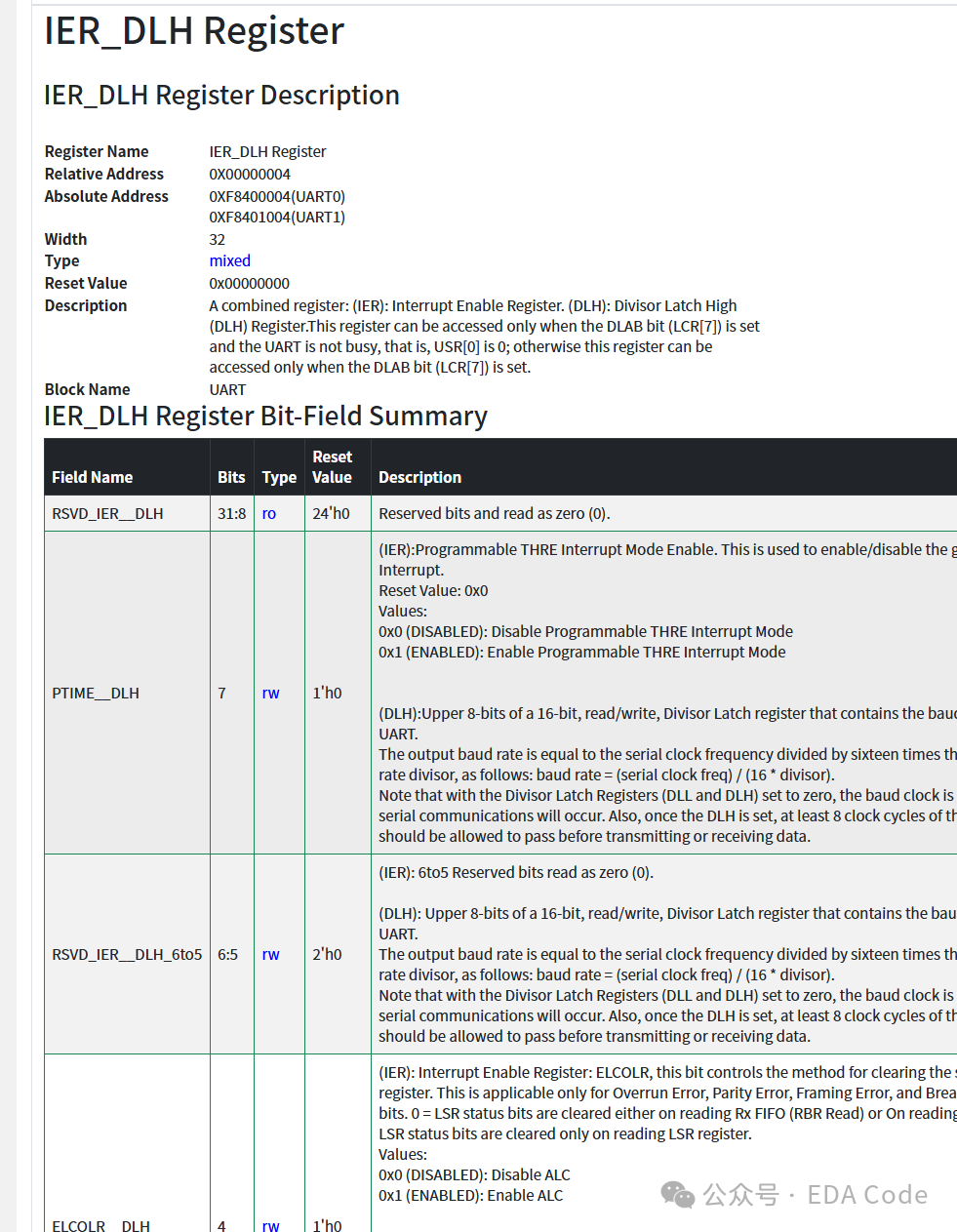
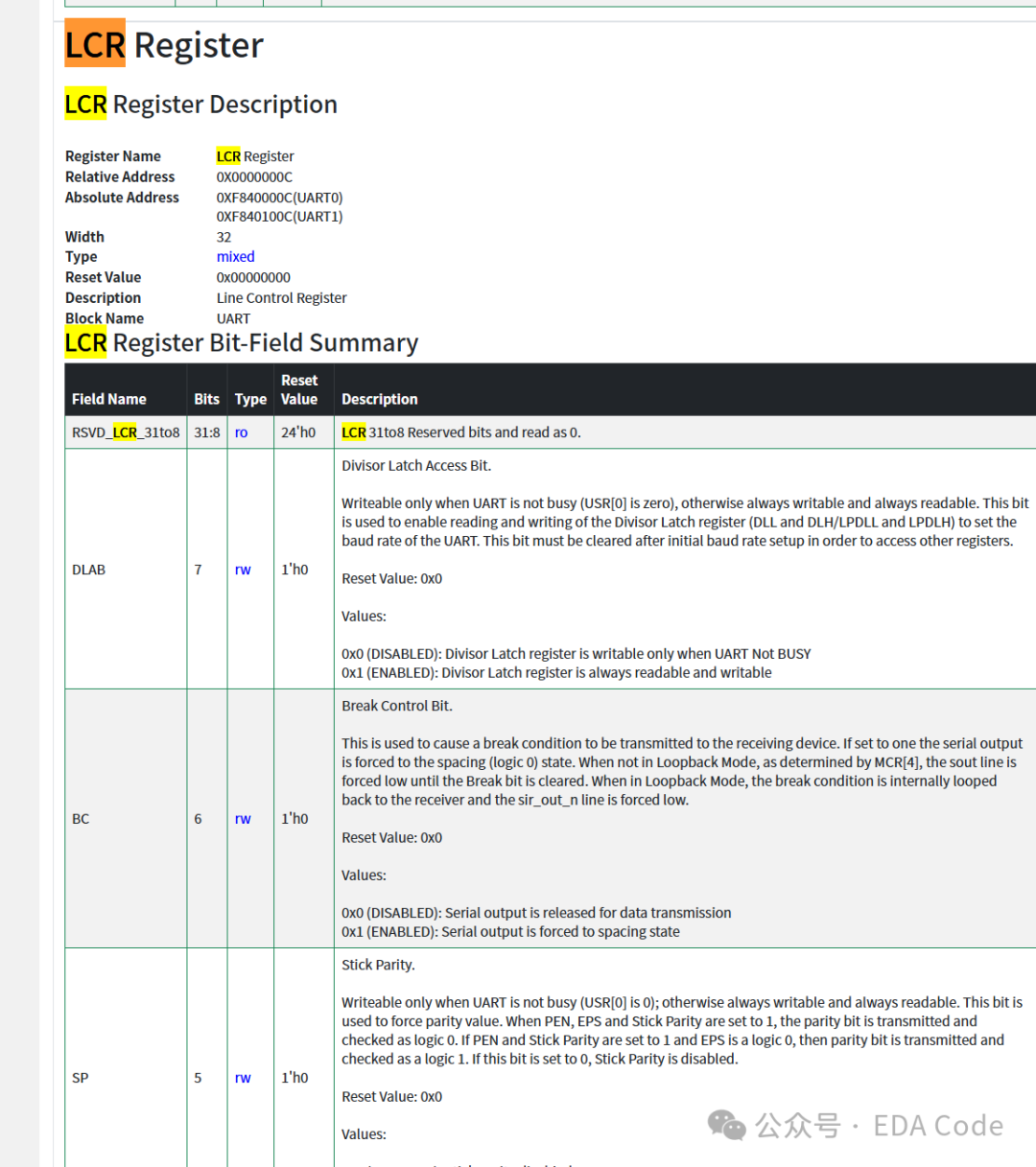 We will explain these registers one by one when we have time.The specific code is as follows:
/* Clock control register and UART register base address/offset */#define UART_CLK_REG_ADDR (0xF8801028u) /* Register for configuring 225M clock */#define UART_BASE_ADDR (0xF8401000u)/* UART register offset */#define UART_DLL_OFFSET (0x00u) /* Divisor Latch Low */#define UART_DLH_OFFSET (0x04u) /* Divisor Latch High */#define UART_LCR_OFFSET (0x0Cu) /* Line Control Reg *//* DLAB bit (bit7) in LCR */#define UART_LCR_DLAB_BIT (1u << 7)/** * @brief Configure the UART's sclk to 225 MHz and set the baud rate to approximately 2 Mbps * Steps: * 1. 0xF8801028 <- 0x56AB56AB (225M clock) * 2. LCR.DLAB = 1 (Enable DLL/DLH access) * 3. DLL = 7, DLH = 0 * 4. LCR.DLAB = 0 (Disable DLL/DLH access, restore normal mode) */void uart_config_2m_baud(void){ uint32_t lcr_val; /* 1. Configure UART clock to 225 MHz */ AL_REG32_WRITE(UART_CLK_REG_ADDR, 0x56AB56ABu); /* 2. Set DLAB in LCR (bit7) to access DLL/DLH * First read the original LCR to avoid overwriting data bits/parity/stop bits configuration */ lcr_val = AL_REG32_READ(UART_BASE_ADDR + UART_LCR_OFFSET); AL_REG32_WRITE(UART_BASE_ADDR + UART_LCR_OFFSET, lcr_val | UART_LCR_DLAB_BIT); /* 3. Write DLL / DLH * Divisor = 7 -> DLL = 7, DLH = 0 */ AL_REG32_WRITE(UART_BASE_ADDR + UART_DLL_OFFSET, 0x07u); /* DLL = 7 */ AL_REG32_WRITE(UART_BASE_ADDR + UART_DLH_OFFSET, 0x00u); /* DLH = 0 */ /* 4. Clear DLAB, restore to normal access (THR/RBR/IER, etc.) */ AL_REG32_WRITE(UART_BASE_ADDR + UART_LCR_OFFSET, lcr_val & ~UART_LCR_DLAB_BIT);}It is important to note that the clock of the UART module needs to match to ensure the baud rate error is minimized. For example, for 2M UART, you should set it to 225M.For other baud rates like 1.5M, modify the above code accordingly.Finally, here is the test image uploaded, and all the above content is thanks to Engineer Zhang.