1. Finding the Roots of a Function
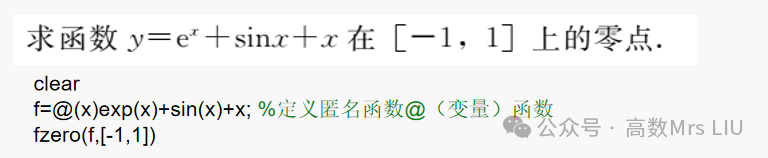
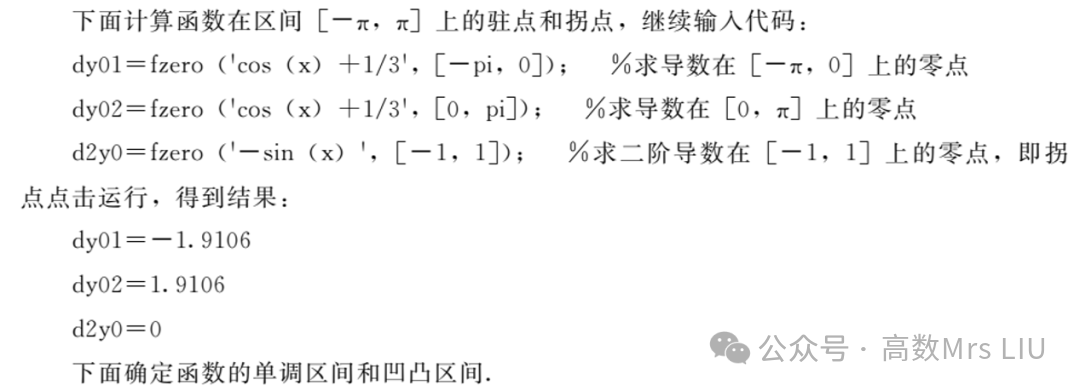
In MATLAB, finding the roots of a function over a specified interval is accomplished using the fzero command, as shown below:
x = fzero(f, x0)
This indicates finding the root of function f near x0; if x0 = [a, b], it means finding the root of function f in the specified interval [a, b], where f(a) * f(b) < 0.
 2. Finding the Maximum and Minimum Values of a Function
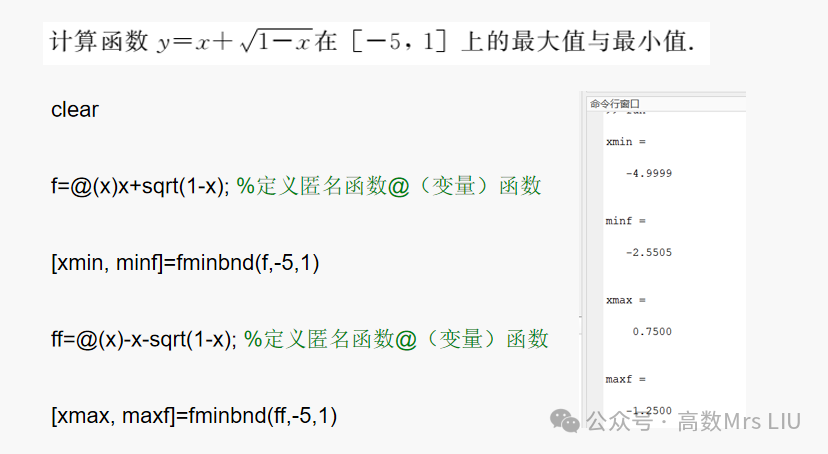
In MATLAB, the maximum or minimum value of a function can be found using the fminbnd command, as shown below:
[xmin, minf] = fminbnd(f, a, b)
This calculates the minimum value minf of function f over the interval [a, b] and the x value at which the minimum occurs.
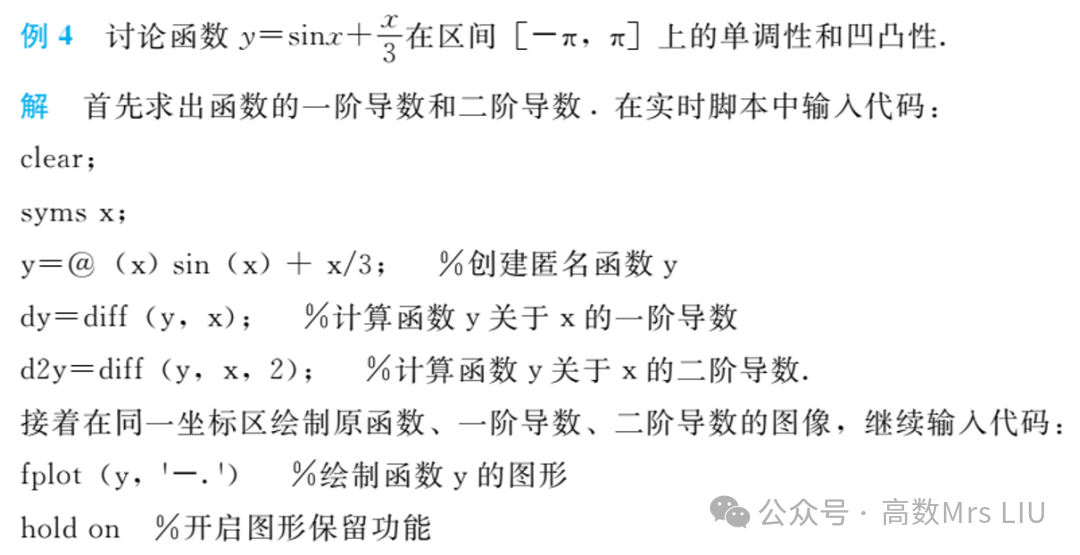
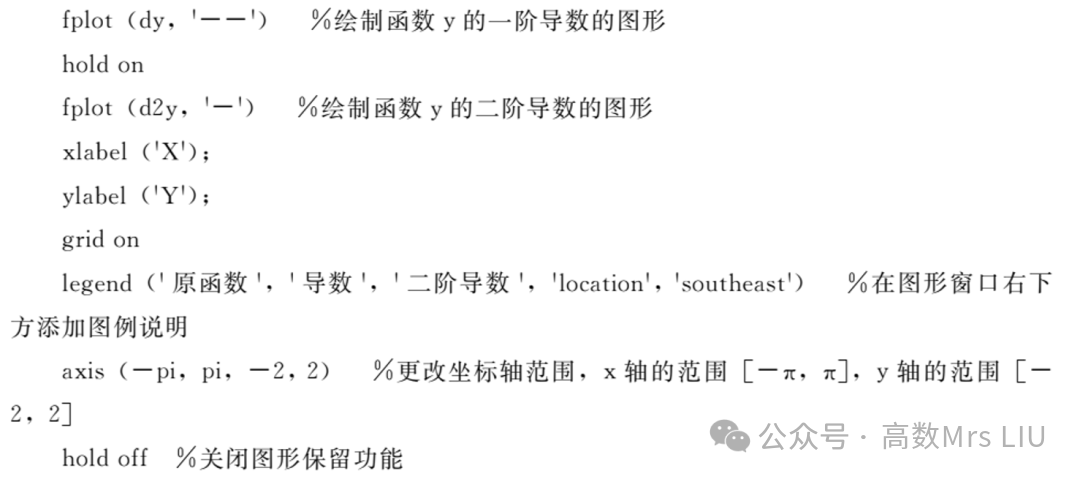
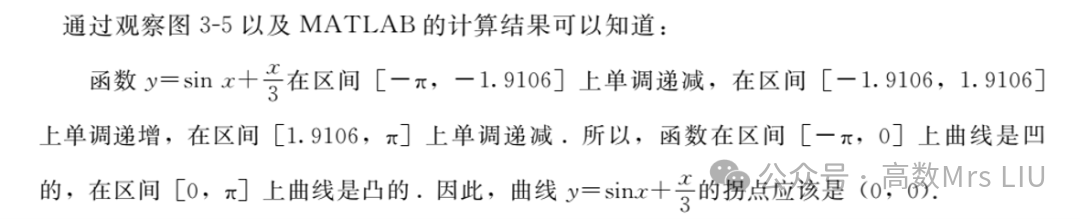
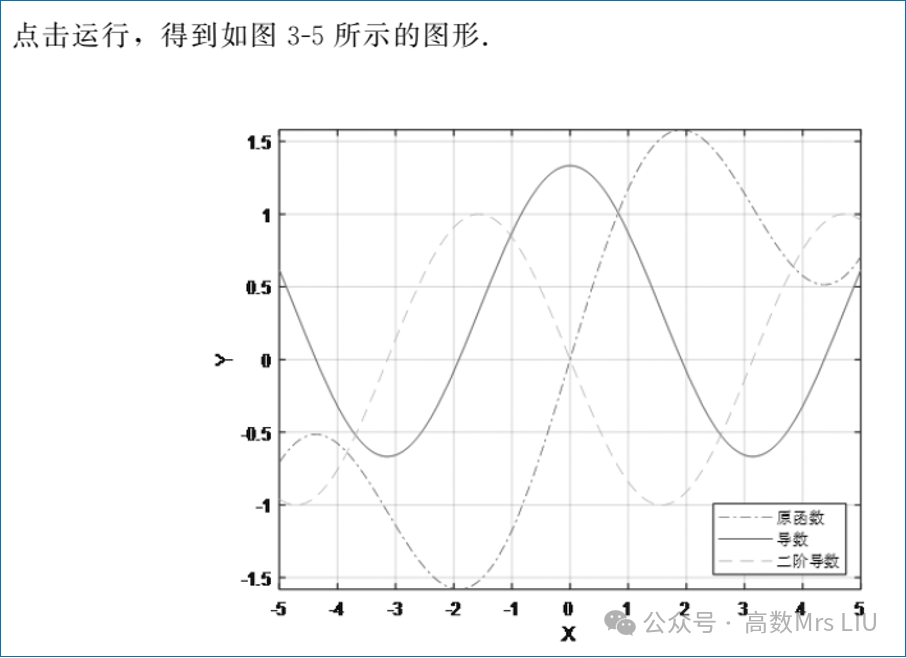
3. Discussing the Monotonicity and Concavity of Functions
🎀
Thank you for your attention~
I hope the above content is helpful to you!
🎀