In energy storage system integration, the HMI (Human-Machine Interface) display acts as the system’s “intelligent eye,” responsible for real-time monitoring, data interaction, and user control. However, many practitioners still have questions about the harness configuration of the HMI, the functions of the DB9 interface, and its role in energy storage.
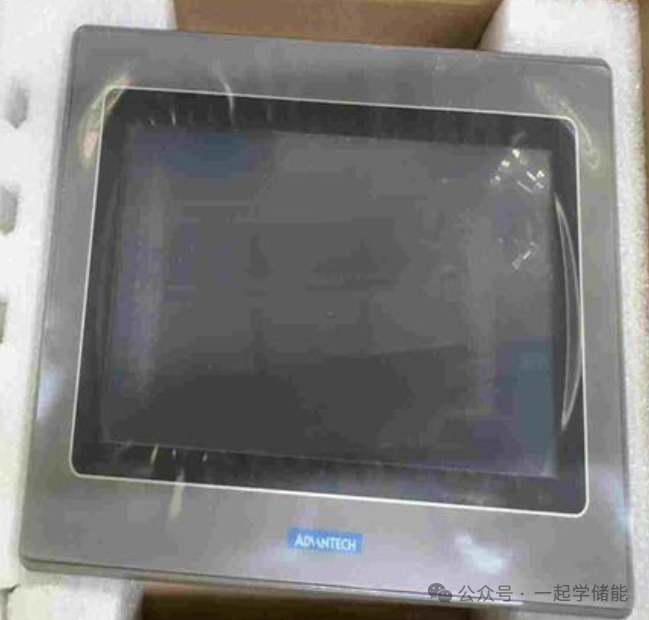
This article will comprehensively analyze the core knowledge of HMI from basics to applications, assisting in the efficient operation and intelligent upgrade of energy storage systems.
1. Composition of HMI Display Harness
The design of the HMI harness directly affects its communication stability and functional expandability. Common types of harnesses include:
1. Power Line
Typically powered by 24V DC (±10% tolerance), such as the HMI solution from Purple Core Company, which uses red (+) and blue (-) two-color wires for identification.
2. Communication Interface Lines
-
RS232/RS485: Used for short-distance serial communication, supporting data interaction between devices (e.g., PLCs, controllers)
-
CAN Bus: Suitable for anti-interference communication in industrial environments, commonly used in motor control and energy storage system integration
-
Ethernet (RJ45): Supports high-speed data transmission and remote monitoring, with some high-end HMIs integrating cloud service functions
3. USB/Flash Drive Interface
Used for program upgrades and data import/export, simplifying on-site maintenance processes.
4. Touch Screen Signal Line
Connects the touch signals of resistive or capacitive screens, with some solutions supporting external touch ICs to reduce costs.
2. DB9 Interface: The “Classic Bridge” of HMI
DB9 is a 9-pin D-sub connector widely used for serial communication between HMIs and external devices:
Function Definition
-
Supports RS232 (point-to-point communication), RS422/485 (multi-device networking), commonly used to connect PLCs, sensors, or host computers
-
In debugging scenarios, DB9 enables HMI program downloads and parameter configurations through serial debugging assistants (e.g., SSCOM3.2)
Typical Applications
For example, Diwen Technology’s HMI connects directly to the computer’s COM port via DB9, simplifying the development and debugging process.
3. Core Functions of HMI and Applications in Energy Storage
HMI Hardware and Software Architecture
The hardware consists of a processor (8-bit to 32-bit), display unit (LCD/touch screen), communication module (WIFI/Bluetooth/RS485), and storage unit (e.g., 16M Flash).
The software functions include graphical user interface (GUI) design, supporting real-time data display, historical data queries, and alarm records; remote monitoring (via cloud services or apps), enabling parameter settings and status tracking of energy storage systems.
The Core Role of HMI in Energy Storage Systems
-
Real-time Monitoring: Displays key parameters such as battery voltage, temperature, and charge/discharge power, visually presenting system status through color icons
-
Intelligent Control: Users can operate charge/discharge strategies, set timers for power on/off, or remotely adjust operating modes (e.g., peak and valley electricity price optimization) via the touch screen
-
Fault Warning and Recording: Defines temperature/voltage threshold alarms, automatically stores historical data for fault tracing and system optimization
-
Data Integration: Supports data export via USB or cloud platforms, seamlessly integrating with Energy Management Systems (EMS) to enhance operational efficiency
4. Typical Cases of HMI in Energy Storage Integration
Solar Energy Storage System
Qiming Zhixian’s 2.8-inch serial screen integrates WIFI/Bluetooth, enabling remote monitoring of solar panel and battery status, supporting wide temperature operation from -20°C to 70°C.
Electric Vehicle Charging Pile
Aichuan Technology’s 7-inch HMI screen supports card operation, charging fee printing, and remote maintenance via cloud services.
The HMI display is not only the “interactive window” of the energy storage system but also a key hub for intelligent upgrades. From the stable communication of the DB9 interface to the efficient configuration of harnesses, from local touch control to cloud interconnectivity, HMI is driving energy storage systems towards greater safety and intelligence.
Today’s shared knowledge from the learning community: BMS learning
Learning method: Scan the QR code below
 Click here to learn about the energy storage community
 Energy Storage Learning Content Display – Knowledge CommunityNote: The “Learn Energy Storage Together” community includes all energy storage materials from the “Energy Storage Resource Library” community
END
[Disclaimer]This article’s images and text are used for reference. If there are any copyright issues, please inform us promptly, and we will delete them immediately, with no commercial use!