1. Support Package Installation
1. Offline Installation
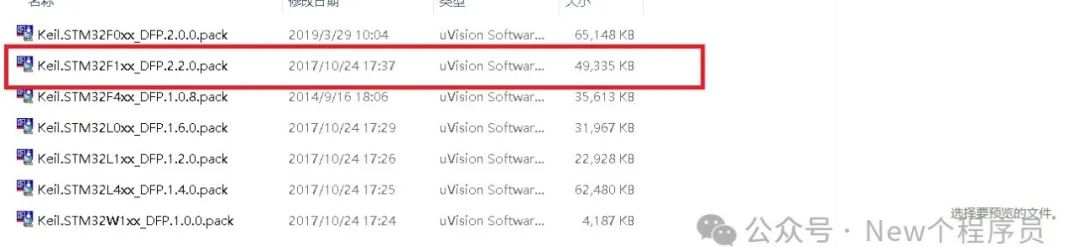
First, download the support package and then install it. As shown in the figure, to install the STM32F1 series, double-click.
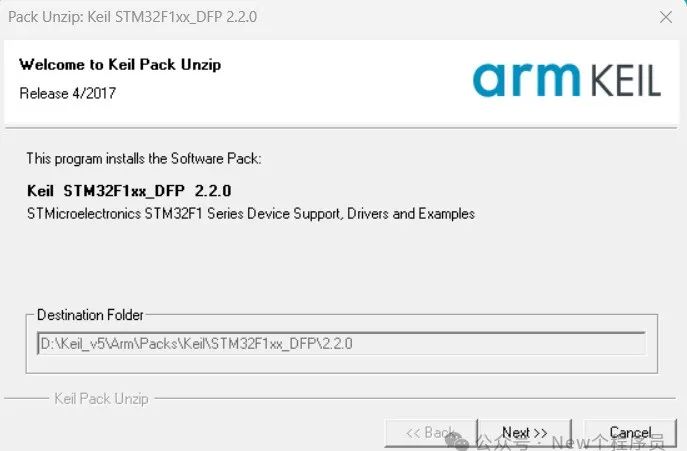
The following appears,the installation path will be automatically locked, then click next to install directly.
2. Online Installation
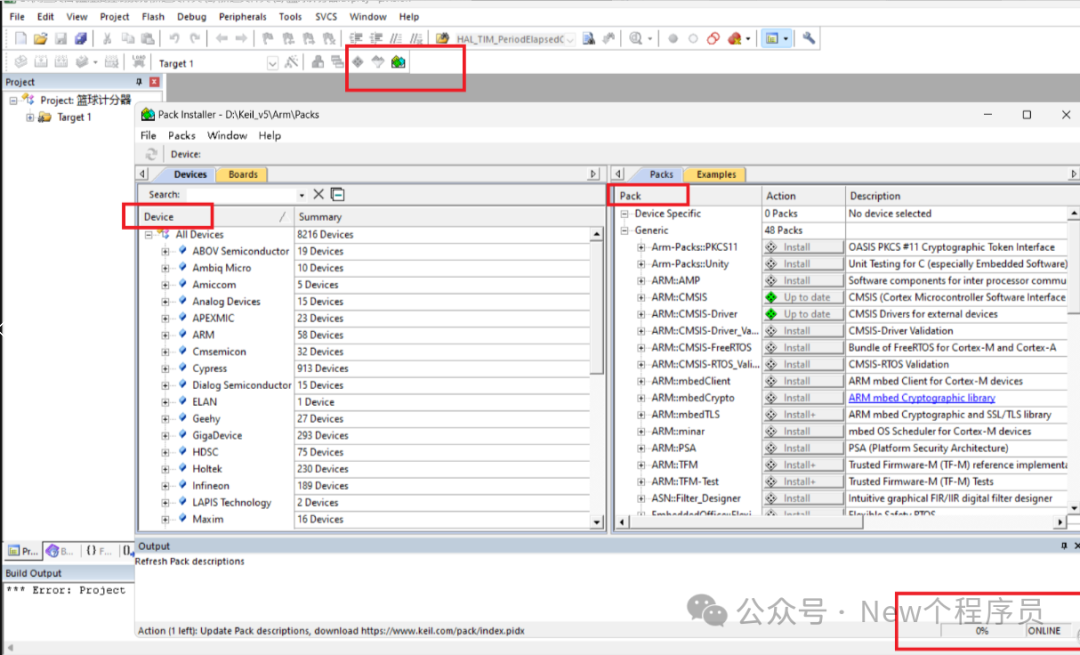
First, your computer needs to be connected to the Internet. As shown below, first click the first red boxgreen button, then it will showPack install device support installation package, the left side shows the device models produced by different companies, and the right side shows the corresponding installation packages.You need to wait until all devices are loaded, look at the lower right corner for a loading progress next to ONLINE.
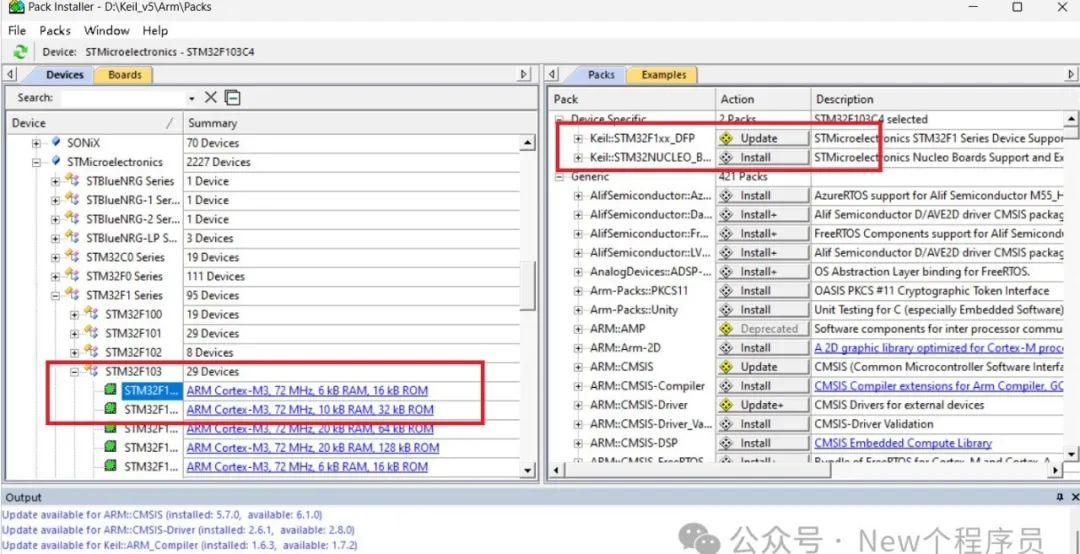
Once loading is complete and you have selected the device, you can directly click install; the download speed may be a bit slow. As shown below:
Since I have already installed it, the status shows updates on the right side.
2. STLINK Driver Installation
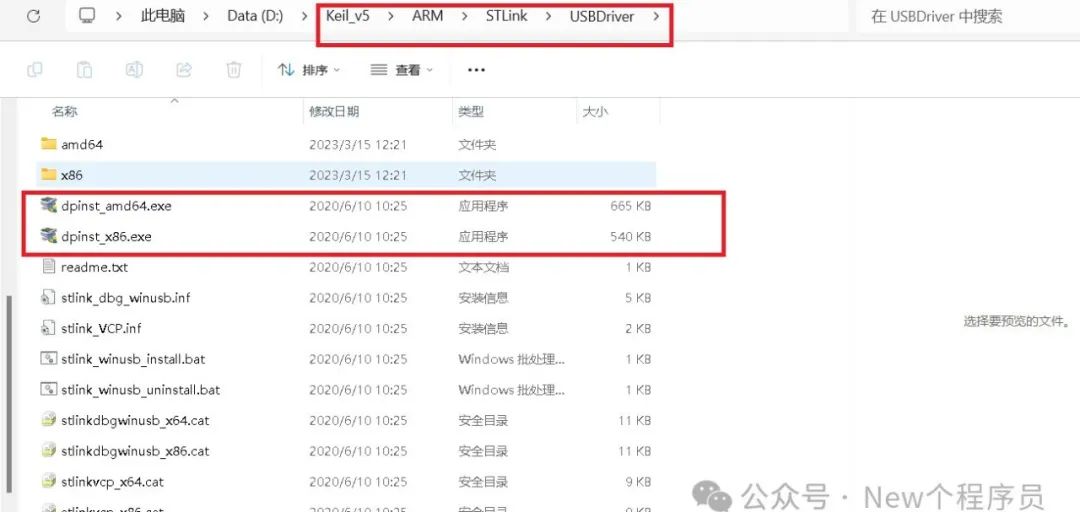
Keil5 comes with the ST_LINK installation package. As shown below, open the folder where Keil5 is located, find ARM —> STlink —> USBDriver, if your computer is 64-bit, choose 64; otherwise, choose x86, and click to install. The installation steps are simple, so I won’t write them down.
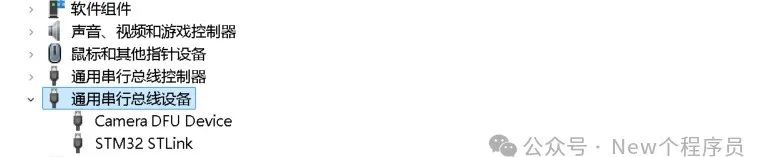
After installation, in This PC, right-click and select properties, find Device Manager —> Universal Serial Bus Controllers, if installed successfully, the STM32 STLink icon will appear. As shown below:
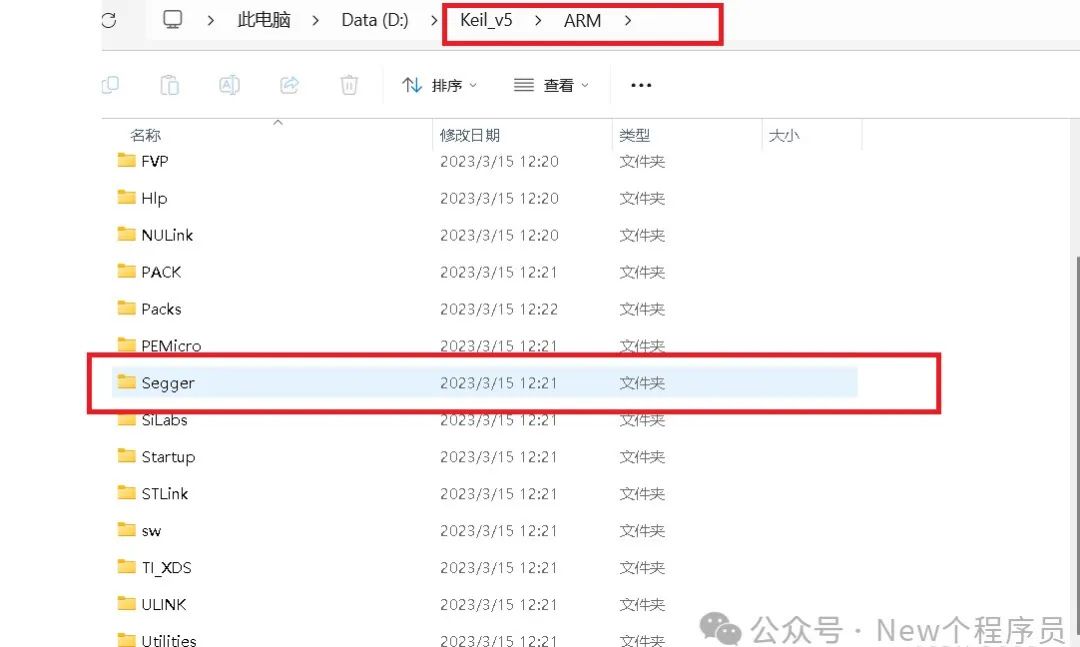
If you want to install JLINK, you can do the following:
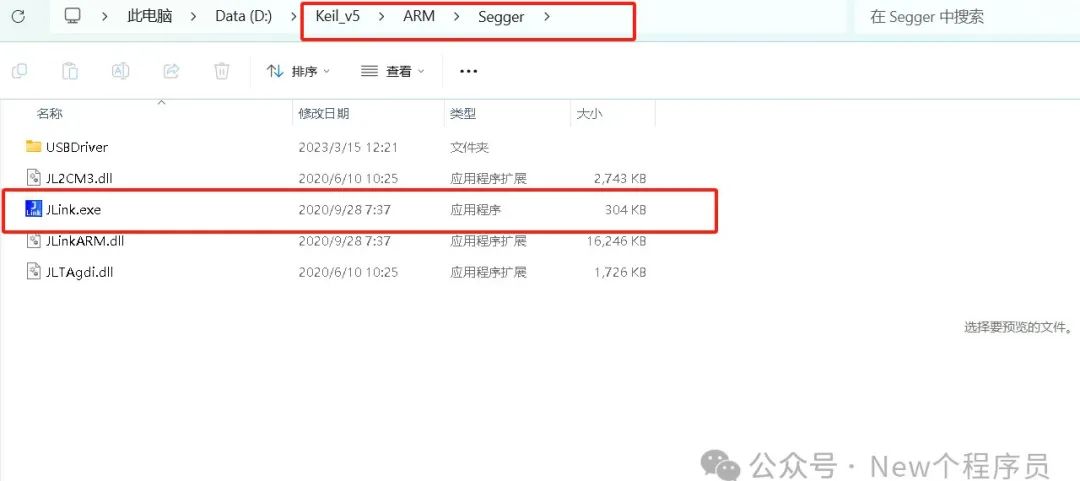
Click Segger, then as shown below, click JLINK.exe to install.