After connecting to your Linux server using an SSH client such as PUTTY, mount the disk and execute the corresponding command to start the installation:
Universal Installation Script:
if [ -f /usr/bin/curl ];then curl -sSO https://bt.wosow.top/install/install_panel.sh;else wget -O install_panel.sh https://bt.wosow.top/install/install_panel.sh;fi; bash install_panel.sh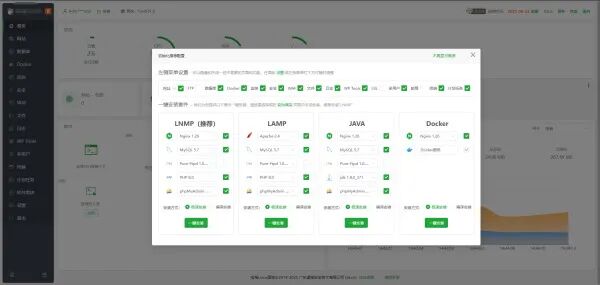
The clean version removes the mandatory binding of the Baota account and strips all communication reporting with the official version.
The clean version provides free access to professional and enterprise version plugins.
Note: The system must be a new installation without any other environments such as Apache/Nginx/php/MySQL. It is recommended to use CentOS 9 for installing the Baota panel.
It is recommended to use Chrome, Firefox, or Edge browsers. For domestic browsers, please use the fast mode to access the panel login address.
If you have used the official version or other third-party cloud versions, it is recommended to use the command bt 18 to back up the panel before executing the universal/upgrade command.
System compatibility ranking: Ubuntu 22 (recommended clean version) / CentOS 9 / Debian 12 / OpenCloud 9 / AlibabaCloud 3 > Kylin, Tongxin, Euler, and other Linux systems;
After logging in via SSH, enter bt 18 to set whether to automatically back up the panel. Repeat the command a few times to turn on/off the backup of the website list; after backing up, copy the installation command and execute it in SSH to perform an overwrite installation.
For version 8.x, you can directly overwrite to upgrade to version 9.6.0;
For version 7.x, it is not recommended to overwrite and upgrade to 9.6.0, as CentOS 7, which version 7.x relies on, has stopped maintenance. Please use Ubuntu 22, CentOS 9, or Debian 12 systems.