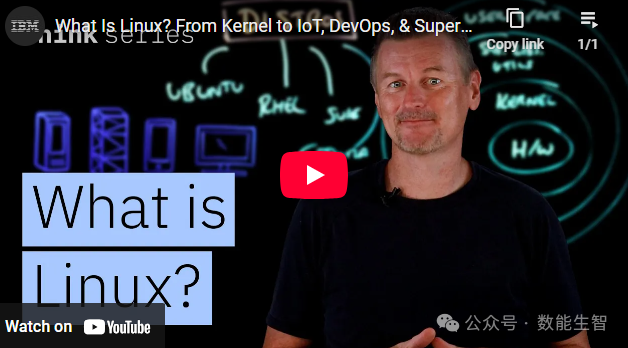
In-Depth Exploration of Linux: From Kernel to Supercomputers, Why It Is Ubiquitous?
You may know that Linux is an open-source operating system that can run on almost all computing platforms, from personal computers to smartphones, servers, and mainframes. However, what you really need to understand is that despite its unique naming conventions (such as shortening “distribution” to “distro” and “repository” to “repo”), Linux has become one of the most reliable and widely used operating systems on Earth, which is a miracle in itself.
So, how does Linux work?
The Core Components of Linux
We start with the hardware, which includes the PCs, servers, or embedded devices running Linux.
- The Linux Kernel The kernel communicates directly with the hardware. When an application needs to write to a file or allocate memory, it makes a request to the kernel. The kernel is responsible for enforcing access rules, scheduling processor time, managing memory, and communicating with device drivers, so that software does not need to know the details of every disk, network card, or USB controller.
- System Libraries and Utilities Surrounding the kernel are various system libraries and utilities. For example, libraries like the GNU C Library provide building blocks for operations such as opening files or establishing network connections, preventing each application from having to reinvent the wheel. Low-level utilities like systemd are responsible for booting the machine, starting background services (known as daemons), and maintaining their health.
- User Space This is the outermost layer of Linux, containing the command line shell, graphical desktop environments like GNOME, and all the applications you install. Each program runs in its own process, isolated by the kernel, and collaborates through interfaces such as sockets, pipes, and shared files.
Linux Distributions (Distros)
You cannot install Linux in the abstract; what you actually install is a Linux distribution, which is a fully integrated operating system built around the kernel. While technically you can manually compile the kernel, choose libraries, configure package managers, and connect boot loaders, most people prefer to use distributions that have already been built, tested, and documented. Due to different use cases, distributions vary:
- Ubuntu Maintained by Canonical and available for free download. It follows a six-month release cycle, so it includes the latest versions of compilers, language runtimes, and drivers. This makes it commonly used in developer workstations and environments that require up-to-date software versions.
- Red Hat Enterprise Linux (RHEL) This is a subscription product aimed at environments that require high predictability. Each major version is supported for up to ten years, during which Red Hat backports critical patches without changing the application-visible behavior of core libraries. Therefore, RHEL is often the preferred choice for state databases and workloads subject to strict change management policies (such as banking and healthcare).
- There are many other distributions, such as Suse and Fedora. Choosing the right distribution depends on its release cycle, support model, licensing, and the risk profile of the workload you intend to deploy.
The Widespread Use of Linux
This “word-saving” operating system is used almost everywhere computing occurs:
- Server Domain Linux dominates the server market. According to W3 Techs, over half of the web servers on the internet run Linux. The Linux Foundation reports that it runs about 90% of cloud workloads. This is partly because its lightweight nature allows each physical server to host more virtual machines, and its remote management capabilities make it ideal for headless servers (systems managed entirely over the network without a monitor or keyboard).
- Software Development and DevOps Linux has become the standard platform for software development and DevOps workloads. Developers can use command-line tools and package managers to manage dependencies. Since most production servers run Linux, it is also natural to develop on this platform. DevOps teams use Linux for automation pipelines, container orchestration (like Kubernetes), and infrastructure as code deployments.
- Internet of Things (IoT) The modularity of Linux makes it an ideal choice for resource-constrained devices. Typical IoT devices do not have much space for a bulky operating system, so you can remove all unnecessary parts to create a minimal system that boots and runs in seconds on limited memory. This is why you find Linux in a variety of devices, from smart thermostats to industrial control systems.
- Supercomputers For truly large workloads, Linux is the operating system of choice. Supercomputers run Linux because researchers can modify the kernel and system software to extract every bit of performance from their specific workloads. The Top 500 list of the world’s fastest supercomputers is essentially a showcase of Linux, as all listed machines run the Linux kernel.
In summary, Linux is open-source, adaptable, and highly efficient.
#Linux #OperatingSystem #OpenSource #Servers #DevOps #IoT #Supercomputers #TechnicalEducation