In the Linux system, there is a very special and important <span>virtual</span> shared library <span>linux-vdso.so.1</span>, where <span>vdso</span> stands for <span>Virtual Dynamic Shared Object</span>, meaning it is a virtual dynamic shared library. What makes it special?
Simply put, it is a <span>"phantom"</span> shared library that is not on the hard disk, but is an <span>accelerator</span> code package provided by the Linux kernel to each user process. It exists in memory but not on disk, primarily aimed at optimizing frequently called but logically simple system calls.
If you execute the command <span>ldd executable_filename</span> on an executable file generated on Linux, you will find a segment in the result like <span>linux-vdso.so.1 => (0x00007ffd82cd7000)</span>, indicating that the application is using <span>vdso</span>.
Next, let’s discuss the shared library <span>linux-vdso.so.1</span> in detail.
Principle
The shared library mentioned above primarily serves to optimize some frequently called but logically simple system calls. In other words, this library is mainly targeted at system calls, so to understand <span>vdso</span>, we must understand the process of <span>system calls</span>.
- Traditional System Call Process
Here, we will illustrate the system call process using traditional system calls.
When a user-mode program needs to request services from the kernel (for example, to get the current time), it cannot directly call kernel code due to CPU protection modes (Ring 0/Ring 3) isolation. It must go through a clear and controlled interface, which is the system call process.
The traditional system call (for example, through the int 0x80 interrupt or syscall instruction) roughly follows this process:
<span>1. Prepare parameters: The user program places the system call number and parameters into specified CPU registers.</span>
<span>2. Trap into kernel: The user program executes a special instruction (int 0x80 or syscall), switching from user mode to kernel mode. This switch is relatively time-consuming because it involves:</span>
- Saving the current user-mode context (register state, etc.)
- Loading the kernel-mode context
- Permission checks
- Switching page tables, etc.
<span>3. Kernel execution: The kernel finds the corresponding kernel function based on the system call number and executes it.</span>
<span>4. Return to user mode: The kernel places the return value in a register and executes a special instruction again to switch back to user mode. This switch is also relatively time-consuming.</span>
<span>5. Restore context: The user program restores the CPU context and reads the return value from the register.</span>
This is the process of a system call. As we can see, system calls require switching from user mode to kernel mode, and this switching process involves many checks and verifications, so system calls have a certain overhead.
Problems Encountered
For some frequently called but very simple logical system calls, such as <span>gettimeofday() (to get high-precision time)</span> or <span>time() (to get second-level time)</span>, each call has to undergo two <span>"user mode-kernel mode" switches</span>, which incurs significant overhead.
Imagine a high-performance network server that may need to call <span>gettimeofday()</span> tens of thousands of times per second to log or calculate timeouts. With so many system calls, switching between user mode and kernel mode each time is very time-consuming. In fact, the execution time of the <span>gettimeofday()</span> function is very short, and most of the time is spent on switching between user mode and kernel mode.
Solution
To solve the above problem, <span>vdso</span> was introduced, and its idea is very clever:Since some kernel functions are logically simple and do not involve modifying critical kernel data structures, why not directly map the code of these functions into user space, allowing user programs to call them directly and thus avoid trapping into the kernel?
<span>linux-vdso.so.1</span> is the implementation of this idea. The kernel places some carefully selected, safe, read-only system call function implementations directly in this virtual shared library.
When an application program calls <span>gettimeofday()</span>:
<span>1. The dynamic linker finds that the implementation of the gettimeofday symbol is located in [vdso].</span>
<span>2. The program directly jumps to the address of vdso in memory to execute the code.</span>
<span>3. The gettimeofday in vdso</span>
<span>4. The function code begins execution, and it may directly read the time variable maintained by the kernel on a memory page shared with user space. After the function execution is complete, it directly returns the result to the caller.</span>
The entire process is completed entirely in user mode, with no user mode/kernel mode switches occurring! This greatly enhances speed.
Functions Included in vdso
<span>The functions provided by vdso are not fixed; they depend on the CPU architecture and kernel version. Common ones include:</span>
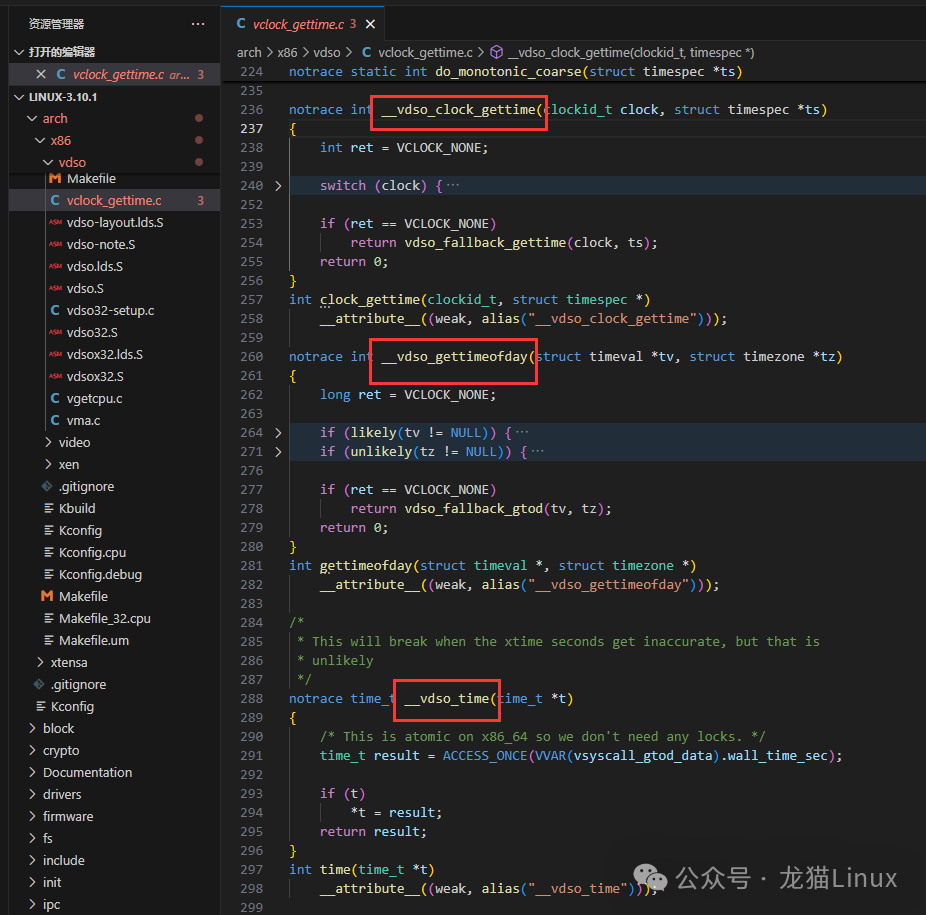
- __vdso_gettimeofday
- __vdso_time
- __vdso_clock_gettime
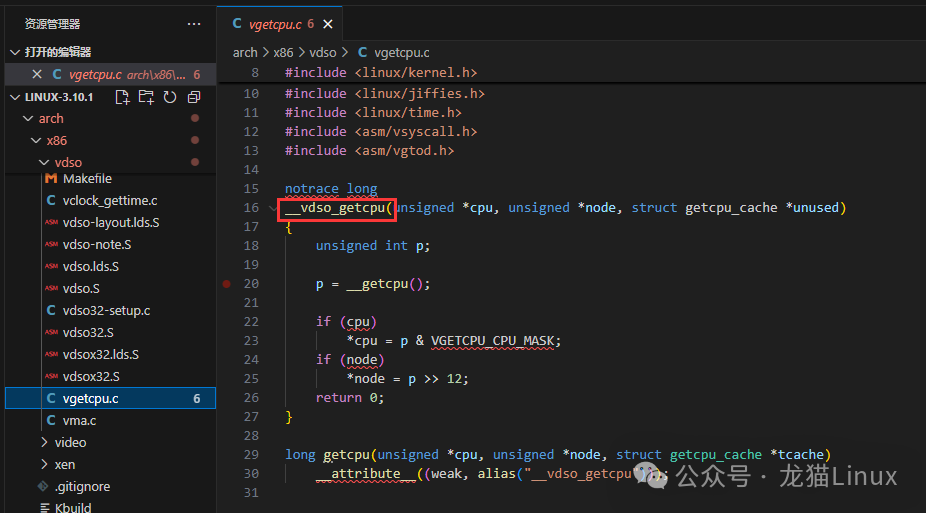
- __vdso_getcpu
<span>(to get the current CPU and NUMA node number, used in high-performance computing)</span>
The source code for these interfaces is located in the Linux kernel source <span>arch/x86/entry/vdso/</span> directory. The specific source code is shown in the following images, here only the <span>x86_64</span> architecture source code is displayed; please check the source code for other architectures yourself.
How to Use vdso
Typically, applications do not directly call <span>__vdso_gettimeofday</span>; <span>glibc</span> automatically handles this. When you call <span>gettimeofday</span>, <span>glibc</span> first checks whether the kernel provides <span>vdso</span> and whether there is an implementation of this function in <span>vdso</span>. If there is, it directly calls the version in <span>vdso</span>. If not (for example, on very old kernels), it will fall back to the traditional method that traps into the kernel using <span>int 0x80</span>. Therefore, we do not need to worry about additional work when using <span>vdso</span>. In fact, most of our applications use <span>vdso</span>, we just don’t realize it. If you don’t believe it, you can use the previously mentioned command <span>ldd executable_filename</span> to check.
Conclusion
Through the previous explanations, we understand that the application scenario of <span>vdso</span> is very clear: it is to optimize those frequent, lightweight system calls, exposing the implementations of some safe, read-only, frequently called system call functions directly in user space, avoiding expensive “user mode-kernel mode” switches, allowing user programs to execute these functions directly in user mode, thus greatly improving performance. Moreover, it is very convenient for developers to use it; they can directly call C library functions (like time()), and the underlying <span>glibc</span> will automatically prioritize using the version in <span>vdso</span>.
Linux, through this clever method, bypasses the conventional system call process, bringing tangible performance improvements to the entire system. This is also a reflection of the Linux design philosophy of “pragmatism” and “extreme performance”.