Objective:Break free from habits formed in other languages (especially Python) and master the most core and efficient vectorized programming concepts in MATLAB.
(1)Familiarize Yourself with an Efficient Interactive Environment
1.Command Window: Quickly test code snippets and view variables.
2.Editor: Write and debug complete scripts (.m files) and functions.
3.Workspace: View the names, dimensions, and values of all current variables. This is a powerful debugging tool!
4.Current Folder: Manage your project files.
(2)Embrace the Essence – Matrices and Vectorization
Concept: Try to avoid using for loops to process each element of arrays/matrices. MATLAB is optimized for matrix operations at its core.
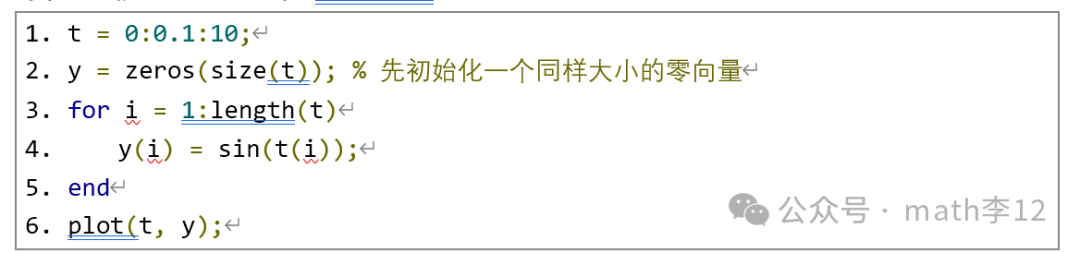
Example 1: Non-MATLAB Thinking (using loops):
PS: The length function
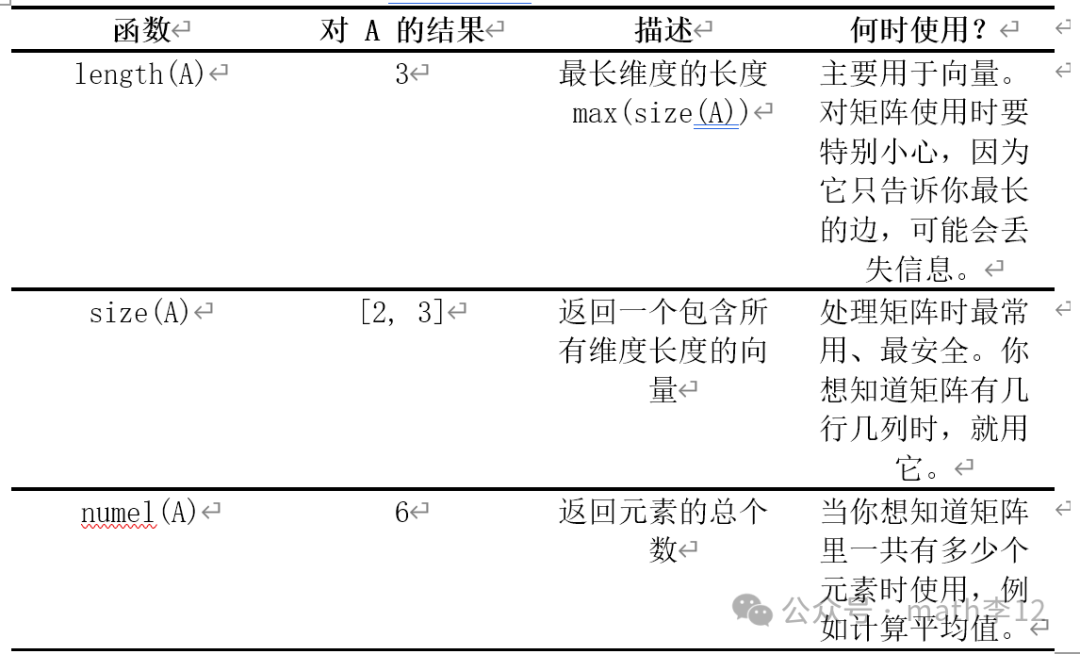
In MATLAB, the length function is defined as: returns the length of the longest dimension of an array. To fully understand this, we must compare it with two closely related functions. These three functions have different uses in practical programming, and mixing them can lead to serious bugs.
Assume A = [1 2 3; 4 5 6]; (2×3 matrix)
Example 2: MATLAB Thinking (vectorization):

Core Technique:: Learn to use the colon operator 🙁 for example, A(:, 1) to get the first column), and logical indexing( for example, A(A>5)=0 to set all elements greater than 5 to 0).
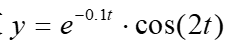
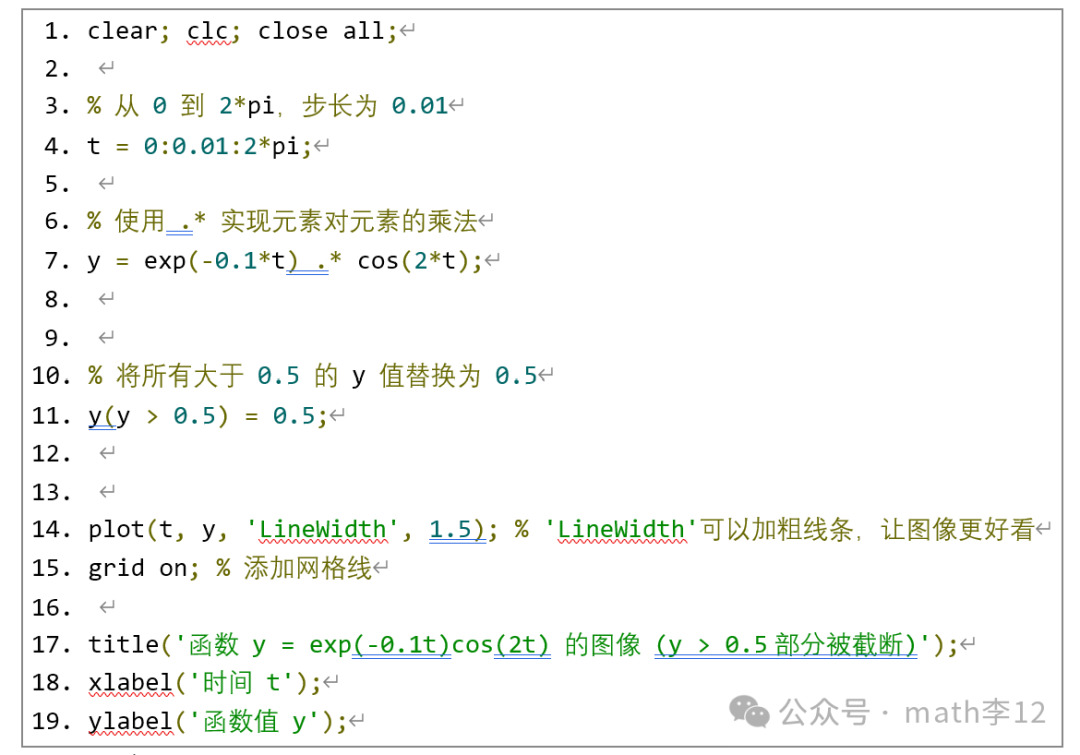
Exercise 1: Generate a time vector t from 0 to 2pi, with a step size of 0.01. Without using any for loops, calculate the value of the function.
Find all y values greater than 0.5 and replace them with 0.5. Use plot(t, y) to plot the results, and add labels with xlabel, ylabel, title.
PS::.* and *
Once you thoroughly understand the difference between * and .*, you will truly be “initiated” into MATLAB programming and begin to appreciate its power as a scientific computing language.
* is multiplication for mathematicians, following the rules of linear algebra (matrix multiplication).
.* is multiplication for programmers/engineers, performing element-wise operations.
When you want to multiply two arrays of the same size, with corresponding elements using .*. The dimensions of the two arrays must be exactly the same (or one of them is a scalar). For example: vectorized computation of function formulas
(the core of our practice)
Example 3::

(3)Modular Programming – Scripts and Functions
Script (.m file): A series of commands executed in order, with variables shared in the global workspace. Suitable for running a complete process.
Function (function): Has independent input (input) and output (output) variables, with an independent workspace, and can be called repeatedly. This is the cornerstone of modularity and code reuse.
Example 4: Function Syntax:

Exercise 2: Use the function calculateY.m, (its input is the time vector t, and output is the calculated y vector) to encapsulate the code from the second practical task into a script file, such as myTrajectory.m.
calculateY.m

myTrajectory.m
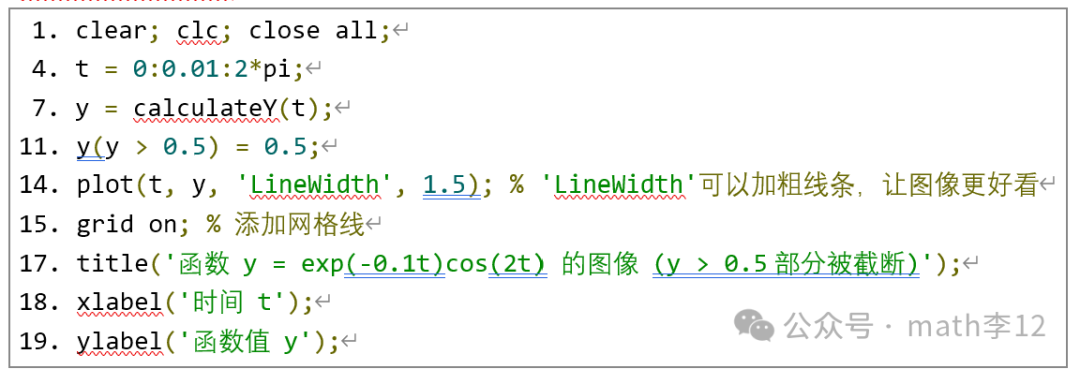
This reflects the idea of separating “computation” from the “main process”.
By completing the above three steps, you will have mastered the fundamentals and core concepts of MATLAB programming. Please take the time to complete these practical tasks, and we will immediately move on to the second phase: core modeling and simulation tools.