1. What is EBSCO?
EBSCO is a large literature service company in the United States with over 60 years of history, having developed nearly 100 online literature databases covering various academic fields including natural sciences, social sciences, humanities, and arts. It covers almost all disciplines, and its extensive collection of journals, rich content, and significant influence make it a leader in the industry.
Currently, our school has subscribed to seven major databases under EBSCO, as follows:
Academic Search Premier (EBSCO-ASP) – a comprehensive academic search platform
Business Source Premier (EBSCO-BSP) – one of the most well-known business databases
Psychology & Behavioral Sciences Collection – a full-text database for psychology and behavioral sciences
PsycARTICLES – electronic journals from the American Psychological Association
Education Research Complete – the largest full-text journal database in education
eBook Collection – over 50,000 high-quality eBooks
ERIC – Education Resources Information Center
2. Access Method
You can find them from the library homepage >> the database list under digital resources, or quickly find all EBSCO sub-databases purchased by our school by entering “ebsco” in the electronic resource search box.
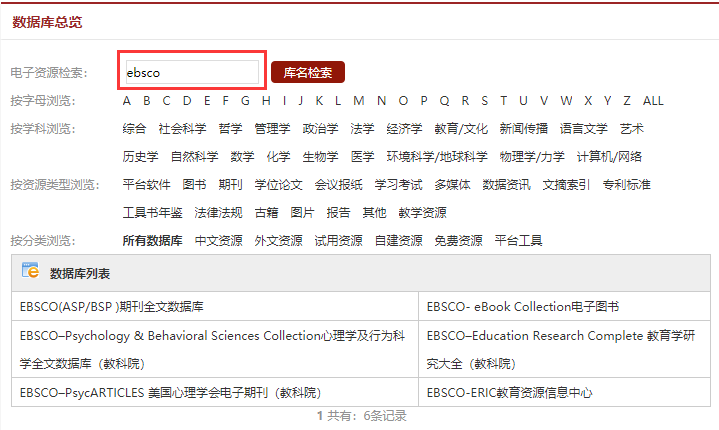
Clicking on any sub-database will take you to the platform’s homepage. Then, you can select the EBSCOhost academic resource search platform, which is a one-stop search platform for all EBSCO purchased resources. You can also click on a specific database link to enter single database search.
3. Search Methods
1. Basic Search
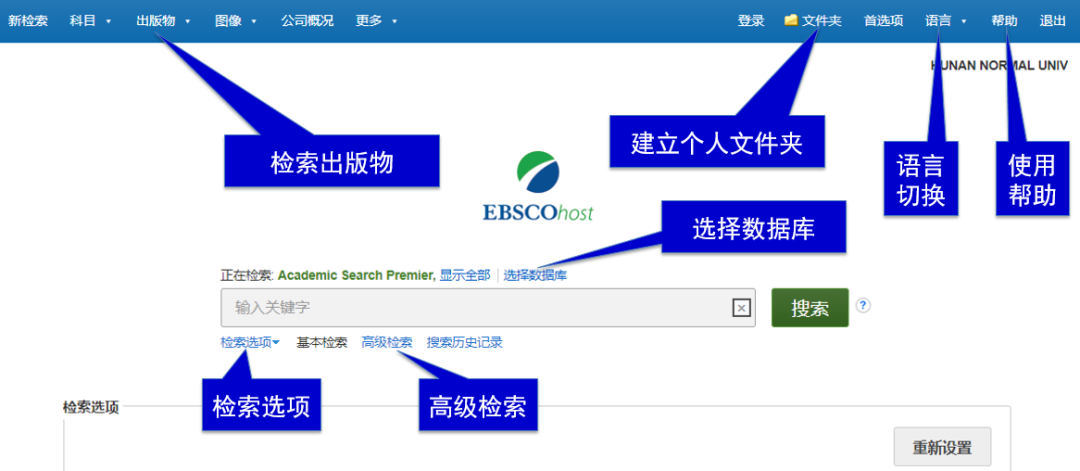
(1) Click the “Language” in the upper right corner to display the platform menu in Chinese;
(2) Click “Select Database” to choose the purchased databases;
(3) Click “Search Options” to limit search conditions and results;
(4) Click “Folder” to create your folder to save your search content and customize dynamic services; you must register an account for the first time;
(5) Just like searching in Chinese databases, you can directly input keywords or search strings.
2. Advanced Search
Want to search more comprehensively and accurately?
Please click “Advanced Search”!
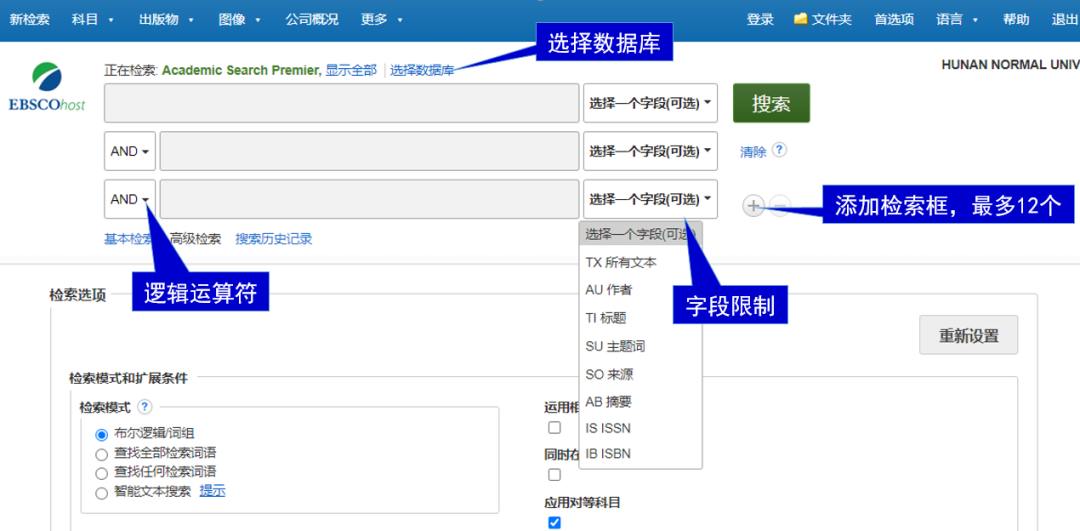
(1) As above, you can select all databases purchased from EBSCO;
(2) Select fields to search for full text, author, title, subject terms, etc.;
(3) Choose logical operators: AND, OR, NOT;
(4) Input search terms, and related “similar terms” or commonly used search strings will automatically display below, and you can also use Boolean logic characters in each input box.
For example:
For instance, if we want to search for literature related to
“The Impact of Global Warming in China“
Step 1: Determine the Chinese search terms: 气候变暖 (climate warming), 中国 (China), 影响 (impact);
Step 2: Translate to English search terms:
global warming/climate change;
China;
effect/impact/influence;
Step 3: Choose fields and logical operators, connect different search terms with “AND”, and connect different expressions of the same term with “OR” (with a space before and after), input the search terms:
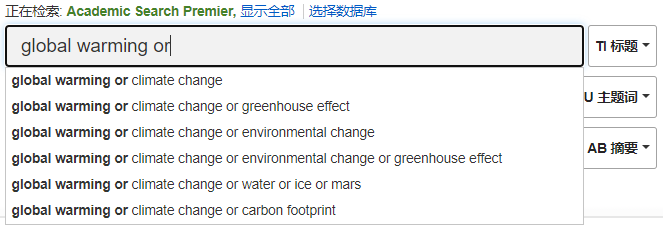
After entering “global warming or”, you will find that the corresponding search string is automatically presented below, making it convenient to select one, and continue inputting other search terms as follows:
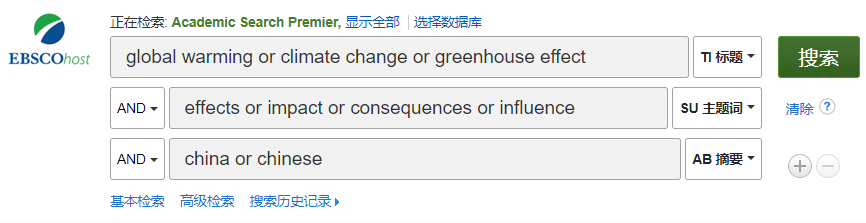
This way, you can comprehensively and accurately retrieve the literature you want (see below for search results).
4. Filter Search Results
After the above search, we found a total of 341 relevant documents, which might be too many? No problem, you can refine the search results again based on different conditions, such as: only view downloadable full texts, only view articles published in the last three years, only view articles in a specific discipline, etc.
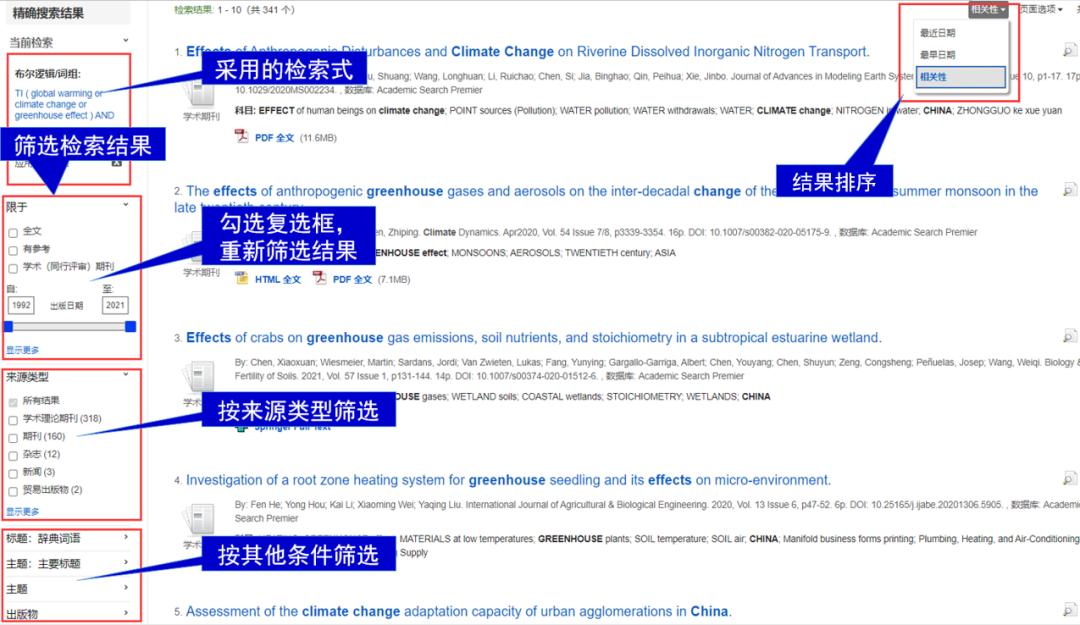
5. Download or Browse Articles
Documents marked with “HTML Full Text” or “PDF Full Text” are full-text literature; you can click the corresponding button to directly download or browse.
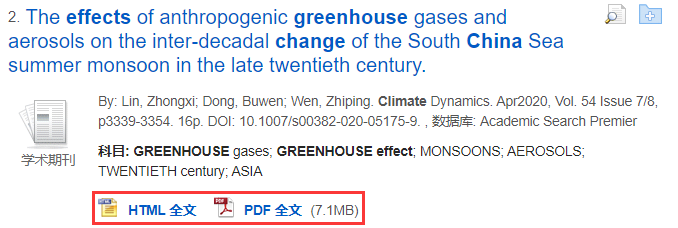
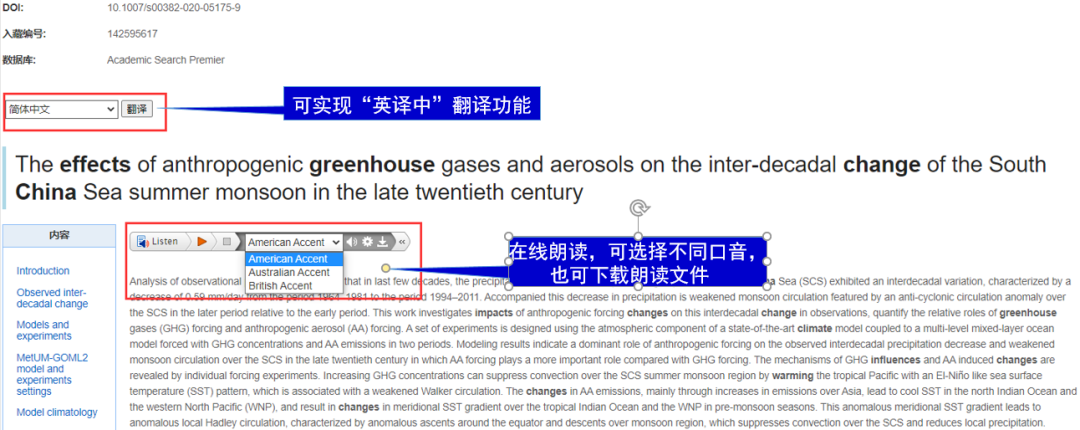
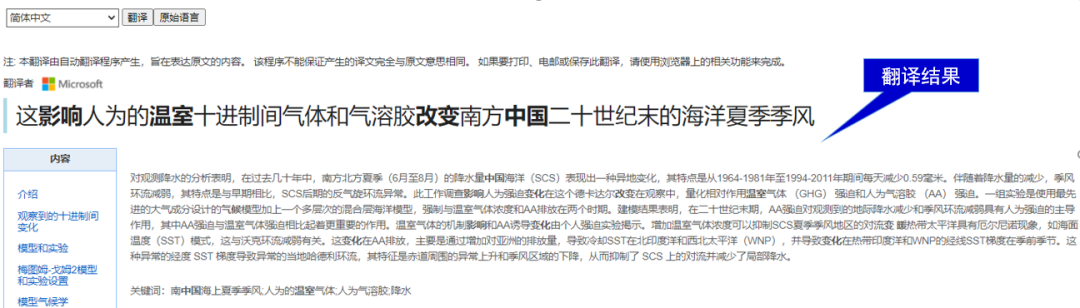
HTML format articles also provide online translation and reading functions. This is a friendly feature for those who have difficulty reading in English, but the translation results should be used with caution.
This concludes the overview and initial usage methods of EBSCO. Want to unlock more EBSCO usage tips? Get more practical information?
Please follow the next issue of the small library: Advanced EBSCO Usage Q&A.
If you have any questions or issues while using EBSCO or other digital resources from our library, we recommend leaving a message on the library website or contacting the library information consultation department by phone during normal working days.
Contact Phone: 0731-88872439
Contact Person: Teacher Yao, Teacher Li

Copywriter: Tang Ting
Editor: Zhang Wenlong
Reviewer: Yao Xiaohui