Vehicle Configuration
Model: Chery Tiggo 8 Pro
Fault Phenomenon
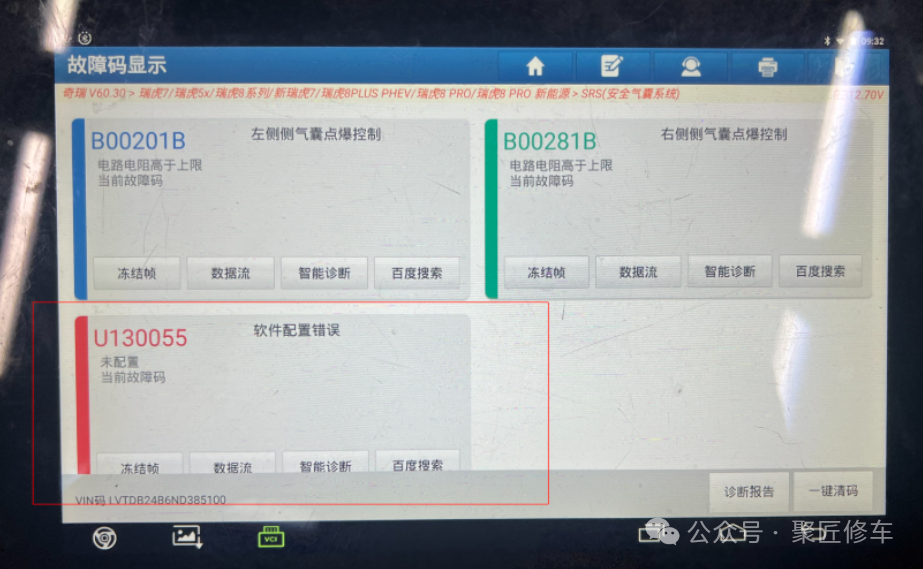
After the airbag was replaced due to an accident in the Chery Tiggo 8 Pro, the airbag warning light on the dashboard illuminated, and the fault code was: U130055 Software configuration error not configured for the current fault code;
Diagnostic Approach
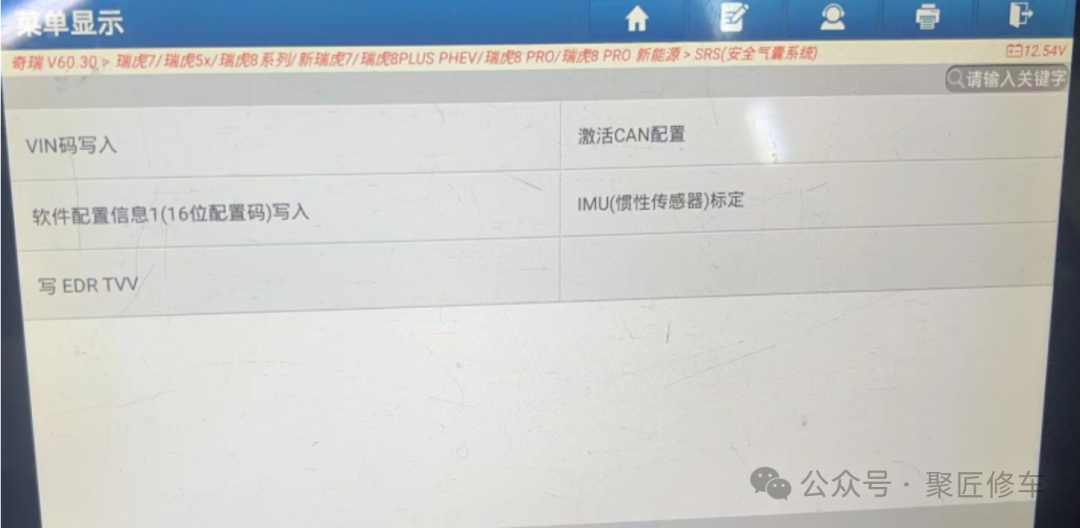
Enter the vehicle diagnostic program, navigate to the airbag section, and after performing special operations, click “CAN Configuration Activation” to proceed.
Troubleshooting
Before performing “Activate CAN Configuration”, all airbag components must be properly assembled and connected. If certain components of the airbag system are not connected, even after activating CAN configuration, the fault code “U130055 Software configuration error” will still be displayed.