Dear Friends
How have you been lately?
Do you have any small plans at home?
While taking care of your health,
many students want to recharge during the break
by researching and writing papers.
But…
Without access to the library’s electronic resources,
it can be a bit daunting,
and you might feel a bit worried, right?
No need to worry,
the library’s vast digital resources
can be accessed from home!
What are you waiting for? Come and check it out!

The library has successively opened up CNKI, Wanfang Data, EBSCO, Springer, Emerald, Scopus and other databases for off-campus access through educational network certification. You can access them off-campus via the CARSI authentication service.
|
Database Abbreviation |
Description |
|
CNKI (China National Knowledge Infrastructure) |
Full-text database of Chinese journals, conferences, and theses |
|
Wanfang Data |
Full-text database of Chinese journals, conferences, and theses |
|
EBSCO (ASP+BSP) |
Integrated full-text database of academic journals and commercial resources |
|
EBSCO (Subject Databases) |
20 subject-specific academic databases |
|
SLCC Springer Journal Database |
Foreign electronic journal database |
|
Emerald Management Full-text Database |
Foreign management academic journal database |
| Elsevier Scopus Abstract Database | Largest peer-reviewed journal abstract and citation database globally |
 Steps to Use
① Go to the database homepage and find the login interface;
② Choose “Login via Institution” or “Login via Shibboleth”;
③ Select the group “China CERNET Federation” to which your institution belongs;
④ Select your institution “Ningbo University of Finance and Economics”;
⑤ Log in using your Ningbo University of Finance and Economics student/staff ID number and password. (The default password is the last 6 digits of your ID card number)
Note: Our library has signed confidentiality agreements with some database providers, and personal or public accounts are only for use by our faculty and students. Accounts must not be shared or disclosed. We will hold relevant personnel accountable for any losses incurred due to account leakage.
CARSI User Resource Access Process (CNKI Version)
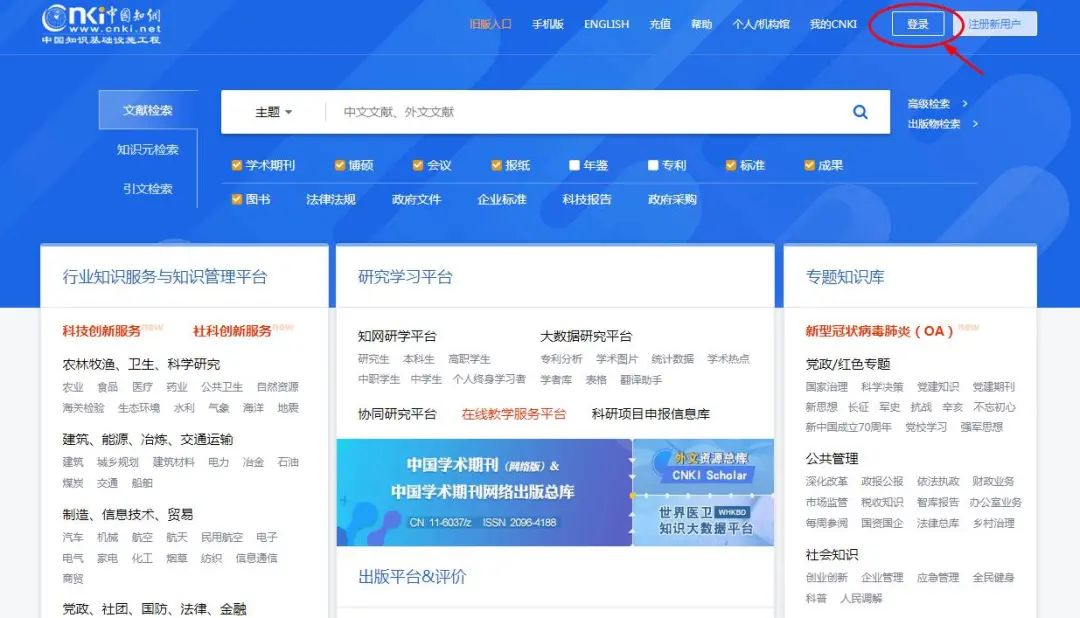
1. Go to the “Library Official Website”–“Electronic Resources”–“CNKI Journals and Theses Database”, and select login in the upper right corner.
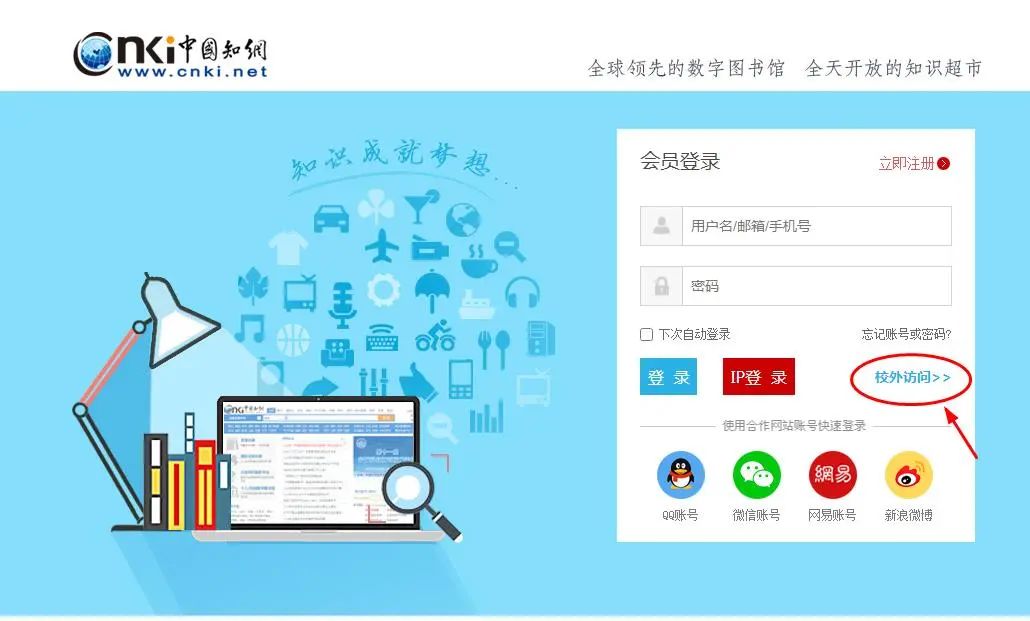
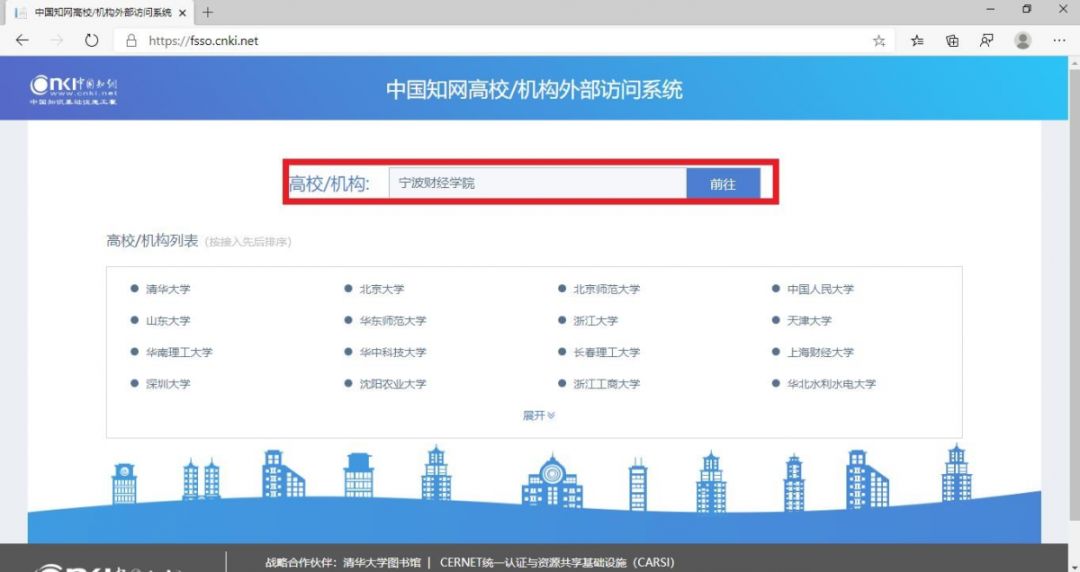
2. Enter the login page, select “Off-campus Access”. In the textbox next to the university/institution, input “Ningbo University of Finance and Economics” and click proceed.
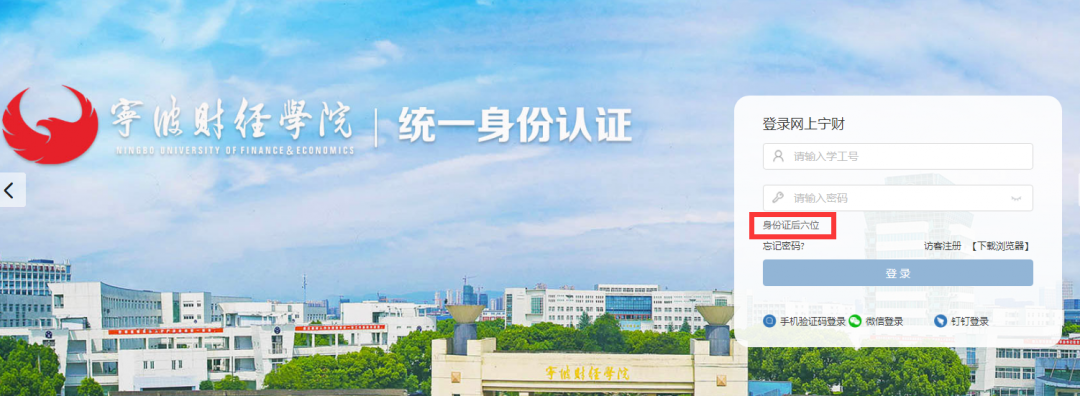
3. You will be automatically redirected to the university’s unified identity authentication. Enter your correct username and password, then click login. The default password is the last six digits of your ID card. Click “OK” to complete the authentication.
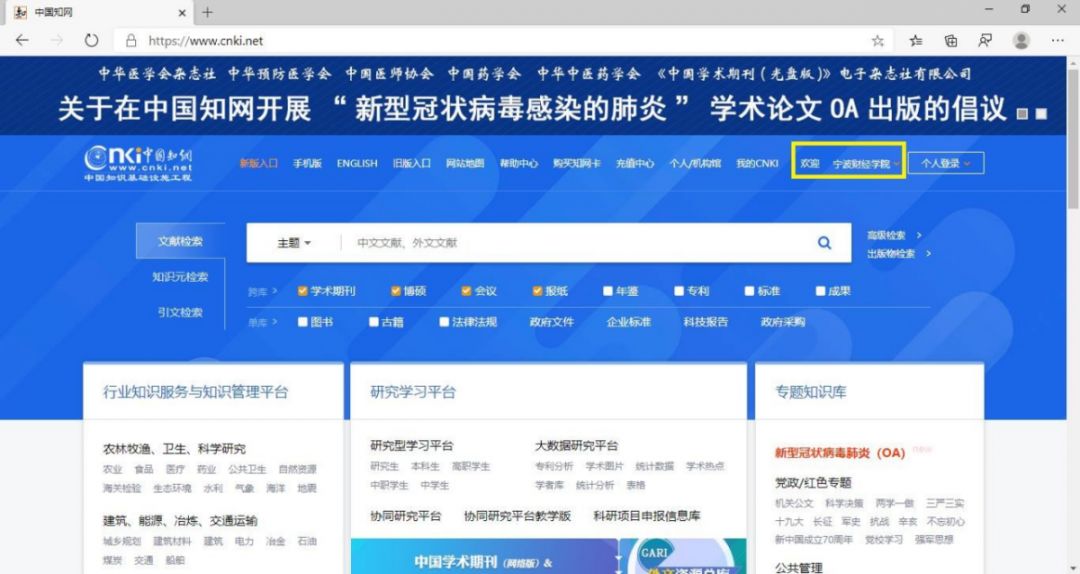
4. When the upper right corner of the page shows “Welcome to Ningbo University of Finance and Economics”, it means you have logged in successfully and can use the CNKI website resources normally.
CARSI User Resource Access Process (Wanfang Version)
1. Open your browser and enter the URL: https://fsso.wanfangdata.com.cn, click “Please select a university/institution” and select “Ningbo University of Finance and Economics”.
2. You will be automatically redirected to the university’s unified identity authentication. Enter your correct username and password, then click login. The default password is the last 6 digits of your ID card. Click “OK” to complete the authentication.
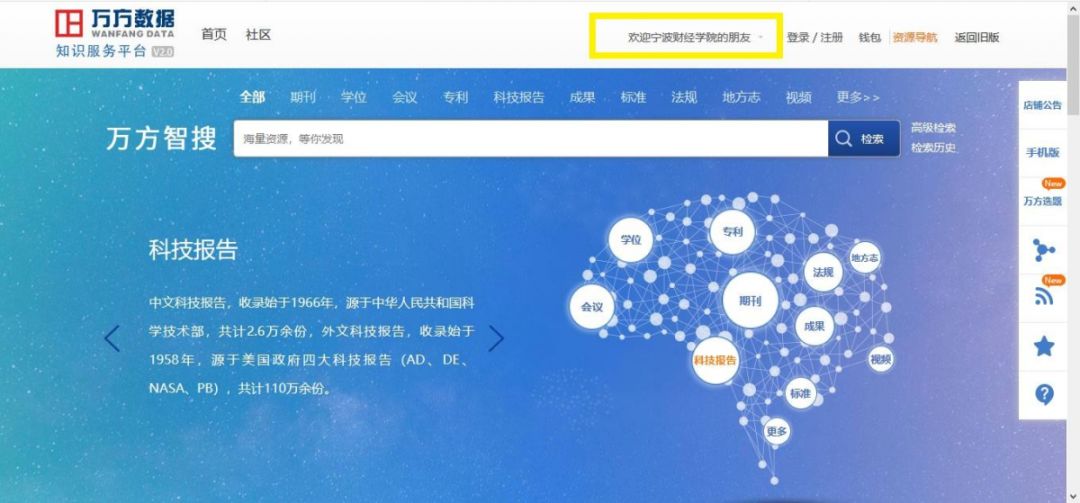
3. When the page shows “Welcome to Ningbo University of Finance and Economics”, it means you have logged in successfully and can use the Wanfang database resources normally.
CARSI User Resource Access Process (Emerald Version)
1. Open your browser and enter the URL: https://www.emerald.com/insight/
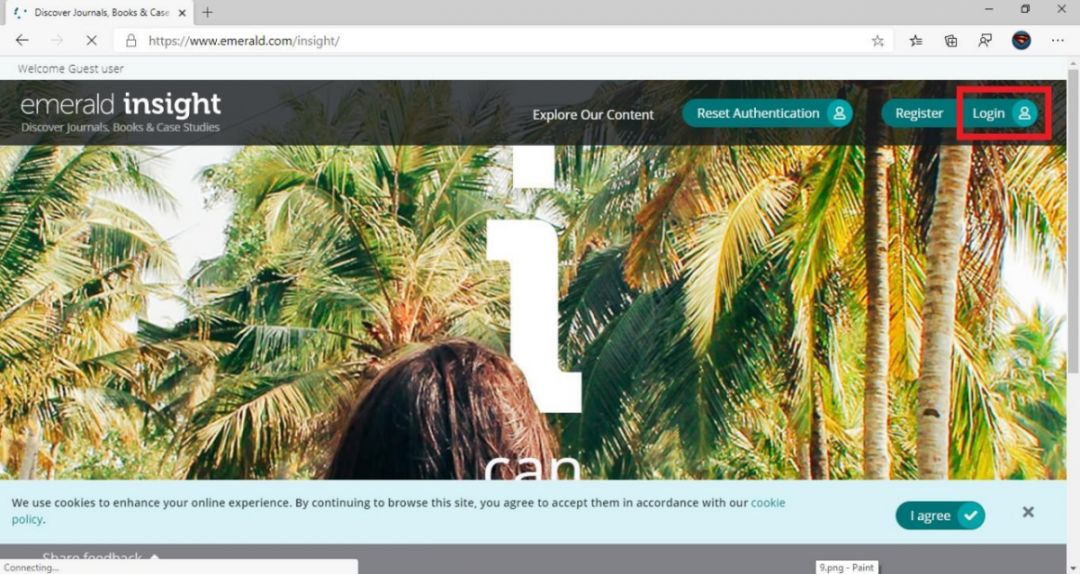
2. Click “login”, under “Find your institution” enter “NingBo” and click “Find”. Click “NingBo University of Finance and Economics” and then click the “Login” below Ningbo University of Finance and Economics.
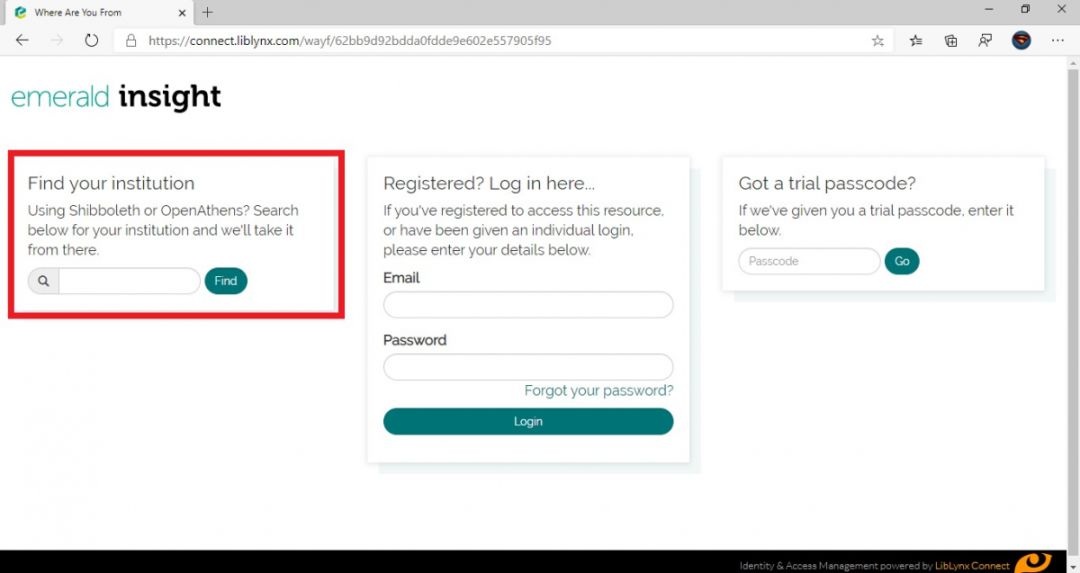
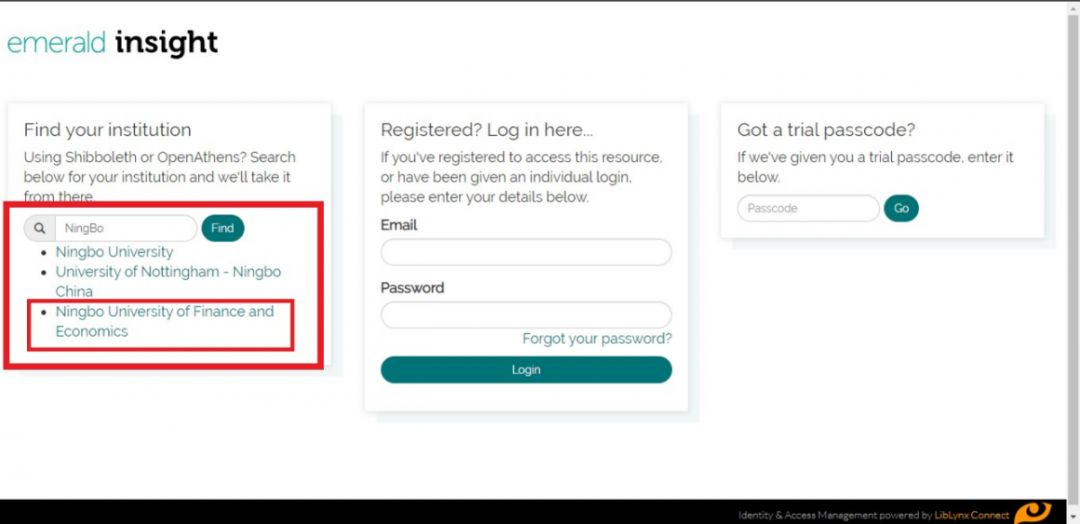
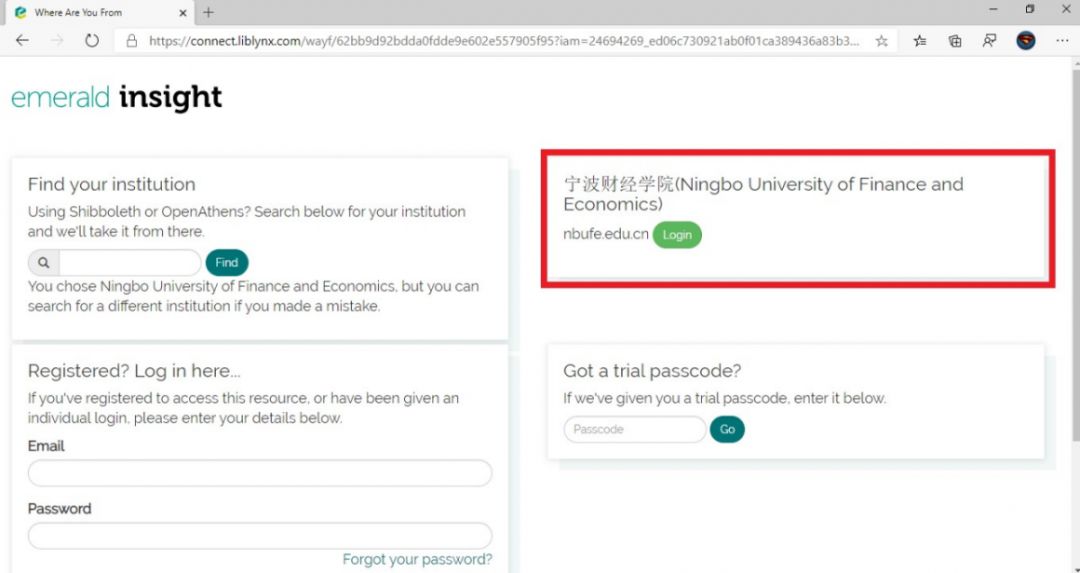
3. You will be automatically redirected to the university’s unified identity authentication. Enter your correct username and password, then click login. The default password is the last 6 digits of your ID card. Click “Accept” to complete the authentication.
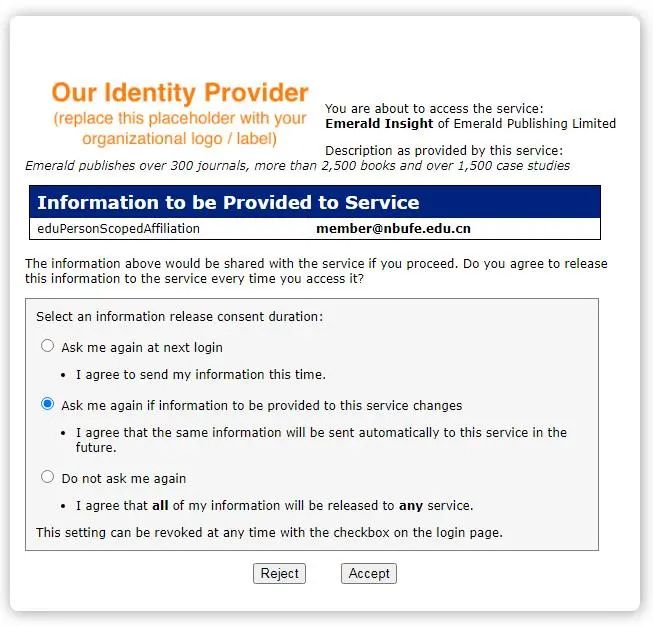
4. When the top left corner of the page shows “Welcome NingBo University of Finance and Economics”, it means you have logged in successfully and can use the Emerald database resources normally.
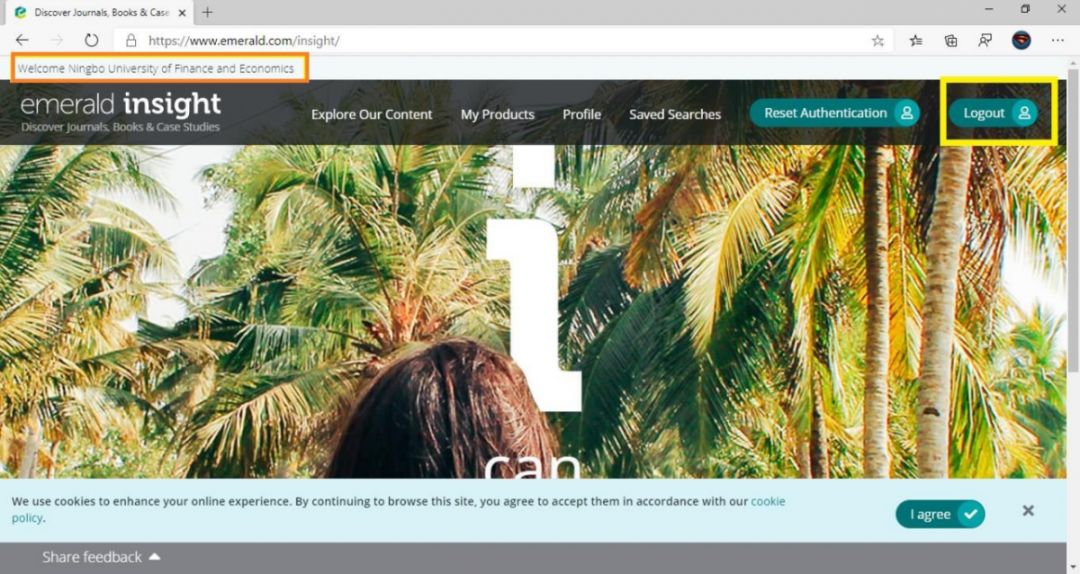
CARSI User Resource Access Process (Springer Version)
1. Open your browser and enter the URL: https://link.springer.com/
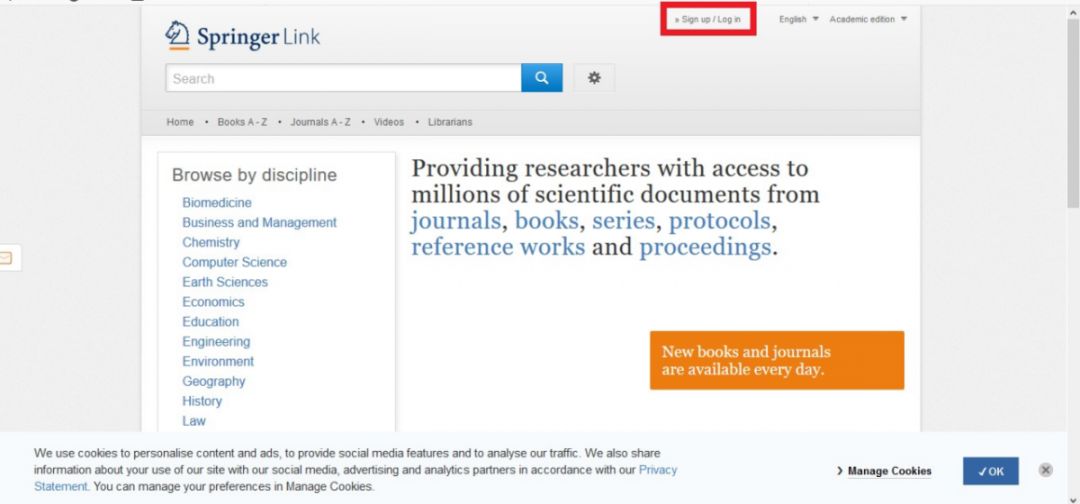
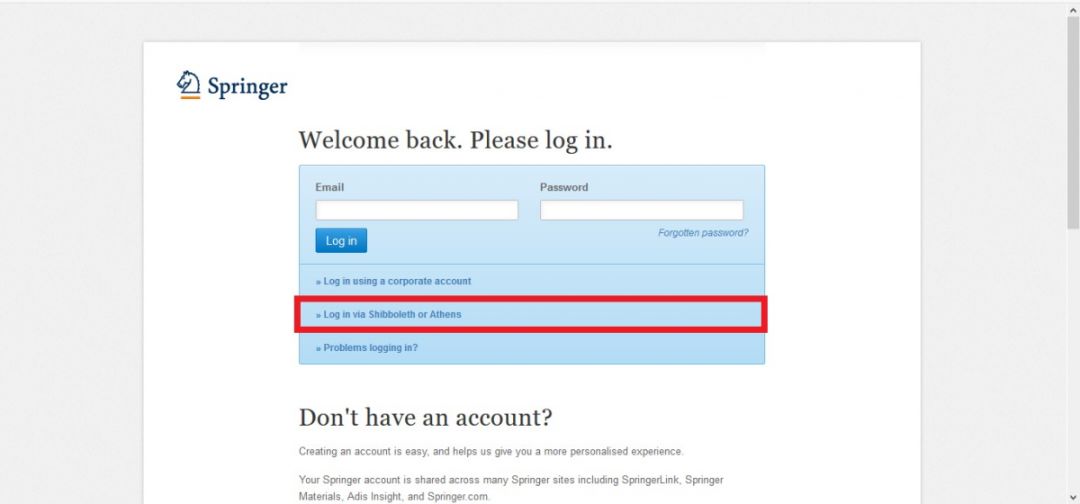
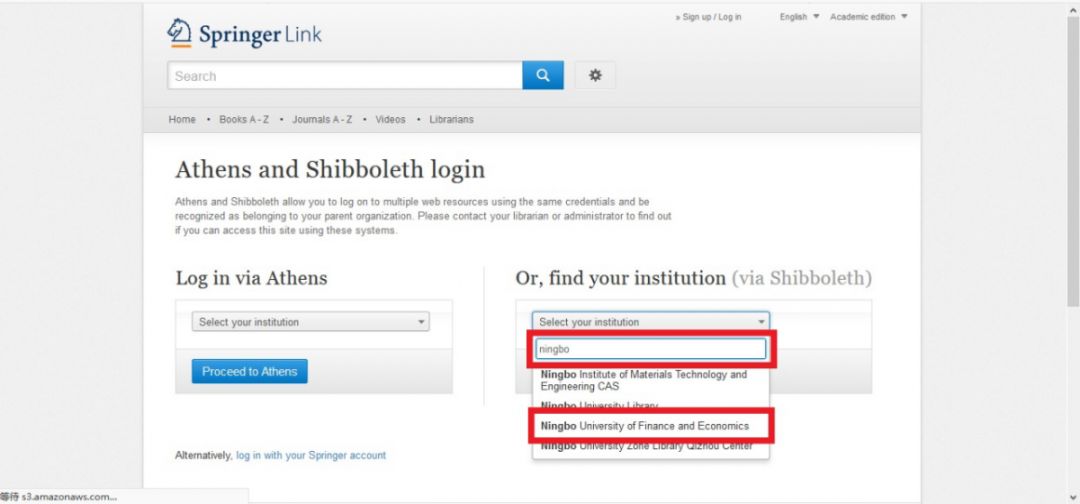
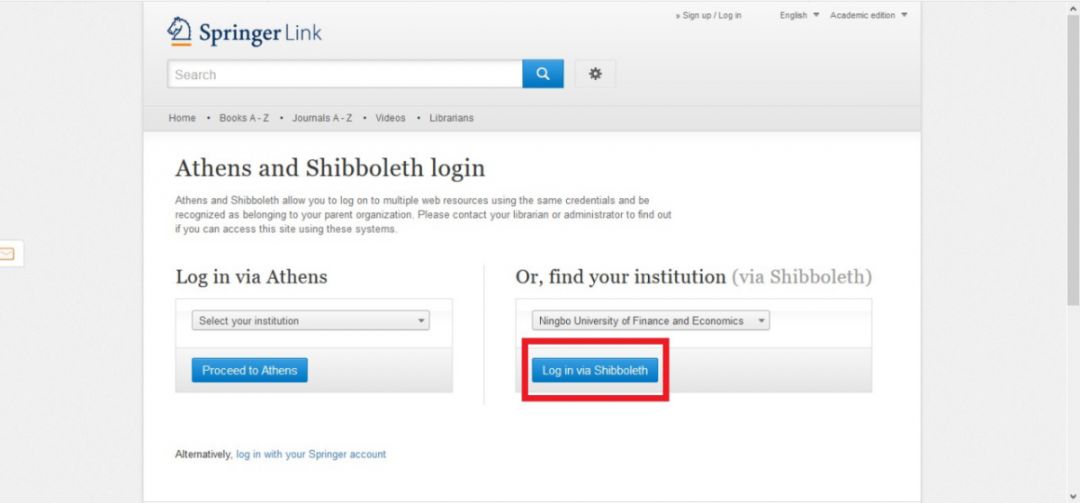
2. Click “login”, click “Log in via Shibboleth or Athens”, under “Or, find your institution” enter “Ningbo” and click “NingBo University of Finance and Economics”, click “Log in via Shibboleth”.
3. You will be automatically redirected to the university’s unified identity authentication. Enter your correct username and password, then click login. The default password is the last 6 digits of your ID card. Click “OK” to complete the authentication.
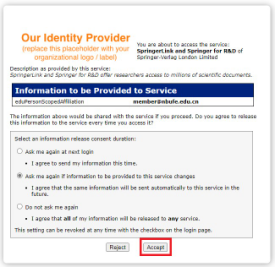
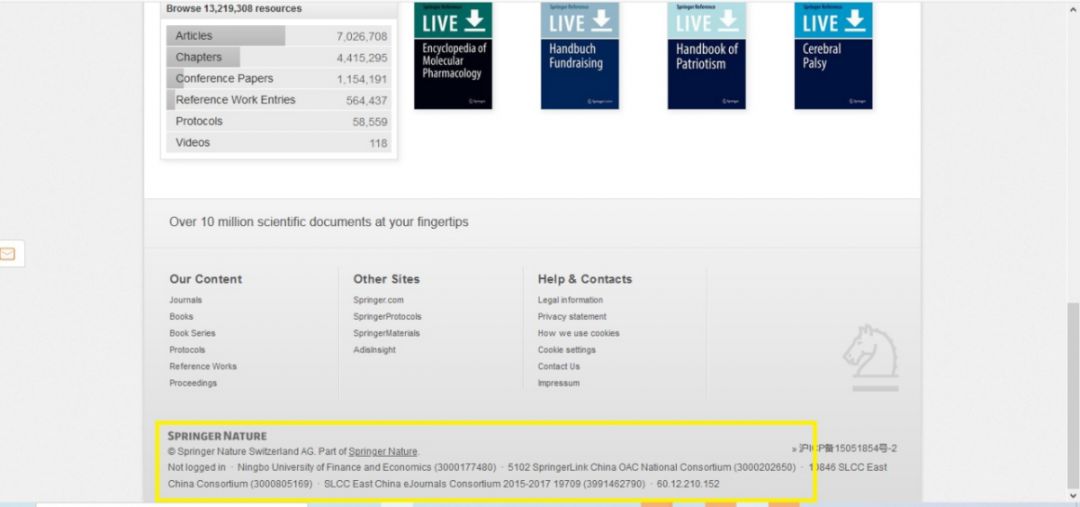
4. After redirecting to the Springer homepage, check the end of the webpage, if it shows “Ningbo University of Finance and Economics”, it means you have logged in successfully and can use the Springer database resources.
CARSI User Resource Access Process (EBSCO Version)
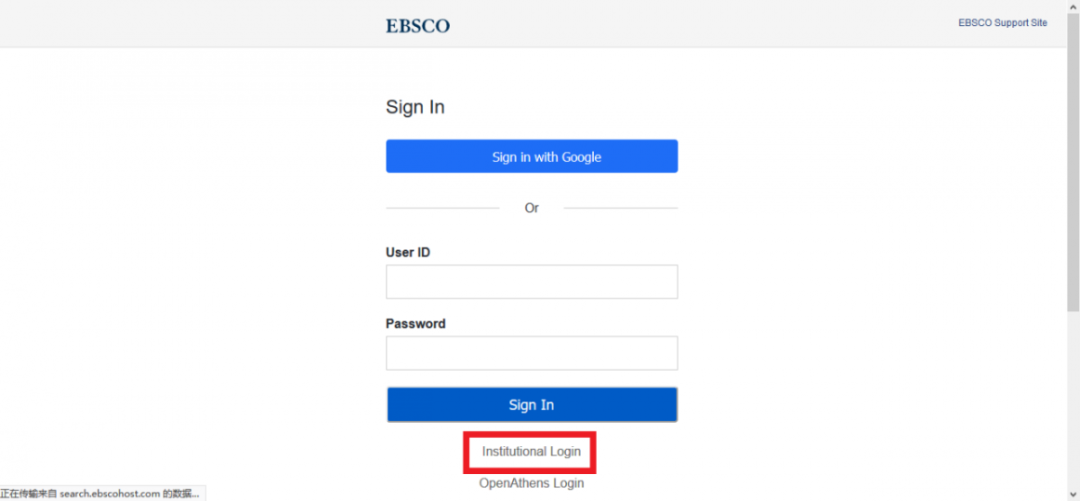
1. Open your browser and enter the URL: https://search.ebscohost.com/, click “Institutional Login”.
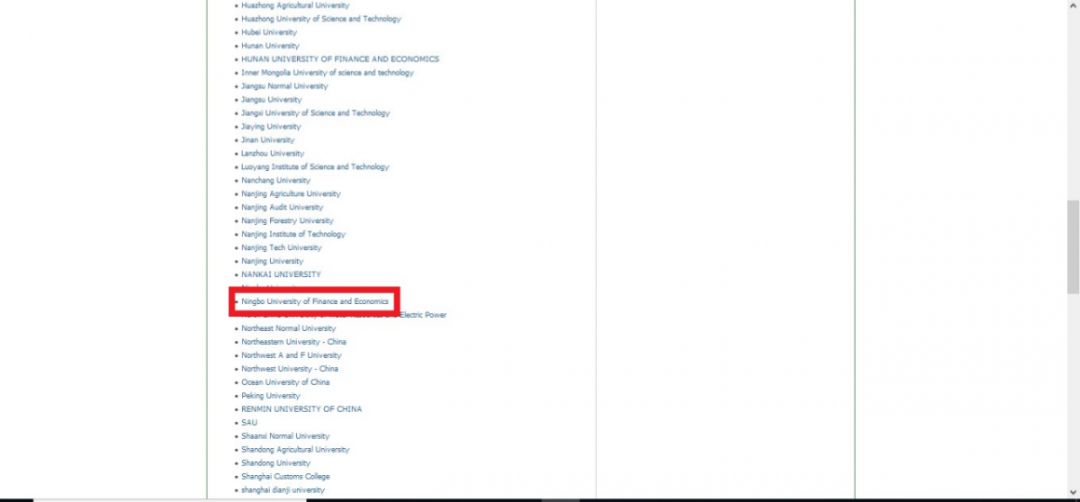
2. Click “Select your region or group”, select “CHINA CERNET Federation”, and click “NingBo University of Finance and Economics” at the bottom of the page.
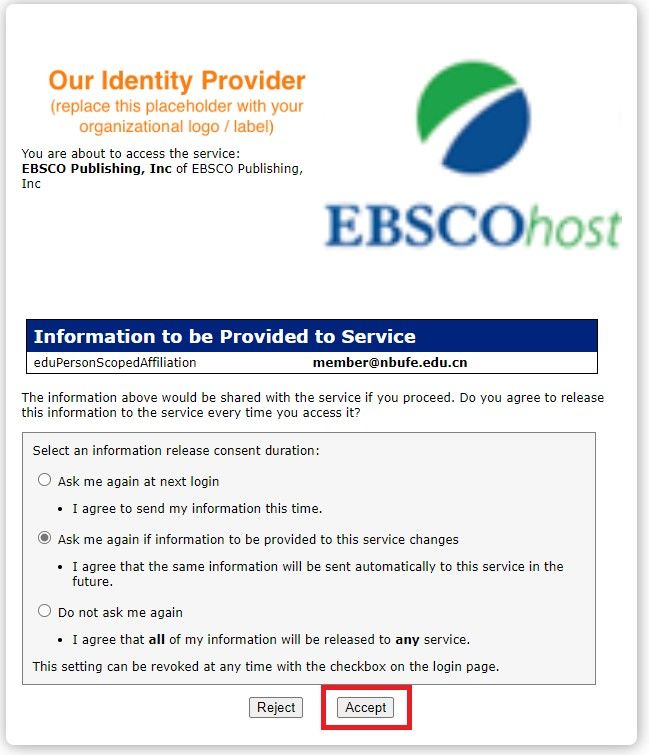
3. You will be automatically redirected to the university’s unified identity authentication. Enter your correct username and password, then click login. The default password is the last 6 digits of your ID card. Click “OK” to complete the authentication.
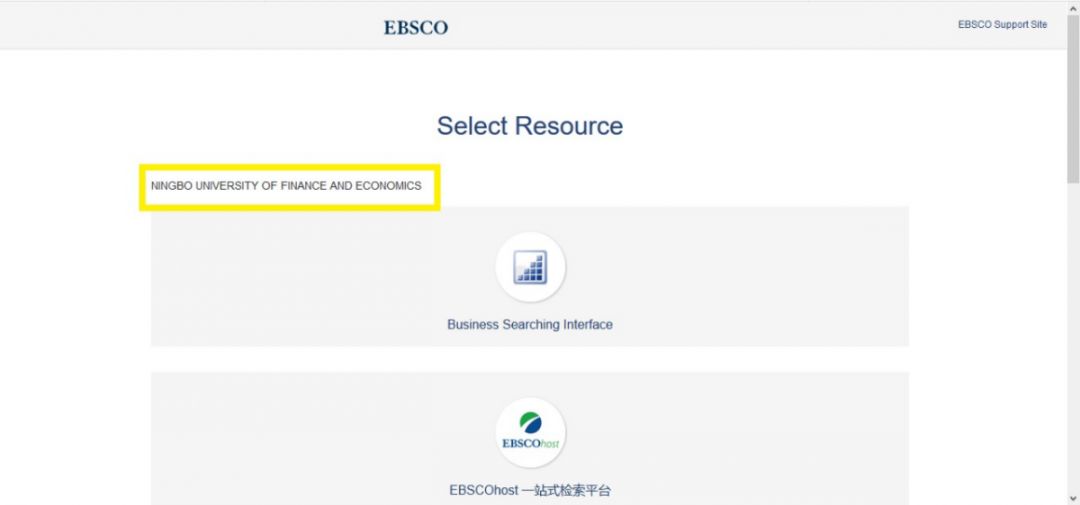
4. Once redirected to the homepage, if it shows “Ningbo University of Finance and Economics”, it means you have logged in successfully and can use the EBSCO database resources.
CARSI User Resource Access Process (Scopus Version)
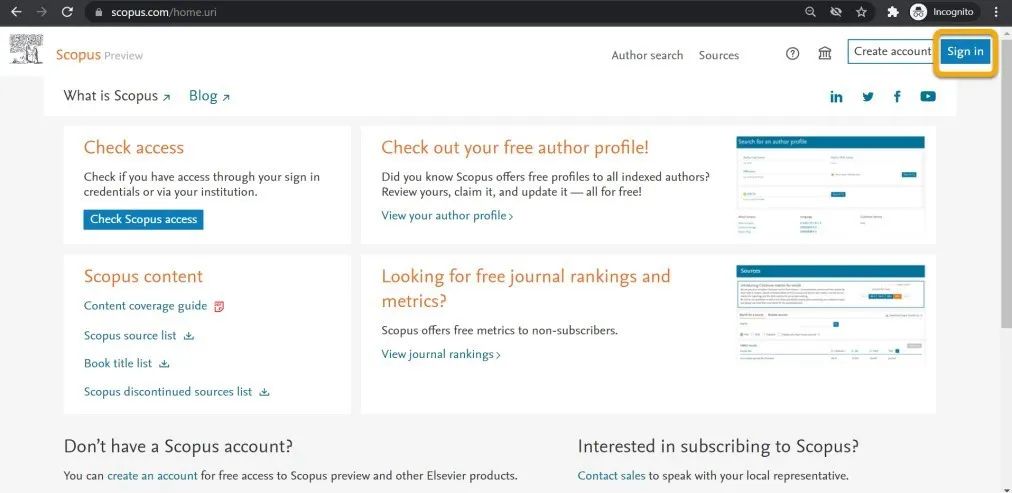
1. Open your browser using a non-campus IP address and enter https://www.scopus.com/. Click the “sign in” icon in the upper right corner.
2. Click the “Sign in via your institution” icon.
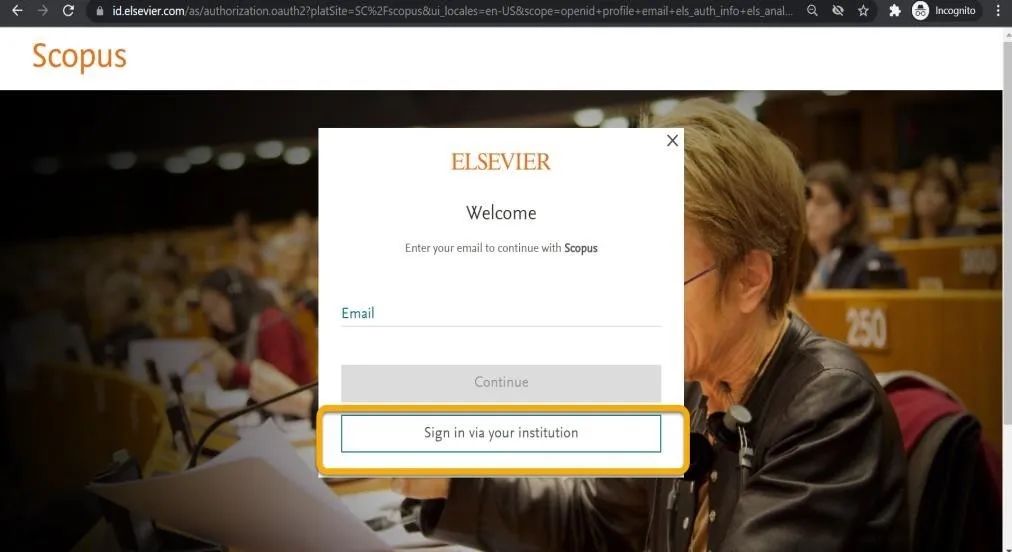
3. Enter “Ningbo University of Finance and Economics“, then click the institution name that appears in the list.
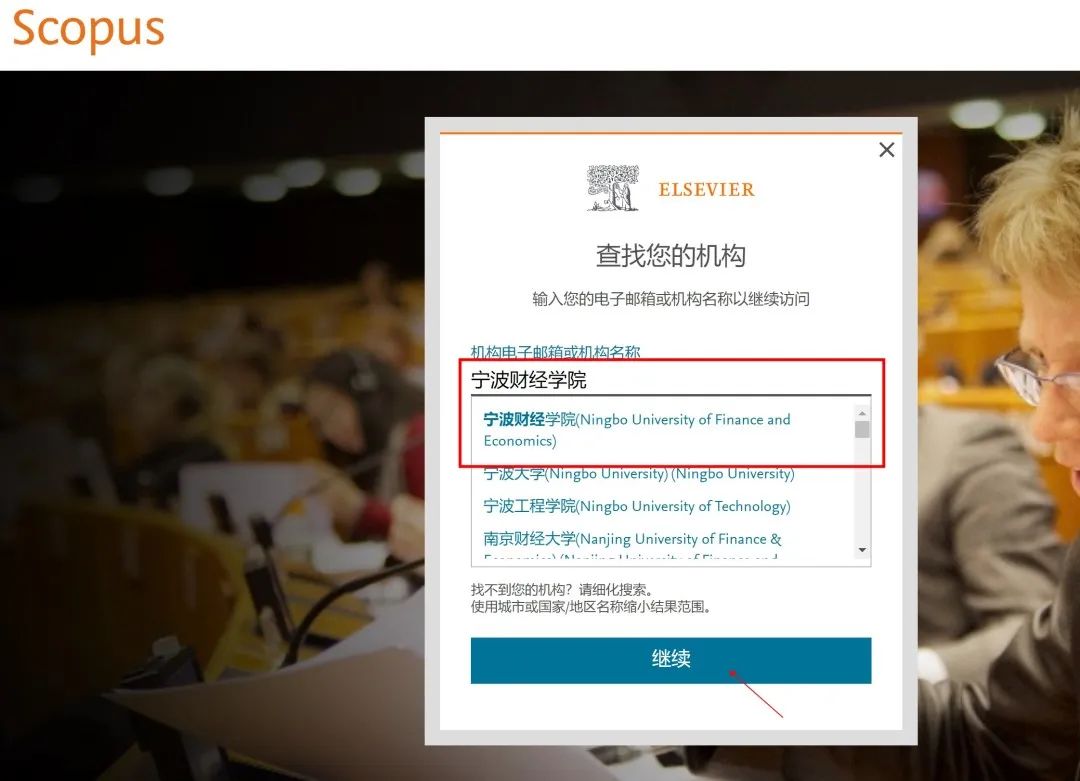
4. Click “Continue”, then you will enter the verification page.
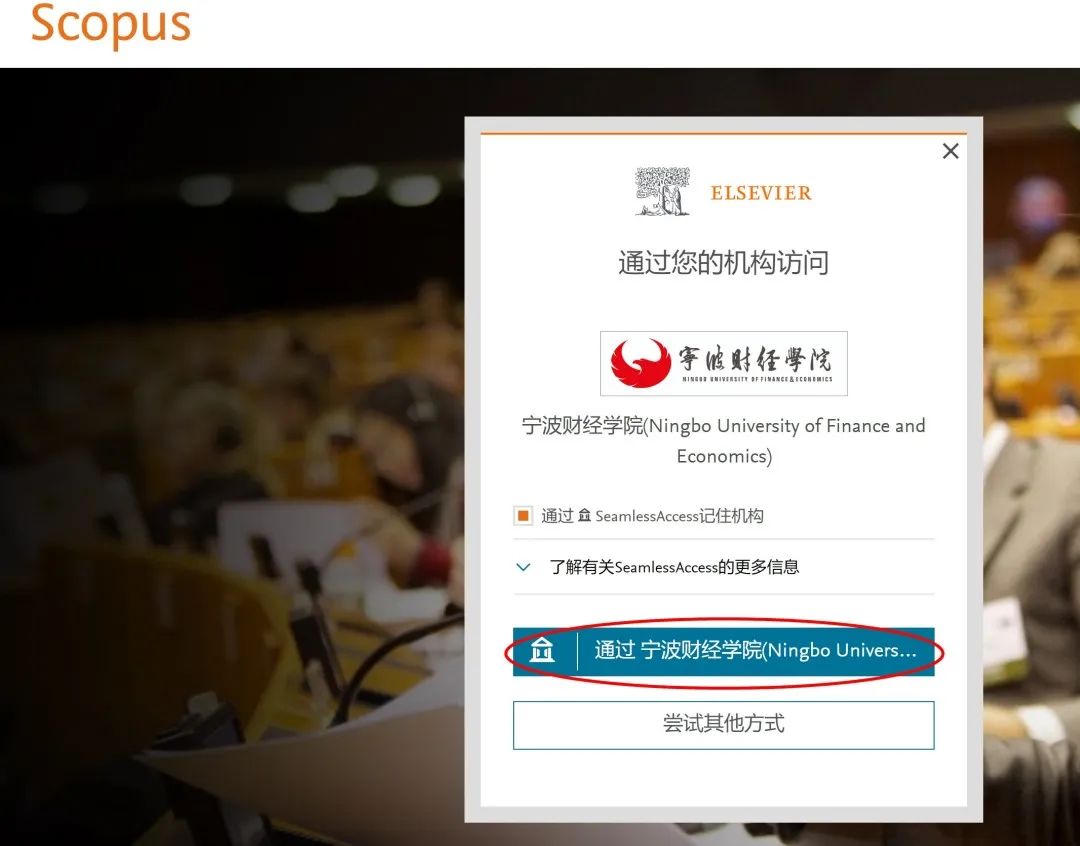
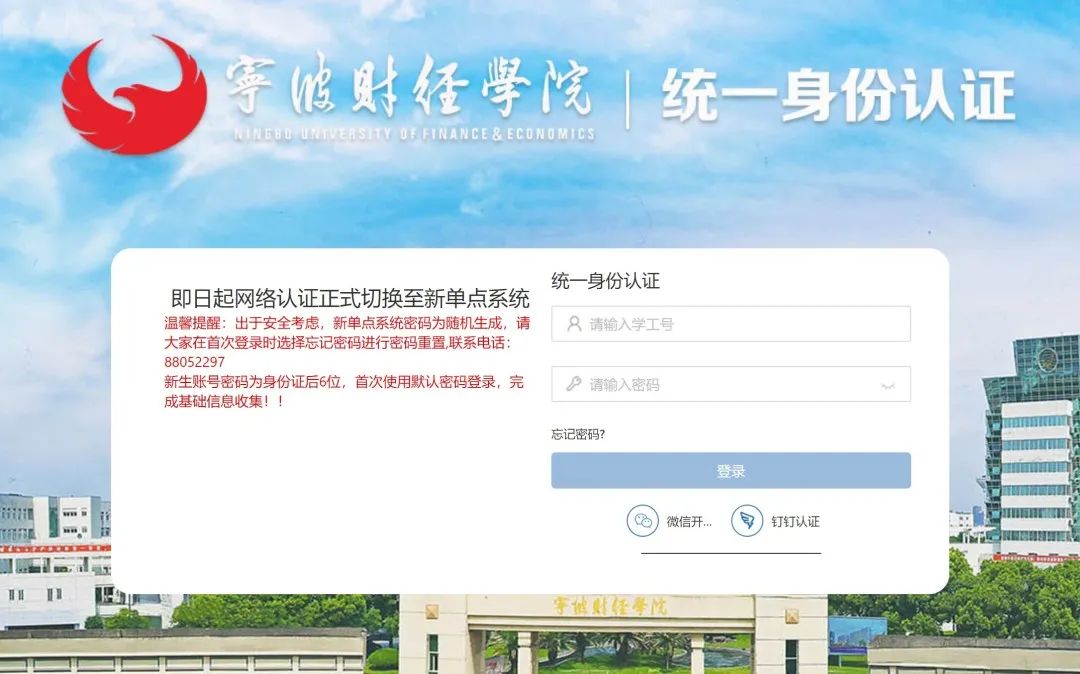
5. Enter your student/staff ID and password to access Scopus.
For specific usage methods of each database, please click on the library WeChat menu bar “Online Resources” – “Electronic Resources” to view the usage methods.

Previous Recommendations: